
1. المقدمة
Thank you for choosing the ILIFE V3s Max Robot Vacuum and Mop Combo. This device is designed to provide efficient and convenient cleaning for your home, combining powerful vacuuming with intelligent mopping capabilities. This manual provides essential information for the safe operation, maintenance, and troubleshooting of your robot vacuum. Please read it thoroughly before use and retain it for future reference.
2. تعليمات السلامة
To reduce the risk of injury or damage, read and follow all safety precautions. This appliance is for household use only.
- Do not operate the robot near open flames or fragile objects.
- احتفظ بالشعر والملابس الفضفاضة والأصابع وجميع أجزاء الجسم بعيدًا عن الفتحات والأجزاء المتحركة.
- لا تسمح للأطفال بتشغيل الروبوت. راقب الأطفال والحيوانات الأليفة أثناء تشغيل الروبوت.
- استخدم فقط محول الطاقة الأصلي وقاعدة الشحن المقدمة من الشركة المصنعة.
- تأكد من شحن الروبوت بالكامل قبل الاستخدام الأول.
- لا تستخدم الروبوت لالتقاط الحطام الكبير أو السوائل أو الأجسام المحترقة.
- Remove power cords, small objects, and curtains from the cleaning path to prevent entanglement.
- Do not use the mopping function on carpets or rugs.
3. محتويات العبوة
تأكد من وجود جميع المكونات وأنها في حالة جيدة:
- 1x ILIFE V3s Max Robot Vacuum
- 1 × جهاز التحكم عن بعد
- 1x Filter (pre-installed)
- محول أس شنومكس
- 1x قاعدة شحن
- 1 × فرشاة تنظيف
- 2x Side Brushes (spare)
- 1x Mop Cloth
- خزان مياه واحد
- 1 × دليل المستخدم
- 3x Dust Bags
4. انتهى المنتجview
Familiarize yourself with the main components of your ILIFE V3s Max.

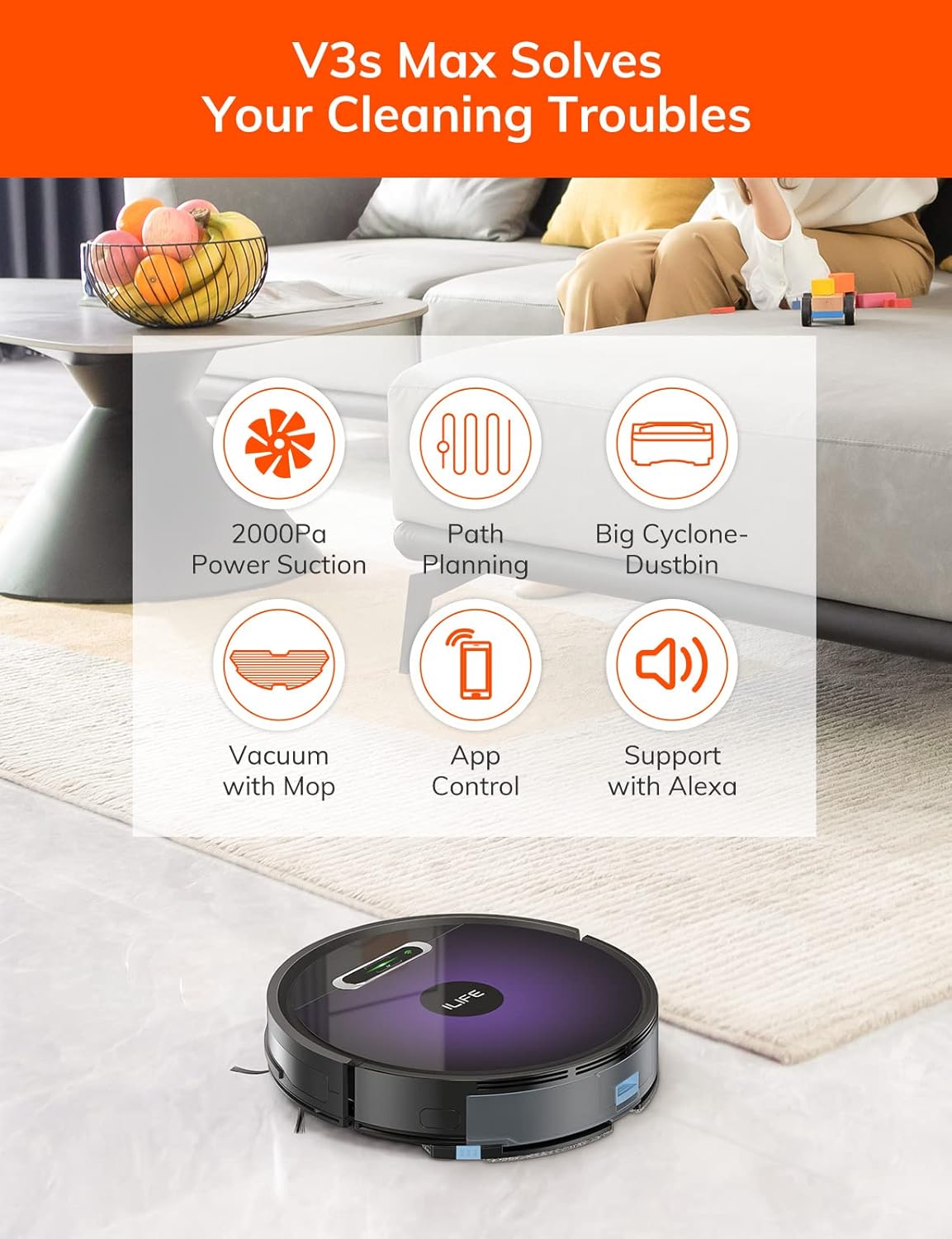
الشكل 4.1: قمة view of the ILIFE V3s Max robot vacuum, illustrating its 2000Pa suction, path planning, large dustbin, vacuum with mop function, app control, and Alexa support.

الشكل 4.2: الجانب السفلي view of the robot vacuum, highlighting the deep edge cleaning brush, powerful suction inlet, and the mop attachment for combined cleaning.
المكونات الرئيسية:
- النص الرئيسي: Contains the motor, dustbin, water tank, and navigation sensors.
- الفرش الجانبية: Sweep debris into the suction path.
- عجلات القيادة: اسمح للروبوت بالتحرك عبر أسطح مختلفة.
- عجلة عالمية: يوفر حركة اتجاهية.
- شحن جهات الاتصال: Connects with the charging dock.
- صندوق القمامة: يجمع الحطام الجاف.
- خزان المياه: يُستخدم لتخزين الماء لأغراض المسح.
- قطعة قماش الممسحة: يتم تثبيته على خزان المياه للتنظيف الرطب.
- زر الطاقة: Turns the robot on/off and starts/pauses cleaning.
- أجهزة الاستشعار: Anti-drop, anti-collision, and wall-following sensors.
5. الإعداد
5.1 الشحن الأولي
- ضع قاعدة الشحن على الحائط في منطقة مفتوحة، مع التأكد من عدم وجود عوائق في نطاق متر واحد على الجانبين ومترين في الأمام.
- Connect the AC adapter to the charging dock and plug it into a power outlet.
- Place the robot onto the charging dock, ensuring the charging contacts align. The indicator light will show charging status.
- Allow the robot to charge completely before first use (approximately 5-6 hours).
الشكل 5.1: The robot vacuum returning to its charging dock. Ensure the dock is placed in an accessible area.
5.2 تطبيق واتصال واي فاي
The ILIFE V3s Max supports app control via 2.4G Wi-Fi (5G Wi-Fi is not supported).
- Download the "ILIFEHOME" app from your smartphone's app store (iOS or Android).
- تسجيل حساب وتسجيل الدخول.
- Ensure your phone is connected to a 2.4G Wi-Fi network.
- Follow the in-app instructions to add your device. This typically involves pressing and holding the robot's power button until it enters pairing mode, then entering your Wi-Fi password in the app.

الشكل 5.2: The ILIFEHOME app interface, demonstrating features like scheduling, cleaning history, suction settings, and cleaning modes. The robot also supports Amazon Alexa integration.
6. تعليمات التشغيل
6.1 بدء/إيقاف التنظيف مؤقتًا
- من الروبوت: اضغط على زر التشغيل مرة واحدة لبدء التنظيف أو إيقافه مؤقتًا.
- من جهاز التحكم عن بعد: Press the "Clean" button.
- من التطبيق: Tap "Start" or "Pause" in the ILIFEHOME app.
6.2 أوضاع التنظيف
The V3s Max offers multiple cleaning modes for different needs:

الشكل 6.1: Illustration of the robot's multiple cleaning modes: Random, Spot, Edge, and Path (zigzag) cleaning.
- Path Cleaning (Zigzag): The robot cleans in an efficient zigzag pattern, covering the entire area systematically. This is the default mode for general cleaning.
- تنظيف البقعة: The robot focuses on a specific dirty area, cleaning in a spiral pattern. Activate this mode for concentrated cleaning of spills or heavily soiled spots.
- تنظيف الحواف: ينظف الروبوت على طول الجدران وحواف الأثاث. وهو مفيد للتنظيف الشامل لمحيط الغرفة.
- تنظيف عشوائي: The robot cleans randomly, suitable for small, uncluttered spaces.
6.3 التنظيف بالمكنسة الكهربائية والمسح
The V3s Max can vacuum and mop simultaneously or separately.

الشكل 6.2: The robot vacuum demonstrating its 2000Pa suction power, effectively picking up food crumbs and pet hair from hard floors.

الشكل 6.3: The robot vacuum illustrating three types of water adjustment for mopping, catering to various floor cleaning needs.
- التنظيف بالمكنسة الكهربائية: Ensure the dustbin is installed. The robot will use its 2000Pa suction to clean dry debris.
- التطهير: Fill the 200ml water tank with clean water and attach the mop cloth. Insert the water tank into the robot. The robot will then perform wet mopping. Do not use cleaning solutions other than water in the tank.
- التنظيف المتكامل: With both the dustbin and water tank installed, the robot will vacuum and mop simultaneously.
6.4 الجدولة
Use the ILIFEHOME app to set cleaning schedules for automated cleaning sessions.
- Open the ILIFEHOME app.
- Navigate to the scheduling section.
- حدد أوقات وأيام التنظيف المطلوبة.
- Confirm the schedule. The robot will automatically start cleaning at the programmed times.
7. الصيانة
تضمن الصيانة الدورية الأداء الأمثل وتطيل عمر مكنسة الروبوت الخاصة بك.
7.1 تنظيف صندوق القمامة والفلتر
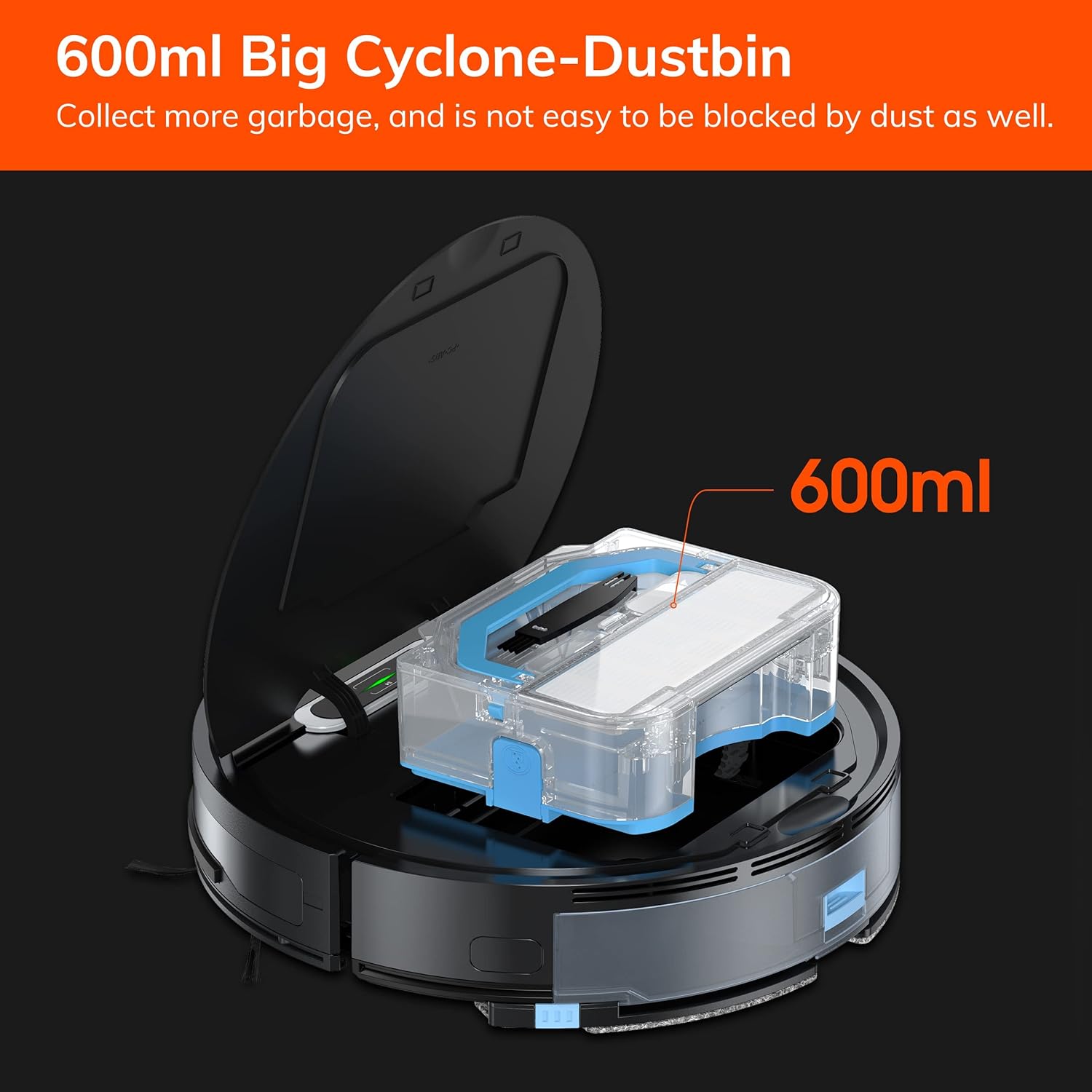
الشكل 7.1: The 600ml cyclone dustbin, designed to collect more debris and resist clogging.
- Press the "PUSH" button on the robot's top cover to open it.
- قم بإزالة سلة المهملات عن طريق سحبها للأعلى.
- افتح غطاء سلة المهملات وأفرغ محتوياتها في سلة المهملات.
- Remove the filter assembly (pre-filter, sponge filter, high-performance filter).
- Clean the filters with the provided cleaning brush. Do not wash the high-performance filter with water.
- Rinse the dustbin with water if necessary, ensuring it is completely dry before reinstallation.
- Reassemble the filters and dustbin, then reinsert into the robot.
7.2 تنظيف الفرشاة الجانبية
- افحصي فرشات الشعر الجانبية بانتظام للتأكد من خلوها من الشعر المتشابك أو الأوساخ.
- اسحب الفرش الجانبية برفق لأعلى لإزالتها.
- Use the cleaning brush or scissors to remove any tangled hair or debris.
- Reinstall the side brushes, ensuring they click into place.
7.3 صيانة خزان المياه وقطعة قماش الممسحة
- After each mopping session, remove the water tank.
- قم بإفراغ أي مياه متبقية من الخزان.
- افصل قطعة قماش الممسحة واغسلها يدوياً أو في الغسالة. اتركها تجف تماماً في الهواء.
- اشطف خزان المياه بالماء النظيف واتركه ليجف في الهواء.
7.4 تنظيف المستشعر
- Use a clean, dry cloth to wipe the anti-drop sensors (located on the bottom of the robot) and the anti-collision sensors (located on the front bumper).
- Clean the charging contacts on both the robot and the charging dock.
8. استكشاف الأخطاء وإصلاحها
If you encounter issues with your ILIFE V3s Max, refer to the following common problems and solutions:
| مشكلة | السبب المحتمل | حل |
|---|---|---|
| الروبوت لا يبدأ أو لا يستجيب. | بطارية منخفضة؛ إيقاف تشغيل الطاقة؛ الروبوت عالق. | اشحن الروبوت؛ شغّل مفتاح الطاقة؛ أزل العوائق. |
| لا يمكن للروبوت العودة إلى قاعدة الشحن. | Charging dock obstructed; Robot too far from dock; Dock not powered. | Ensure clear path to dock; Manually place robot near dock; Check power connection. |
| أداء التنظيف ضعيف. | Dustbin full; Filters clogged; Side brushes worn or tangled. | أفرغ سلة المهملات؛ نظف/استبدل الفلاتر؛ نظف/استبدل الفرش الجانبية. |
| الروبوت يتعطل بشكل متكرر. | Obstacles (cables, rugs); Cliff sensors dirty. | Clear cleaning area; Clean cliff sensors. |
| مشاكل اتصال التطبيق. | Incorrect Wi-Fi (5G); Incorrect password; Router issues. | Ensure 2.4G Wi-Fi; Re-enter password; Restart router and robot. |
If the problem persists, please contact ILIFE customer support.
9. المواصفات
| ميزة | التفاصيل |
|---|---|
| ماركة | اي لايف |
| اسم الموديل | V3s ماكس |
| قوة الشفط | Up to 2000Pa (Spot Mode) |
| سعة سلة المهملات | 600مل |
| سعة خزان المياه | 200مل |
| عمر البطارية | حتى 100 دقيقة |
| نوع البطارية | Lithium Ion (14.4 Volts) |
| ملاحة | Gyroscopic Path Planning |
| طرق التحكم | App Control, Remote Control, Amazon Alexa |
| دعم الواي فاي | 2.4G Wi-Fi only |
| أبعاد المنتج | 12.4 بوصة طول × 11.81 بوصة عرض × 2.99 بوصة ارتفاع |
| وزن العنصر | 5.4 رطل |
| مستوى الضوضاء | 65 ديسيبل |
| توصية السطح | Hard Floor, Low-Pile Carpet |
10. الضمان والدعم
ILIFE provides a limited warranty for this product. For detailed warranty information, please refer to the warranty card included in your package or visit the official ILIFE website. For technical support, troubleshooting assistance, or replacement parts, please contact ILIFE customer service through the contact information provided on their website or within the ILIFEHOME app.
الدعم عبر الإنترنت: www.iliferobot.com/support