
Della 048-TL-D35W_3
DELLA 3000 Sq. Ft Smart Dehumidifier User Manual
Model: 048-TL-D35W_3 | Brand: Della
1. تعليمات السلامة الهامة
يرجى قراءة جميع التعليمات بعناية قبل تشغيل هذا الجهاز. احتفظ بهذا الدليل للرجوع إليه مستقبلاً.
- Always connect the dehumidifier to a grounded electrical outlet.
- لا تقم بتشغيل الوحدة إذا كان سلك الطاقة أو القابس تالفًا.
- تأكد من التهوية المناسبة حول الوحدة لمنع ارتفاع درجة الحرارة.
- لا تقم بسد مداخل أو منافذ الهواء.
- Empty the water tank regularly or ensure continuous drainage is properly set up.
- يحتوي هذا المنتج على مواد كيميائية معروفة في ولاية كاليفورنيا بأنها تسبب السرطان والعيوب الخلقية أو غيرها من الأضرار التناسلية.
2. انتهى المنتجview
The DELLA 35 Pint Smart Dehumidifier is designed to efficiently remove moisture from medium to large rooms, basements, dens, and storage areas, covering up to 3000 sq. ft. It features quiet operation, smart Wi-Fi control, and multiple drainage options.
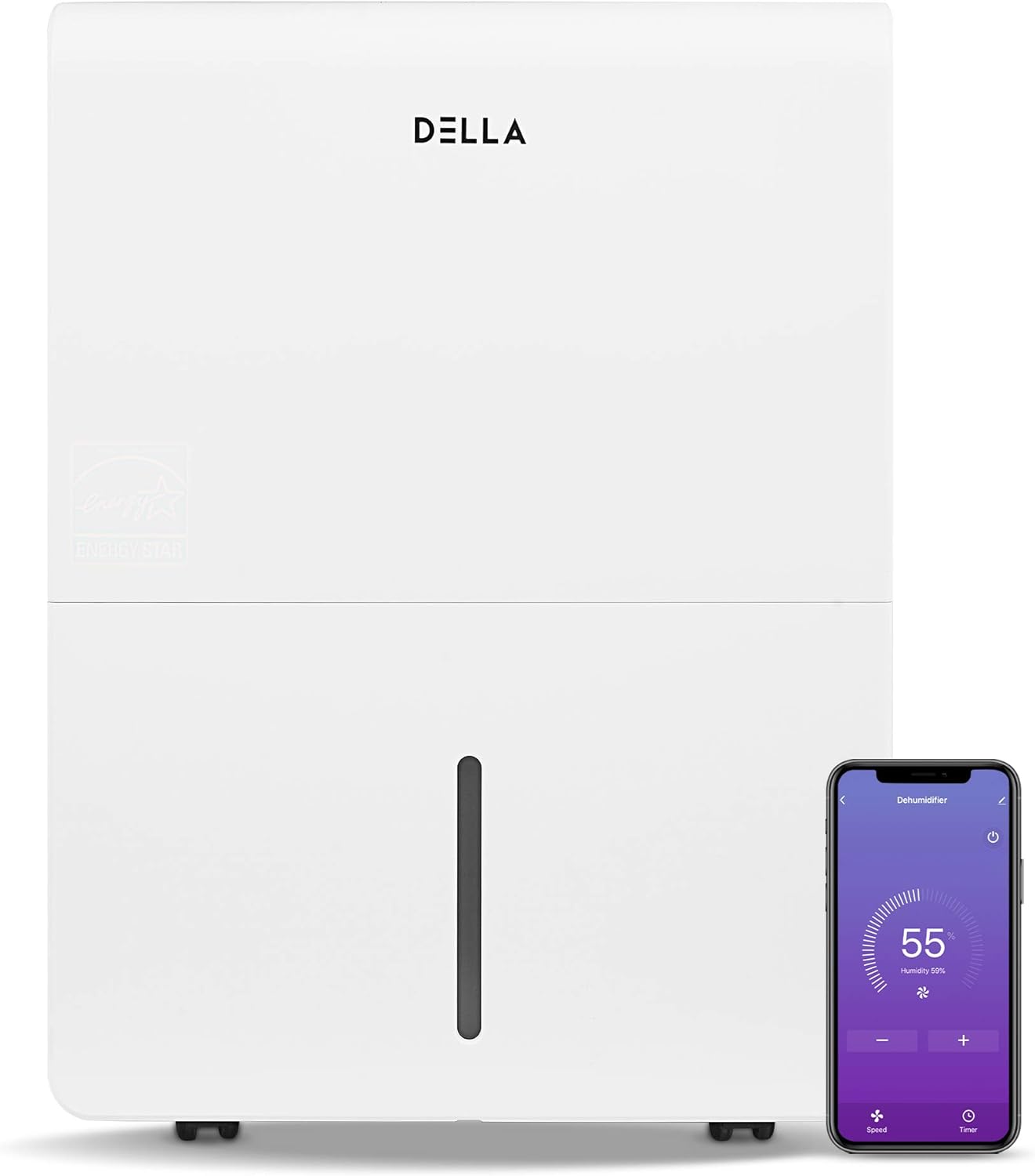
الشكل 2.1: أمام view of the DELLA Smart Dehumidifier, showcasing its sleek design and the accompanying smartphone app interface for remote control.

الشكل 2.2: Visual comparison illustrating the moisture removal capacity difference between a 22 Pint and a 35 Pint dehumidifier, highlighting the 35 Pint model's suitability for larger areas (1,500 - 3,000 sq ft).

الشكل 2.3: The dehumidifier can be intelligently controlled remotely via the Della+ app on your smartphone, allowing for convenient adjustments from anywhere.

الشكل 2.4: The Della+ app features geo-fencing technology, enabling the dehumidifier to automatically turn on as you approach home and turn off when you leave.
فيديو 2.1: This video demonstrates the key features and functionality of the DELLA Smart Dehumidifier, including its portability, control panel, and smart app integration.
3. الإعداد
3.1 التنسيب
Place the dehumidifier in a location where the humidity is highest and air circulation is good. Ensure there is at least 8 inches of space around the unit for optimal airflow. The unit is portable with 360-degree easy-roll hidden wheels for room-to-room portability.
3.2 توصيل الطاقة
Plug the dehumidifier into a standard 115V, 60Hz grounded electrical outlet. Do not use extension cords or power strips.
3.3 خيارات الصرف
The unit offers two methods for water drainage:
- التفريغ اليدوي: The water tank can be manually removed and emptied when full. The unit will alert you when the tank is full and automatically shut off to prevent overflow.
- الصرف المستمر: For continuous operation without manual emptying, connect a standard garden hose (not included) to the continuous drain outlet. Ensure the hose is sloped downwards to allow gravity drainage into a suitable drain.

الشكل 3.1: Illustration of the two drainage methods: manual tank removal (1) and continuous gravity drainage via a hose (2).

الشكل 3.2: The dehumidifier is equipped with an electromagnetic float water-fill alarm device that automatically shuts off the unit when the water tank is full, preventing overflow.
4. تعليمات التشغيل
4.1 لوحة التحكم
The dehumidifier features an easy-to-use control panel located on the top of the unit.

الشكل 4.1: مفصل view of the control panel, showing buttons for Power, Mode, Timer, and indicators for Tank Full, Filter, and Wi-Fi status.
- قوة: اضغط لتشغيل جهاز إزالة الرطوبة أو إيقاف تشغيله.
- اتجاهات: Press to cycle through different operating modes: Dry, Turbo, Comfort, and Cont (Continuous).
- المُؤقت: Press to initiate the auto start and auto stop feature, allowing you to set a specific operating duration.
- ضبط الرطوبة: Use the up/down arrows to adjust the desired humidity level.
- المؤشرات: Lights for 'Tank Full', 'Filter', and 'Wi-Fi' indicate the status of the unit.
4.2 Wi-Fi Control (DELLA+ App)
This dehumidifier is Wi-Fi enabled, allowing you to control it remotely using the DELLA+ app on your smartphone. Download the app from your device's app store and follow the in-app instructions for pairing. The app allows you to adjust settings, monitor humidity levels, and receive notifications (e.g., when the water tank is full).
5. الصيانة
5.1 تنظيف المرشح
The dehumidifier is equipped with a washable filter. A 'Filter' indicator light on the control panel will illuminate to remind you when it's time to clean the filter (typically after 250 hours of operation). Regularly cleaning the filter ensures optimal performance and air quality.
- قم بإيقاف تشغيل الوحدة وفصلها.
- قم بإزالة الفلتر من مكانه.
- اغسل الفلتر بالماء الدافئ والصابون، ثم اشطفه جيدًا.
- اترك الفلتر ليجف تمامًا في الهواء قبل إعادة إدخاله.
- Press and hold the 'Filter' button on the control panel to reset the filter timer.
5.2 Water Tank Emptying
When the water tank is full, the 'Tank Full' indicator will light up, and the unit will automatically shut off. Carefully remove the water tank using its handle and empty the collected water. Reinsert the tank firmly until it clicks into place to resume operation.
6. استكشاف الأخطاء وإصلاحها
| مشكلة | السبب المحتمل | حل |
|---|---|---|
| لا يتم تشغيل جهاز إزالة الرطوبة. | No power, power cord unplugged, water tank full or not properly seated. | Check power connection, empty and re-seat water tank. |
| تعمل الوحدة ولكنها لا تقوم بإزالة الرطوبة. | Air filter clogged, room temperature too low, humidity setting too high. | Clean air filter, ensure room temperature is above 41°F (5°C), lower humidity setting. |
| تسرب المياه من الوحدة. | Water tank not properly seated, continuous drain hose is kinked or clogged. | Re-seat water tank, check continuous drain hose for kinks or blockages. |
| الوحدة صاخبة. | الوحدة ليست على سطح مستو، فلتر الهواء مسدود. | ضع الوحدة على سطح مستوٍ وثابت. نظّف فلتر الهواء. |
| مشاكل في الاتصال بشبكة Wi-Fi. | كلمة مرور الواي فاي غير صحيحة، جهاز التوجيه بعيد جدًا، التطبيق غير محدّث. | Verify Wi-Fi credentials, move unit closer to router, update Della+ app. |
7. المواصفات

الشكل 7.1: زيادةview of the dehumidifier's dimensions and key technical specifications.
| مواصفة | قيمة |
|---|---|
| ماركة | ديلا |
| اسم الموديل | 048-TL-D35W_3 |
| تغطية مساحة الأرضية | 3000 قدم مربع |
| قدرة إزالة الرطوبة | 35 باينتًا في اليوم |
| حجم الخزان | 0.9 جالون (7.17 باينت) |
| مزود الطاقة | 115 فولت/60 هرتز |
| واتtage | 560 واط |
| Noise Level (Hi/Med/Lo) | 48/45 ديسيبل |
| أبعاد المنتج (عمق×عرض×ارتفاع) | 9.84 بوصة عمق × 14.37 بوصة عرض × 19.69 بوصة ارتفاع |
| وزن العنصر | 33.7 رطل |
| المميزات الخاصة | Quiet Operation, Timer, Washable Filter, Wi-Fi Control |
| المكونات المضمنة | Manual, Dehumidifier |
8. معلومات الضمان
Specific warranty details for your DELLA 3000 Sq. Ft Smart Dehumidifier are typically provided with the product packaging or can be found on the manufacturer's official website. Please refer to the warranty card or contact Della customer support for comprehensive information regarding warranty coverage, terms, and conditions.
9. دعم العملاء
For technical assistance, troubleshooting not covered in this manual, or inquiries regarding parts and service, please contact Della customer support. Refer to the contact information provided in your product packaging or visit the official Della webالموقع الإلكتروني للاطلاع على أحدث خيارات الدعم.
Ask a question about this manual
Ask about setup, troubleshooting, compatibility, parts, safety, or missing instructions. Manuals+ will review the question and use this page’s manual context to help answer it.