
1. المقدمة
This manual provides detailed instructions for the safe and efficient operation of your BYINTEK K25 Mini Portable LCD LED Projector. Please read this manual thoroughly before using the projector and retain it for future reference. The BYINTEK K25 projector features native 1920x1080 resolution, 300 ANSI lumens brightness, and supports a projection screen size of up to 300 inches, offering a versatile viewing experience for home entertainment.

Image 1.1: The BYINTEK K25 Mini Portable LCD LED Projector, showcasinتصميمها المدمج.
2. الإعداد
2.1 فك التغليف والمكونات
أزل جميع المكونات من العبوة بعناية. تأكد من وجود العناصر التالية:
- جهاز عرض BYINTEK K25
- جهاز التحكم عن بعد
- كابل الطاقة
- دليل المستخدم
2.2 التنسيب
Position the projector on a stable, flat surface such as a tabletop. Ensure adequate ventilation around the unit. The projector can display images from 46 inches to 300 inches diagonally, with projection distances varying from 5.15 feet to 30.18 feet. Adjust the distance to achieve your desired screen size.

Image 2.1: Diagram illustrating recommended throw distances for various screen sizes.
2.3 توصيل الطاقة
Connect the supplied power cable to the projector's power input port and then to a suitable electrical outlet.
2.4 التشغيل المبدئي
اضغط على زر التشغيل في جهاز العرض أو جهاز التحكم عن بُعد لتشغيله. سيبدأ جهاز العرض عملية التشغيل.
2.5 تعديل التركيز
The BYINTEK K25 features electronic focus. Use the remote control to adjust the focus until the projected image is clear and sharp.
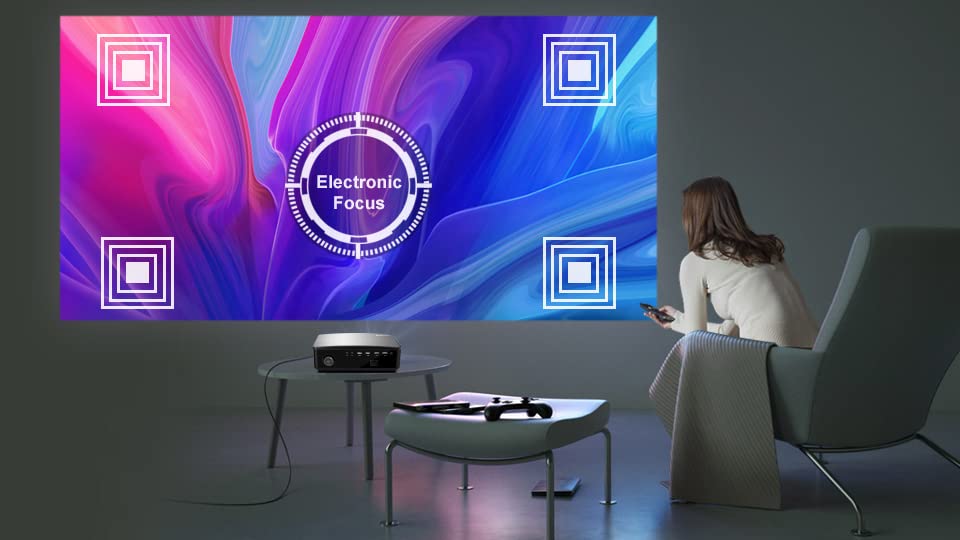
Image 2.2: Visual representation of the electronic focus adjustment feature.
2.6 تصحيح الانحراف
If the projected image appears trapezoidal, use the electronic keystone correction feature. The projector supports ±50° vertical and corner keystone correction. Access this setting via the projector's menu or dedicated buttons on the remote control to square the image.
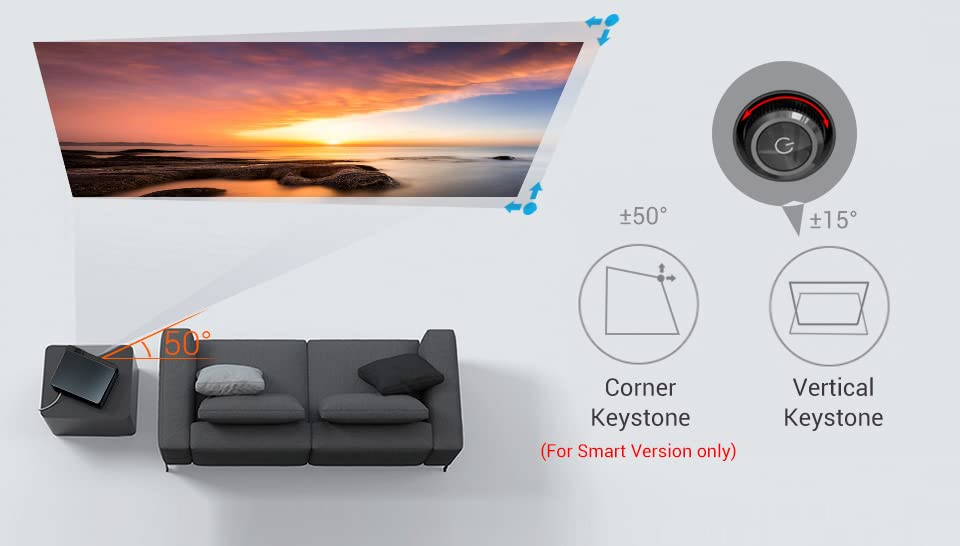
Image 2.3: Diagram illustrating vertical and corner keystone correction capabilities.
3. تعليمات التشغيل
3.1 توصيل الأجهزة
The BYINTEK K25 projector offers multiple connectivity options:
- HDMI: Connect laptops, gaming consoles (X-BOX, PS4), media players, or TV sticks using HDMI cables.
- USB: Insert USB sticks for direct media playback.
- من: استخدم منفذ AV للأجهزة القديمة.
- الصوت خارج: Connect external speakers or headphones via the 3.5mm audio-out port.

الصورة 3.1: خلفي view of the projector showing various input and output ports.
3.2 اختيار مصدر الإدخال
After connecting a device, press the 'Input Source' button on the remote control or the projector to select the corresponding input (e.g., HDMI1, USB, AV).
3.3 Wireless Connectivity (Smart Version Only)
The Smart Version of the K25 supports شاشة واي فاي, allowing multi-screen mirroring, Miracast, and Airplay for smartphones and tablets. Navigate to the 'Wi-Fi Display' or 'Screen Mirroring' option in the projector's menu and follow the on-screen instructions to connect your mobile device.
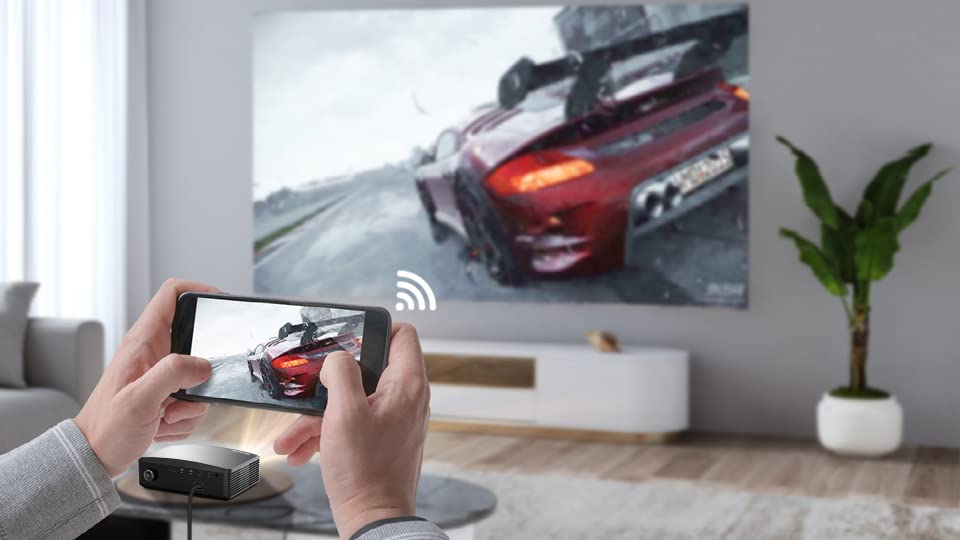
Image 3.2: A smartphone wirelessly mirroring its screen content to the projector.
3.4 Electronic Zoom
Adjust the image size without moving the projector using the electronic zoom function. This feature allows you to zoom the image from 50% to 100% using the remote control.

Image 3.3: Illustration of the electronic zoom function, adjusting image size from 50% to 100%.
3.5 تصفح القائمة
Use the arrow keys and 'OK' button on the remote control to navigate through the projector's on-screen menu. Adjust settings such as picture mode, sound, and system preferences as needed.
3.6 Basic vs. Smart Version Interface
The BYINTEK K25 is available in two versions: Basic and Smart. The Basic version features a multimedia system for direct playback, while the Smart version runs on Android OS, offering access to an App Store and pre-installed applications like Netflix, Prime Video, and YouTube.
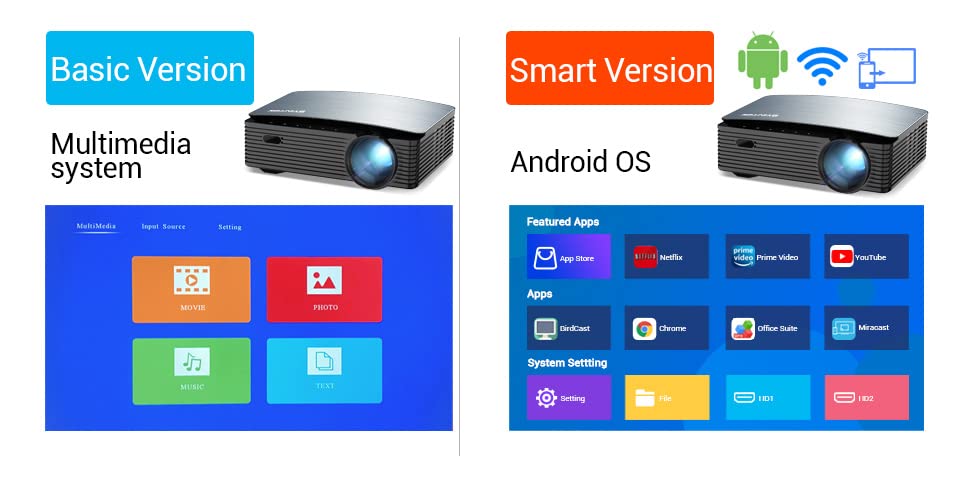
Image 3.4: Comparison of the user interfaces for the Basic (Multimedia system) and Smart (Android OS) versions of the projector.
4. الصيانة
4.1 تنظيف العدسات
To maintain optimal image quality, regularly clean the projector lens. Use a soft, lint-free cloth specifically designed for optical lenses. Avoid using abrasive cleaners or excessive force.
4.2 التهوية
Ensure that the projector's ventilation openings are not blocked. Proper airflow is crucial to prevent overheating and ensure the longevity of the device. Do not place the projector on soft surfaces that may obstruct vents.
4.3 التخزين
عند عدم استخدام جهاز العرض لفترات طويلة، يُحفظ في مكان بارد وجاف، بعيدًا عن أشعة الشمس المباشرة ودرجات الحرارة القصوى. استخدم العبوة الأصلية أو حافظة واقية لمنع تراكم الغبار والتلف المادي.
الصمام لamp has a long operating life of 30,000 hours, minimizing the need for frequent lamp بديل.

Image 4.1: Information on the projector's LED lamp life, rated for 30,000 hours.
5. استكشاف الأخطاء وإصلاحها
إذا واجهت مشاكل مع جهاز العرض BYINTEK K25 الخاص بك، فراجع المشاكل والحلول الشائعة التالية:
- لا يوجد طاقة:
Ensure the power cable is securely connected to both the projector and the electrical outlet. Check if the power outlet is functional. - لا توجد صورة:
Verify that the correct input source is selected (e.g., HDMI1, USB). Check all cable connections between the projector and the source device. Ensure the source device is powered on and outputting a signal. - صورة ضبابية:
Adjust the electronic focus using the remote control until the image is sharp. Ensure the projection surface is flat and the projector is at an appropriate distance. - Distorted Image (Trapezoidal):
Use the electronic keystone correction feature to square the image. Adjust both vertical and corner keystone settings as needed. - لا يوجد صوت:
Check the projector's volume level and ensure it is not muted. If using external speakers, verify their connection and power. Ensure the audio output from the source device is active. - جهاز التحكم عن بعد لا يستجيب:
افحص بطاريات جهاز التحكم عن بعد واستبدلها. تأكد من عدم وجود أي عوائق بين جهاز التحكم عن بعد وجهاز استقبال الأشعة تحت الحمراء الخاص بجهاز العرض.
6. المواصفات
Below are the technical specifications for the BYINTEK K25 Projector:
| ميزة | مواصفة |
|---|---|
| ماركة | بايينتك |
| نموذج | ك25 |
| نوع العرض | شاشة الكريستال السائل |
| الدقة الأصلية | 1920 × 1080 (دقة عالية كاملة) |
| الحد الأقصى لدقة العرض | 1920 × 1080 |
| Projector Maximum White Brightness | شموم شمعة أنسي |
| نسبة التباين | 5000:1 |
| عمر تشغيل مصدر الضوء | 30000 Hours (LED) |
| الحد الأدنى لحجم الصورة | 46 بوصة |
| الحد الأقصى لحجم الصورة | 200 بوصة |
| الحد الأدنى لمسافة الرمي | 46 بوصة |
| أقصى مسافة للرمي | 300 بوصة |
| تكنولوجيا الاتصال | اتش دي ام اي، يو اس بي |
| الربط الأجهزة | اتش دي ام اي، يو اس بي |
| الأجهزة المتوافقة | Laptop, Gaming Console, Media Player, Mobile Device |
| نوع وحدة التحكم | جهاز التحكم عن بعد |
| طريقة التحكم | بعيد |
| عامل الشكل | محمول |
| نوع التركيب | جبل منضدية |
| وزن العنصر | 2.5 كيلوغرام |
| بلد المنشأ | الصين |
7. الضمان والدعم
The BYINTEK K25 Mini Portable LCD LED Projector comes with a ضمان لمدة سنة واحدة من تاريخ الشراء. يُرجى الاحتفاظ بإيصال الشراء للمطالبة بالضمان.
معلومات الاتصال 7.1
For technical support, warranty inquiries, or any other assistance, please contact:
- الشركة المصنعة: بايينتك
- رقم التليفون: +91 8885241706
- بريد إلكتروني: care@justshop24x7.com