
Nasuque B09XQL2NJY
Nasuque Bluetooth Keyboard User Manual
Model: B09XQL2NJY
العلامة التجارية: ناسوك
مقدمة
Thank you for choosing the Nasuque Bluetooth Keyboard. This wireless, rechargeable, and ultra-slim keyboard is designed for seamless compatibility with Mac OS and iOS devices, including MacBook Pro/Air, iMac, iPhone, and iPad Pro/Air/Mini. Featuring a full-size layout with a numeric keypad and a stable scissor mechanism beneath each key, it offers a comfortable and precise typing experience. Its multi-device capability allows you to connect and switch between up to three devices effortlessly.

Image: The Nasuque Bluetooth Keyboard in silver, showcasing its full layout and slim profile.
محتويات الحزمة
يرجى التأكد من وجود جميع العناصر في الحزمة الخاصة بك:
- Nasuque Bluetooth Keyboard
- كابل شحن USB
- Dust Cover (Silicone protector)
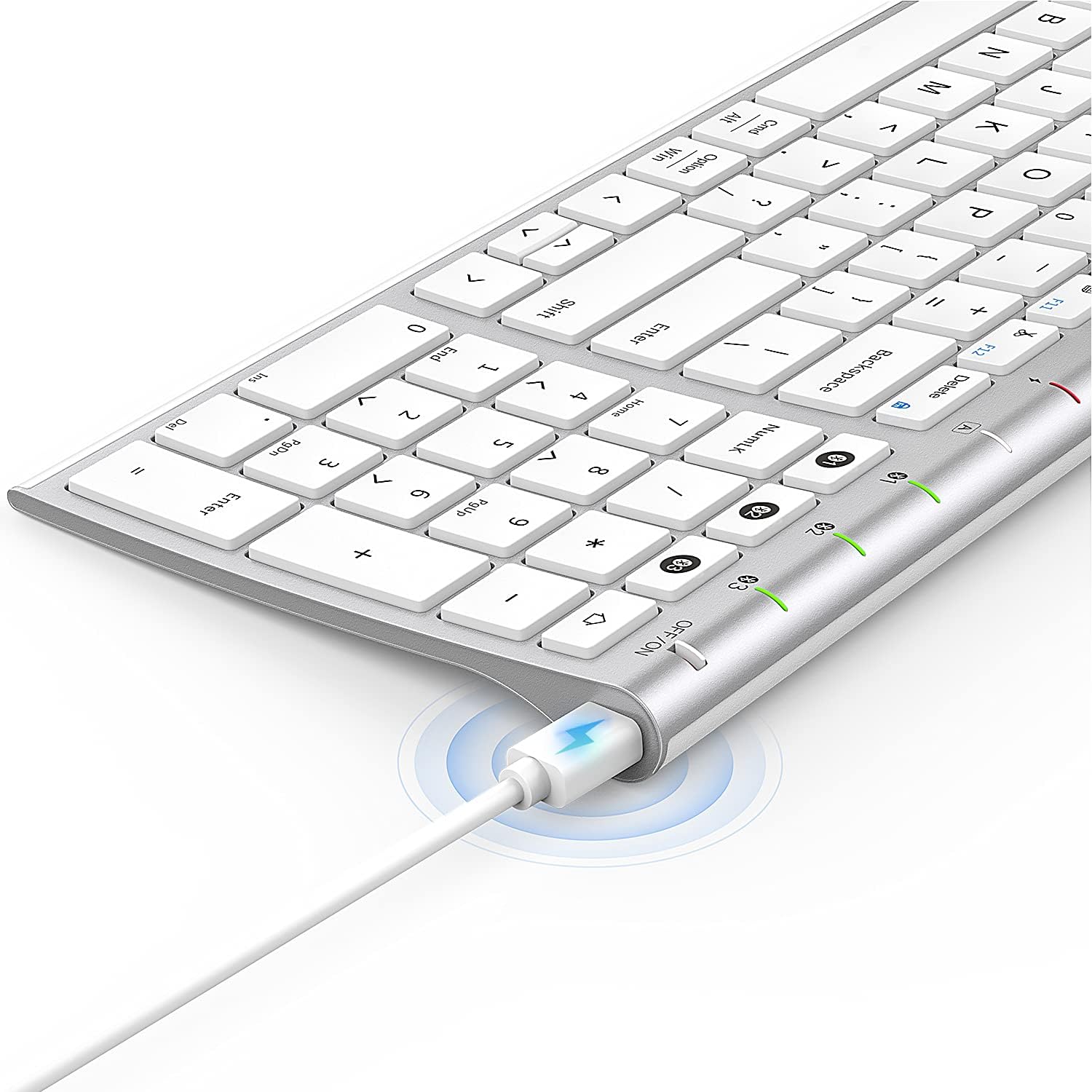
Image: The included USB charging cable, used to recharge the keyboard's built-in battery.
الإعداد والاقتران
تشغيل/إيقاف التشغيل
Locate the ON/OFF switch on the top right side of the keyboard. Slide the switch to the "ON" position to power on the keyboard. Slide it to "OFF" when not in use to conserve battery.
شحن لوحة المفاتيح
The keyboard features a built-in rechargeable lithium battery. Connect the included USB charging cable to the charging port on the keyboard and the other end to a USB power source (e.g., computer USB port, USB wall adapter). The charging indicator light will illuminate during charging and turn off when fully charged.
إقران أجهزة متعددة عبر البلوتوث
This keyboard supports connection with up to three devices simultaneously. Follow these steps to pair your devices:
- تأكد من تشغيل لوحة المفاتيح.
- اضغط على Fn المفتاح وأحد مفاتيح قناة البلوتوث (1, 2، أو 3) simultaneously to select a channel. For first-time pairing, choose an unused channel.
- اضغط لفترة طويلة على Fn key and the selected Bluetooth channel key (1, 2، أو 3) for 3-5 seconds until the corresponding channel indicator light (01, 02، أو 03) starts blinking rapidly. This indicates the keyboard is in pairing mode.
- On your device (MacBook, iMac, iPhone, iPad, etc.), go to Bluetooth settings and enable Bluetooth.
- بحث عن available devices. The keyboard will appear as "Nasuque Keyboard" or similar. Select it to connect.
- Once connected, the indicator light will stop blinking and remain solid for a few seconds before turning off.
- Repeat these steps for up to two additional devices using the other Bluetooth channels.
To switch between paired devices, simply short press the Fn key and the corresponding Bluetooth channel key (1, 2، أو 3).
متطلبات النظام: Compatible with Mac OS X 10.12 or higher and Bluetooth 4.0 or higher.

Image: The keyboard's top right corner showing the three Bluetooth channel indicators (01, 02, 03) for multi-device pairing.

Image: An illustration demonstrating the keyboard's ability to easily switch between a laptop, tablet, and smartphone.
Video: A demonstration of the Nasuque Bluetooth Keyboard's multi-device connectivity and ease of use with various Apple devices.
تعليمات التشغيل
مفاتيح الوظائف
The keyboard features a row of function keys (F1-F12) that perform various system functions when pressed in combination with the Fn key. These include media controls (play/pause, volume), brightness adjustment, and other shortcuts common to Mac OS.
المفاتيح العددية
The integrated numeric keypad provides convenient data entry for numbers and calculations. Ensure the Num Lock key is active if needed for specific applications.

الصورة: لقطة مقربة view of the keyboard's compact full-size layout, highlighting the numeric keypad.
خبرة في الكتابة
The keyboard utilizes a stable scissor mechanism beneath each key, providing a responsive and comfortable typing experience with a low profile.
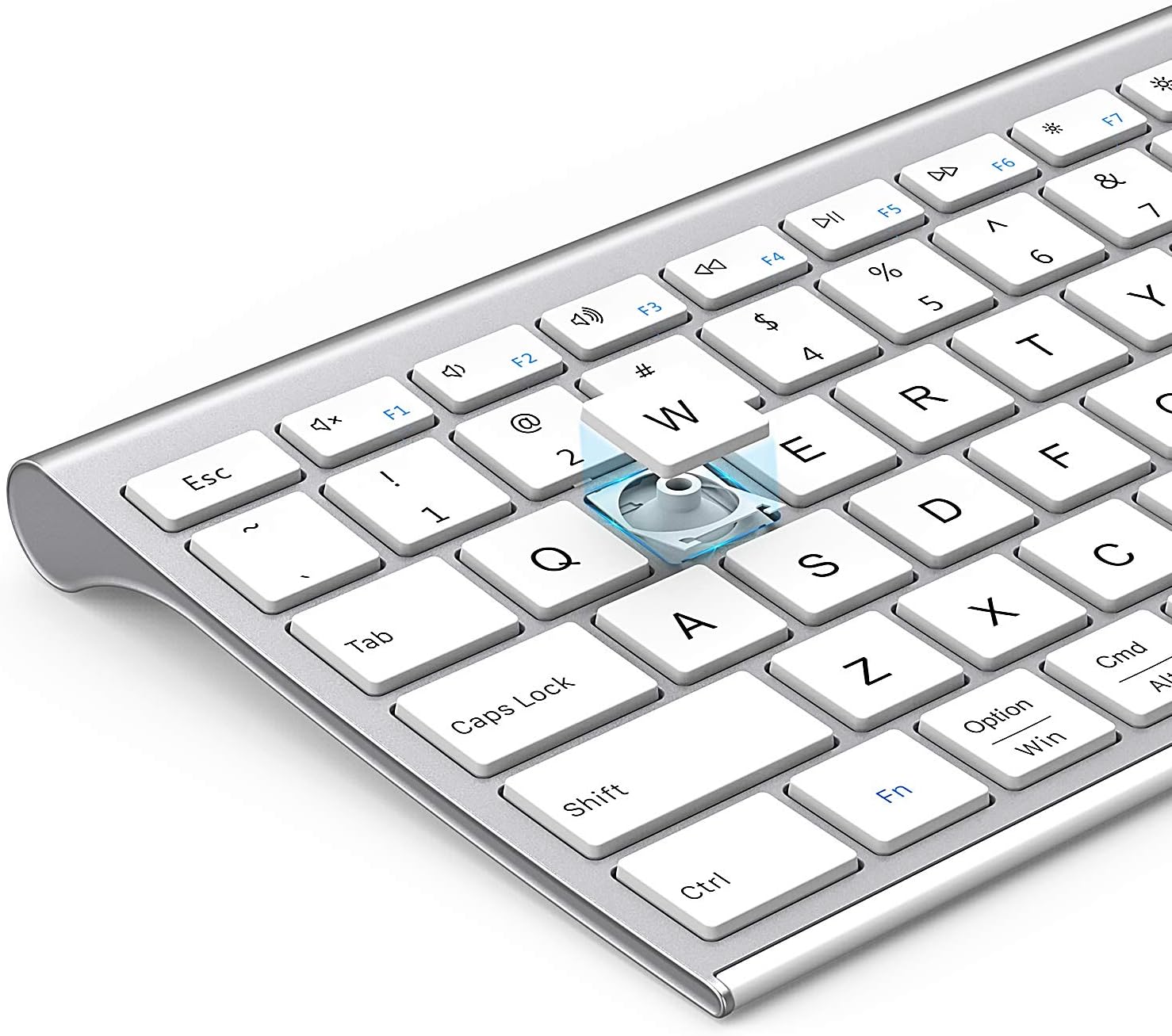
الصورة: انفجار view of a keycap, illustrating the underlying scissor mechanism for stable and precise typing.
صيانة
لضمان طول عمر لوحة المفاتيح لديك وأدائها الأمثل، اتبع إرشادات الصيانة التالية:
- تنظيف: استخدم قطعة قماش ناعمة وجافة وخالية من الوبر لمسح سطح لوحة المفاتيح. لإزالة الأوساخ المستعصية، افركها برفق.ampانقع قطعة القماش في الماء أو محلول تنظيف خفيف. تجنب الرطوبة الزائدة.
- غطاء الغبار: Utilize the included silicone dust cover when the keyboard is not in use to protect it from dust, spills, and debris.
- تخزين: قم بتخزين لوحة المفاتيح في مكان بارد وجاف بعيدًا عن أشعة الشمس المباشرة ودرجات الحرارة القصوى.
- تجنب السوائل: Do not expose the keyboard to liquids. In case of accidental spills, immediately power off the keyboard and allow it to dry completely before use.
استكشاف الأخطاء وإصلاحها
If you encounter issues with your Nasuque Bluetooth Keyboard, please refer to the following common solutions:
| مشكلة | السبب المحتمل | حل |
|---|---|---|
| Keyboard does not connect or is not detected. | Keyboard is off, low battery, not in pairing mode, or device Bluetooth is off. |
|
| المفاتيح لا تستجيب أو تكتب بشكل غير صحيح. | Low battery, connection interference, or software issue. |
|
| Difficulty switching between devices. | Incorrect key press or device not properly paired to selected channel. |
|
تحديد
| ميزة | التفاصيل |
|---|---|
| نموذج | B09XQL2NJY |
| الاتصال | Bluetooth (Multi-device support for up to 3 devices) |
| التوافق | Mac OS X 10.12 or higher, Bluetooth 4.0 or higher (MacBook Pro/Air, iMac, iPhone, iPad Pro/Air/Mini) |
| الأبعاد (الطول × العرض × الارتفاع) | 14.41 × 4.92 × 0.64 بوصة |
| وزن | 1.12 رطل |
| بطارية | بطارية ليثيوم قابلة لإعادة الشحن |
| مسافة التشغيل | حتى 8 مترا (26 قدما) |
| الآلية الرئيسية | مفتاح مقص |

Image: Diagram illustrating the precise dimensions of the Nasuque Bluetooth Keyboard.
الضمان والدعم
For warranty information, technical support, or any inquiries regarding your Nasuque Bluetooth Keyboard, please contact the manufacturer directly through the retailer's platform or the contact information provided with your purchase. Please retain your proof of purchase for warranty claims.
Ask a question about this manual
Ask about setup, troubleshooting, compatibility, parts, safety, or missing instructions. Manuals+ will review the question and use this page’s manual context to help answer it.