
1. المقدمة
The iFLYTEK A.I.Note X2 XF-DX-T210E is an advanced E-ink smart notebook designed for reading, note-taking, drawing, and on-the-go use. It features a 10.3-inch HD Carta flexible E-ink screen, a powerful 2.3GHz 8-Core CPU, and runs on Android 9.0. This manual provides essential information for setting up, operating, and maintaining your device.
2. محتويات العبوة
Please verify that all items listed below are present in your product package.
- iFLYTEK A.I.Note X2 Device
- Electromagnetic Pen (No battery required)
- كابل USB Type-C
- Protective Cover (may vary by package)
- دليل البدء السريع
- بطاقة الضمان

Image: Contents of the iFLYTEK A.I.Note X2 retail package, showing the device, stylus, charging cable, and documentation laid out.
3. انتهى الجهازview
3.1 الأبعاد المادية
The iFLYTEK A.I.Note X2 measures 243mm in length, 173mm in width, and has a thickness of 5.8mm. Its lightweight design makes it suitable for portability.
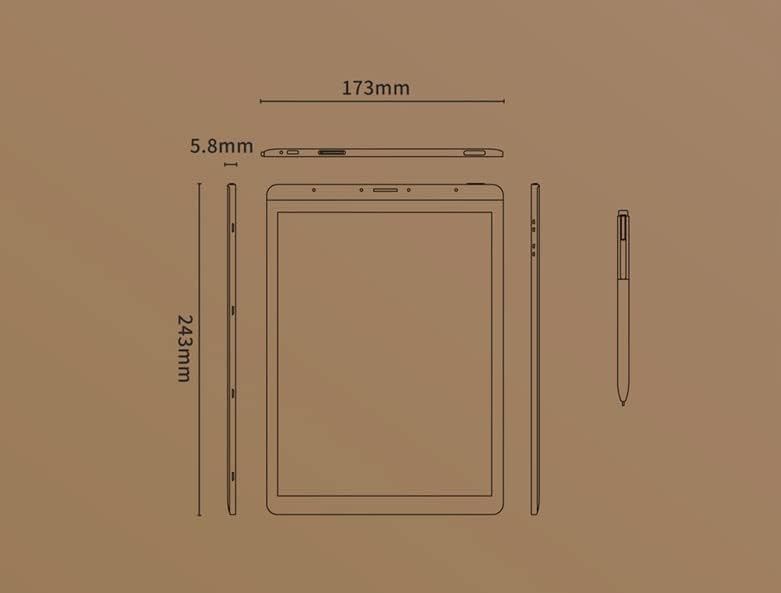
Image: Diagram illustrating the precise dimensions of the iFLYTEK A.I.Note X2 device and its accompanying stylus.
3.2 المكونات والمنافذ
Familiarize yourself with the device's external features:
- 10.3" HD Carta Flexible E-ink Screen: Main display for reading and interaction.
- منفذ USB من النوع C: للشحن ونقل البيانات.
- زر الطاقة: لتشغيل/إيقاف تشغيل الجهاز أو وضعه في وضع السكون.
- صفيف الميكروفون: Four-microphone array for audio input.
- 3.5 mm Headphones Jack: لإخراج الصوت.
- Electromagnetic Pen: For precise input, note-taking, and drawing.
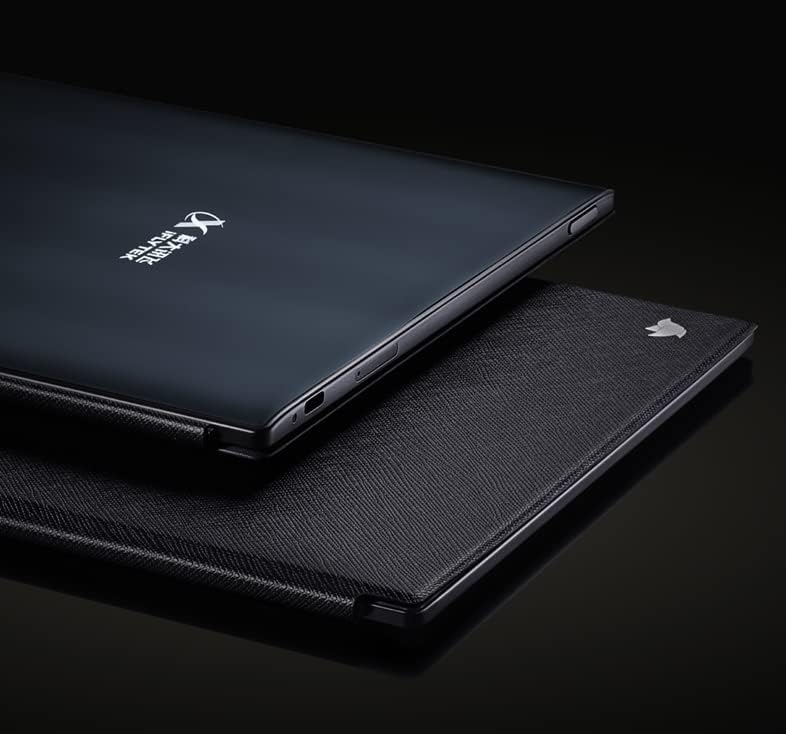
الصورة: عن قرب view of the iFLYTEK A.I.Note X2's side profile, highlighting the slim design and the location of the USB-C port and other physical controls.
4. الإعداد
4.1 الشحن الأولي
Before first use, fully charge your iFLYTEK A.I.Note X2. Connect the provided USB Type-C cable to the device's charging port and a compatible USB power adapter (not included) or a computer's USB port. The charging indicator will show the charging status.
4.2 تشغيل/إيقاف التشغيل
- لتشغيل: اضغط مع الاستمرار على زر الطاقة حتى تضيء الشاشة.
- لإيقاف التشغيل: Press and hold the Power button, then select "Power Off" from the on-screen options.
- للنوم/الاستيقاظ: اضغط لفترة وجيزة على زر الطاقة.
4.3 التكوين الأولي
Upon first power-on, follow the on-screen prompts to complete the initial setup, which may include:
- اختيار اللغة
- اتصال شبكة Wi-Fi
- إعدادات الوقت والتاريخ
- User account setup (if applicable)
5. تعليمات التشغيل
5.1 التنقل عبر الواجهة
The device uses a capacitive touch screen for navigation. Swipe, tap, and pinch gestures are supported. The electromagnetic pen provides precise input for writing and drawing.
5.2 Note-Taking and Drawing
Access the note-taking application to create new notes or drawings. The electromagnetic pen offers 4096 levels of pressure sensitivity for a natural writing experience. Various pen types, line thicknesses, and colors (simulated grayscale) are available within the application.

Image: The iFLYTEK A.I.Note X2 screen displaying detailed handwritten notes, demonstrating its digital ink capabilities.
5.3 قراءة الوثائق
The E-ink screen is designed for comfortable reading. Transfer documents (e.g., PDF, EPUB) to the device via USB or cloud services. Open the reading application to browse and read your files. You can annotate documents directly with the pen.

Image: The iFLYTEK A.I.Note X2 displaying a document with text, alongside its stylus, illustrating its use for reading and interaction.
5.4 الاتصال
The device supports Wi-Fi for internet access and content synchronization. It also features cellular connectivity (4G) for broader network access. Bluetooth may be available for connecting accessories.
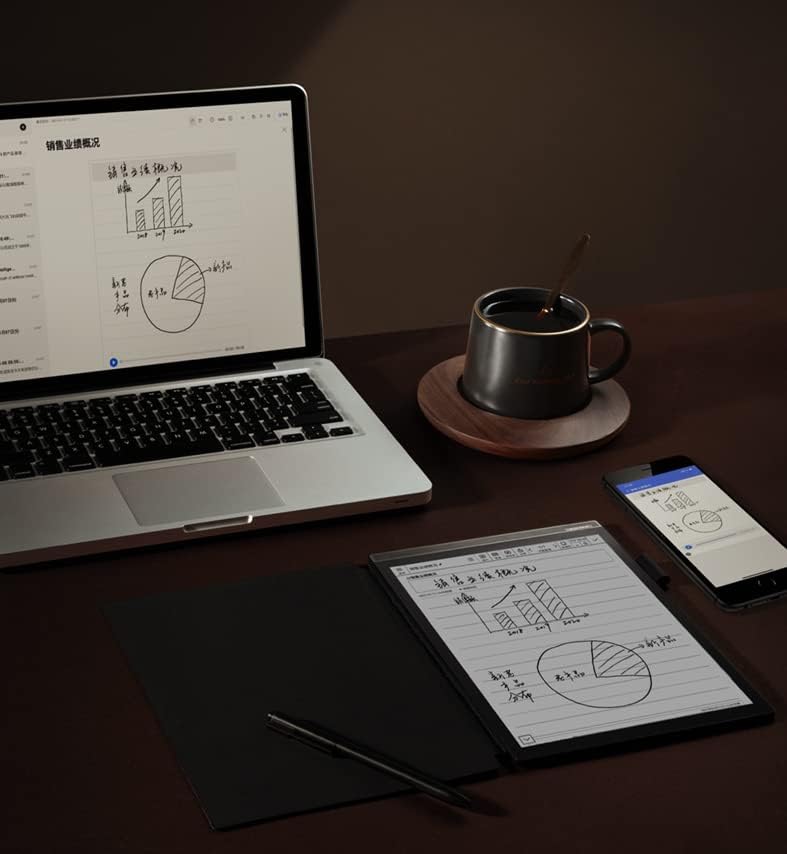
Image: The iFLYTEK A.I.Note X2 on a desk, demonstrating its integration with a laptop and smartphone for a connected workflow.
6. الصيانة
6.1 تنظيف الجهاز
Use a soft, lint-free cloth to gently wipe the screen and body of the device. Do not use abrasive cleaners, alcohol, or solvents, as these can damage the screen and finish. Avoid getting moisture into ports.
6.2 العناية بالبطارية
The device is equipped with a 4200mAh Polymer Li-ion battery. For optimal battery life, avoid exposing the device to extreme temperatures. Charge the device regularly, but avoid leaving it fully discharged for extended periods.
7. استكشاف الأخطاء وإصلاحها
If you encounter issues with your iFLYTEK A.I.Note X2, refer to the following common solutions:
- الجهاز لا يعمل: تأكد من شحن الجهاز. قم بتوصيله بمصدر طاقة وحاول مرة أخرى.
- الشاشة لا تستجيب: Perform a soft reset by holding the power button for 10-15 seconds. If the issue persists, ensure the screen is clean and free of debris.
- القلم لا يكتب: Check if the pen tip is worn or damaged. Ensure the pen is within the screen's active area. The pen does not require batteries.
- مشاكل الاتصال بشبكة Wi-Fi: Verify your Wi-Fi password and ensure the device is within range of the router. Try restarting both the device and the router.
- الأداء البطيء: Close unused applications and clear cache if available in settings. Consider a factory reset as a last resort (this will erase all data).
8. المواصفات
Detailed technical specifications for the iFLYTEK A.I.Note X2 XF-DX-T210E:
| ميزة | مواصفة |
|---|---|
| رقم الموديل | XF-DX-T210E |
| أبعاد | 243 مم × 173 مم × 5.8 مم |
| عرض | 10.3" HD Carta flexible E-ink screen, 1872 x 1404 (227DPI), 16 level grayscale |
| يلمس | Capacitive touch + Electromagnetic pen |
| قلم | No battery, 4096 levels of pressure sensitivity |
| وحدة المعالجة المركزية | 2.3GHz 8-Core |
| كبش | 2 جيجا بايت |
| التخزين الداخلي | 64 جيجا بايت |
| نظام التشغيل | Android 9.0 (Android 9 Pie) |
| بطارية | 4200mAh Polymer Li-ion |
| الاتصال | USB Type-C, Wi-Fi, 4G Cellular |
| صوتي | Four-Microphone array, 3.5 mm Headphones Jack |
| الأمن البيومتري | التعرف على بصمات الأصابع |
9. الضمان والدعم
For warranty information and customer support, please refer to the warranty card included in your package or visit the official iFLYTEK webالموقع. احتفظ بإثبات الشراء الخاص بك لتقديم مطالبات الضمان.
الشركة المصنعة: iFLYTEK
ASIN: B09VXKMMJS