
1. انتهى المنتجview
The Oladance OWS1 Open Ear Headphones offer a unique open-ear design for comfort and situational awareness. These wireless Bluetooth 5.2 headphones feature dual 16.5mm drivers for high-quality sound and extended battery life, making them suitable for various activities.
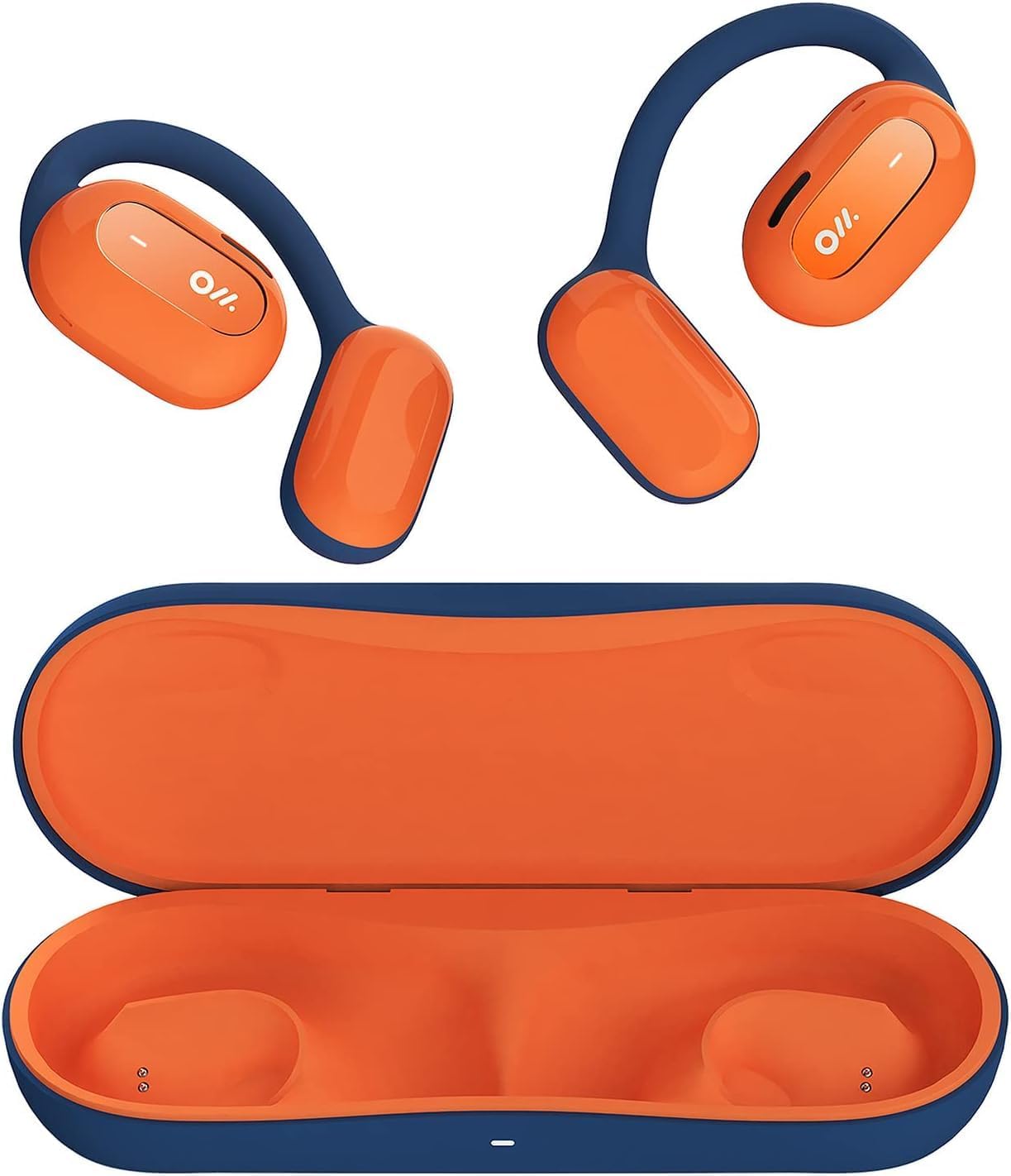
Image 1: Oladance OWS1 Open Ear Headphones and their carry case.
2. ماذا يوجد في الصندوق
- 1 × Oladance Wearable Stereo (Pair of Open Ear Headphones)
- 1 × Non-charging Carry Case
- 1 × كابل من النوع C
- 1 × دليل المستخدم
3. الميزات الرئيسية
- تصميم مفتوح للأذن الحقيقية: Earbuds rest gently on top of the ear, avoiding insertion into the ear canal for enhanced comfort and situational awareness.
- صوت فائق بزاوية 360 درجة: Equipped with dual powerful 16.5mm dynamic drivers and bio-diaphragm technology for rich, clear audio across all volume levels.
- Anti-Hearing Loss Focus: Designed to prevent common health issues associated with traditional earbuds by not blocking the ear canal, reducing pressure and potential hearing damage.
- Extended 16-Hour Playtime: Features a built-in 160mAh battery and low-consumption algorithms, providing up to 16 hours of continuous playback on a single charge. Note: A separate charging case is required for extended playtime beyond the included carry case.
- ملاءمة آمنة ومريحة: Multi-point support system distributes weight evenly across the ear, ensuring a stable and comfortable fit for various activities.

Image 2: The Oladance OWS1 headphones are designed for a secure and comfortable fit, ideal for activities like yoga.
4. دليل الإعداد
4.1 الشحن الأولي
Before first use, fully charge your Oladance OWS1 headphones. Connect the provided Type-C cable to the charging port on the headphones and a compatible USB power source. The LED indicator will show charging status.
4.2 تشغيل/إيقاف التشغيل
- لتشغيل: Press and hold the power button (location typically on one of the earbud units) for approximately 2-3 seconds until you hear an audible prompt or see an LED indicator light up.
- لإيقاف التشغيل: Press and hold the power button for approximately 3-5 seconds until you hear an audible prompt or the LED indicator turns off.
4.3 اقتران بلوتوث
- تأكد من إيقاف تشغيل سماعات الرأس.
- Press and hold the power button for approximately 5-7 seconds until the LED indicator flashes red and blue alternately. This indicates the headphones are in pairing mode.
- على جهازك (الهاتف الذكي، الجهاز اللوحي، الكمبيوتر)، انتقل إلى إعدادات البلوتوث.
- بحث عن "Oladance OWS1" in the list of available devices.
- Select "Oladance OWS1" to connect. Once connected, the LED indicator will typically flash blue slowly or turn off, and you will hear a confirmation tone.

Image 3: The Oladance OWS1 headphones are designed for an ergonomic and stable fit during various activities.
5. تعليمات التشغيل
5.1 الضوابط الأساسية
| وظيفة | فعل |
|---|---|
| تشغيل/إيقاف الموسيقى مؤقتًا | اضغط مرة واحدة على الزر متعدد الوظائف. |
| المسار التالي | اضغط مرتين على الزر متعدد الوظائف. |
| المسار السابق | Triple press the Multi-function button. |
| رفع الصوت | اضغط مرة واحدة على زر رفع الصوت. |
| خفض الصوت | اضغط مرة واحدة على زر خفض مستوى الصوت. |
| الرد على المكالمة/إنهائها | اضغط مرة واحدة على الزر متعدد الوظائف أثناء مكالمة واردة أو مكالمة جارية. |
| رفض المكالمة | اضغط مع الاستمرار على زر الوظائف المتعددة لمدة ثانيتين أثناء المكالمة الواردة. |
| تفعيل المساعد الصوتي | اضغط مع الاستمرار على الزر متعدد الوظائف لمدة ثانيتين. |
5.2 اتصال متعدد النقاط
The Oladance OWS1 headphones support multi-point connection, allowing them to be connected to two Bluetooth devices simultaneously. This enables seamless switching between devices without re-pairing.
- Ensure the headphones are paired with the first device.
- Put the headphones into pairing mode again (usually by holding the power button until the LED flashes red and blue).
- On the second device, search for "Oladance OWS1" in the Bluetooth settings and connect.
- The headphones should now be connected to both devices. Audio will automatically switch to the device playing content or receiving a call.

Image 4: The open-ear design allows for comfortable extended wear, even during work or calls.
6. الرعاية والصيانة
- تنظيف: استخدم قطعة قماش ناعمة وجافة لمسح سماعات الرأس. تجنب استخدام المواد الكيميائية القاسية أو المواد الكاشطة.
- تخزين: Store the headphones in their provided non-charging carry case when not in use to protect them from dust and damage.
- مقاومة الماء: The headphones are water-resistant (IPX4 rated). Avoid submerging them in water or exposing them to high-pressure water jets. Dry thoroughly if they get wet.
- درجة حرارة: تجنب تعريض سماعات الرأس لدرجات حرارة قصوى (ساخنة أو باردة) أو رطوبة عالية.

Image 5: The included carry case protects your Oladance OWS1 headphones during transport and storage.
7. استكشاف الأخطاء وإصلاحها
- لا يمكن التشغيل
- تأكد من شحن سماعات الرأس بالكامل. قم بتوصيلها بمصدر طاقة باستخدام كابل Type-C.
- لا يمكن الاقتران بالجهاز
- تأكد من أن سماعات الرأس في وضع الاقتران (يومض مؤشر LED باللونين الأحمر والأزرق).
- قم بإيقاف تشغيل البلوتوث على جهازك وتشغيله مرة أخرى.
- امسح اتصالات البلوتوث السابقة على جهازك.
- قم بتقريب سماعات الرأس من جهازك.
- لا يوجد صوت أو حجم منخفض
- تحقق من مستويات الصوت في كل من سماعات الرأس والجهاز المتصل.
- تأكد من توصيل سماعات الرأس بجهازك بشكل صحيح.
- حاول تشغيل الصوت من تطبيق أو مصدر مختلف.
- اتصال متقطع
- تأكد من عدم وجود أي عوائق بين سماعات الرأس وجهازك.
- تجنب التداخل الكهرومغناطيسي القوي.
- Keep the headphones within the effective Bluetooth range (typically 10 meters).
8. مواصفات المنتج
| ميزة | التفاصيل |
|---|---|
| رقم الموديل | OLA02 |
| ماركة | أولادانس |
| تكنولوجيا الاتصال | لاسلكي (بلوتوث 5.2) |
| وضع الأذن | أذن مفتوحة |
| عامل الشكل | أذن مفتوحة |
| حجم السائق | Dual 16.5mm Dynamic Drivers |
| عمر البطارية (متوسط) | حتى ساعتين |
| وقت الشحن | حوالي ساعتين |
| مستوى مقاومة الماء | مقاومة الماء (IPX4) |
| تنسيق الميكروفون | مدمج |
| نوع التحكم | Media Control (Buttons) |
| مادة | بلاستيك |
| أبعاد المنتج | 13 × 11 × 457.2 سم |
| وزن العنصر | 260 جرام |

Image 6: A close-up of the Oladance OWS1 headphones, highlighting their design and color.
9. الضمان والدعم
Oladance products are covered by a limited warranty. For detailed warranty information, product support, or service inquiries, please refer to the official Oladance webالموقع الإلكتروني أو تواصل مع خدمة العملاء مباشرةً. احتفظ بإثبات الشراء لطلبات الضمان.
لمزيد من المساعدة، يرجى زيارة: www.oladance.com