
Galax CGG5ANBA4B0
Galax PC Case (REV-05) Revolution 05 Black
دليل المستخدم
Brand: Galax | Model: CGG5ANBA4B0
1. انتهى المنتجview
The Galax PC Case (REV-05) Revolution 05 Black is a versatile computer chassis designed to accommodate various motherboard form factors including ATX, M-ATX, and ITX. Standing at 470mm, this case offers a spacious interior, allowing for flexible component placement and optimized cooling solutions for your PC build.
المميزات الرئيسية:
- Compatible with ATX, M-ATX, ITX motherboards.
- Tall design (470mm) providing ampلو المساحة الداخلية.
- Supports vertical or horizontal graphics card mounting.
- Designed for maximized cooling and storage potential.
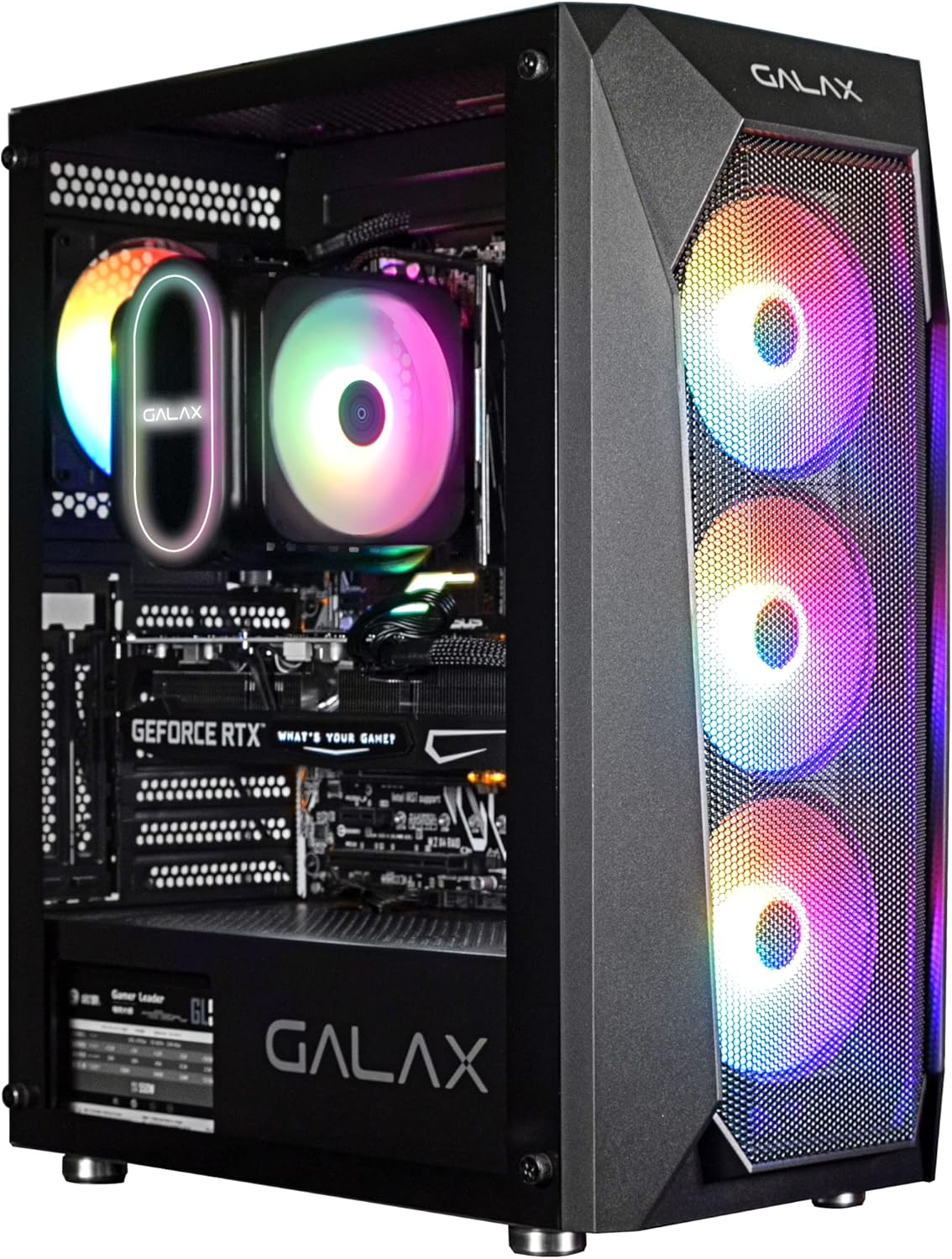
الشكل 1: أمامي view of the Galax REV-05 PC Case, showcasing its internal components and vibrant RGB fans.
2. الإعداد والتثبيت
Before beginning installation, ensure you have all necessary components and tools. Refer to your motherboard and component manuals for specific installation steps.
2.1 إعداد القضية
- Carefully unbox the PC case and remove all packaging materials.
- ضع العلبة على سطح ثابت ومستوٍ.
- Remove the side panels to access the interior. Typically, these are secured with thumbscrews at the rear.
2.2 تركيب اللوحة الأم
- Install the I/O shield into the designated opening at the rear of the case.
- Align your ATX, M-ATX, or ITX motherboard with the standoffs inside the case. Ensure all standoffs match the screw holes on your motherboard.
- قم بتأمين اللوحة الأم باستخدام البراغي المتوفرة.
2.3 تثبيت المكونات
- وحدة إمداد الطاقة (PSU): Install the PSU into its dedicated compartment, usually at the bottom rear of the case. Secure it with screws.
- محركات التخزين: Install 2.5-inch SSDs or 3.5-inch HDDs into the designated drive bays. The REV-05 offers ample storage potential.
- بطاقة الرسومات (GPU): Install your graphics card into the appropriate PCIe slot on your motherboard. The case supports both vertical and horizontal mounting options for the GPU.
- مراوح التبريد: The case comes with pre-installed fans. Ensure all fan cables are properly connected. Note that the pre-installed fans may be daisy-chained by Molex connectors, requiring direct connection to the power supply instead of the motherboard for power.

Figure 2: Internal layout of the Galax REV-05 PC Case, showing space for various components.
2.4 إدارة الكابلات
استخدم فتحات توجيه الكابلات ونقاط التثبيت خلف درج اللوحة الأم لإدارة الكابلات بفعالية. هذا يُحسّن تدفق الهواء ويزيد من جمالية اللوحة.
3. تشغيل صندوق الكمبيوتر
بمجرد تثبيت كافة المكونات وتوصيلها، يمكنك تشغيل نظامك.
3.1 ضوابط اللوحة الأمامية
The top panel of the Galax REV-05 case typically includes:
- زر الطاقة: To turn your PC on or off.
- زر إعادة الضبط: To restart your PC.
- منافذ USB: For connecting peripherals (e.g., USB 3.0, USB 2.0).
- مقابس الصوت: لسماعات الرأس والميكروفونات.

Figure 3: Top panel of the Galax REV-05 PC Case, highlighting the I/O ports and control buttons.
3.2 تدفق الهواء والتبريد
The REV-05 case is designed with optimal airflow in mind. Ensure that the front mesh panel is not obstructed to allow for proper air intake by the front fans. The rear and top fan mounts facilitate exhaust, creating efficient cooling for your components.
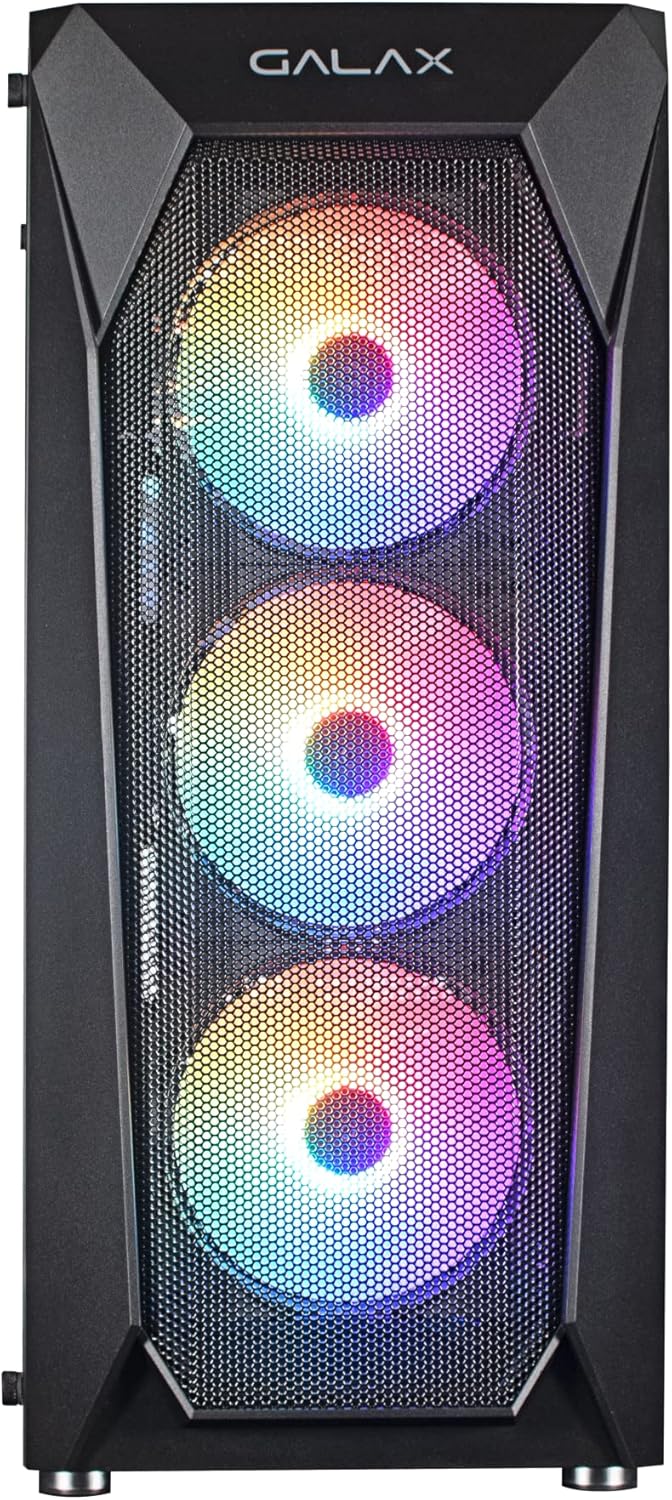
الشكل 4: الجبهة view of the Galax REV-05 PC Case, showcasing the mesh design and pre-installed RGB fans for optimal airflow.
4. الصيانة
تساعد الصيانة الدورية على ضمان طول عمر وأداء مثالي لحافظة الكمبيوتر ومكوناتها.
- تنظيف الغبار: Periodically clean dust filters (if present) and the interior of the case using compressed air or a soft brush. Pay attention to fan blades and heatsinks.
- فحص إدارة الكابلات: Ensure cables remain neatly organized and do not obstruct airflow.
- فحص المروحة: Check fans for any unusual noises or reduced performance. Ensure they are spinning freely.
5. استكشاف الأخطاء وإصلاحها
يتناول هذا القسم المشكلات الشائعة التي قد تواجهها.
- جهاز الكمبيوتر لا يعمل:
- تأكد من تشغيل وحدة إمداد الطاقة وتوصيلها بشكل صحيح بمأخذ الحائط.
- تأكد من أن كابل زر الطاقة في اللوحة الأمامية متصل بشكل صحيح بموصل اللوحة الأمامية للوحة الأم.
- Check all internal power connections (24-pin ATX, CPU power, GPU power).
- المراوح لا تدور / إضاءة RGB لا تعمل:
- Confirm that fan power cables are securely connected. For pre-installed fans, check if they are connected via Molex directly to the PSU, as some models require this.
- If RGB is not working, ensure the RGB controller (if present) is powered and connected correctly. Some RGB systems require software control or a dedicated button on the case.
- If fans are daisy-chained, ensure the primary connection point is secure.
- لا يوجد إخراج للعرض:
- Ensure your monitor cable is connected to the graphics card (GPU) output, not the motherboard's integrated graphics port (unless you are using integrated graphics).
- أعد تركيب بطاقة الرسومات في فتحة PCIe الخاصة بها.
- Check the graphics card's power connections.
6. المواصفات
| ماركة | Galax |
| رقم الموديل | CGG5ANBA4B0 |
| أبعاد المنتج | 41 × 21 × 49 سم؛ 3 كجم |
| التوافق مع اللوحة الأم | ATX، M-ATX، ITX |
| نوع الحالة | برج |
| لون | أسود |
| الشركة المصنعة | Galax |
| أول تاريخ متاح | 9 أبريل 2022 |
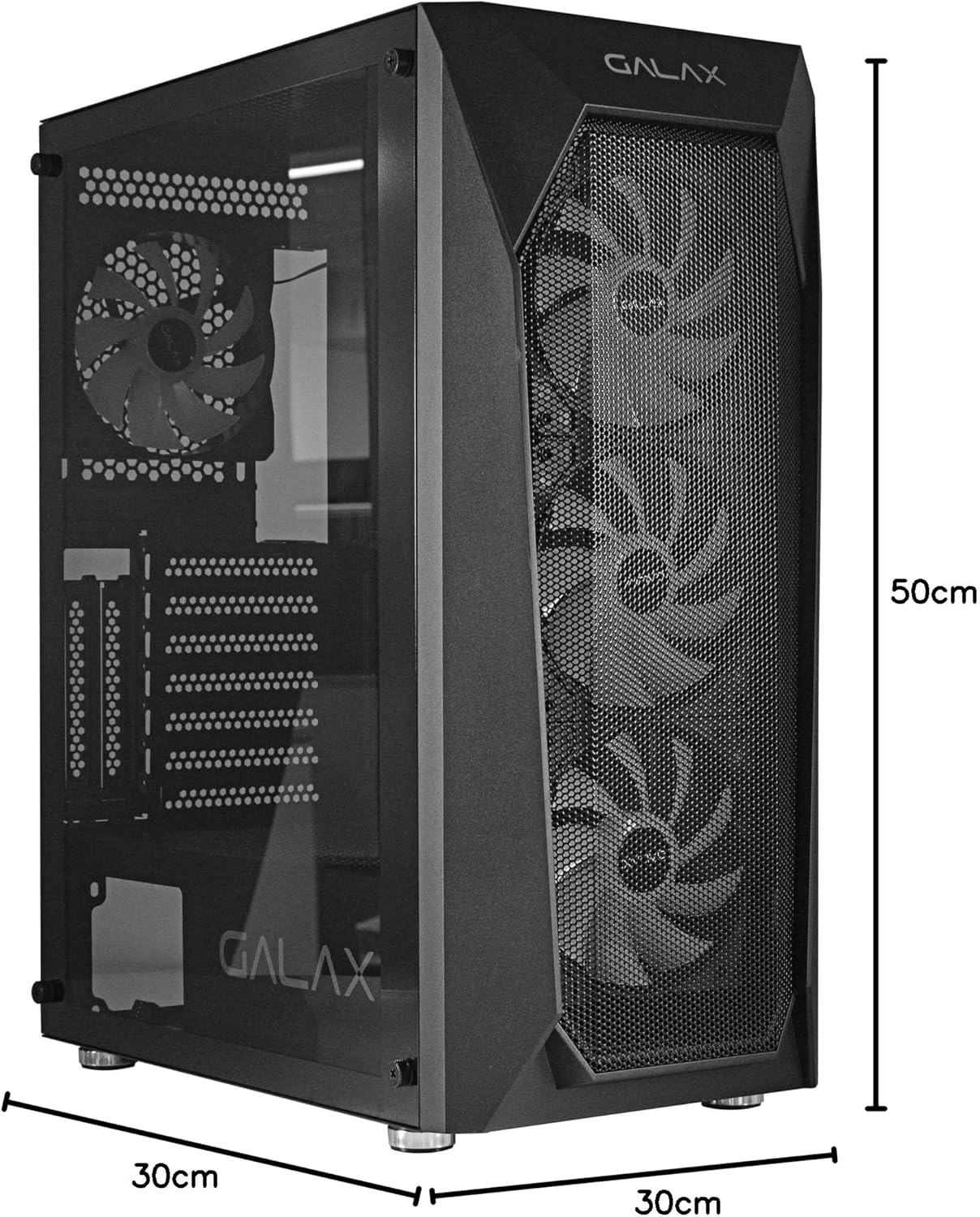
Figure 5: Visual representation of the Galax REV-05 PC Case dimensions.
7. الضمان والدعم
For warranty information and technical support, please refer to the official Galax webالموقع الإلكتروني أو تواصل مع قسم خدمة العملاء. احتفظ بإثبات الشراء لطلبات الضمان.
الموارد المتاحة على الإنترنت:
Ask a question about this manual
Ask about setup, troubleshooting, compatibility, parts, safety, or missing instructions. Manuals+ will review the question and use this page’s manual context to help answer it.