
SPYCLOPS SPY-MNBLT3WIP8
Spyclops SPY-MNBLT3WIP8 4K 8.0-Megapixel Outdoor Fixed Lens Mini Bullet IP PoE Camera
Model: SPY-MNBLT3WIP8
مقدمة
This manual provides comprehensive instructions for the installation, operation, and maintenance of your Spyclops SPY-MNBLT3WIP8 4K 8.0-Megapixel Outdoor Fixed Lens Mini Bullet IP PoE Camera. Please read this manual thoroughly before using the product to ensure proper functionality and safety.
معلومات السلامة
اتبع احتياطات السلامة التالية لمنع تلف المنتج أو إصابتك:
- Ensure the power source meets the camera's requirements (PoE).
- لا تحاول تفكيك الكاميرا أو تعديلها.
- قم بتركيب الكاميرا في مكان آمن لمنع الوصول غير المصرح به أوampإرينغ.
- تجنب توجيه الكاميرا مباشرة نحو مصادر الضوء القوية لفترات طويلة.
- استخدم فقط الملحقات المعتمدة من الشركة المصنعة.
محتويات الحزمة
تأكد من وجود جميع العناصر في العبوة:
- Spyclops SPY-MNBLT3WIP8 Camera
- Mounting Hardware (screws, wall anchors, hex key)
- مجموعة موصلات مقاومة للماء
- دليل التعليمات

المنتج انتهىview
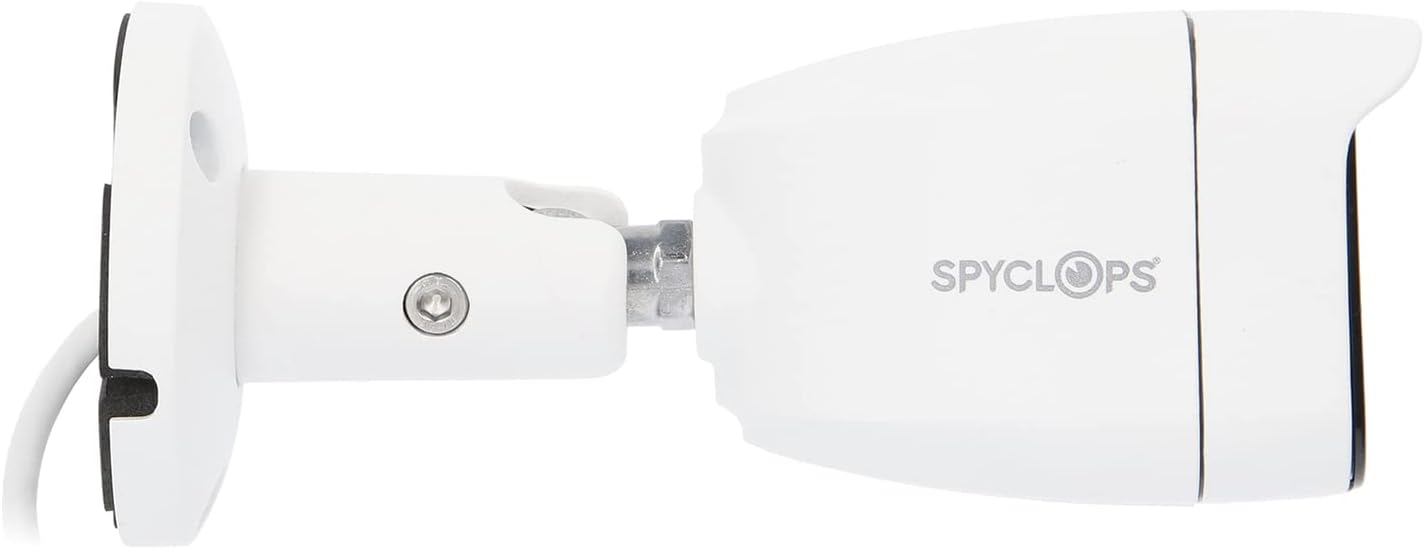
The Spyclops SPY-MNBLT3WIP8 is a 4K 8.0-Megapixel Outdoor Fixed Lens Mini Bullet IP PoE Camera designed for robust surveillance. It features an advanced CMOS sensor for high-resolution video capture and supports both color night vision in low light and black and white in total darkness using smart IR LEDs. The camera includes a built-in microphone for audio recording and utilizes H.265+ video compression to optimize storage and bandwidth.


يثبت
1. التثبيت المادي
- اختر موقع التركيب: اختر موقعًا خارجيًا يوفر ما هو مطلوب viewing angle and is within reach of your network cable. The camera is water-resistant (IP67).
- تركيب الكاميرا:
- Use the included mounting template (if provided) to mark drill holes.
- قم بحفر ثقوب تجريبية وأدخل مثبتات الحائط إذا كنت تقوم بالتركيب على الجدران الجافة أو البناء.
- Secure the camera's base to the surface using the provided screws.
- Adjust the camera's angle and orientation using the adjustable arm and hex key.
- توصيل كابل الشبكة: Connect an Ethernet cable from your PoE switch or NVR to the camera's RJ45 port. Ensure the connection is secure and use the waterproof connector kit for outdoor installations to protect the connection from moisture.
2. تكوين الشبكة
The camera is designed to work with IP/PoE systems. It will typically obtain an IP address automatically via DHCP from your network. For initial setup and advanced configuration, you will need to access the camera's web interface or use compatible NVR software.
- اكتشف الكاميرا: Use a network scanner tool or your NVR's discovery function to find the camera's IP address on your network.
- وصول Web الواجهة: افتح web browser and enter the camera's IP address. Log in using the default credentials (refer to specific documentation or contact support if unknown).
- الترتيب الأولي: Change default passwords, set time zones, and configure network settings as required.
تعليمات التشغيل
1. حي View والتسجيل
بمجرد الانتهاء من الإعداد، يمكنك view the live feed and manage recordings through your NVR or the camera's web واجهة.
- المراقبة الحية: Access the live video stream to monitor the surveillance area in real-time.
- أوضاع التسجيل: Configure continuous recording, motion-detection recording, or scheduled recording based on your security needs.
- التشغيل: Review تم تسجيل فوtage using the NVR or software interface.
2. الميزات المتقدمة
- دقة 4K: The 8.0-megapixel CMOS sensor provides high-definition 4K video, capturing detailed images.
- رؤية ليلية ملونة: In low-light conditions, the camera can utilize ambient light to provide color video.
- المصابيح الذكية بالأشعة تحت الحمراء: In total darkness, the camera automatically switches to black and white mode, using smart IR LEDs to illuminate the scene without overexposure.
- التسجيل الصوتي: The built-in microphone captures audio within the camera's vicinity.
- ضغط H.265+: تعمل تقنية ضغط الفيديو المتقدمة هذه على تقليل file sizes and bandwidth usage while maintaining video quality.
صيانة
- تنظيف: قم بتنظيف عدسة الكاميرا والغلاف بشكل دوري باستخدام قطعة قماش ناعمة.amp القماش. لا تستخدم المنظفات أو المذيبات الكاشطة.
- تحديثات البرامج الثابتة: تحقق من الشركة المصنعة website for available firmware updates to ensure optimal performance and security. Follow the provided instructions carefully when updating firmware.
- فحص الكابلات: افحص جميع الكابلات والوصلات بانتظام بحثًا عن علامات التآكل أو التلف، وخاصة بالنسبة للتركيبات الخارجية.
استكشاف الأخطاء وإصلاحها
| مشكلة | السبب المحتمل | حل |
|---|---|---|
| لا يوجد تغذية الفيديو | No power (PoE), network cable disconnected, incorrect IP address. | Verify PoE connection, check network cable, ensure correct IP configuration. |
| جودة الصورة رديئة | Dirty lens, environmental factors, low bandwidth. | Clean the lens, ensure adequate lighting, check network bandwidth. |
| الرؤية الليلية لا تعمل | IR LEDs obstructed, camera settings. | Clear any obstructions, check night vision settings in the camera's interface. |
| لا يمكن الوصول web واجهة | Incorrect IP address, network issue, firewall blocking access. | Confirm IP address, check network connectivity, temporarily disable firewall for testing. |
تحديد
| ميزة | التفاصيل |
|---|---|
| اسم الموديل | تجسس- MNBLT3WIP8 |
| دقة ثابتة فعالة | 8.0 ميجابكسل (4K) |
| مستشعر الصورة | سيموس |
| عدسة | عدسة ثابتة 2.8 مم |
| ضغط الفيديو | H.265 + |
| بروتوكول الاتصال | واي فاي |
| مصدر الطاقة | AC DC |
| الاستخدام الداخلي والخارجي | في الهواء الطلق |
| تصنيف الحماية الدولية | IP67 (Water-resistant) |
| المميزات الخاصة | Color Night Vision, Smart IR LEDs, Built-in Microphone |
| الأبعاد (الطول × العرض × الارتفاع) | 8.27 × 6.3 × 3.54 بوصة |
| وزن العنصر | 1.29 رطل |
| لون | أبيض |
الضمان والدعم
For warranty information, technical support, or service inquiries, please refer to the official Spyclops webالموقع أو تواصل مع قسم خدمة العملاء. احتفظ بإيصال الشراء كإثبات للشراء.
الشركة المصنعة: METRA-ETHEREAL
رقم الموديل: تجسس- MNBLT3WIP8
Ask a question about this manual
Ask about setup, troubleshooting, compatibility, parts, safety, or missing instructions. Manuals+ will review the question and use this page’s manual context to help answer it.