
1. انتهى المنتجview
The LexonElec 60% Mechanical Gaming Keyboard is a compact 68-key keyboard designed for gaming and office use. It features RGB backlighting, durable Red mechanical switches, and full key anti-ghosting for responsive performance. Its ultra-compact design saves desktop space while providing essential functionality through FN key combinations.

الصورة 1.1: انتهىview of the LexonElec 60% Mechanical Gaming Keyboard, highlighting its compact size and RGB backlighting.
2. محتويات العبوة
يرجى التأكد من وجود جميع العناصر في الحزمة:
- 1 x LexonElec 68-Key Mechanical Keyboard
- 1 × كابل USB من النوع C
- 1 x Keycap Removal Tool
- 1 × دليل المستخدم (هذه الوثيقة)
3. تعليمات الإعداد
Follow these steps to set up your LexonElec Mechanical Gaming Keyboard:
- توصيل لوحة المفاتيح: Insert the USB Type-C end of the provided cable into the port on the back of the keyboard. Connect the standard USB-A end to an available USB port on your computer.
- التعرف على النظام: Your operating system (Windows, Mac, Linux, Android) should automatically detect and install the necessary drivers. This may take a few moments.
- ضبط أقدام لوحة المفاتيح: For optimal typing comfort, you can adjust the two-stage feet located on the bottom of the keyboard to achieve your preferred angle. Ensure the non-slip pads are securely in place for stability.
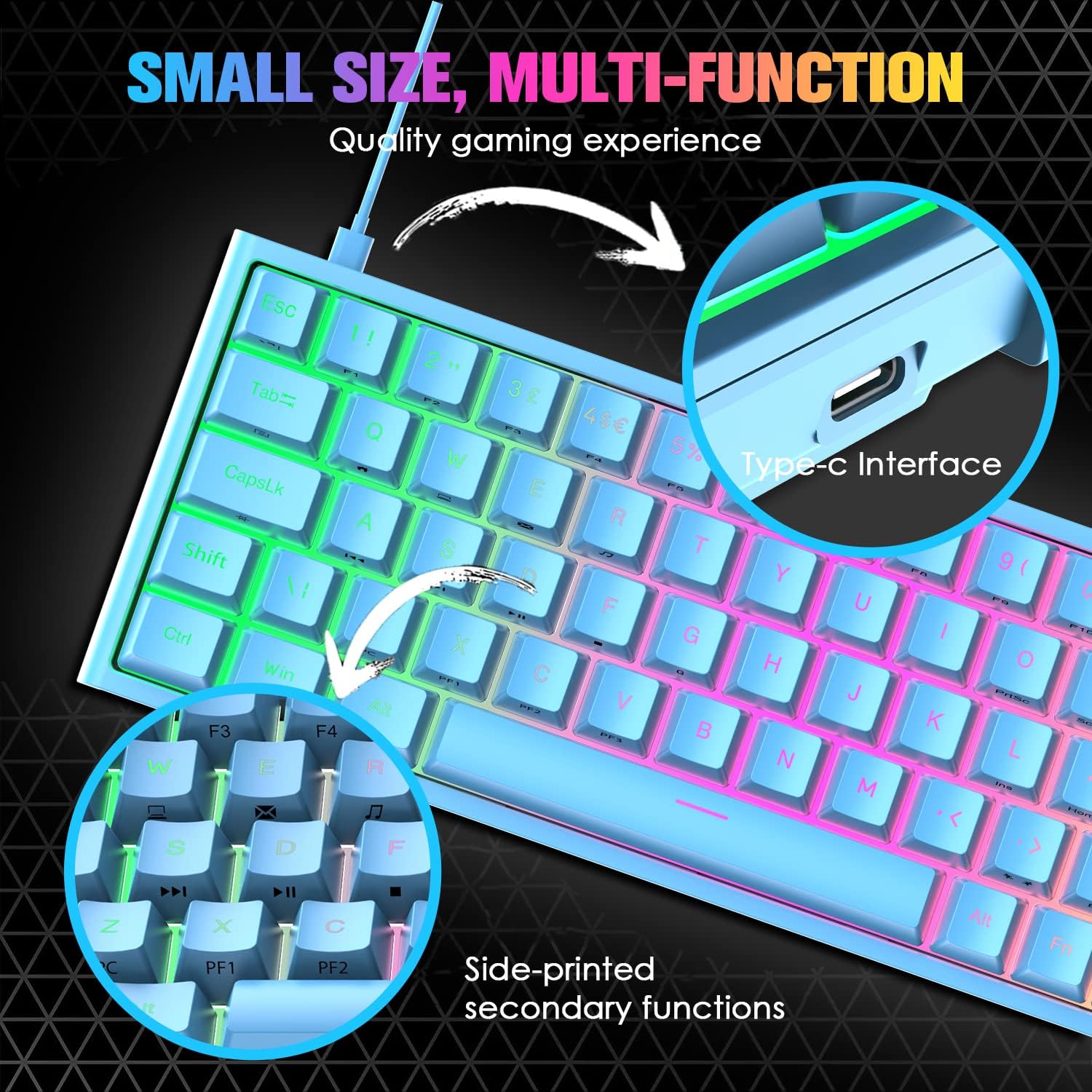
Image 3.1: Illustration of the Type-C interface connection point on the keyboard.
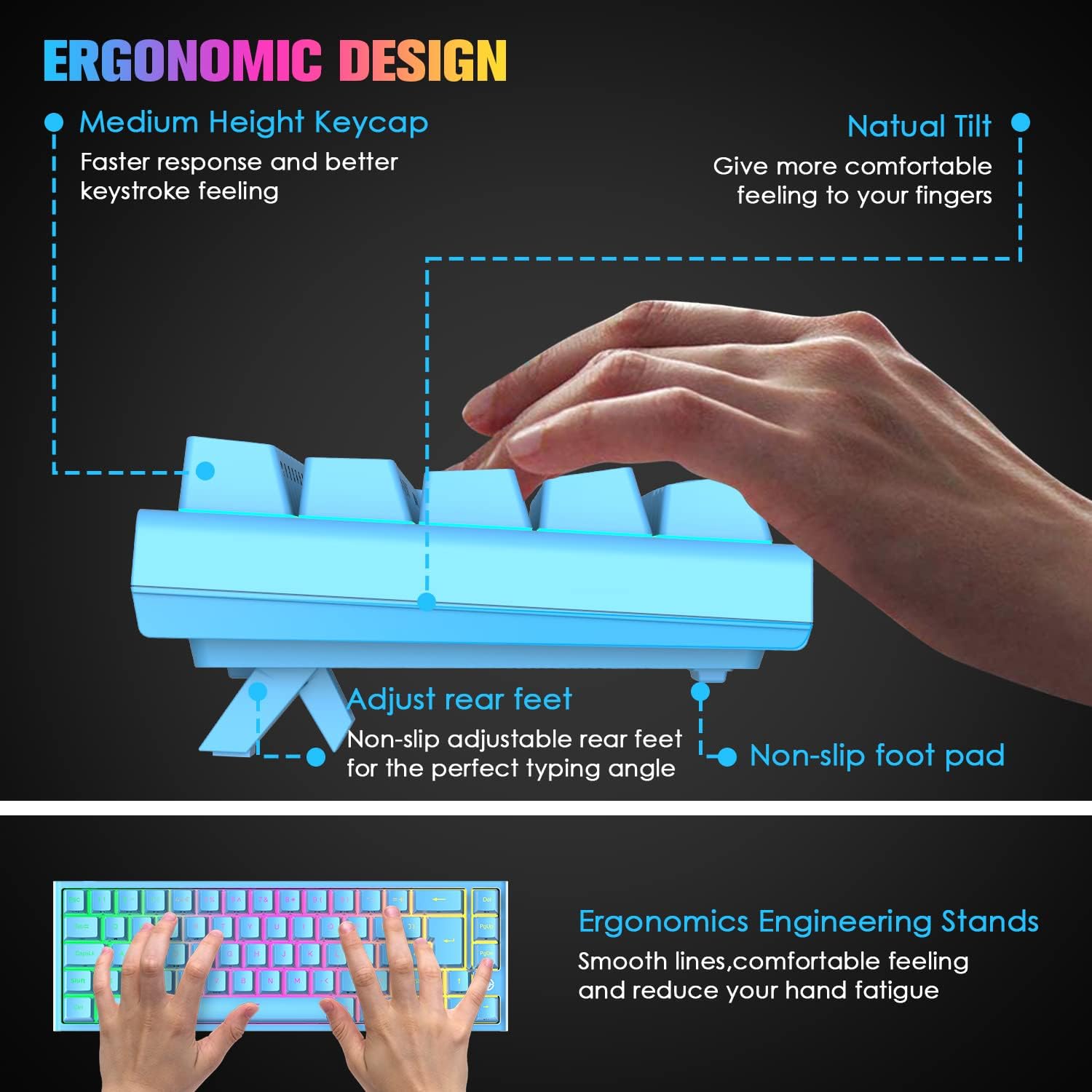
Image 3.2: Diagram showing the adjustable rear feet and non-slip foot pads for ergonomic positioning.
4. تعليمات التشغيل
4.1. وظائف لوحة المفاتيح الأساسية
The keyboard functions as a standard 68-key layout. All keys feature anti-ghosting, ensuring that multiple simultaneous key presses are registered accurately, which is crucial for gaming.
4.2. التحكم في الإضاءة الخلفية RGB
The keyboard supports 14 RGB lighting effects and 8 monochromatic light modes. You can customize the brightness and breathing speed of the backlight.
- تشغيل/إيقاف الإضاءة الخلفية: يضعط Fn + ←
- تبديل تأثيرات الإضاءة: يضعط Fn + فاتورة غير مدفوعة
- ضبط السطوع: يضعط Fn + ↑ (Increase) / ↓ (Decrease) (5 levels)
- اضبط سرعة التنفس: يضعط Fn + ← (Decrease) / → (Increase) (6 levels)

Image 4.1: The keyboard displaying various RGB backlight effects and controls.
4.3. FN Combination Functions
The keyboard utilizes FN key combinations to access multimedia and other functions due to its compact layout:
| مزيج | وظيفة |
|---|---|
| Fn + Q | الصفحة الرئيسية |
| Fn + W | جهاز الكمبيوتر الخاص بي |
| Fn + E | Email Box |
| Fn + R | موسيقى |
| Fn + T | آلة حاسبة |
| Fn + [ | يوقف |
| Fn + ] | بحث |
| Fn + A | الأغنية الأخيرة |
| Fn + S | الأغنية التالية |
| Fn + D | تشغيل/إيقاف مؤقت |
| Fn + F | قف |
| Fn + L | INS (Insert) |

Image 4.2: Visual guide to the FN combination functions for multimedia and system controls.
5. الصيانة
5.1. تنظيف لوحة المفاتيح
للحفاظ على الأداء والمظهر الأمثل، قم بتنظيف لوحة المفاتيح بانتظام:
- إزالة الغبار: استخدم علبة من الهواء المضغوط لنفخ الغبار والحطام من بين أغطية المفاتيح.
- تنظيف السطح: امسح أغطية المفاتيح وسطح لوحة المفاتيح بقطعة قماش ناعمة ورطبة قليلاً.amp القماش. تجنب الرطوبة الزائدة.
- التنظيف العميق (أغطية المفاتيح): For a more thorough clean, use the provided keycap removal tool to carefully detach keycaps. Clean them with mild soap and water, then ensure they are completely dry before reattaching.

Image 5.1: Close-up of the Red mechanical switches and double-shot keycaps, illustrating components that may require cleaning.
6. استكشاف الأخطاء وإصلاحها
إذا واجهت مشاكل مع لوحة المفاتيح، فيرجى الرجوع إلى الحلول الشائعة التالية:
- لوحة المفاتيح لا تستجيب:
- تأكد من توصيل كابل USB بشكل آمن بكل من لوحة المفاتيح والكمبيوتر.
- حاول توصيل لوحة المفاتيح بمنفذ USB مختلف على جهاز الكمبيوتر الخاص بك.
- اختبر لوحة المفاتيح على جهاز كمبيوتر آخر لتحديد ما إذا كانت المشكلة في لوحة المفاتيح أو في منفذ الكمبيوتر/برامج التشغيل.
- Keys Not Registering / Double Tapping:
- Dust or debris under the keycap can sometimes cause issues. Refer to the cleaning instructions in Section 5.1.
- If a specific key consistently malfunctions, it may indicate a switch issue. Contact customer support for assistance.
- Backlight Not Working / Incorrect:
- تأكد من تشغيل الإضاءة الخلفية باستخدام Fn + ←.
- ضبط السطوع باستخدام Fn + ↑ / ↓.
- Cycle through lighting effects with Fn + فاتورة غير مدفوعة.
7. المواصفات
| ميزة | مواصفة |
|---|---|
| تخطيط لوحة المفاتيح | 68 مفتاحًا (60% حجم صغير) |
| نوع المفتاح | مفاتيح ميكانيكية حمراء |
| مفتاح الحياة | ما يصل إلى 50 ملايين ضغطة مفتاح |
| قوة التشغيل | 40 جرام |
| Keystroke Travel | 2.0 ملم |
| الإضاءة الخلفية | RGB (14 effects, 8 monochromatic modes) |
| الواجهة | منفذ USB من النوع C (سلكي) |
| مكافحة التظليل | مفتاح كامل لمكافحة الظلال |
| مادة | ABS Keycaps, Metal Panel |
| الأبعاد (الطول × العرض × الارتفاع) | 350 × 155 × 50 ملم (13.78 × 6.1 × 1.97 بوصة) |
| وزن | 850 جرام (1.87 رطل) |
| التوافق | Windows 7/8/10/Vista/XP, limited Mac OS, Android, Linux |

Image 7.1: Diagram illustrating the physical dimensions of the keyboard.
8. الضمان والدعم
For warranty information or technical support, please refer to the purchase platform or contact LexonElec customer service directly. Keep your purchase receipt as proof of purchase.
For further assistance, you may visit the LexonElec official webالموقع أو الاتصال بقنوات الدعم الخاصة بهم.