
1. المقدمة
This manual provides detailed instructions for the installation, operation, and maintenance of your DIHOOM BC13 3MP WiFi Outdoor Security Camera. This camera is designed to provide reliable surveillance with features such as 3-megapixel resolution, full-color night vision, AI-powered human and face detection, two-way audio, and IP65 weather resistance. Please read this manual thoroughly before using the product to ensure proper setup and functionality.
2. محتويات العبوة
تأكد من تضمين جميع العناصر المدرجة أدناه في الحزمة الخاصة بك:
- 1 x DIHOOM BC13 3MP WiFi Outdoor Security Camera (with 10400 mAh battery)
- 1 × دليل المستخدم
- 1 x Mounting Bracket with Screw Set
- 1 x USB Type-C Charging Cable
- 1 × بطاقة الضمان
3. انتهى المنتجview
تعرّف على مكونات الكاميرا.

The DIHOOM BC13 camera features a cylindrical design with dual antennas for enhanced Wi-Fi connectivity. It is designed for outdoor installation.
- عدسة الكاميرا: يلتقط فيديو فوtage.
- أبرز النقاط: توفير الإضاءة للرؤية الليلية الملونة والعمل كرادع.
- مصابيح الأشعة تحت الحمراء: Enable black and white night vision.
- ميكروفون: يلتقط الصوت للتواصل ثنائي الاتجاه والتسجيل.
- المتحدث: يُخرج الصوت للاتصال ثنائي الاتجاه والإنذارات.
- Dual 5dBi Antennas: Enhance Wi-Fi signal reception for stable connectivity.
- قاعدة التركيب: للتثبيت الآمن على الجدران أو الأسقف.
- منفذ USB من النوع C: لشحن البطارية الداخلية.
- منفذ كارت الذاكرة الصغيرة: للتخزين المحلي للفيديو (يدعم حتى 128 جيجابايت).
- زر إعادة الضبط: يُستخدم لإعادة ضبط الكاميرا إلى إعدادات المصنع.
4. الإعداد
4.1 تنزيل التطبيق وتسجيل الحساب
- Download the "Eseecloud" app from your smartphone's app store (iOS App Store or Google Play Store).
- افتح التطبيق واتبع التعليمات التي تظهر على الشاشة لتسجيل حساب جديد.
- قم بتسجيل الدخول إلى حسابك الذي تم إنشاؤه حديثًا.
4.2 Initial Camera Pairing (Wi-Fi Connection)
- Ensure the camera is fully charged using the provided USB Type-C cable.
- قم بتشغيل الكاميرا.
- In the Eseecloud app, tap the "+" icon to add a new device.
- Select the appropriate camera type (e.g., "Wireless Camera" or scan the QR code on the camera).
- اتبع تعليمات التطبيق لتوصيل الكاميرا بشبكة Wi-Fi بتردد 2.4 جيجاهرتز. تأكد من صحة كلمة مرور Wi-Fi الخاصة بك.
- بمجرد الاتصال، يمكنك تسمية الكاميرا وبدء البث المباشر viewعمل.
4.3 تعليمات التركيب

Featuring a 120-degree wide-angle lens, the camera provides broad coverage. The dual 5dBi antennas ensure a stable and extended Wi-Fi connection.
- Choose a suitable outdoor location for mounting, ensuring good Wi-Fi signal strength and a clear view للمنطقة التي ترغب في مراقبتها.
- Use the mounting bracket as a template to mark the drill holes on the wall or ceiling.
- قم بثقب الثقوب وأدخل مثبتات الحائط المرفقة.
- قم بتثبيت دعامة التثبيت على الحائط باستخدام البراغي.
- قم بتثبيت الكاميرا على حامل التثبيت واضبط زاويتها للحصول على تغطية مثالية.
- Ensure the camera is positioned to avoid direct sunlight or strong light sources that could affect image quality.
5. تعليمات التشغيل
5.1 مباشر View
Open the Eseecloud app on your smartphone. Tap on the camera's name to access the live video feed. You can switch between Standard Definition (SD) and High Definition (HD) for optimal viewing based on your network conditions.
5.2 الصوت ثنائي الاتجاه

The integrated microphone and speaker enable two-way audio communication, allowing you to speak with visitors or deter intruders directly through the Eseecloud app.
أثناء العيش view, tap the microphone icon in the app to activate two-way audio. Speak into your phone to communicate with anyone near the camera. Tap the icon again to end the conversation.
5.3 Motion Detection & AI Features

The camera's AI features can distinguish between general motion, human figures, and faces, sending specific alerts to your smartphone via the Eseecloud app. This helps reduce false alarms.
The camera is equipped with advanced AI algorithms that can differentiate between general motion, human shapes, and faces. This significantly reduces false alarms caused by pets, insects, or swaying branches. When motion, a person, or a face is detected, the camera will automatically record a video clip and send a push notification to your smartphone via the Eseecloud app. You can customize detection sensitivity and alert types within the app settings.
5.4 أوضاع الرؤية الليلية
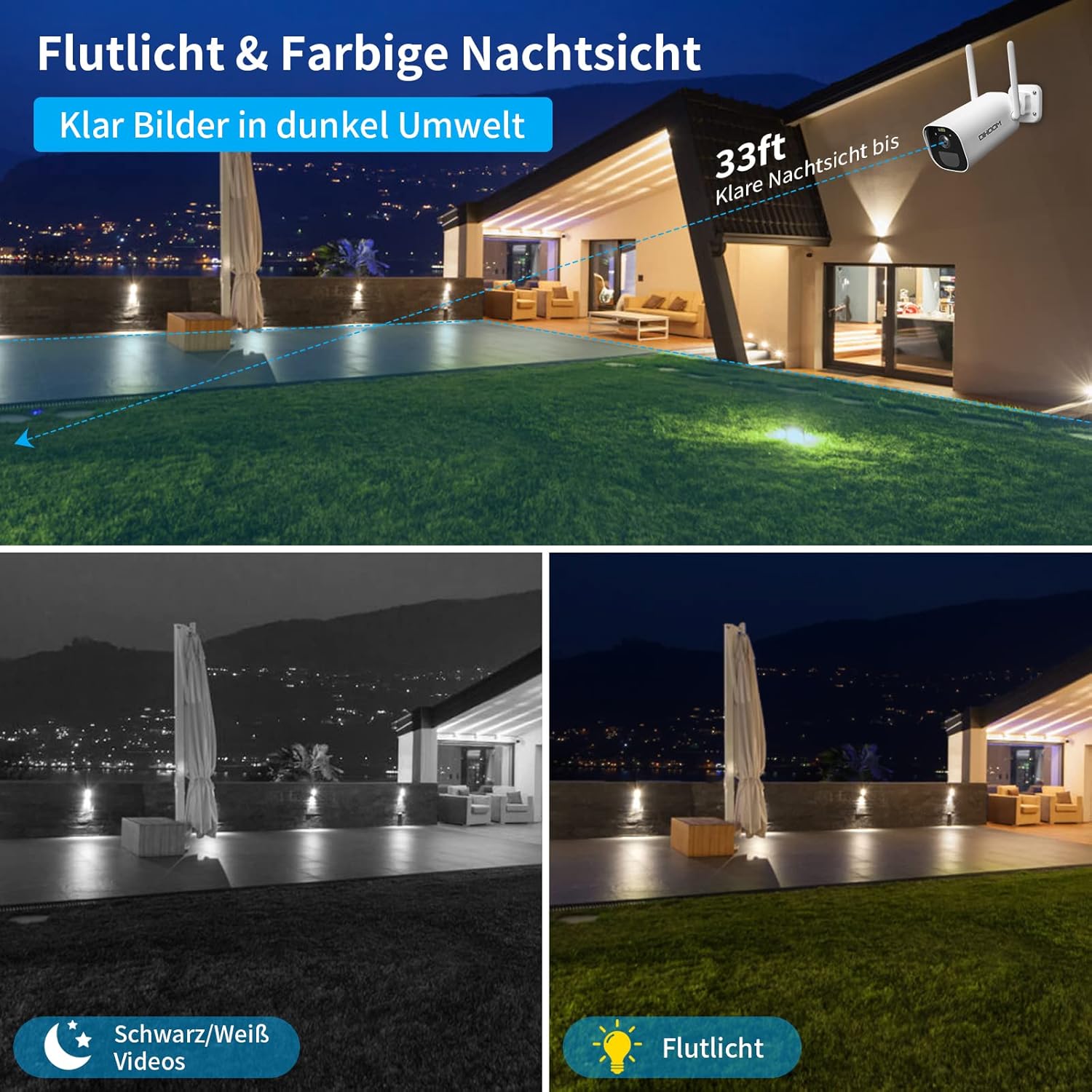
This image illustrates the camera's night vision capabilities, showing both standard black and white infrared mode and the enhanced full-color night vision activated by the integrated spotlight.
توفر الكاميرا وضعين للرؤية الليلية:
- الرؤية الليلية بالأشعة تحت الحمراء (IR): Provides clear black and white video footage in complete darkness, with a range of up to 25 meters.
- رؤية ليلية كاملة الألوان: When motion is detected, the integrated spotlights activate, providing full-color video even in low-light conditions. This mode can also act as a visual deterrent.
You can configure the night vision mode preferences within the Eseecloud app.
5.5 التسجيل والتخزين
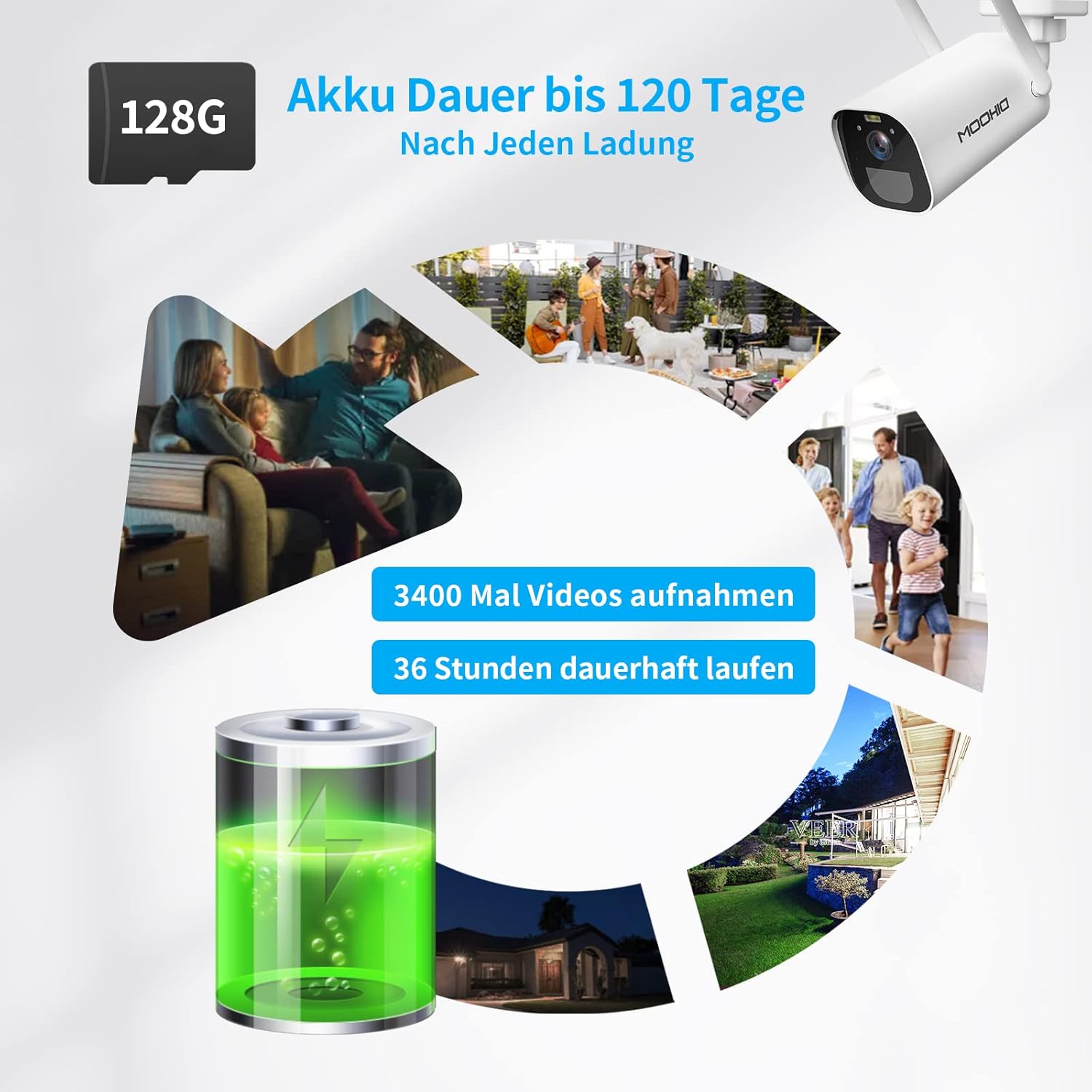
The camera is equipped with a 10400 mAh rechargeable battery, providing extended operation. It supports local storage via a Micro SD card up to 128GB for recording events.
The camera supports two storage options for recorded video clips:
- بطاقة مايكرو التنمية المستدامة: Insert a Micro SD card (up to 128GB, not included) into the designated slot on the camera. The camera will automatically record motion-triggered events to the card.
- التخزين السحابي: The camera supports AWS Cloud storage services. Refer to the Eseecloud app for subscription details and activation.
Recorded videos can be reviewed and downloaded directly from the Eseecloud app.
5.6 إدارة البطارية
The DIHOOM BC13 camera is powered by a 10400 mAh rechargeable lithium-ion battery. A full charge can provide up to 120 days of standby time or approximately 3400 motion-triggered recordings. For continuous operation, especially in areas with frequent activity, consider connecting a compatible solar panel (sold separately). Note that solar panel efficiency may be reduced in winter conditions.
To charge the camera, connect the provided USB Type-C cable to the camera's charging port and a standard 5V/2A USB power adapter (not included).
6. الصيانة
- تنظيف: Gently wipe the camera lens and body with a soft, dry cloth to remove dust and dirt. Avoid using harsh chemicals or abrasive materials.
- العناية بالبطارية: For optimal battery life, avoid fully discharging the battery frequently. Charge the camera regularly, especially if it's not connected to a solar panel.
- تحديثات البرامج الثابتة: Periodically check the Eseecloud app for available firmware updates to ensure your camera has the latest features and security enhancements.
7. استكشاف الأخطاء وإصلاحها
- الكاميرا غير متصلة بشبكة Wi-Fi:
- تأكد من أن شبكة Wi-Fi لديك بتردد ٢.٤ جيجاهرتز. الكاميرا لا تدعم Wi-Fi بتردد ٥ جيجاهرتز.
- تأكد من صحة كلمة مرور Wi-Fi.
- ضع الكاميرا بالقرب من جهاز توجيه الواي فاي الخاص بك أثناء الإعداد الأولي.
- أعد ضبط الكاميرا باستخدام زر إعادة الضبط وحاول الاقتران مرة أخرى.
- إنذارات كاذبة متكررة:
- Adjust the motion detection sensitivity in the Eseecloud app.
- Ensure AI human/face detection is enabled to filter out non-human movements.
- Avoid pointing the camera at areas with constant movement (e.g., busy roads, swaying trees).
- جودة الرؤية الليلية رديئة:
- تأكد من أن عدسة الكاميرا نظيفة وخالية من العوائق.
- Check if the IR LEDs or spotlights are blocked.
- Verify that the night vision mode is set correctly in the app.
- البطارية لا تشحن:
- Ensure the USB Type-C cable is securely connected to both the camera and the power adapter.
- Try a different USB power adapter (5V/2A recommended).
- تأكد من أن منفذ الشحن نظيف وخالٍ من الشوائب.
- لا يوجد صوت أو جودة صوت رديئة:
- Ensure the microphone and speaker are not blocked.
- Check the audio settings in the Eseecloud app.
- Verify your smartphone's volume is turned up.
8. المواصفات
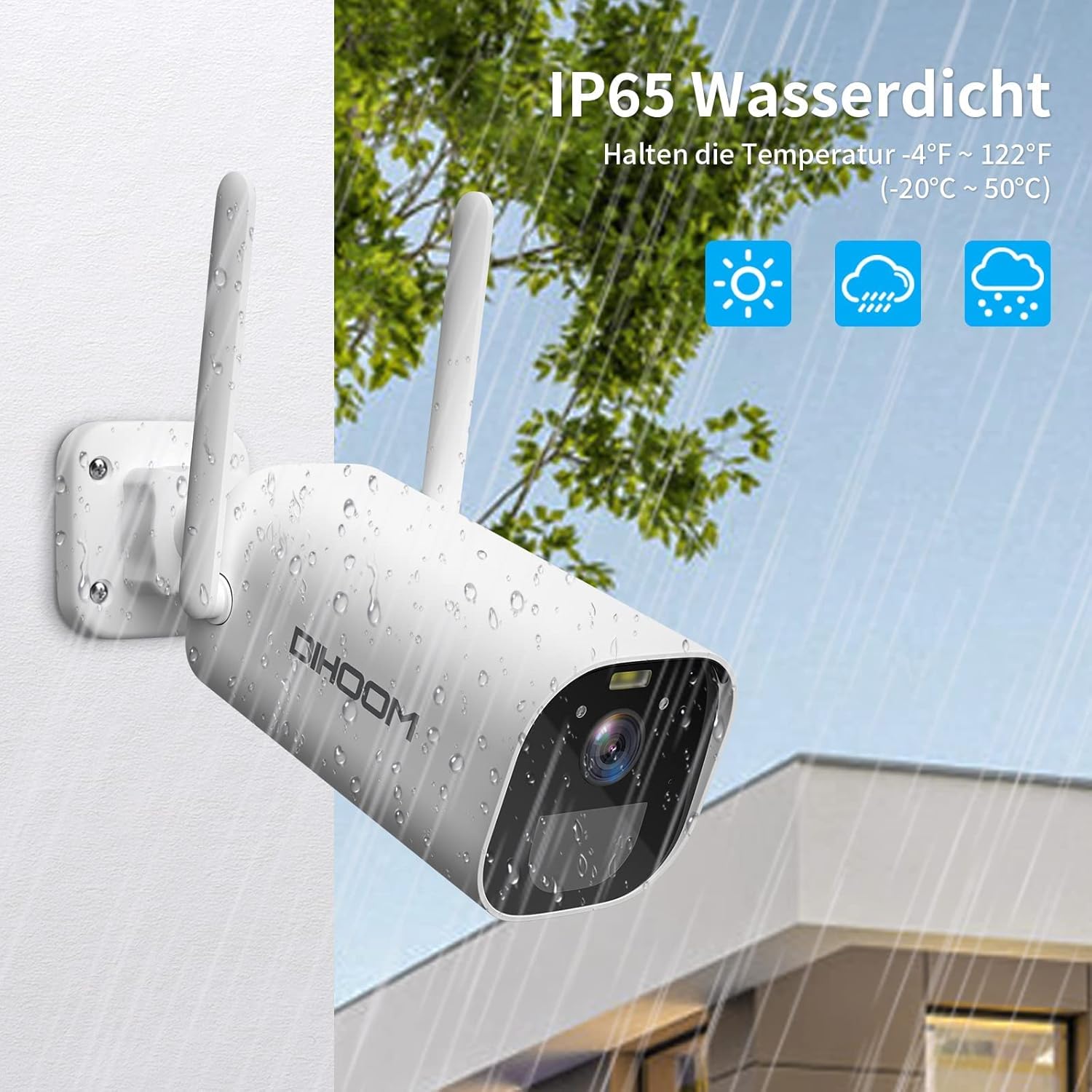
The camera boasts an IP65 weather-resistant rating, ensuring reliable operation in various outdoor conditions, including rain and extreme temperatures ranging from -10°C to 50°C.
| ميزة | مواصفة |
|---|---|
| رقم الموديل | قبل الميلاد 13 |
| دقة الفيديو | 3 ميجا بكسل (2304 × 1296) |
| معدل الإطارات | 1080P/30FPS, 1296P/25fps |
| Viewزاوية جي | 120 درجة |
| الاتصال اللاسلكي | واي فاي (2.4 جيجاهرتز فقط) |
| الهوائيات | Dual 5dBi |
| الرؤية الليلية | Infrared (B&W) & Full-Color (with spotlight) |
| كشف الحركة | PIR, AI Human/Face Detection |
| صوتي | صوت ثنائي الاتجاه (ميكروفون وسماعة مدمجان) |
| خيارات التخزين | Micro SD Card (up to 128GB), AWS Cloud Storage |
| سعة البطارية | 10400 ماه بطارية ليثيوم أيون |
| مدخلات الطاقة | USB Type-C (5V/2A recommended) |
| مقاومة الطقس | IP65 |
| درجة حرارة التشغيل | -10 درجة مئوية إلى 50 درجة مئوية (14 درجة فهرنهايت إلى 122 درجة فهرنهايت) |
| مادة | بلاستيك ايه بي اس |
| الأبعاد (الطول × العرض × الارتفاع) | 19 × 7 × 7 سم |
| وزن | 820 جرام |
9. الضمان والدعم
9.1 معلومات الضمان
Your DIHOOM BC13 camera comes with a limited warranty. Please refer to the included warranty card in your package for specific terms, conditions, and duration of the warranty coverage.
9.2 الدعم الفني
For technical assistance, troubleshooting, or any questions regarding your DIHOOM BC13 camera, please refer to the support section within the Eseecloud app. You may also find contact information for customer support on the warranty card or the official DIHOOM webموقع.