
TERIOS TERIOS 5S
دليل مستخدم وحدة التحكم اللاسلكية TERIOS
Model: TERIOS 5S (ASIN: B09KLR5DCZ)
مقدمة
This user manual provides comprehensive instructions for the TERIOS Wireless Controller, designed for an enhanced gaming experience. This controller is compatible with PlayStation 4, PS4 Pro, and PS4 Slim consoles.

الصورة: الجبهة view of the green TERIOS Wireless Controller, showcasinبفضل تصميمه المريح وتخطيط الأزرار.
ماذا يوجد في الصندوق
عند فتح العبوة، يرجى التأكد من وجود جميع العناصر التالية:
- 1 x TERIOS Wireless Controller
- 1 × كابل شحن USB
- 1 x Controller User Manual (this document)

Image: The TERIOS Wireless Controller, USB charging cable, and user manual laid out, representing the package contents.
مميزات المنتج
The TERIOS Wireless Controller is equipped with several features designed to enhance your gaming experience:
- الربط اللاسلكي: Connects wirelessly to your PS4 console via Bluetooth 4.2 for a stable connection up to 8 meters.
- Built-in Speaker & Headset Jack: Features an integrated speaker and a 3.5mm stereo headset jack for immersive audio.
- Multitouch Pad: A central multitouch pad expands gaming possibilities and interaction.
- زر المشاركة: Allows for live-streaming and sharing gameplay moments without interrupting your session.
- عصا تحكم تناظرية مزدوجة: Provides pinpoint accuracy and enhanced sensitivity for precise control.
- Double Shock Vibration: Integrated motors provide haptic feedback for an immersive gaming experience.
- Turbo Feature: Enables rapid-fire functionality for certain in-game actions.
- بطارية قابلة لإعادة الشحن: Equipped with a 1000mAh lithium battery, offering 10-12 hours of continuous use on a single charge.
- تصميم مريح: Conforms to the palm structure for comfortable extended gaming sessions.

الصورة: عن قرب views highlighting the built-in speaker, share button, and multitouch pad functionalities of the controller.

Image: Visuals illustrating the Bluetooth 4.2 connection, ergonomic design for comfortable grip, and the placement of advanced gaming buttons.

Image: The controller with a visual emphasis on its dual analog sticks, indicating their role in providing a better gaming experience.
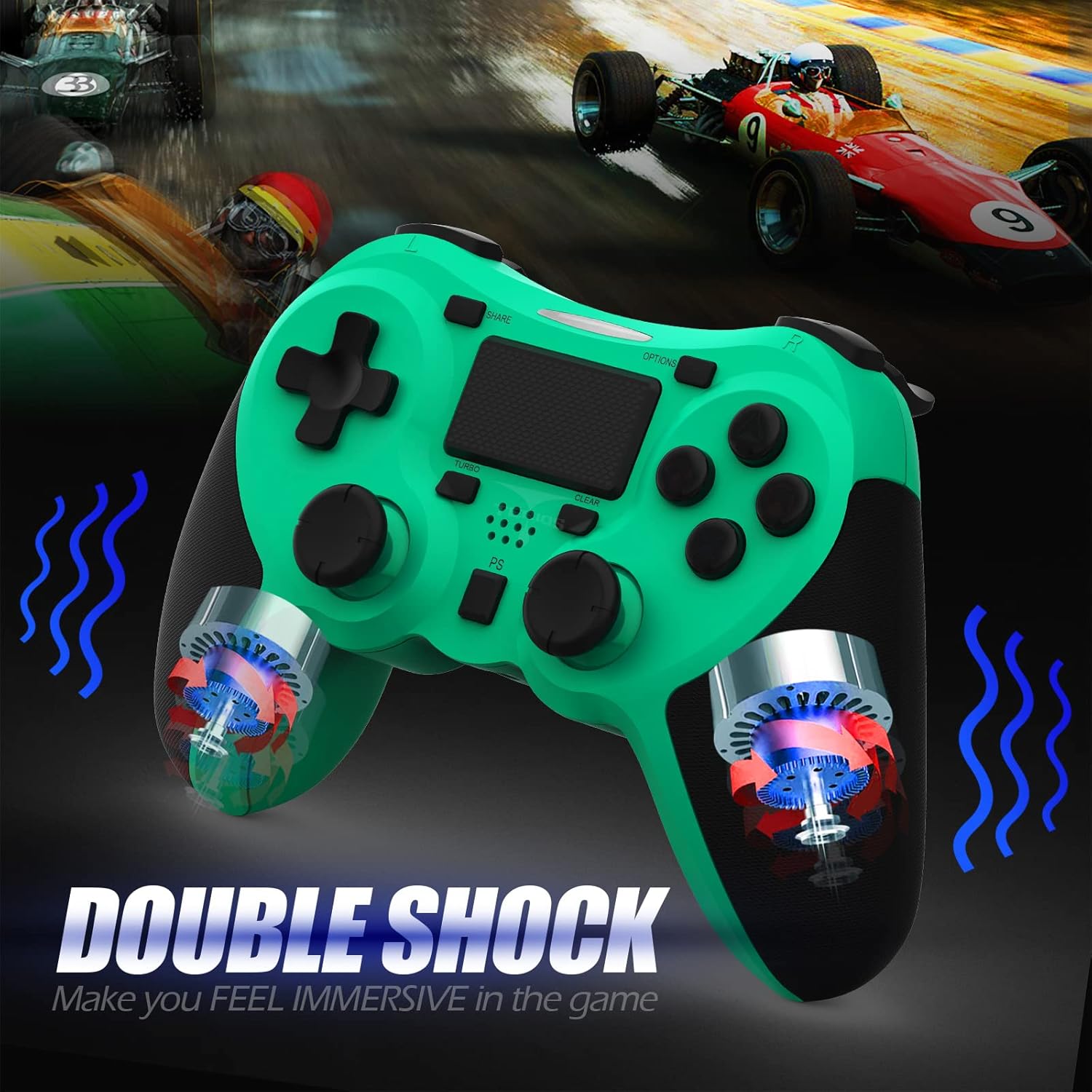
الصورة: داخلية view of the controller highlighting the double shock vibration motors, designed to provide immersive haptic feedback.
دليل الإعداد
1. الشحن الأولي
Before first use, fully charge the controller. Connect the supplied USB charging cable to the controller's micro USB port and the other end to a USB port on your PlayStation 4 console or a compatible USB wall adapter.
- مدة الشحن: حوالي 2-3 ساعات للشحن الكامل.
- Battery Life: Up to 10-12 hours of continuous gameplay.
- وقت الاستعداد: ما يصل إلى 30 يومًا.
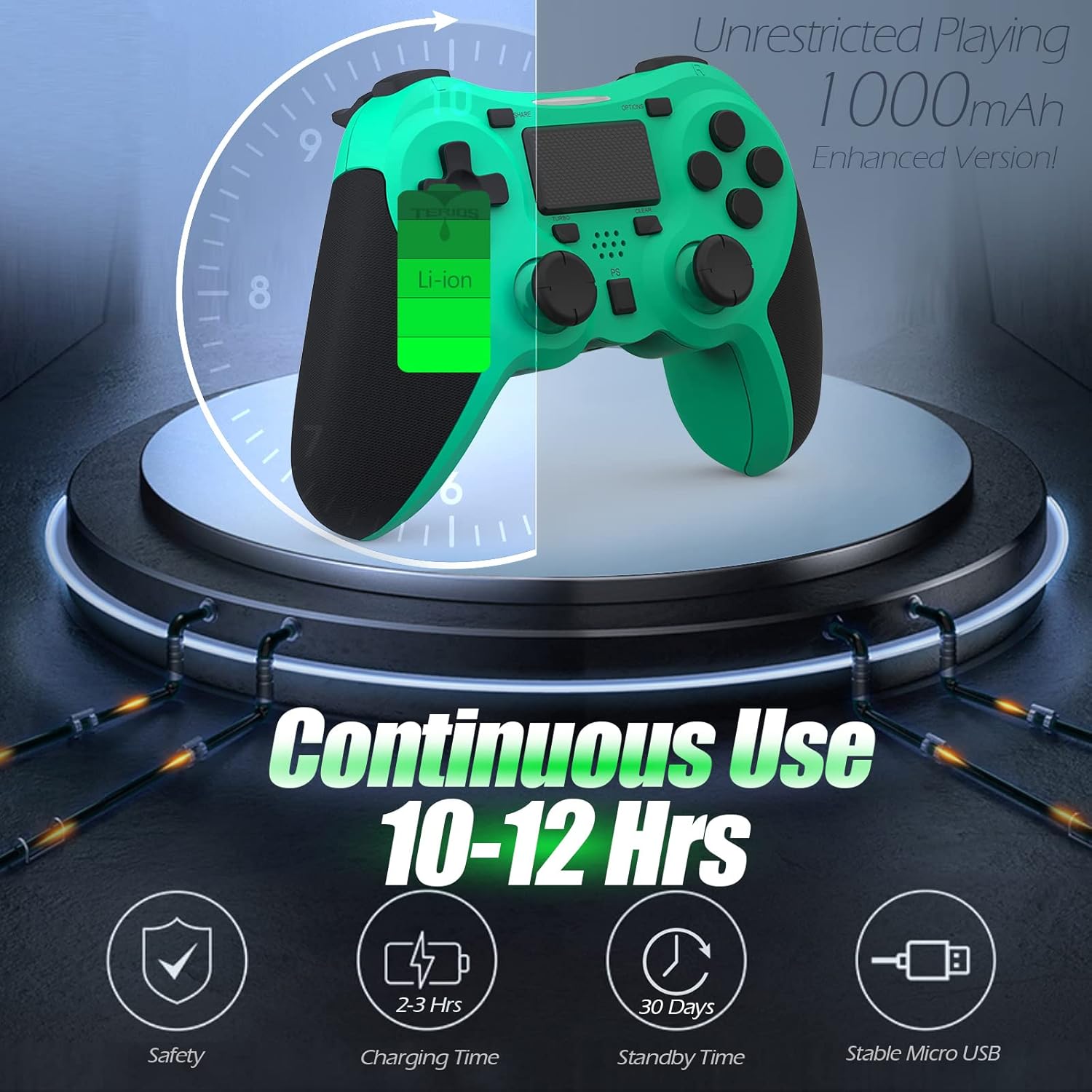
Image: A visual representation of the controller's 1000mAh battery, indicating 10-12 hours of continuous use, 2-3 hours charging time, and 30 days standby time.
2. الاقتران بجهاز بلاي ستيشن 4
لإقران وحدة التحكم مع وحدة التحكم PS4 الخاصة بك:
- تأكد من تشغيل جهاز PS4 الخاص بك.
- قم بتوصيل وحدة التحكم بجهاز PS4 باستخدام كابل الشحن USB.
- اضغط على زر PS (located in the center of the controller). The light bar on the controller will flash, then glow a solid color, indicating successful pairing.
- بمجرد الاقتران، يمكنك فصل كابل USB للعب اللاسلكي.
ملحوظة: If the controller does not pair, ensure it is charged and try connecting it to a different USB port on the console. For persistent issues, refer to the Troubleshooting section.
تعليمات التشغيل
عناصر التحكم الأساسية
| عنصر | وظيفة |
|---|---|
| زر PS | Powers on the controller, accesses the PS4 home screen, switches users, or turns off the console (long press). |
| زر المشاركة | Accesses the Share menu to capture screenshots, record video clips, or broadcast gameplay. |
| زر الخيارات | Pauses games, accesses in-game menus, or confirms selections. |
| أزرار الاتجاهات (لوحة التحكم الاتجاهية) | Navigates menus and provides directional input in games. |
| أزرار التحكم (مثلث، دائرة، علامة زائد، مربع) | Performs in-game actions, confirms, or cancels selections. |
| Left/Right Sticks (L3/R3) | Controls character movement, camera, or other analog inputs. Pressing down on the sticks activates L3/R3 buttons. |
| أزرار L1/R1 | Trigger various in-game actions, often for aiming or secondary functions. |
| مشغلات L2 / R2 | Analog triggers for actions like accelerating, braking, or firing weapons. |
| Multitouch Pad | Provides touch input for specific game interactions or navigation. |
| مقبس سماعة رأس مقاس 3.5 ملم | Connects compatible headsets for game audio and voice chat. |
وظائف خاصة
ميزة Turbo
The Turbo feature allows for rapid, continuous input of a button press, useful for actions like rapid firing in games.
- اضغط مع الاستمرار على زر TURBO (located below the touchpad).
- While holding TURBO, press the action button you wish to apply the rapid-fire function to (e.g., Square, Cross, Circle, Triangle, L1, R1, L2, R2).
- Release both buttons. The selected action button will now continuously register presses as long as it is held down.
- To disable Turbo for a specific button, repeat the process: hold TURBO and press the button again.
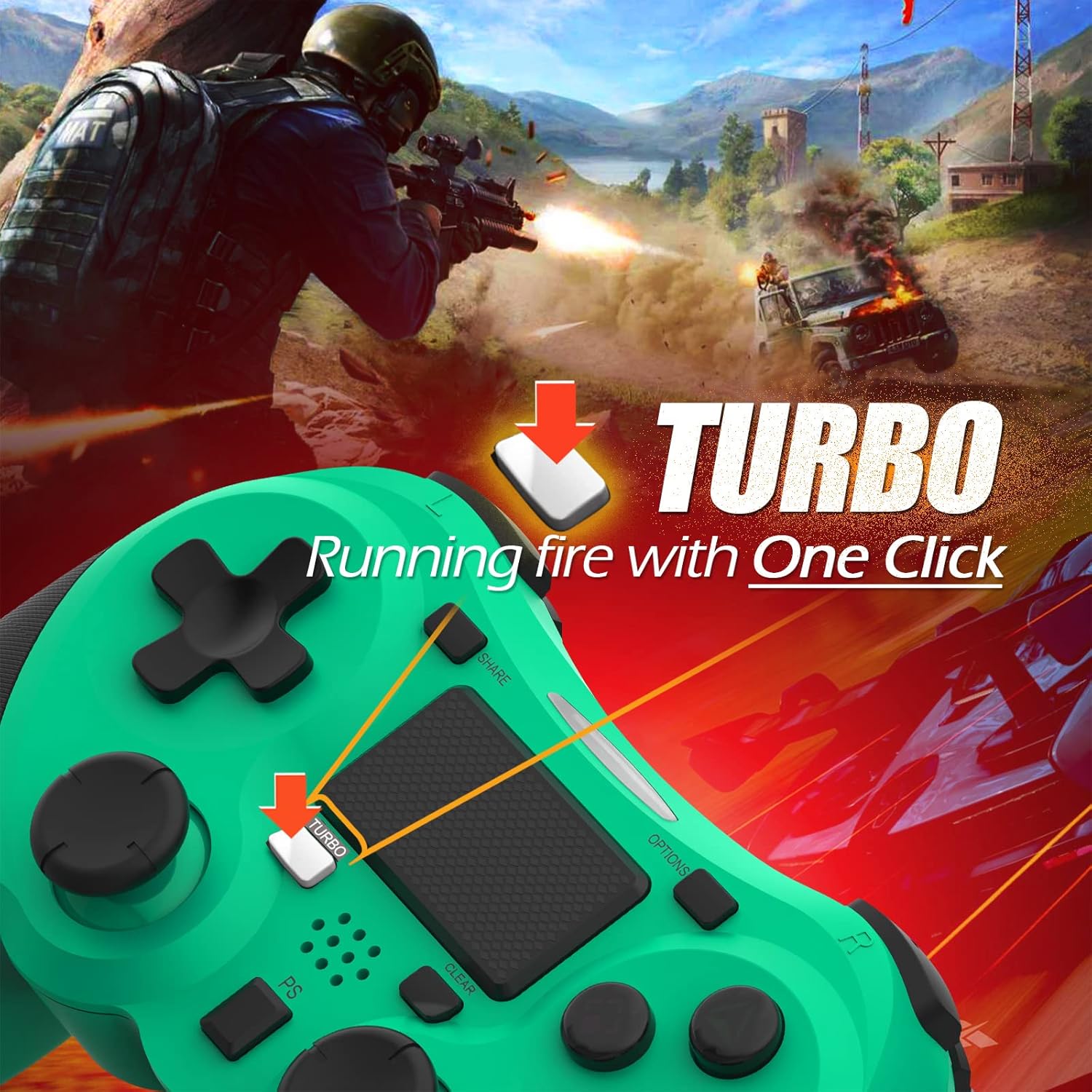
Image: A visual guide demonstrating how to activate the Turbo feature on the controller for rapid-fire actions.
Share Button Functionality
The SHARE button provides quick access to PS4's sharing features:
- ضغطة واحدة: Opens the Share menu, allowing you to save a screenshot, save a video clip, or start a broadcast.
- ضغطة طويلة: Takes a screenshot directly.
- اضغط مرتين: يبدأ/يوقف تسجيل الفيديو.
صيانة
Proper maintenance ensures the longevity and optimal performance of your TERIOS Wireless Controller.
تنظيف
- استخدم قطعة قماش ناعمة وجافة لمسح سطح وحدة التحكم.
- بالنسبة للأوساخ العنيدة، قم بإزالة الأوساخ برفق.ampاغسل القماش بالماء أو بمنظف لطيف غير كاشط. تجنب الرطوبة الزائدة.
- لا تستخدم مواد كيميائية قاسية أو مذيبات أو مواد كاشطة، لأنها قد تتلف طلاء وحدة التحكم ومكوناتها الداخلية.
تخزين
- قم بتخزين وحدة التحكم في مكان بارد وجاف بعيدًا عن أشعة الشمس المباشرة ودرجات الحرارة القصوى والرطوبة العالية.
- Avoid placing heavy objects on the controller to prevent damage to buttons or analog sticks.
العناية بالبطارية
- To preserve battery life, avoid fully discharging the controller frequently.
- في حالة التخزين لفترة طويلة، اشحن البطارية إلى حوالي 50% قبل التخزين.
- Recharge the controller at least once every three months if not in use to prevent deep discharge.
استكشاف الأخطاء وإصلاحها
If you encounter issues with your TERIOS Wireless Controller, please refer to the following common solutions:
وحدة التحكم غير متصلة/مقترنة
- التحقق من البطارية: Ensure the controller is sufficiently charged. Connect it to the PS4 via USB cable to charge.
- بصلح: Connect the controller to the PS4 with the USB cable and press the PS button to re-establish the connection.
- إعادة تعيين وحدة التحكم: Locate the small reset button hole on the underside of the controller (near the L2 button). Use a straightened paperclip or a similar thin object to press and hold the button for 3-5 seconds. This will reset the controller. After resetting, attempt to re-pair it with the PS4.
- تدخل: Move closer to the PS4 console to rule out wireless interference.
Buttons or Sticks Unresponsive/Lagging
- إعادة تعيين وحدة التحكم: Perform a hard reset as described above.
- ينظف: Ensure no debris is lodged around the buttons or sticks. Clean the controller as per the Maintenance section.
- البرامج الثابتة: تأكد من أن برنامج نظام PS4 الخاص بك محدّث.
اهتزاز مفرط
- إعادة تعيين وحدة التحكم: A reset can often resolve unexpected vibration issues.
- إعدادات اللعبة: Check in-game settings for vibration intensity.
تحديد
| يصف | التفاصيل |
|---|---|
| نموذج | TERIOS 5S |
| ASIN | B09KLR5DCZ |
| التوافق | بلاي ستيشن 4، بلاي ستيشن 4 برو، بلاي ستيشن 4 سليم |
| الاتصال | Wireless (Bluetooth 4.2), USB |
| نوع البطارية | بوليمر الليثيوم (1 متضمن) |
| سعة البطارية | 1000 مللي أمبير |
| وقت الاستخدام المستمر | 10-12 ساعات |
| وقت الشحن | 2-3 ساعات |
| وقت الاستعداد | حتى 30 يوما |
| وزن العنصر | 10.8 أونصة (حوالي 306 جرامًا) |
| أبعاد الحزمة | 6.69 × 5.24 × 2.72 بوصة |
| الشركة المصنعة | تيريوس |
| تاريخ أول توفر | 28 أكتوبر 2021 |
الضمان والدعم
TERIOS stands behind the quality of its products. This controller comes with a ضمان لمدة 1 سنوات من تاريخ الشراء، بما في ذلك تغطية عيوب التصنيع.
For customer support, technical assistance, or warranty claims, please contact TERIOS customer service through the platform where you purchased the product or visit the official TERIOS store page for contact information.
We are committed to providing premium customer support and ensuring your satisfaction with our products.
Ask a question about this manual
Ask about setup, troubleshooting, compatibility, parts, safety, or missing instructions. Manuals+ will review the question and use this page’s manual context to help answer it.