
bmanl T16
bmanl Wireless Earbuds User Manual
الموديل: T16
1. انتهى المنتجview
The bmanl T16 Wireless Earbuds are designed for an immersive audio experience with the convenience of wireless connectivity. Featuring a dual LED display charging case, these earbuds offer extended playtime and a secure fit, making them suitable for various activities, including sports and workouts. The intuitive one-button control allows for easy management of music and calls.
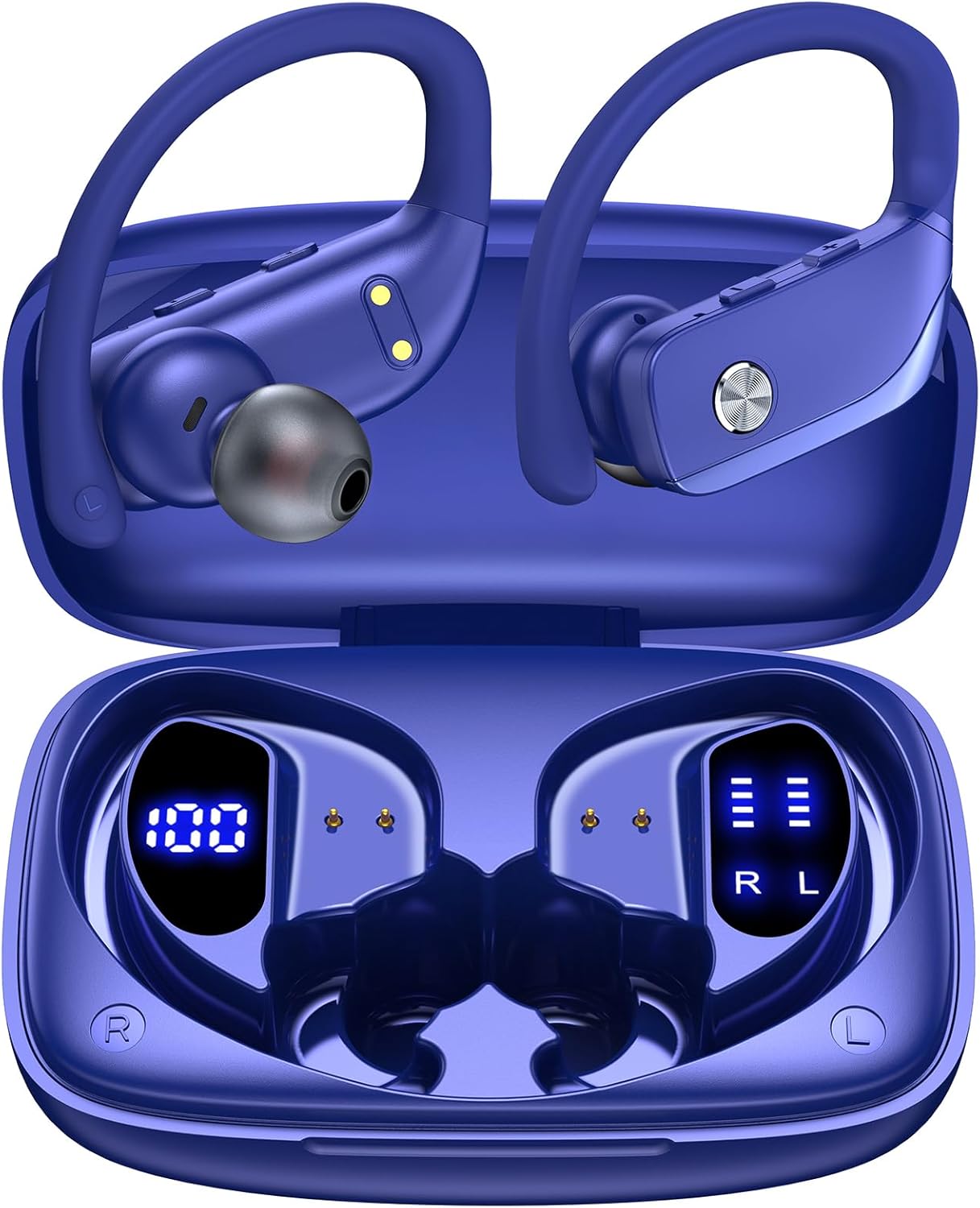
Image: bmanl T16 Wireless Earbuds in their open charging case, showcasing the blue color and earhook design.
2. محتويات العبوة
يرجى التحقق من الحزمة للعناصر التالية:
- bmanl T16 Wireless Earbuds (Left and Right)
- علبة شحن مزودة بشاشة LED
- كابل شحن USB
- أطراف أذن بأحجام متعددة (صغير، متوسط، كبير)
- دليل المستخدم

Image: Contents of the bmanl T16 earbud package, including the earbuds, charging case, USB cable, and ear tips.
3. مواصفات المنتج
- Dual LED Displays Charging Case: The charging case features two LED displays, one showing the remaining battery percentage of the case and the other indicating the charging status of each earbud. Each grid represents 25% of the earbud's power.
- وقت اللعب الممتد: Enjoy up to 8 hours of playtime on a single charge for the earbuds, with the charging case providing an additional 40 hours, totaling 48 hours of playback. A quick 15-minute charge can provide up to 1 hour of playtime.
- Bluetooth Connectivity and Stereo Sound: Equipped with advanced Bluetooth technology, these earbuds ensure a stable and clear connection for both music listening and calls, providing crystal clear stereo sound.
- One-Button Control and Auto Pairing: Simplified button controls allow for easy management of various functions without needing to remember complex gestures. The earbuds automatically connect to the last paired device when removed from the case and power off/recharge when returned.
- مصممة للرياضة: The secure over-ear hook design and multiple ear tip sizes ensure a comfortable and stable fit, preventing the earbuds from falling out during intense workouts, running, or other physical activities.

Image: Close-up of the charging case displaying the battery levels for the case and individual earbuds via LED screens.

Image: Infographic illustrating the 48-hour total playtime with the charging case and individual earbud battery life.

Image: Diagram showing the various functions controlled by the single button on the earbuds, including power, play/pause, volume, and call management.
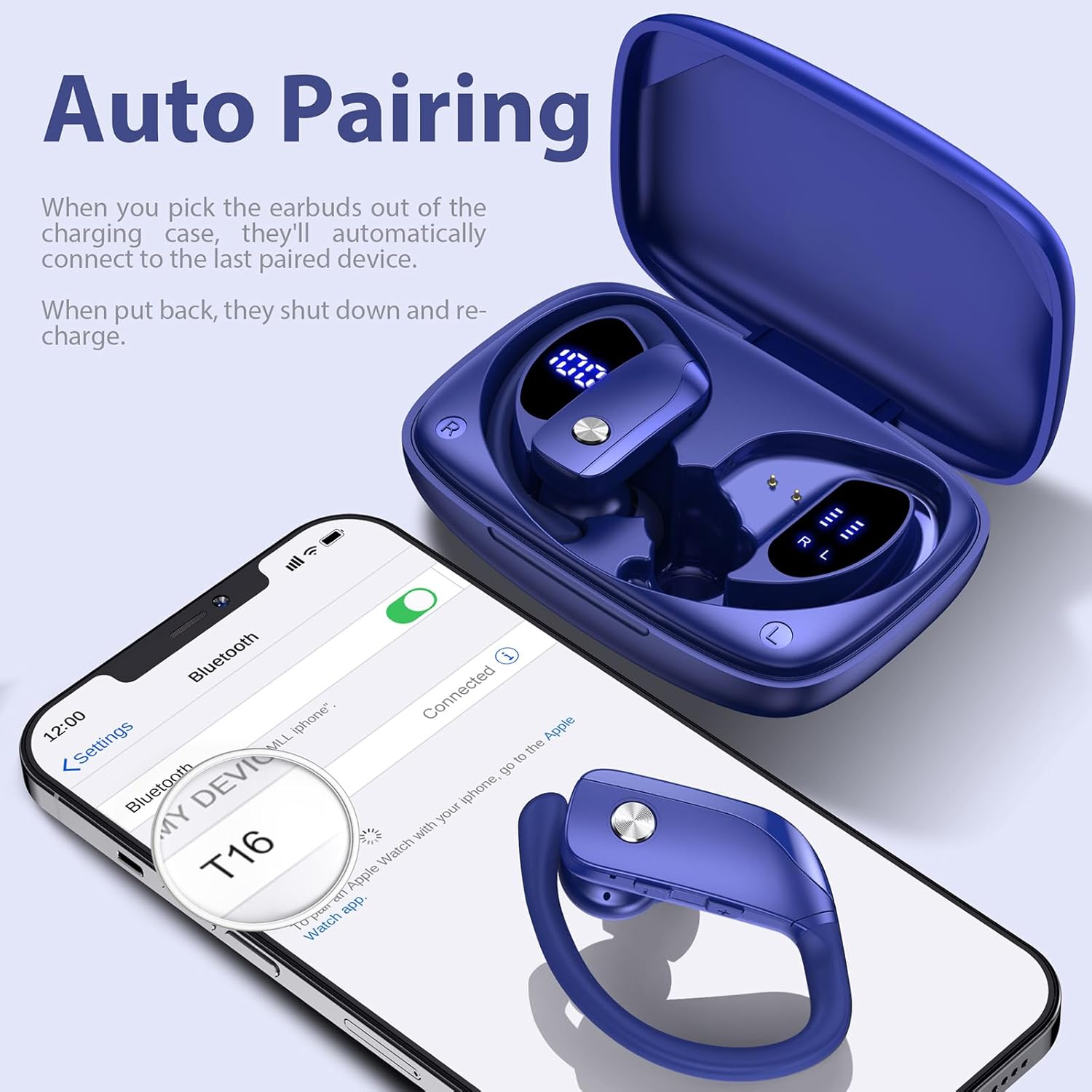
Image: A person wearing the earbuds during a workout, highlighting the secure fit and suitability for sports.
4. دليل الإعداد
4.1 الشحن الأولي
Before first use, fully charge the charging case and earbuds. Place the earbuds into the charging case, ensuring they are properly seated. Connect the USB charging cable to the charging case and a compatible USB power source. The LED display on the case will indicate the charging progress.
4.2 تركيب سماعات الأذن
For optimal sound quality and comfort, select the ear tips that best fit your ears. The package includes small (S), medium (M), and large (L) ear tips. Once the correct ear tips are attached, follow these steps:
- Insert the earbud downwards into your ear.
- Twist the earbud backwards to lock the earhook securely in place around your ear.
- Adjust for comfort and a snug fit.

Image: Step-by-step guide on how to properly insert and secure the earbuds with the flexible earhooks.
5. تعليمات التشغيل
5.1 تشغيل/إيقاف التشغيل
- تشغيل الطاقة: The earbuds will automatically power on when removed from the charging case. Alternatively, press and hold the multi-function button on each earbud for approximately 3 seconds.
- إيقاف التشغيل: Place the earbuds back into the charging case to automatically power them off and begin recharging. Alternatively, press and hold the multi-function button on each earbud for approximately 5 seconds.
5.2 اقتران بلوتوث
للاقتران لأول مرة:
- تأكد من شحن سماعات الأذن بالكامل.
- Remove both earbuds from the charging case. They will automatically enter pairing mode, indicated by a flashing LED light.
- على جهازك (الهاتف الذكي، الجهاز اللوحي، وما إلى ذلك)، قم بتمكين البلوتوث وابحث عن الأجهزة المتاحة.
- Select "T16" from the list of found devices to connect. Once connected, a voice prompt will confirm, and the LED light on the earbuds will stop flashing.
The earbuds will automatically reconnect to the last paired device when removed from the case, provided Bluetooth is enabled on your device and it is within range (up to 33ft/10m).

Image: A smartphone screen showing the earbuds (T16) connected via Bluetooth, with the earbuds in their charging case.
5.3 عناصر التحكم
The earbuds feature a multi-function button for easy control:
| فعل | وظيفة |
|---|---|
| انقر مرة واحدة | تشغيل / إيقاف الموسيقى ، الرد / إنهاء المكالمة |
| Quick Double-click (R earbud) | الأغنية التالية |
| Quick Double-click (L earbud) | الأغنية السابقة |
| Quick Triple-click | تفعيل المساعد الصوتي |
| Press "+" Button | رفع الصوت |
| Press "-" Button | خفض الصوت |
| Hold (during call) | رفض المكالمة |
6. الصيانة والعناية
لضمان طول عمر سماعات الأذن وأدائها الأمثل، اتبع إرشادات الصيانة التالية:
- تنظيف: Regularly clean the ear tips and the charging contacts on both the earbuds and the charging case with a soft, dry cloth. Avoid using harsh chemicals or abrasive materials.
- تخزين: قم دائمًا بتخزين سماعات الأذن في علبة الشحن الخاصة بها عندما لا تكون قيد الاستخدام لحمايتها من الغبار والتلف والحفاظ على شحنها.
- مقاومة الماء: The earbuds are IPX7 waterproof, meaning they are protected against the effects of temporary immersion in water (up to 1 meter for 30 minutes). This makes them resistant to sweat and raindrops. However, they are not suitable for swimming or showering. Ensure the earbuds are dry before placing them back into the charging case to prevent damage.

Image: Visual representation of the earbuds' IPX7 waterproof rating, showing them in a water environment.
7. استكشاف الأخطاء وإصلاحها
If you encounter issues with your bmanl T16 Wireless Earbuds, please refer to the following common solutions:
- سماعات الأذن غير مقترنة بالجهاز:
- تأكد من تمكين تقنية Bluetooth على جهازك وأن سماعات الأذن ضمن النطاق.
- تأكد من شحن سماعات الأذن.
- Forget/delete "T16" from your device's Bluetooth list and attempt to pair again.
- أعد تشغيل جهازك وسماعات الأذن.
- سماعة أذن واحدة فقط تعمل:
- أعد وضع سماعتي الأذن في علبة الشحن، وأغلق الغطاء، وانتظر بضع ثوانٍ، ثم أخرجهما في وقت واحد.
- تأكد من شحن كلا سماعات الأذن.
- Perform a factory reset (refer to the full user manual for specific reset instructions if needed).
- سماعات الأذن لا يتم شحنها:
- تأكد من توصيل كابل الشحن بشكل آمن بكل من العلبة ومصدر الطاقة.
- تأكد من أن نقاط اتصال الشحن الموجودة على سماعات الأذن وداخل العلبة نظيفة وخالية من الحطام.
- جرب كابل USB أو محول طاقة مختلفًا.
- جودة الصوت رديئة أو الانقطاعات:
- تأكد من عدم وجود أي عوائق بين سماعات الأذن وجهازك.
- اقترب من جهازك لتقليل التداخل.
- Check for any firmware updates for your device.
8. المواصفات
| ميزة | التفاصيل |
|---|---|
| اسم الموديل | ت16 |
| تكنولوجيا الاتصال | بلوتوث 5.0 |
| مدى البلوتوث | حتى 10.06 مترا (33 قدما) |
| عمر بطارية سماعة الأذن | حتى 8 ساعات (شحنة واحدة) |
| إجمالي وقت اللعب (مع الحقيبة) | تصل إلى 48 ساعة |
| عمر بطارية علبة الشحن | 48 Hours (average life) |
| مستوى مقاومة الماء | IPX7 (مقاوم للماء) |
| طريقة التحكم | التحكم بالأزرار |
| وضع الأذن | فوق الأذن |
| حجم برنامج تشغيل الصوت | 10 مليمتر |
| نطاق التردد | شنومكسهز - شنومكسهز |
| وزن العنصر | 1.41 أونصات (سماعات أذن) |
| أبعاد المنتج | 0.79 × 3.54 × 2.36 بوصة |
| الأجهزة المتوافقة | All Bluetooth-enabled mobile phones, tablets, laptops, computers, audiobooks, TV, and all devices with Bluetooth 5.0 |
9. الضمان والدعم
For warranty information and customer support, please refer to the documentation included with your product or contact the seller directly through the platform where you purchased the earbuds. You can also find a digital version of the user manual at: https://manuals.plus/m/7713cca8bca7900bc267999b43d24ceed5469a646dd833d598205325dee1000e
يرجى الاحتفاظ بإثبات الشراء الخاص بك لاستخدامه في أي مطالبات بالضمان.
Ask a question about this manual
Ask about setup, troubleshooting, compatibility, parts, safety, or missing instructions. Manuals+ will review the question and use this page’s manual context to help answer it.