
BLAUX 30888
سماعات أذن BLX - دليل مستخدم سماعات أذن لاسلكية بتقنية بلوتوث 5.1
Model: 30888 | Brand: BLAUX
1. المقدمة
Thank you for choosing BLX Earbuds. These True Wireless Stereo (TWS) earbuds are designed to provide a seamless and high-quality audio experience with the convenience of Bluetooth 5.1 technology. This manual will guide you through the setup, operation, and maintenance of your new earbuds to ensure optimal performance and longevity.
2. ماذا يوجد في الصندوق
يرجى التحقق من محتويات الحزمة للتأكد من وجود جميع العناصر:
- BLX Wireless Earbuds (Left and Right)
- حافظة الشحن اللاسلكي
- كابل شحن ميكرو يو اس بي
- أطراف أذن من السيليكون (صغيرة، متوسطة، كبيرة)
- دليل المستخدم
3. انتهى المنتجview
The BLX Earbuds offer a compact and ergonomic design for comfortable, all-day wear. The included charging case provides extended battery life and convenient storage.
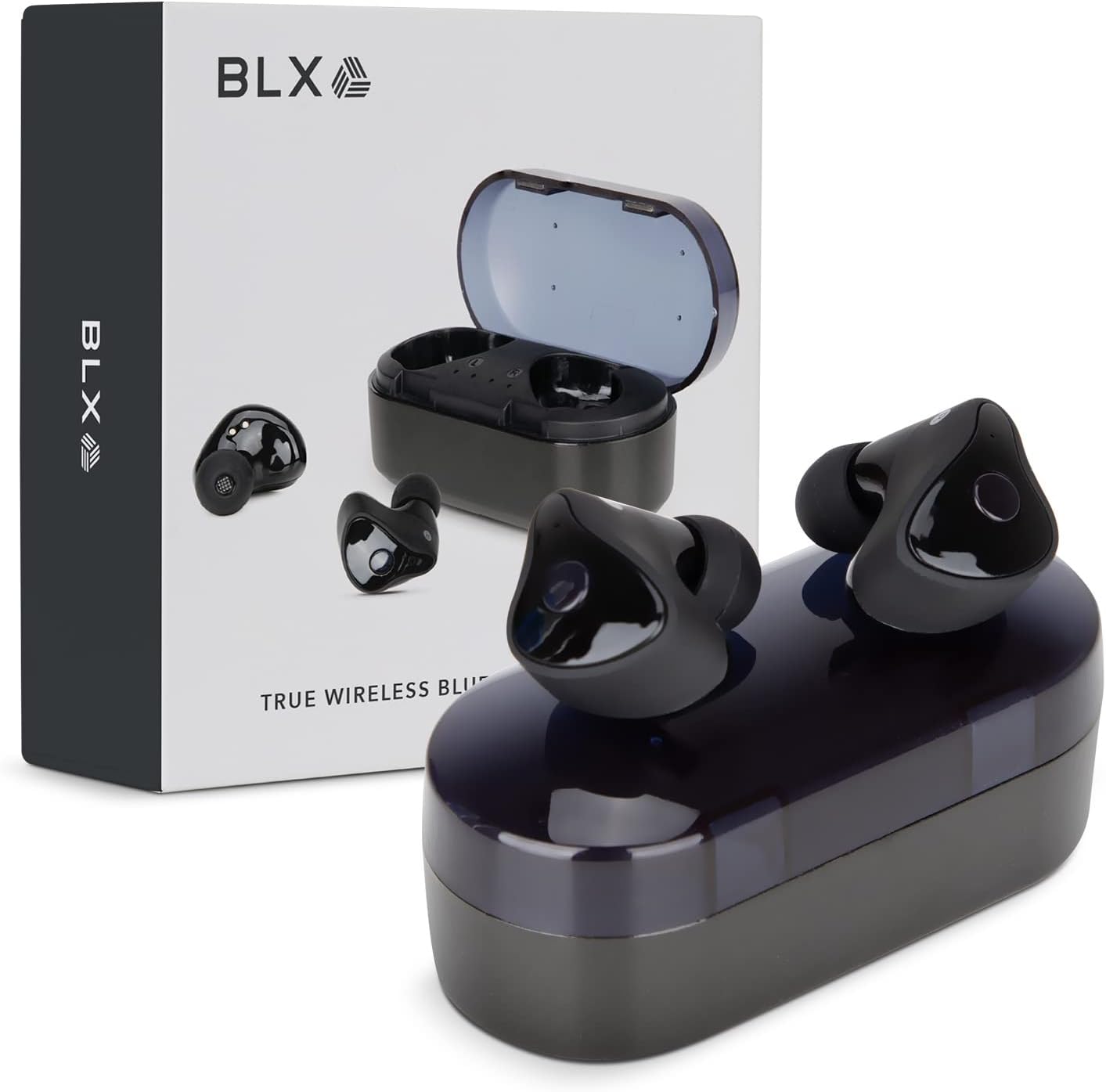
Image: BLX Earbuds, charging case, and product packaging.
3.1 الميزات الرئيسية
- ستيريو لاسلكي حقيقي (TWS): Enjoy a completely wireless audio experience with independent earbuds.
- تقنية البلوتوث 5.1: Provides a stable and efficient wireless connection with a range of up to 10 meters.
- الاقتران السريع: Earbuds automatically connect to your device once removed from the charging case.
- ضوابط اللمس بديهية: يمكنك التحكم في تشغيل الموسيقى والمكالمات والمساعدين الصوتيين بنقرات بسيطة.
- مقاومة الماء IPX4: Designed to withstand sweat and splashes, making them suitable for workouts and outdoor activities.
- ميكروفون مدمج: يتيح إجراء المكالمات بدون استخدام اليدين والتفاعل مع المساعد الصوتي.

Image: BLX Earbuds demonstrating true wireless freedom with Bluetooth 5.1, fast pairing, and a 10-meter range.

الصورة: مفصلة view of a BLX Earbud highlighting its smart touch control capabilities for various functions.

Image: A person running while wearing BLX Earbuds, emphasizing their IPX4 water resistance for sweat and splashes, and the portability of the compact charging case.

Image: A woman wearing a BLX Earbud, with an illustration of the three included silicone ear tip sizes (11mm, 12mm, 13mm) to help users find their perfect fit.

Image: A woman enjoying music with BLX Earbuds, illustrating the battery performance: 4.5 hours of listening time, up to 18 hours with the charging case, and a 1-hour full charge time for the case.

Image: A close-up of a BLX Earbud, emphasizing its clear immersive audio quality with a frequency response range of 20Hz to 20KHz.

Image: BLX Earbuds depicted with icons for Google Assistant and Siri, along with a built-in microphone icon, indicating hands-free voice assistant capabilities.
4. الإعداد
4.1 شحن سماعات الأذن والعلبة
Before first use, fully charge the BLX Earbuds and their charging case.
- ضع سماعات الأذن في علبة الشحن. تأكد من تثبيتها بشكل صحيح في فتحاتها المخصصة (L لليسار، R لليمين).
- Connect the Micro USB charging cable to the charging port on the case and the other end to a USB power source (e.g., computer, wall adapter).
- The indicator lights on the charging case will illuminate to show charging status. A full charge for the case takes approximately 1 hour.
- Once fully charged, disconnect the charging cable. The earbuds will charge automatically when placed in the powered case.
4.2 الاقتران بجهازك
BLX Earbuds feature auto-pairing technology for quick and easy connection.
- Ensure the charging case is charged and your device's Bluetooth is enabled.
- افتح علبة الشحن. سيتم تشغيل سماعات الأذن تلقائيًا ودخول وضع الاقتران.
- On your device (smartphone, tablet, laptop), go to the Bluetooth settings and search for available devices.
- Select "BLX Earbuds" from the list of found devices.
- Once connected, your device will confirm the pairing, and the earbuds will be ready for use.
- في الاستخدامات اللاحقة، ستتصل سماعات الأذن تلقائيًا بآخر جهاز مقترن عند إخراجها من العلبة.
4.3 Finding the Perfect Fit
A proper fit is crucial for sound quality and comfort. Experiment with the included silicone ear tips (Small, Medium, Large) to find the size that best seals your ear canal.
- أدخل سماعة الأذن برفق في قناة أذنك.
- Twist slightly to secure it in place. The earbud should feel snug and comfortable without causing pressure.
- If the sound quality is poor or the earbuds feel loose, try a different size ear tip.
5. Operating Your BLX Earbuds
The BLX Earbuds utilize touch controls for easy management of audio and calls.
5.1 تشغيل/إيقاف التشغيل
- تشغيل الطاقة: افتح حافظة الشحن ، وسيتم تشغيل سماعات الأذن تلقائيًا.
- إيقاف التشغيل: أعد وضع سماعات الأذن في علبة الشحن وأغلق الغطاء. ستتوقف تلقائيًا وتبدأ عملية الشحن.
5.2 تشغيل الموسيقى
| فعل | يتحكم |
|---|---|
| تشغيل/إيقاف مؤقت | نقرة واحدة على أي من سماعات الأذن |
| المسار التالي | اضغط مرتين على سماعة الأذن اليمنى |
| المسار السابق | انقر مرتين على سماعة الأذن اليسرى |
5.3 إدارة المكالمات
| فعل | يتحكم |
|---|---|
| الرد على المكالمة/إنهائها | نقرة واحدة على أي من سماعات الأذن |
| رفض المكالمة | اضغط مع الاستمرار على إحدى سماعات الأذن لمدة ثانيتين |
5.4 مساعد صوتي
| فعل | يتحكم |
|---|---|
| تفعيل المساعد الصوتي (سيري، مساعد جوجل، إلخ). | اضغط ثلاث مرات على أي سماعة أذن |
5.5 التحكم في مستوى الصوت
Volume control is managed directly through your connected device (phone, tablet, laptop).
6. الصيانة
Proper care and maintenance will extend the life of your BLX Earbuds.
6.1 التنظيف
- استخدم قطعة قماش ناعمة وجافة وخالية من الوبر لتنظيف سماعات الأذن وعلبة الشحن.
- بالنسبة لأطراف الأذن، قم بإزالتها من سماعات الأذن ونظفها بمحلول صابون خفيف إذا لزم الأمر، ثم اشطفها جيدًا وجففها تمامًا قبل إعادة تركيبها.
- لا تستخدم المنظفات الكاشطة أو الكحول أو المذيبات الكيميائية.
- تأكد من أن نقاط التلامس الخاصة بالشحن على كل من سماعات الأذن والعلبة نظيفة وخالية من أي شوائب.
6.2 التخزين
عند عدم استخدامها، احرص دائمًا على تخزين سماعات الأذن في علبة الشحن الخاصة بها لحمايتها من الغبار والتلف، وللحفاظ على شحنها.
6.3 مقاومة الماء (IPX4)
Your BLX Earbuds are rated IPX4, meaning they are resistant to splashing water from any direction. This makes them suitable for:
- Sweaty workouts
- Light rain or splashes
ملاحظة هامة:
- IPX4 rating does NOT mean the earbuds are waterproof. Do not submerge them in water.
- Do not wear them while swimming, showering, or in heavy rain.
- If the earbuds get wet, wipe them dry immediately before placing them back in the charging case.
7. استكشاف الأخطاء وإصلاحها
If you encounter issues with your BLX Earbuds, try the following solutions:
7.1 سماعات الأذن لا تقترن أو تتصل
- تأكد من شحن كلا سماعات الأذن.
- تأكد من تمكين البلوتوث على جهازك.
- Place the earbuds back in the case, close the lid, wait a few seconds, then open the lid again to re-enter pairing mode.
- Forget/delete "BLX Earbuds" from your device's Bluetooth list and try pairing again.
- قرّب سماعات الأذن من جهازك (في حدود 10 أمتار).
7.2 لا يوجد صوت أو مستوى الصوت منخفض
- تحقق من مستوى الصوت على جهازك المتصل.
- تأكد من توصيل سماعات الأذن بجهازك بشكل صحيح.
- قم بتنظيف أي حطام من شبكة سماعة الأذن.
- حاول تشغيل الصوت من تطبيق أو مصدر مختلف.
7.3 سماعة أذن واحدة لا تعمل
- قم بوضع سماعتي الأذن مرة أخرى داخل علبة الشحن، وأغلق الغطاء، ثم افتحه مرة أخرى.
- تأكد من شحن كلا سماعات الأذن.
- حاول إعادة ضبط سماعات الأذن (راجع دليل الشركة المصنعة) website or support for specific reset instructions if needed).
7.4 علبة الشحن لا تشحن
- تأكد من توصيل كابل الشحن بشكل آمن بكل من العلبة ومصدر الطاقة.
- جرب منفذ USB مختلفًا أو محول حائط مختلفًا.
- تأكد من عدم تلف كابل الشحن.
8. المواصفات
| ميزة | التفاصيل |
|---|---|
| اسم الموديل | 30888 |
| تكنولوجيا الاتصال | لاسلكي (بلوتوث 5.1) |
| لاسلكي المدى | حتى 10 أمتار |
| استجابة التردد | 20 هرتز - 20,000 هرتز |
| عمر البطارية (سماعات الأذن) | Approx. 4.5 Hours (listening time) |
| عمر البطارية (مع علبة الشحن) | Approx. 18 Hours total |
| مدة الشحن (العلبة) | حوالي ساعة واحدة |
| مستوى مقاومة الماء | IPX4 (مقاوم للماء) |
| ميكروفون | Built-In, Bidirectional |
| نوع التحكم | التحكم باللمس |
| الأجهزة المتوافقة | Cellphones, Tablets, Laptops (iOS, Android, PC) |
| مادة | بلاستيك |
| وزن العنصر | 44 جرام |
| أبعاد المنتج | 9.9 × 9.9 × 3.8 سم |
9. الضمان والدعم
BLAUX products are manufactured to high standards and undergo rigorous testing. For information regarding warranty coverage, technical support, or service inquiries, please visit the official BLAUX webالموقع أو اتصل بخدمة العملاء الخاصة بهم مباشرة.
يمكنك العثور على مزيد من المعلومات والدعم في BLAUX Store on Amazon.
Ask a question about this manual
Ask about setup, troubleshooting, compatibility, parts, safety, or missing instructions. Manuals+ will review the question and use this page’s manual context to help answer it.