
مقدمة
This manual provides comprehensive instructions for the Symcode 3300DW 2D Fixed USB Barcode Scanner. It covers product features, setup procedures, operating guidelines, maintenance tips, troubleshooting solutions, and detailed technical specifications. Please read this manual carefully before using the device to ensure proper operation and to maximize its lifespan.
مميزات المنتج
- Super Decoding Capability: The Symcode 3300DW barcode scanner efficiently and accurately captures both 1D and 2D barcodes from various surfaces, including labels, paper, mobile phone screens, and computer displays. It supports a wide range of barcode types.
- Automatic Infrared Detection: Equipped with an automatic detection function, the scanner initiates scanning when a barcode approaches its window, even if the device is in sleep mode. This hands-free operation enhances efficiency by allowing users to handle items without needing to manually activate the scanner.
- اتصال سهل وسريع: This scanner requires no driver installation, additional software, or applications. Simply connect it to your device via the provided USB cable. It is compatible with Windows XP/7/8/10, Mac OS, and Linux operating systems.
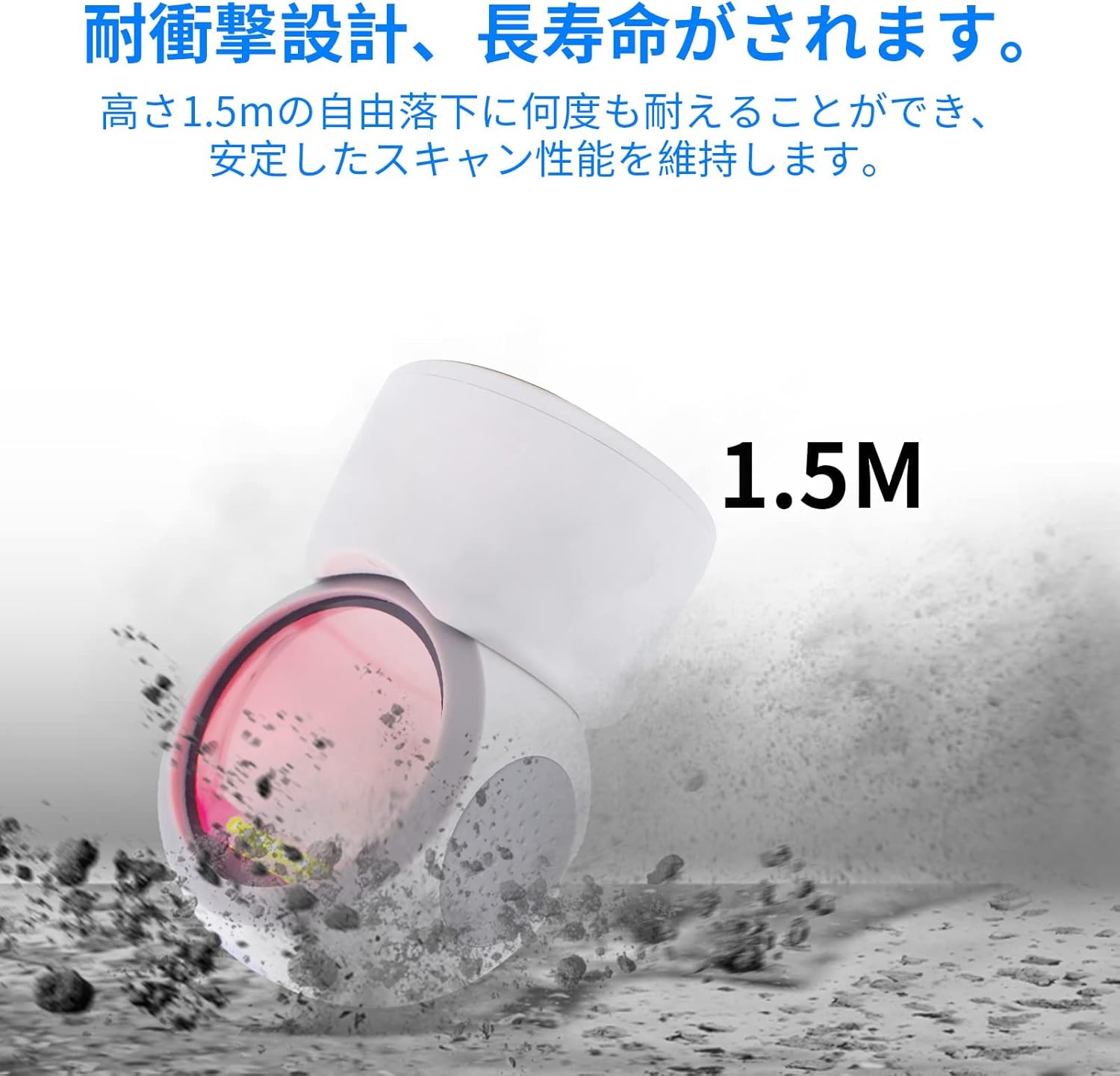
- تصميم قوي: Engineered for durability, the scanner can withstand drops from a height of up to 1.5 meters, ensuring reliable performance in demanding environments.
- المسح الشامل الاتجاهات: The scanner is designed to read 1D and 2D codes from various angles, providing flexibility and ease of use.
- زاوية قابلة للتعديل: The scanning head can be adjusted by 30 degrees, allowing for convenient positioning to suit different scanning needs.
- تصميم مضاد للانزلاق: Features anti-slip pads on both sides and the base to prevent movement and protect desktop surfaces.
يثبت
- فك حزمة الماسح الضوئي: Carefully remove the Symcode 3300DW barcode scanner and its USB cable from the packaging.
- الاتصال بجهاز المضيف: Insert the RJ45-like connector of the USB cable into the port on the back of the scanner. Then, plug the USB Type-A end of the cable into an available USB port on your computer or host device.
- التعرف على النظام: The scanner is plug-and-play. Your operating system (Windows, Mac OS, Linux) should automatically detect and install the necessary drivers. This process usually takes a few seconds.
- تحقق من الاتصال: Once connected, the scanner will enter standby mode. You can test the connection by opening a text editor (like Notepad or Word) and scanning a barcode. The barcode data should appear in the text editor.

تعليمات التشغيل
المسح الأساسي
The Symcode 3300DW scanner operates in an automatic detection mode. To scan a barcode:
- Ensure the scanner is connected to your host device and powered on.
- ضع الرمز الشريطي داخل حقل الماسح الضوئي view. The scanner will automatically detect the barcode and emit a light to read it.
- A successful scan is typically indicated by an audible beep and/or a visual confirmation light. The scanned data will be transmitted to your active application (e.g., a text editor, POS software).

Omnidirectional Scanning
The scanner is designed to read barcodes regardless of their orientation. Simply present the barcode to the scanning window, and the device will decode it.

Adjusting the Scan Angle
The scanner head can be tilted up to 30 degrees to optimize the scanning angle for different items or setups. Gently adjust the head to the desired position.

أنواع الباركود المدعومة
The Symcode 3300DW supports a comprehensive range of 1D and 2D barcode symbologies:
- الرموز الشريطية ثنائية الأبعاد: EAN-8, EAN-13, Codabar, CODE 39, CODE 93, CODE 128, China Post, GS1-128, UPC-A, UPC-E, ISBN/ISSN, ISBT, Interleaved 2 of 5, Standard 2 of 5, Matrix 2 of 5, Industrial 2 of 5, MSI, RSS, ITF14, Telepen.
- الرموز الشريطية ثنائية الأبعاد: QR Code, Micro QR Code, Data Matrix, PDF417, Micro PDF417, Maxicode, Aztec, Hanxin.

صيانة
To ensure the longevity and optimal performance of your Symcode 3300DW barcode scanner, follow these maintenance guidelines:
- تنظيف نافذة المسح الضوئي: Regularly clean the scan window with a soft, lint-free cloth. If necessary, use a mild, non-abrasive cleaning solution. Avoid harsh chemicals or abrasive materials that could scratch the window.
- النظافة العامة: امسح الجزء الخارجي من الماسح الضوئي بقطعة قماش ناعمة و...amp cloth. Do not immerse the scanner in water or any cleaning liquid.
- العناية بالكابلات: Inspect the USB cable periodically for any signs of damage. Avoid bending or twisting the cable excessively.
- تخزين: عند عدم الاستخدام، قم بتخزين الماسح الضوئي في بيئة نظيفة وجافة بعيدًا عن أشعة الشمس المباشرة ودرجات الحرارة القصوى.
- وسادات مضادة للانزلاق: Ensure the anti-slip pads on the base and sides are clean and intact to maintain stability and prevent desktop scratches.
استكشاف الأخطاء وإصلاحها
If you encounter issues with your Symcode 3300DW barcode scanner, refer to the following common problems and solutions:
- الماسح الضوئي لا يستجيب:
- تأكد من توصيل كابل USB بشكل آمن بكل من الماسح الضوئي والجهاز المضيف.
- حاول توصيل الماسح الضوئي بمنفذ USB مختلف على جهاز الكمبيوتر الخاص بك.
- Restart your computer and reconnect the scanner.
- لا يوجد إخراج بيانات بعد المسح:
- Ensure that an application (e.g., text editor, spreadsheet, POS software) is open and has focus to receive the scanned data.
- Verify that the barcode is not damaged or poorly printed.
- Check if the scanner's light is activating when a barcode is presented. If not, ensure the scanner is properly powered.
- إخراج بيانات غير صحيح:
- تأكد من تحديد تخطيط لوحة المفاتيح الصحيح على جهاز الكمبيوتر الخاص بك (على سبيل المثال، اللغة الإنجليزية الأمريكية).
- Some barcodes may require specific settings. Refer to the product's advanced configuration guide (if available) for specific barcode type settings.
- Scanner Beeps Continuously or Emits Error Sounds:
- This may indicate a configuration error or a hardware issue. Try resetting the scanner to factory defaults (if a reset barcode is provided in a separate guide).
- إذا استمرت المشكلة ، فاتصل بدعم العملاء.
تحديد
| ميزة | مواصفة |
|---|---|
| نموذج | 3300DW |
| يكتب | 2D CMOS Fixed Barcode Scanner |
| الاتصال | USB Wired (USB Cable) |
| وزن | 480 جرام |
| الأبعاد (الماسح الضوئي) | 71.5 مم × 108 مم × 150 مم |
| مادة | نظام ABS |
| مصدر الضوء | 617nm LED, 6500K Illumination |
| مستشعر الصورة | 640 * 480 سموس |
| المعالج | ARM32-bit |
| معدل المسح | 200 مسح/ثانية |
| مدخلات الطاقة | تيار مستمر 5 فولت |
| حاضِر | 400 مللي أمبير ± 5% |
| مقاومة السقوط | Withstands drops from 1.5m |
| أنظمة التشغيل المدعومة | ويندوز XP/7/8/10، ماك أو إس، لينكس |
| رمز المنتج الموحد | 762027975166 |
| لون | أبيض |
معلومات السلامة
يرجى مراعاة احتياطات السلامة التالية:
- Do not look directly into the scanner's light source.
- احتفظ بالجهاز بعيدًا عن الماء والسوائل الأخرى.
- Avoid dropping or subjecting the scanner to severe impacts, despite its robust design.
- لا تحاول تفكيك الماسح الضوئي أو إصلاحه بنفسك. قم بإحالة جميع أعمال الصيانة إلى فنيين مؤهلين.
- استخدم كابل USB المرفق فقط للتوصيل.
الضمان والدعم
For warranty information, technical support, or service inquiries regarding your Symcode 3300DW barcode scanner, please refer to the documentation included with your purchase or contact the seller directly. Keep your purchase receipt as proof of purchase for warranty claims.