
1. المقدمة
This manual provides essential instructions for the safe and efficient operation of your HP AF1009 Micro Cut Paper Shredder. Please read this manual thoroughly before using the shredder and retain it for future reference. This shredder is designed for home and small office use to securely dispose of sensitive documents.
2. معلومات السلامة
To ensure safe operation and prevent injury or damage, observe the following precautions:
- أبقِ يديك وشعرك وملابسك الفضفاضة بعيدة عن فتحة إدخال الورق.
- لا تدخل أصابعك أو أي أجزاء أخرى من جسمك في فتحة آلة التقطيع.
- Remove all staples and paper clips before using the auto-feed tray. For manual feed, the shredder can handle staples.
- أبقِ الأطفال والحيوانات الأليفة بعيداً عن آلة التقطيع في جميع الأوقات.
- لا تقم برش أي منتجات قابلة للاشتعال أو مواد تشحيم داخل آلة التقطيع.
- افصل آلة التقطيع عن الكهرباء عند عدم استخدامها أو قبل تنظيفها.
- Do not shred adhesive labels, continuous forms, or plastic sheets (other than credit cards).

الصورة: أعلى view of the shredder with the auto-feed tray open, highlighting the "ATTENTION" warning regarding staples and clips.
3. مواصفات المنتج
The HP AF1009 Micro Cut Paper Shredder offers advanced features for secure and convenient document disposal:
- Micro Cut Shredding: Transforms documents into tiny, unreadable particles (4x smaller than cross-cut) for enhanced security.
- Dual Feed Options:
- علبة التغذية التلقائية: Holds up to 100 sheets for unattended shredding.
- فتحة التغذية اليدوية: Shreds up to 9 sheets at a time.
- تقطيع متعدد الاستخدامات: Capable of shredding paper, credit cards, and staples.
- عملية تلقائية: Features auto start/stop for ease of use.
- مجسات السلامة: Equipped with overheat and overload sensors to protect the motor and prevent damage.
- Large Wastebasket: A 4.5-gallon pull-out wastebasket minimizes emptying frequency.
- نافذة شفافة: Allows easy monitoring of shredded waste levels.

Image: Detailed infographic illustrating the key features and capabilities of the HP AF1009 Micro Cut Shredder.
4. الإعداد
- أفرغ: قم بإخراج آلة التقطيع من عبوتها بعناية.
- موضع: Place the shredder on a flat, stable surface. Ensure the wastebasket is correctly inserted into the main unit.
- توصيل الطاقة: قم بتوصيل سلك الطاقة بمأخذ كهربائي قياسي.
- تشغيل الطاقة: Locate the Power (On/Off) button on the control panel and press it to turn on the shredder. The "Ready" indicator light should illuminate.

الصورة: أعلى view of the HP AF1009 shredder, showing the control panel with the power button and status indicators.
5. تعليمات التشغيل
5.1. Using the Auto Feed Tray (up to 100 sheets)
- Ensure the shredder is powered on and the "Ready" light is illuminated.
- Lift the auto-feed tray cover.
- Fan the stack of paper to prevent sticking.
- Insert up to 100 sheets of paper into the auto-feed tray. Ensure the paper is aligned and lies flat.
- أغلق غطاء درج التغذية التلقائية. ستبدأ آلة التقطيع بالتقطيع تلقائيًا.
- مهم: Remove all staples and paper clips from documents before using the auto-feed tray.
5.2. Using the Manual Feed Slot (up to 9 sheets)
- Ensure the shredder is powered on and the "Ready" light is illuminated.
- أدخل ما يصل إلى 9 ورقات في فتحة التغذية اليدوية. ستكتشف آلة التقطيع الورق تلقائيًا وتبدأ في التقطيع.
- بالنسبة لبطاقات الائتمان، أدخل بطاقة واحدة في كل مرة في منتصف فتحة التغذية اليدوية.
- The shredder will stop automatically once the material has passed through.
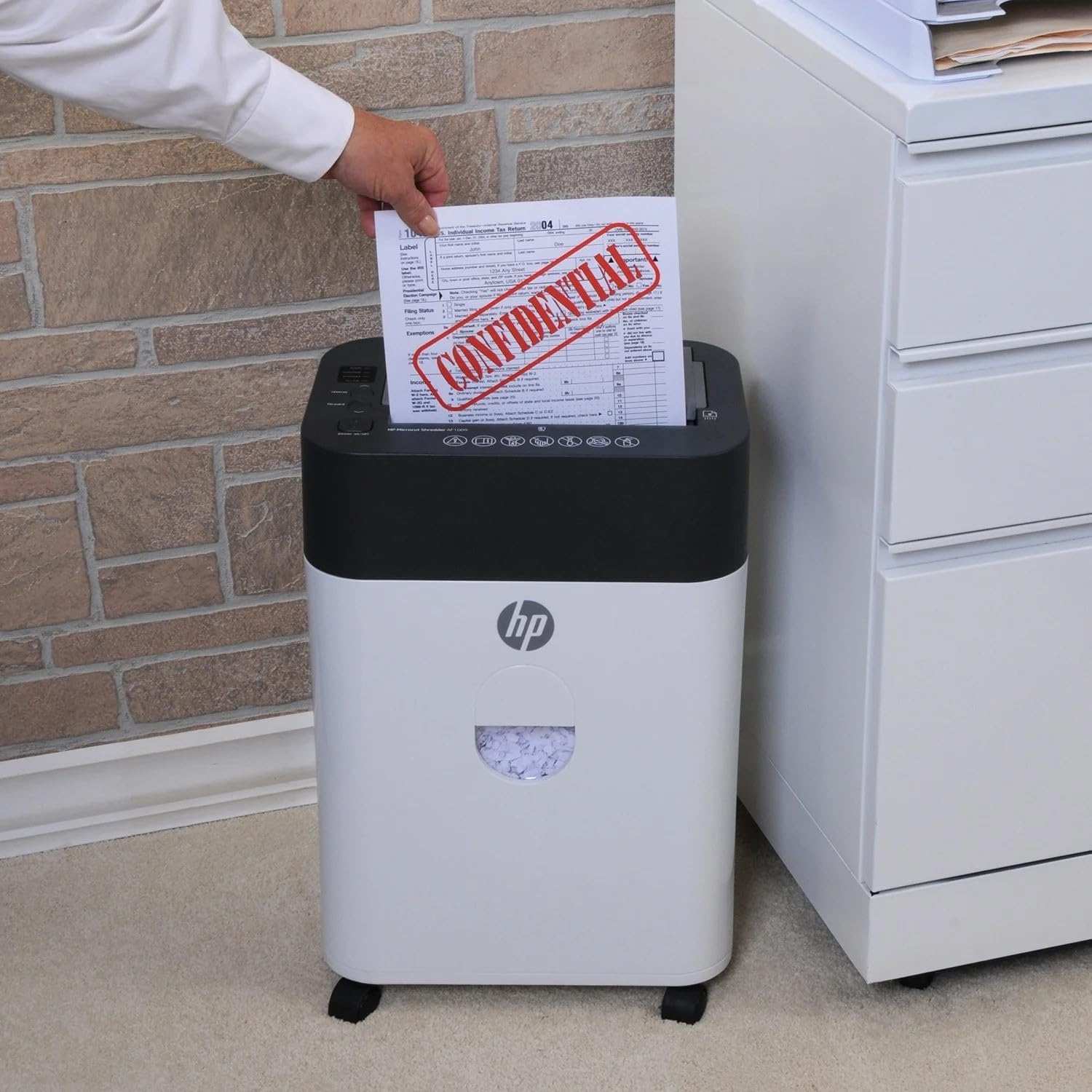
Image: Demonstrating manual paper insertion into the shredder.
5.3. الوظيفة العكسية
In case of a paper jam or if you need to retrieve a document, use the reverse function. Press the "Reverse" button on the control panel to eject the paper. Once the paper is clear, press the "Forward" button or turn the shredder off and on again to resume normal operation.
6. الصيانة
6.1. Emptying the Wastebasket
- Monitor the transparent window on the front of the shredder to check the waste level.
- When the "Bin Full" indicator light illuminates, or the wastebasket appears full, turn off the shredder and unplug it.
- Carefully pull out the wastebasket from the front of the unit.
- تخلص من المواد المقطعة.
- Slide the wastebasket back into the shredder until it clicks into place.
- Plug in and turn on the shredder.
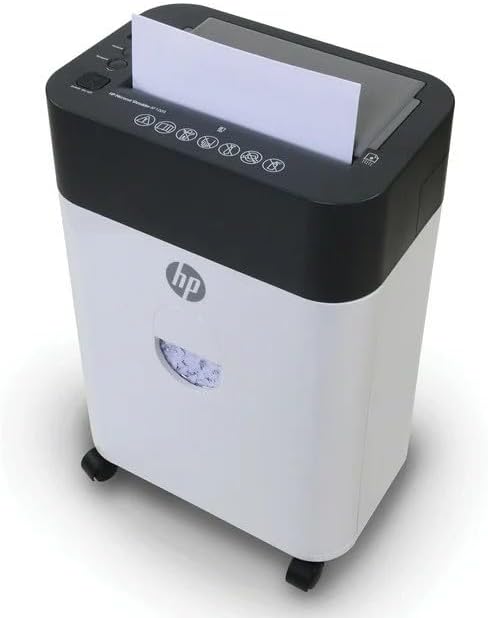
Image: The shredder's wastebasket with a transparent window, indicating when it needs emptying.
6.2. Shredder Oiling (Recommended)
Regular oiling of the shredder blades is recommended to maintain performance and extend the life of the unit. Use shredder oil (not included) and follow the instructions provided with the oil. Typically, this involves applying oil to a sheet of paper and shredding it, or directly applying oil to the blades while running in reverse (refer to oil product instructions for specifics).
7. استكشاف الأخطاء وإصلاحها
Refer to the indicator lights on the control panel for common issues:
| مؤشر الضوء | مشكلة | حل |
|---|---|---|
| Ready (Blue) | Shredder is ready for operation. | لا يتطلب أي إجراء. |
| Overheat (Red) | Shredder has been used continuously for too long and is overheating. | Turn off the shredder and unplug it. Allow it to cool down for at least 30 minutes before resuming use. |
| Overload (Red) | Too much paper was inserted, causing the motor to strain. | Press the "Reverse" button to clear the jam. Reduce the amount of paper and try again. If the jam persists, unplug the shredder and carefully remove the paper manually. |
| Bin Full (Red) | The wastebasket is full and needs to be emptied. | Turn off the shredder, unplug it, and empty the wastebasket. Reinsert the wastebasket securely. |
8. المواصفات
| ميزة | التفاصيل |
|---|---|
| ماركة | HP |
| رقم الموديل | ايه اف 1009 |
| نوع القطع | مايكرو كت |
| Auto Feed Capacity | 100 Standard Sheets |
| سعة التغذية اليدوية | 9 ورقات |
| سعة سلة المهملات | 4.5 جالون |
| مواد التقطيع | الورق، بطاقات الائتمان، الدبابيس |
| وضع التشغيل | اوتوماتيكي |
| المميزات الخاصة | Automatic Start-Stop, Overheat Sensor, Overload Sensor |
| مصدر الطاقة | كهرباء سلكية |
| أبعاد المنتج (العمق × العرض × الارتفاع) | 8.6 بوصة × 13.03 بوصة × 19.78 بوصة |
| وزن العنصر | 21.3 رطل |
9. الضمان
This HP AF1009 Micro Cut Paper Shredder includes a ضمان لمدة 1 سنوات لقطع الغيار و 90 days labor warranty from the date of purchase. Please retain your proof of purchase for warranty claims. For warranty service or support, please contact HP customer service.
10. دعم العملاء
For further assistance, technical support, or to inquire about replacement parts, please visit the official HP website or contact their customer service department. Refer to the product packaging or the manufacturer's webالموقع للحصول على معلومات الاتصال الحالية.


