
1. المقدمة
This manual provides essential information for setting up, operating, and maintaining your TECLAST T60Pro 12-inch 2K Tablet. The T60Pro features a 12-inch 2K IPS display, powered by a MediaTek Helio G99 Octa-Core processor, running Android 15. It includes 20GB RAM (8GB physical + 12GB virtual expansion) and 128GB internal storage, expandable up to 1TB via Micro SD. The tablet is equipped with four stereo speakers, a 13MP rear camera, an 8MP front camera, and an 8000mAh battery with 18W fast charging.

The TECLAST T60Pro features a slim 7.9mm metal body, weighing 553g, designed for portability and comfortable handling.
2. ماذا يوجد في الصندوق
تأكد من وجود جميع العناصر في العبوة:
- TECLAST T60Pro Tablet (x1)
- الشاحن (x1)
- كابل USB-C (×1)
- SIM Ejector Tool (x1)
- دليل المستخدم (x1)
This video demonstrates the unboxing process of the TECLAST T60Pro tablet and its included accessories.
3. الإعداد
3.1 تخطيط الجهاز
The image displays the side profile of the tablet, highlighting the SIM/TF Card slot, speaker grilles, and the Type-C port for charging and data transfer.
3.2 شحن الجهاز اللوحي
Before first use, fully charge the tablet using the provided USB-C cable and charger. Connect the USB-C cable to the tablet's Type-C port and the charger to a power outlet. The battery indicator on the screen will show charging status.
3.3 تشغيل/إيقاف التشغيل
- لتشغيل الجهاز: اضغط مع الاستمرار على زر الطاقة حتى يظهر شعار TECLAST.
- لإيقاف التشغيل: اضغط مع الاستمرار على زر الطاقة، ثم حدد "إيقاف التشغيل" من الخيارات الموجودة على الشاشة.
- لإعادة التشغيل: اضغط مع الاستمرار على زر الطاقة، ثم حدد "إعادة التشغيل" من الخيارات.
3.4 تركيب بطاقة SIM/TF
To install a SIM card for cellular connectivity or a TF (Micro SD) card for expanded storage:
- حدد مكان درج بطاقة SIM/TF على جانب الجهاز اللوحي.
- أدخل أداة إخراج شريحة SIM المرفقة في الفتحة الصغيرة بجوار الدرج واضغط برفق حتى يخرج الدرج.
- ضع بطاقة Nano-SIM و/أو بطاقة Micro SD في الفتحات المخصصة على الدرج، مع التأكد من التوجيه الصحيح.
- ادفع الدرج برفق إلى داخل الجهاز اللوحي حتى تسمع صوت طقطقة عند تثبيته في مكانه.

The tablet supports up to 1TB Micro SD card expansion for additional storage.
3.5 الإعداد الأولي لنظام أندرويد
Upon first power-on, follow the on-screen prompts to complete the initial setup, which includes selecting your language, connecting to Wi-Fi, setting up your Google account, and configuring security options.
4. تعليمات التشغيل
4.1 العرض والمرئيات
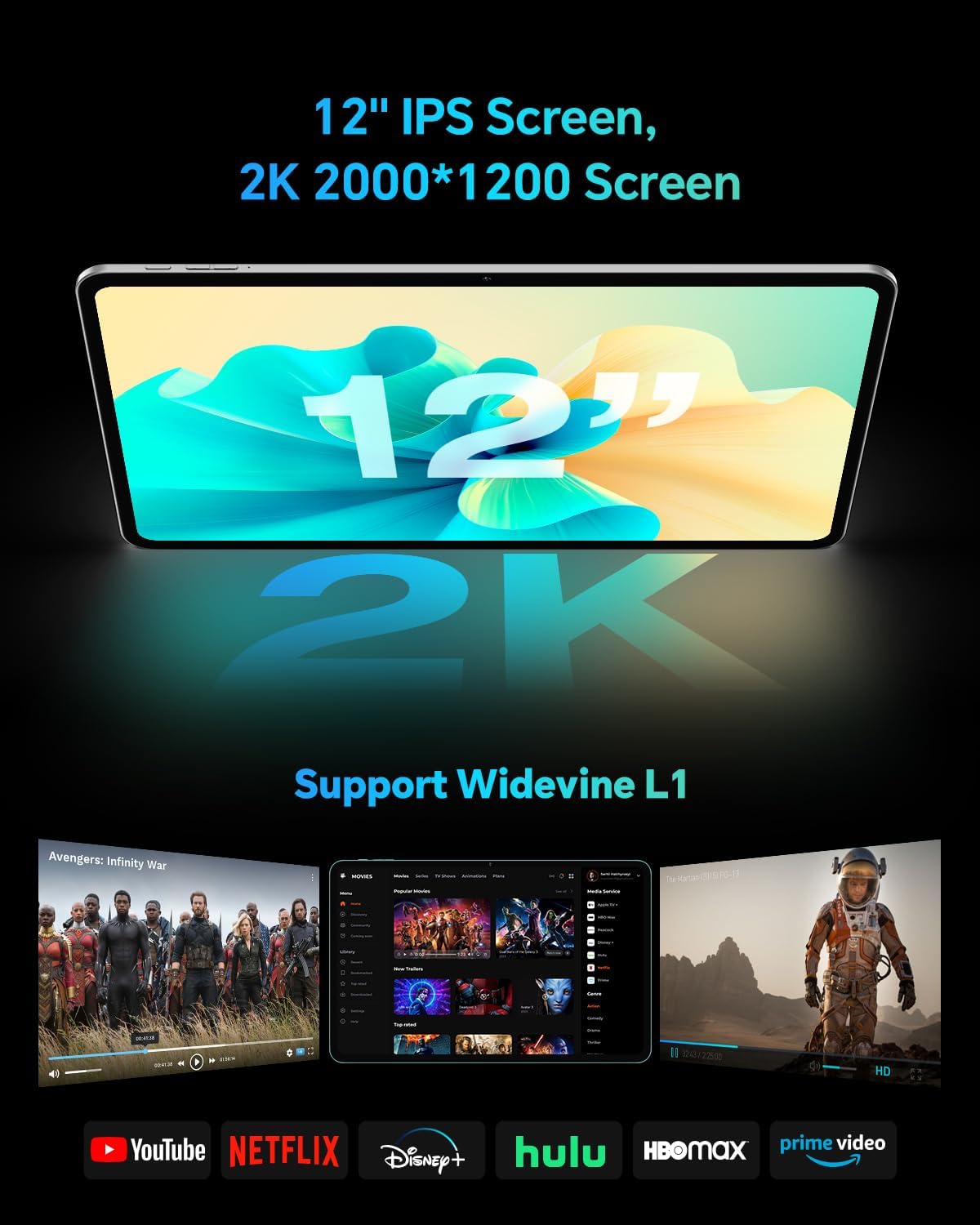
The TECLAST T60Pro features a 12-inch 2K (2000x1200) IPS TDDI full-lamination screen. It includes built-in blue light filtering for eye protection. The display supports Widevine L1 for high-definition streaming content.

Experience crisp visuals and support for HD streaming with the 12-inch 2K IPS display and Widevine L1 certification.
4.2 صوت
The tablet is equipped with four high-fidelity stereo speakers, providing an immersive audio experience for media consumption and video calls.
4.3 وظائف الكاميرا
The T60Pro includes a 13MP rear camera and an 8MP front camera. The rear camera is designed for clear shooting, even in low-light conditions. Utilize the camera for photos, videos, and video calls.

The tablet features a 13MP rear camera and an 8MP front camera, supporting features like Google Lens and Face Recognition.
4.4 الاتصال
- واي فاي: Supports 2.4/5GHz dual-band Wi-Fi (802.11a/b/g/n/ac) for stable internet connection.
- بلوتوث: يتميز بتقنية بلوتوث 5.2 لتوصيل الملحقات اللاسلكية.
- خلوي: Supports 4G cellular connectivity with a compatible SIM card.
- نظام تحديد المواقع العالمي (GPS): Integrated A-GPS/GPS/BeiDou/GLONASS/Galileo multi-navigation system for accurate location services.

The tablet includes built-in GPS with support for multiple satellite positioning systems for reliable navigation.
4.5 إدارة التخزين
The tablet comes with 128GB of internal storage. This can be expanded up to 1TB using a Micro SD card (sold separately).
4.6 التعرف على الوجه
For convenient and secure unlocking, the tablet supports face recognition. Simply hold your face in front of the front camera. If face recognition fails, use your registered password or adjust ambient lighting for better recognition.

Unlock your tablet quickly and securely using the face recognition feature.
4.7 الإسقاط اللاسلكي
Mirror your tablet's display to a larger screen, such as a TV, for an enhanced viewing experience. Refer to your TV's manual for specific wireless projection setup instructions.
4.8 Parental Controls and Kids Mode
The Android 15 system includes built-in parental controls to manage screen time and app access for children. Utilize these features to create a safe and controlled environment for younger users.
5. الصيانة
5.1 تنظيف الجهاز
Use a soft, lint-free cloth to clean the tablet's screen and body. Avoid using harsh chemicals or abrasive materials that could damage the surfaces.
5.2 العناية بالبطارية
لإطالة عمر البطارية:
- تجنب درجات الحرارة القصوى.
- لا تترك البطارية تنفد بالكامل بشكل متكرر.
- استخدم الشاحن المرفق للحصول على أفضل النتائج في عملية الشحن.
5.3 تحديثات البرامج
تحقق بانتظام من وجود تحديثات للنظام وقم بتثبيتها لضمان الأداء الأمثل والأمان والوصول إلى أحدث الميزات. انتقل إلى الإعدادات > النظام > تحديث النظام للتحقق من التحديثات المتاحة.
5.4 حماية الشاشة
The tablet comes with a pre-applied tempered glass screen protector. A protective film for shipping is also applied, which should be removed after opening the package.

The tablet includes a pre-applied screen protector for immediate use and protection.
6. استكشاف الأخطاء وإصلاحها
6.1 الجهاز لا يعمل
- Ensure the battery is charged. Connect the tablet to the charger for at least 30 minutes before attempting to power on.
- اضغط مع الاستمرار على زر الطاقة لمدة 10-15 ثانية لإجراء إعادة تشغيل قسرية.
6.2 مشاكل الاتصال (واي فاي/بلوتوث)
- Toggle Wi-Fi or Bluetooth off and on in the Settings menu.
- Restart your router or Bluetooth device.
- انسَ الشبكة/الجهاز وأعد الاتصال.
6.3 Low Audio Volume
- Adjust the volume using the physical Volume buttons on the tablet.
- Check media volume settings in الإعدادات> الصوت والاهتزاز.
- Ensure no external audio devices are connected via Bluetooth or Type-C that might be overriding the internal speakers.
6.4 تعطل التطبيقات أو تجميدها
- أغلق التطبيق ثم أعد فتحه.
- مسح ذاكرة التخزين المؤقت والبيانات للتطبيق في الإعدادات > التطبيقات > [اسم التطبيق] > التخزين > مسح ذاكرة التخزين المؤقت / مسح البيانات.
- تأكد من تحديث التطبيق إلى أحدث إصدار من متجر جوجل بلاي.
7. المواصفات
| ميزة | مواصفة |
|---|---|
| ماركة | تيكلاست |
| اسم الموديل | T60pro |
| نظام التشغيل | أندرويد 15 |
| حجم الشاشة | 12 بوصة |
| دقة العرض | 2000 × 1200 بكسل (2K) |
| المعالج | معالج MediaTek Helio G99 ثماني النواة (2.2 جيجاهرتز) |
| ذاكرة الوصول العشوائي (RAM) | 20 جيجابايت (8 جيجابايت فعلي + 12 جيجابايت افتراضي) |
| سعة التخزين | 128 جيجا بايت |
| تخزين قابل للتوسيع | سعة تخزين تصل إلى 1 تيرابايت (بطاقة مايكرو إس دي) |
| معالج الرسوميات المساعد | مالي-G57 MC2 |
| سعة البطارية | 8000 مللي أمبير |
| الشحن | شحن سريع بقوة 18 واط عبر منفذ USB-PD |
| الكاميرا الخلفية | 13 ميجا بكسل |
| الكاميرا الأمامية | 8 ميجا بكسل |
| التكنولوجيا اللاسلكية | Wi-Fi (2.4/5GHz), Bluetooth 5.2, 4G Cellular |
| وظيفة GPS | GPS/BEIDOU/GLONASS/GALILEO |
| مقبس سماعات الرأس | النوع-C |
| الأبعاد (الطول × العرض × الارتفاع) | 10.97 بوصة × 6.85 بوصة × 0.31 بوصة |
| لون | رمادي غامق |
8. الضمان والدعم
8.1 ضمان الشركة المصنعة
The TECLAST T60Pro tablet comes with a ضمان الشركة المصنعة لمدة عامينيغطي هذا الضمان عيوب المواد والتصنيع في ظل الاستخدام العادي. يُرجى الاحتفاظ بإيصال الشراء للمطالبة بالضمان.
8.2 دعم العملاء
For technical assistance, troubleshooting, or warranty inquiries, please contact TECLAST customer support. Most questions are answered within 24 hours. Refer to the official TECLAST webللحصول على تفاصيل الاتصال المحددة، يرجى زيارة الموقع الإلكتروني أو منصة الشراء الخاصة بك.
Online resources and FAQs may also be available on the TECLAST support page.