
1. المقدمة
Welcome to the Kinstone KST103SD-L 10.3-inch Android Tablet user manual. This guide provides essential information for setting up, operating, and maintaining your new tablet. The Kinstone KST103SD-L is designed for versatile use, featuring a vibrant 10.3-inch IPS display, a powerful Octa-core processor, and extensive connectivity options including cellular and Wi-Fi.
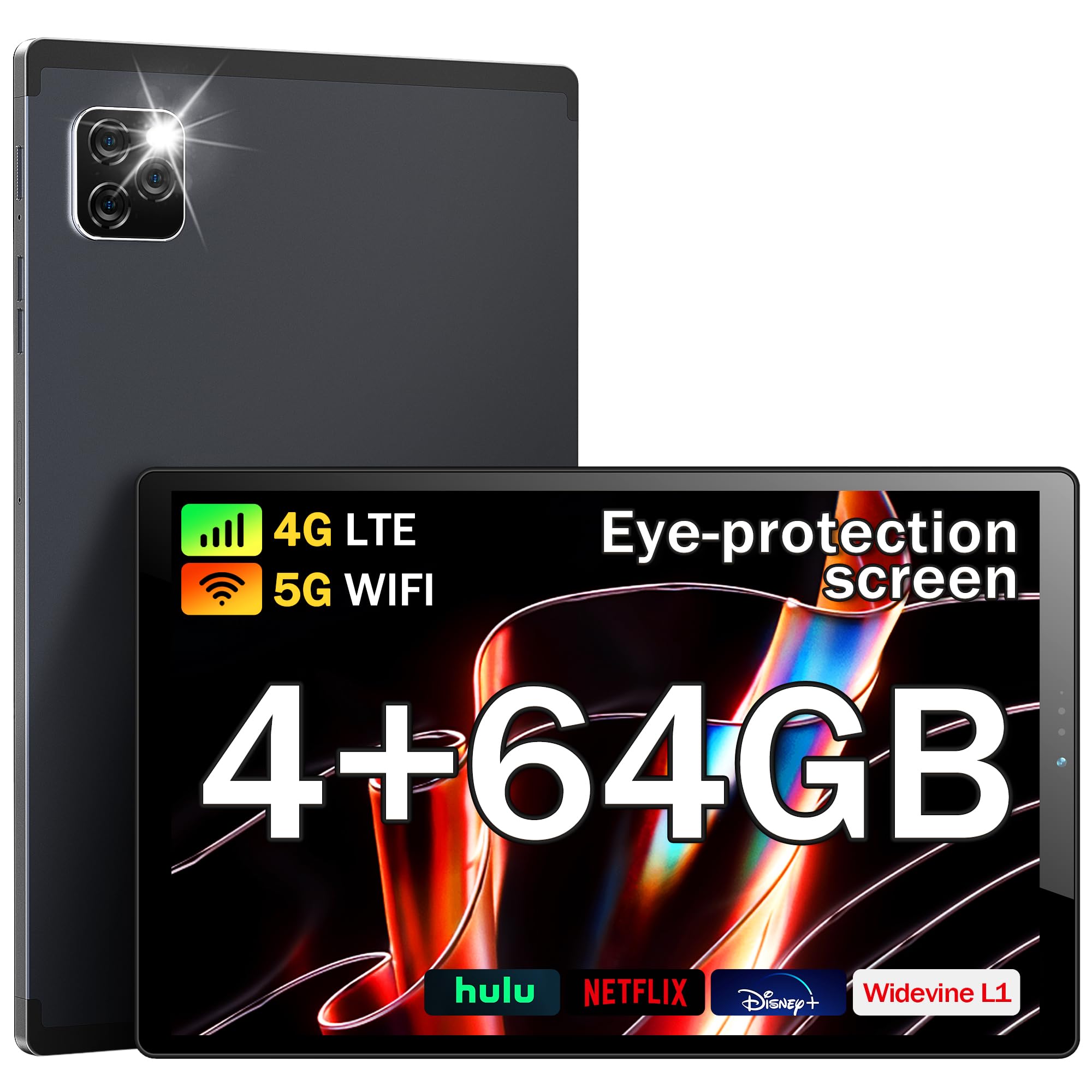
الشكل 1: الجبهة view of the Kinstone KST103SD-L Android Tablet.
2. ماذا يوجد في الصندوق
Upon opening your Kinstone KST103SD-L tablet package, you should find the following items:
- Kinstone KST103SD-L 10.3-inch Android Tablet
- كابل شحن USB-C
- محول الطاقة
- قلم
- دليل المستخدم (هذا المستند)
The tablet is securely packaged with protective sleeves and foam inserts to ensure safe delivery. The power adapter and charging cable are located in a separate compartment within the box.
Video 1: Unboxing the Kinstone Android Tablet, showing package contents and initial setup.
3. انتهى المنتجview
Familiarize yourself with the physical components of your Kinstone KST103SD-L tablet:

Figure 2: Technical diagram illustrating ports and buttons.
- الكاميرا الأمامية: كاميرا بدقة 5 ميجابكسل لإجراء مكالمات الفيديو والتقاط صور السيلفي.
- الكاميرا الخلفية: 13MP camera with LED flash for high-quality photos and videos.
- أزرار التحكم في الصوت: ضبط مستوى الصوت.
- زر الطاقة: Press and hold to power on/off or restart. Short press to sleep/wake.
- فتحة بطاقة SIM/TF: Insert a SIM card for cellular connectivity and a TF (MicroSD) card for expandable storage.
- منفذ USB من النوع C: للشحن ونقل البيانات.
- مقبس سماعة الرأس: منفذ 3.5 ملم لإخراج الصوت.
- المتحدثون: مكبرات صوت مدمجة لإخراج الصوت.
- زر إعادة الضبط: A small pinhole button located between the Power and Volume+ buttons for system reset (use a thin pin).

الشكل 3: العودة view of the Kinstone KST103SD-L Android Tablet, showing the camera module.
4. الإعداد
4.1 الشحن الأولي
Your tablet may arrive with a partial charge. For optimal performance, fully charge the device before first use. Connect the provided USB-C cable to the tablet's USB-C port and the power adapter, then plug the adapter into a wall outlet. The charging indicator will show the charging status.
4.2 تشغيل/إيقاف التشغيل
To power on the tablet, press and hold the Power Button until the Kinstone logo appears. To power off, press and hold the Power Button, then select 'Power off' from the options. A short press of the Power Button will put the tablet to sleep or wake it up.
4.3 حامي الشاشة
The tablet comes with a protective film on the screen. For the best visual experience, gently peel off this film before use.

Figure 4: Gently remove the protective screen film.
5. نظام التشغيل (أندرويد 11)
The Kinstone KST103SD-L runs on the Android 11 operating system, offering enhanced performance and user experience. It provides full access to Google services, including the Google Play Store for downloading applications.

Figure 5: Android 11 home screen with various applications.
5.1 الملاحة الأساسية
- الشاشة الرئيسية: مرر إلى اليسار أو اليمين للوصول إلى الشاشات الرئيسية المختلفة.
- درج التطبيقات: اسحب لأعلى من أسفل الشاشة إلى view جميع التطبيقات المثبتة.
- الإشعارات والإعدادات السريعة: مرر لأسفل من أعلى الشاشة للوصول إلى الإشعارات والتبديلات السريعة للإعدادات.
- تعدد المهام: Tap the square icon (or swipe up and hold from the bottom) to view التطبيقات المستخدمة مؤخرًا.
- مساعد جوجل: Access Google Assistant by saying "Hey Google" or by tapping the Assistant icon.
6. الميزات الرئيسية
The Kinstone KST103SD-L tablet is equipped with a range of features designed to enhance your digital experience:
الفيديو 2: انتهىview of Kinstone KIS Pad S10 features including display, processor, and camera.
6.1 العرض
Experience vivid visuals on the 10.3-inch IPS Eye Protection Display with a Full HD resolution of 1920 x 1200 pixels. This display offers a wider and clearer view, designed to reduce eye strain during extended use.

Figure 6: Comparison of display quality, highlighting the 1920x1200 FHD IPS display.
6.2 المعالج
Powered by a 1.8GHz Octa-core Unisoc T610 processor, the tablet delivers fast and efficient performance for gaming, streaming, and multitasking.

Figure 7: Illustration of the high-performance Octa-core processor.
6.3 Memory & Storage
The tablet comes with 4GB of RAM and 64GB of built-in storage. Storage can be expanded up to 1TB using a MicroSD card (not included).
6.4 البطارية
Equipped with a 7500mAh mega battery, the tablet offers up to 10 hours of streaming content on a single charge, ensuring long-lasting use for various activities.

Figure 8: Visual representation of the 7500mAh battery and its usage times.
6.5 كاميرات
Capture moments with the 13MP rear camera (with LED flash) and take clear video calls and selfies with the 5MP front camera.

Figure 9: Details on camera specifications and connectivity options.
6.6 الاتصال
Stay connected with 4G LTE cellular support, dual-band Wi-Fi (2.4G/5G), Bluetooth 5.0, and GPS for accurate positioning, even without Wi-Fi.
6.7 ميزات خاصة
- حماية العين: The screen effectively reduces blue light inhalation.
- الرقابة الأبوية: User function limits content and time for children.
- غلاف معدني: Features a high-quality metal shell for durability and a premium feel.
- Stylus & Case: Includes a stylus for precise input and a sleek case for protection and portability.

Figure 10: Features including wireless projection, Bluetooth, eye protection, and parental control.
7. سيناريوهات الاستخدام
The Kinstone KST103SD-L tablet is versatile for various applications:
7.1 الألعاب
Enjoy a smooth gaming experience thanks to the Octa-core processor and ample RAM. The large display provides an immersive view for your favorite games.
Video 3: Demonstrating gaming performance on the Kinstone Android Tablet.
7.2 Streaming & Entertainment
Watch movies, TV shows, and videos in Full HD quality. The tablet's long-lasting battery ensures uninterrupted entertainment.
Video 4: Demonstrating video streaming on the Kinstone Android Tablet.
7.3 Productivity & Navigation
Utilize the tablet for work or study by connecting a Bluetooth keyboard (sold separately) and using the included stylus. The built-in GPS functionality allows for reliable navigation, even without Wi-Fi.

Figure 11: Kinstone tablet used with an external keyboard for productivity.
8. الصيانة
- تنظيف: استخدم قطعة قماش ناعمة وخالية من الوبر لتنظيف الشاشة وجسم الجهاز. تجنب المواد الكيميائية القاسية.
- العناية بالبطارية: لإطالة عمر البطارية، تجنب درجات الحرارة القصوى ولا تترك البطارية تنفد بالكامل بشكل متكرر.
- تحديثات البرامج: قم بالتحقق من تحديثات النظام وتثبيتها بانتظام لضمان الأداء والأمان الأمثل.
- ادارة التخزين: قم بإزالة غير الضروري بشكل دوري fileوتطبيقات للحفاظ على مساحة تخزين كافية وسرعة الجهاز اللوحي.
9. استكشاف الأخطاء وإصلاحها
9.1 الجهاز اللوحي لا يعمل
Ensure the tablet is sufficiently charged. Connect it to the charger and wait a few minutes before attempting to power it on again. If the issue persists, try performing a hard reset by pressing and holding the power button for 10-15 seconds.
9.2 الأداء البطيء
If your tablet is running slow, try the following:
- أغلق التطبيقات الخلفية غير الضرورية.
- مسح بيانات ذاكرة التخزين المؤقت للتطبيقات المستخدمة بكثرة.
- قم بتحرير مساحة التخزين عن طريق حذف الملفات القديمة fileأو إلغاء تثبيت التطبيقات غير المستخدمة.
- أعد تشغيل الجهاز اللوحي.
9.3 Connectivity Issues (Wi-Fi/Cellular)
If you experience issues with Wi-Fi or cellular connectivity:
- قم بإيقاف تشغيل Wi-Fi أو البيانات الخلوية وتشغيلها.
- أعد تشغيل جهاز التوجيه (الراوتر) الخاص بك (لشبكة الواي فاي).
- Ensure your SIM card is correctly inserted and activated (for cellular).
- Check network settings for any restrictions.
9.4 Reset Button Location
The reset button is a small pinhole located between the Power and Volume+ buttons. Do not confuse it with the microphone hole, which is near the USB-C connector. Using a thin pin, gently press the reset button to perform a system reset if necessary.
10. المواصفات
| ميزة | مواصفة |
|---|---|
| اسم الموديل | KST103SD-L |
| نظام التشغيل | أندرويد 11 |
| حجم الشاشة | 10.3 بوصة |
| دقة العرض | 1920 × 1200 بكسل (FHD IPS) |
| المعالج | معالج Unisoc T610 ثماني النواة (1.8 جيجاهرتز) |
| كبش | 4 جيجا بايت |
| التخزين الداخلي | 64 جيجا بايت |
| تخزين قابل للتوسيع | سعة تخزين تصل إلى 1 تيرابايت (بطاقة مايكرو إس دي) |
| سعة البطارية | 7500 مللي أمبير (بوليمر ليثيوم) |
| عمر البطارية (متوسط) | 10 ساعة |
| الكاميرا الخلفية | 13 ميجا بكسل |
| الكاميرا الأمامية | 5 ميجا بكسل |
| الاتصال | 4G LTE, Wi-Fi (802.11ac), Bluetooth 5.0, GPS |
| الموانئ | USB Type-C, 3.5 mm Headphone Jack |
| الأبعاد (الطول × العرض × السماكة) | 24.2 سم طول × 15.2 سم عرض × 0.9 سم عمق |
| وزن العنصر | 0.46 كيلوغرام |
| الملحقات المتضمنة | Sleek Case, Stylus |
11. الضمان والدعم
The Kinstone KST103SD-L tablet comes with a 3-Year Limited Warranty. For any questions or support needs, please contact Kinstone customer service. They aim to reply within 6 hours.
معلومات الاتصال بالشركة المصنعة:
Xinjianxing Technology Industrial Park Fengxin Road 5th Floor, Building A2 Shenzhen Guangdong
هاتف: 13823168064
Kinstone is committed to providing professional and timely after-sales service, ensuring customer satisfaction.