
symcode B09CZ1VMHX
Symcode Wireless 2D Bluetooth Barcode Scanner User Manual
Model: B09CZ1VMHX
مقدمة
This manual provides comprehensive instructions for the setup, operation, maintenance, and troubleshooting of your Symcode Wireless 2D Bluetooth Barcode Scanner. Please read this manual thoroughly before using the device to ensure optimal performance and longevity.

يثبت
محتويات الحزمة
- Symcode Barcode Scanner (Model: MJ-2020DA-BL)
- سلك الشحن
- دليل المستخدم
- حامل الماسح الضوئي
الشحن الأولي
Before first use, fully charge the scanner. Connect the provided charging cord to the scanner's charging port and a suitable USB power source. A full charge takes approximately 2.5 hours.

أوضاع الاتصال
The Symcode scanner supports three connection modes:
- وضع 2.4G اللاسلكي: For wireless connection via the included USB dongle. Delivers up to 200m transmission in open air.
- وضع البلوتوث 4.1: For wireless connection to Bluetooth-enabled devices. Offers up to 30m transmission in open air.
- اتصال سلكي USB: For direct connection to a computer via USB 2.0.
Switching between modes is done conveniently through the scanner's settings or by scanning specific configuration codes (refer to the included quick start guide for specific codes).
الوقوف الجمعية
The scanner comes with an adjustable stand for hands-free operation. The stand can be adjusted to a 45-degree angle. To change the angle, disassemble the base by depressing the recessed tabs on the bottom of the stand.

تعليمات التشغيل
أوضاع المسح
The scanner offers three distinct scanning modes:
- Traditional Manual Trigger Mode: اضغط على زر التشغيل لمسح كل رمز شريطي.
- Intelligent Sensor Mode: The scanner automatically activates when changes in ambient brightness are detected, allowing for hands-free scanning when placed on the stand.
- وضع المسح المستمر: The scanner continuously emits a scan beam, ideal for high-volume scanning without repeatedly pulling the trigger. This mode also supports hands-free operation with the stand.

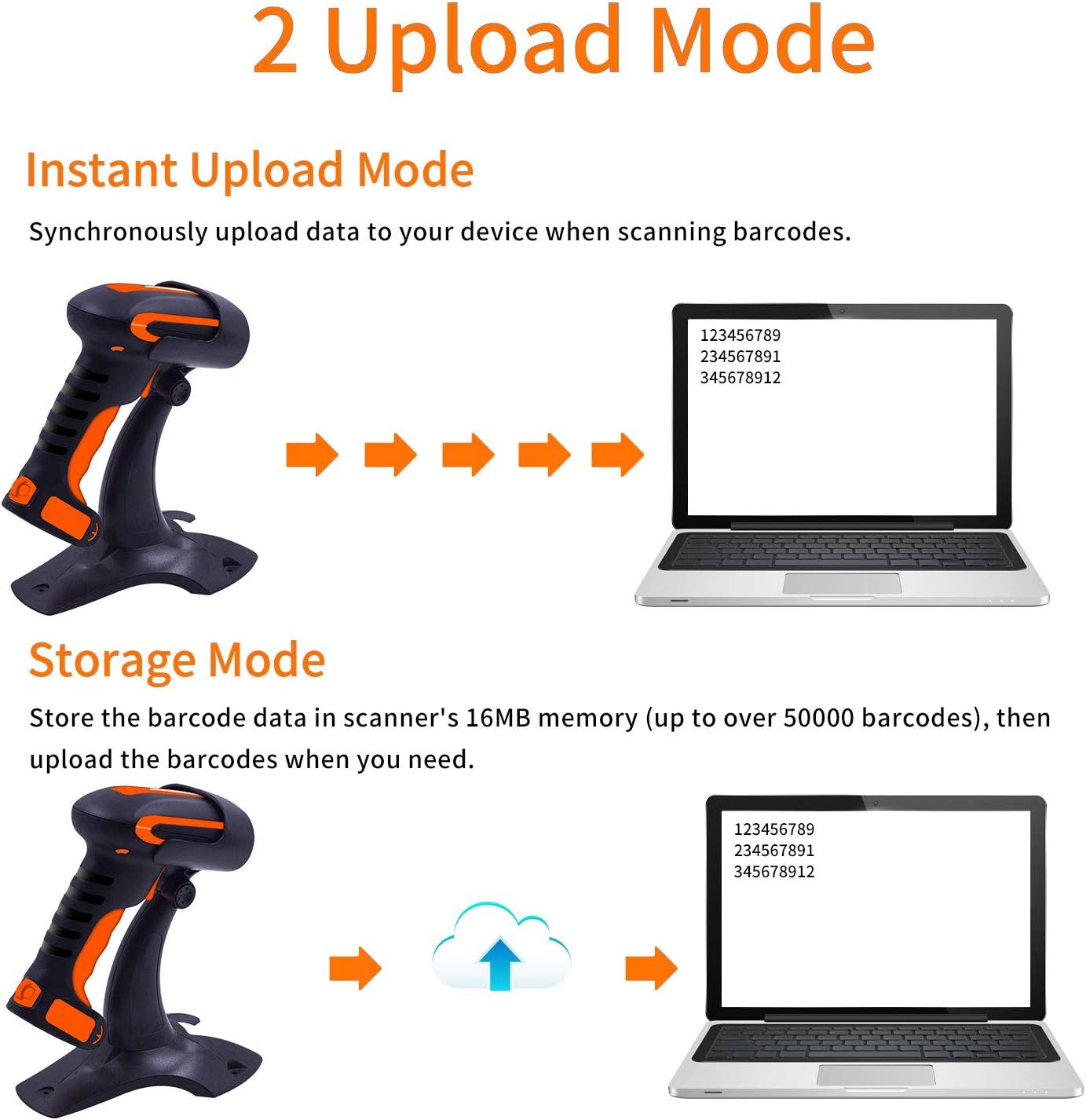
أوضاع التحميل
يدعم الماسح الضوئي وضعين لتحميل البيانات:
- وضع التحميل الفوري: Data is synchronously uploaded to your connected device immediately after scanning.
- وضع التخزين: Barcode data is stored in the scanner's 16MB internal memory (up to over 50,000 barcodes). Data can be uploaded to your computer later when needed.
توافق الباركود
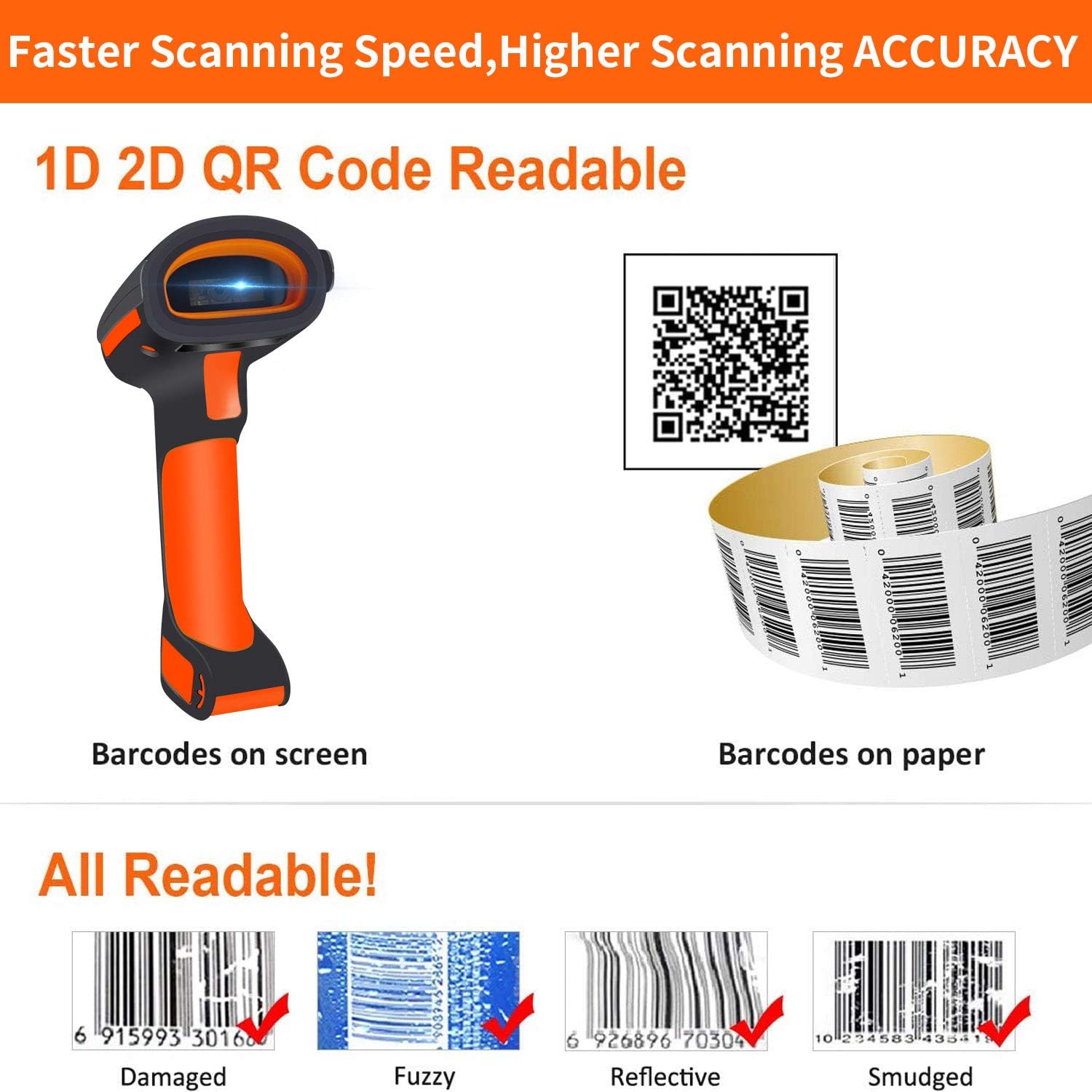
The Symcode scanner is capable of reading a wide range of 1D and 2D barcodes, including:
- الرموز الشريطية ثنائية الأبعاد: UPC/EAN, UPC/EAN with Supplemental, UCC/EAN 128, Code 39, Code 39 Full ASCII, Trioptic Code 39, Code 128 Full ASCII, Codabar, Interleaved 2 of 5, Discrete 2 of 5, Code 93, MSI, Code 11, RSS variants, Chinese 2 of 5, and extended ASCII support for Code 128 barcodes.
- الرموز الشريطية ثنائية الأبعاد: PDF417, QR Code, Data Matrix.
It can read barcodes from various surfaces, including screens and paper, and is designed to read damaged, fuzzy, reflective, and smudged barcodes.
Vibration Alert and Multi-Language Support
The scanner provides a tactile vibration alert upon successful scanning, which can be useful in noisy environments or when a quiet operation is desired (buzzer can be muted). The vibration function can also be turned off.
The scanner supports multiple languages, including English, Spanish, German, French, Italian, and Japanese. The factory default language is English. Ensure the scanner's language setting aligns with your computer's keyboard language for correct barcode output.

التكوين المتقدم
The barcode reader has over 180 configuration options. You can add prefixes and suffixes (up to 32 digits) to scanned data, hide parts of a barcode, or add keyboard keys/combinations to the scanning operation. Refer to the detailed user guide (often provided as a separate booklet or PDF) for specific configuration barcodes and instructions.
صيانة
التنظيف والمتانة
The Symcode scanner features an industrial dustproof and waterproof design, with IP67 level performance. It can be rinsed with tap water and even soaked in water for up to 30 minutes. The external TPU protective case is twice as thick as similar products, and internal core parts have triple consolidation treatment. This robust construction allows the scanner to withstand repeated 6ft (1.8m) drops to concrete floors.
لتنظيف الماسح الضوئي، استخدم قطعة قماش ناعمة و...amp cloth. For stubborn dirt, mild soap can be used. Ensure the charging port is dry before connecting the charging cable.

العناية بالبطارية
The scanner is equipped with a 2200mAh Lithium Polymer battery. To maximize battery life:
- تجنب تفريغ البطارية بالكامل بشكل متكرر.
- قم بتخزين الماسح الضوئي في مكان بارد وجاف عندما لا يكون قيد الاستخدام لفترات طويلة.
- Charge the battery regularly, even if not in constant use, to maintain its health.
استكشاف الأخطاء وإصلاحها
المشاكل الشائعة والحلول
- الماسح الضوئي غير متصل:
- تأكد من أن الماسح الضوئي مشحون بالكامل.
- Verify the correct connection mode (2.4G Wireless, Bluetooth, or USB Wired) is selected on the scanner.
- بالنسبة لتقنية البلوتوث، تأكد من تفعيل البلوتوث في جهازك المضيف وأن الماسح الضوئي مقترن.
- For 2.4G Wireless, ensure the USB dongle is securely plugged into your device.
- Barcodes not scanning:
- Check if the barcode type is supported by the scanner.
- تأكد من أن الرمز الشريطي نظيف وغير متضرر أو ملطخ بشكل مفرط.
- ضبط المسافة وزاوية الماسح الضوئي إلى الباركود.
- تأكد من وجود إضاءة كافية.
- Incorrect barcode output:
- Verify that the scanner's language setting matches your computer's keyboard language.
- Check for any enabled prefix/suffix settings that might be altering the output.
- Incompatibility with Square Register:
- Please note that this scanner is غير متوافق with Square Register systems.
تحديد
| نموذج | MJ-2020DA-BL |
| حجم الإدخالtage | DC5V±0.25v |
| حاضِر | 25 mA (work); 95 mA (instantaneous) |
| سرعة فك التشفير | 100 مرة / ثانية |
| النطاق اللاسلكي (2.4G) | يصل طولها إلى 200 متراً (في الهواء الطلق) |
| نطاق الاتصال اللاسلكي (بلوتوث) | يصل طولها إلى 30 متراً (في الهواء الطلق) |
| وقت الشحن | 2.5 ساعة |
| Battery Life (Continuous Scanning) | 30 ساعة |
| نوع البطارية | 1 بطارية ليثيوم بوليمر (متضمنة) |
| أبعاد المنتج | 4 × 2 × 2 بوصة |
| وزن العنصر | 14.4 أونصات |
| تكنولوجيا الاتصال | بلوتوث، كابل يو اس بي |
| تصنيف IP | IP67 (Dustproof, Splash-proof, Waterproof) |
الضمان والدعم
Symcode is committed to providing high-quality products and excellent after-sales service. For any questions, technical assistance, or warranty inquiries regarding your barcode scanner, please contact Symcode customer support through the retailer's platform or the official Symcode webموقع.
For more information about Symcode and its products, you can visit the official brand store: Symcode Brand Store.
Ask a question about this manual
Ask about setup, troubleshooting, compatibility, parts, safety, or missing instructions. Manuals+ will review the question and use this page’s manual context to help answer it.