
FLINQ Motion Lights 4-pack
دليل مستخدم مصابيح الحركة FLINQ
Model: Motion Lights 4-pack (ASIN: B09CDRQ3VW)
مقدمة
Thank you for choosing the FLINQ Motion Lights. This 4-pack of LED motion sensor lights is designed to provide convenient and efficient lighting for various indoor spaces such as cabinets, wardrobes, bookshelves, and drawers. With their rechargeable battery and versatile installation options, these lights offer a practical solution for illuminating dark areas.
Please read this manual carefully before using the product to ensure proper operation and longevity.
المنتج انتهىview
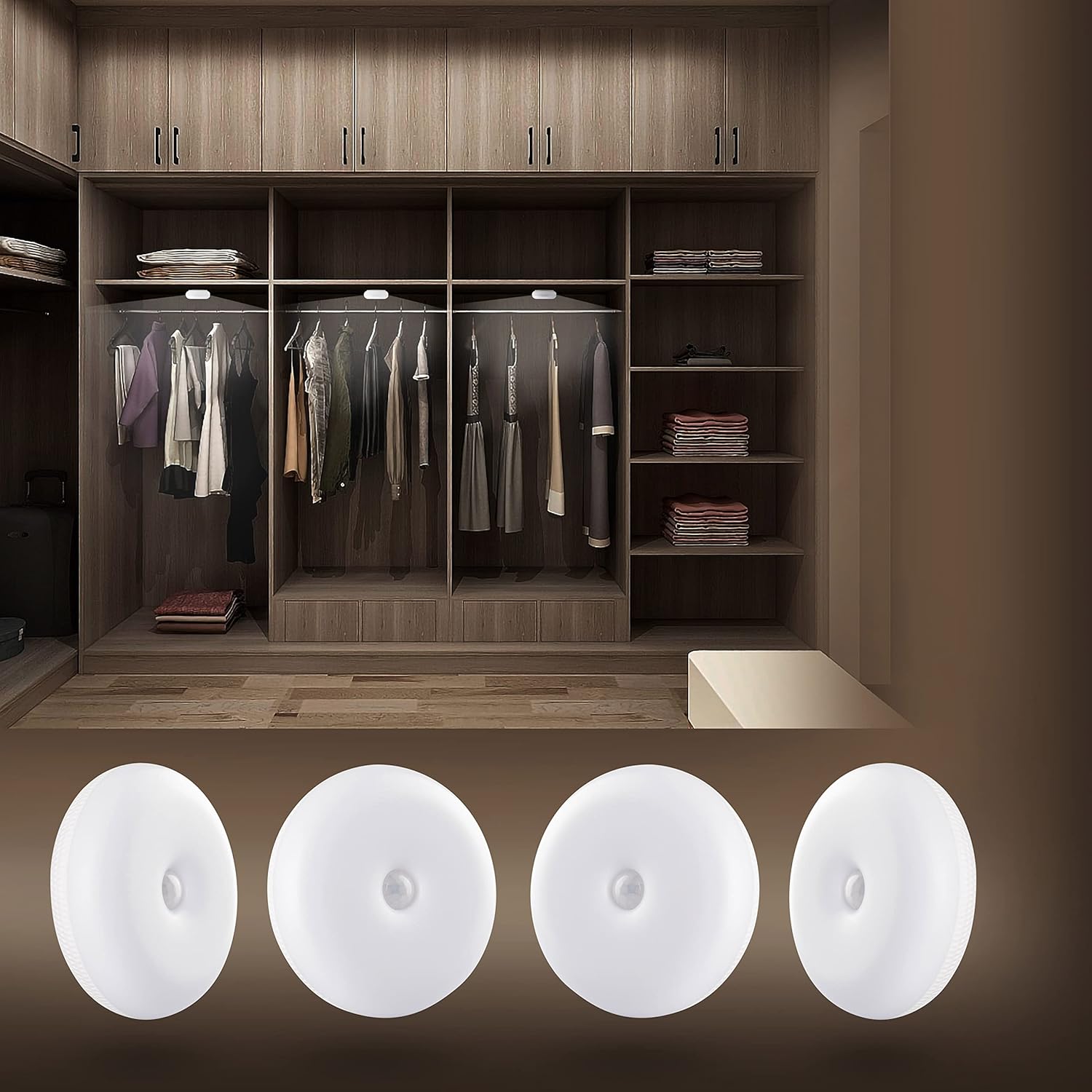
The FLINQ Motion Lights provide bright, warm white illumination, perfect for enhancing visibility inside closets and other dark spaces. This image shows the lights discreetly installed within a wardrobe, highlighting their practical application.

This image displays the complete contents of the FLINQ Motion Lights 4-pack, including the four motion sensor lights, four USB charging cables, and adhesive mounting options. Everything needed for setup is provided.
الإعداد والتثبيت
شحن الأضواء
Before first use, ensure the lights are fully charged. Each light is equipped with a rechargeable battery.
- Locate the micro-USB charging port on the side of the light.
- Connect the provided USB charging cable to the light and a compatible USB power source (e.g., computer USB port, USB wall adapter).
- The indicator light will show charging status (e.g., red for charging, green/off for fully charged).
- تستغرق عملية الشحن الكاملة عادةً بضع ساعات.

مفصل view of the back of a FLINQ Motion Light, highlighting the micro-USB charging port and the ON/OFF/AUTO switch for mode selection.
خيارات التركيب
The FLINQ Motion Lights offer three versatile installation methods:
- شريط لاصق:
Peel off the protective film from the 3M adhesive tape located on the back of the light. Press the light firmly onto a clean, dry, and smooth surface where you wish to install it. This method is ideal for permanent placement.
- لوحة مغناطيسية:
Attach the provided magnetic plate to the desired surface using its adhesive backing. The light can then be magnetically attached to this plate, allowing for easy removal for charging or repositioning.

The back of the FLINQ Motion Light, illustrating the integrated magnetic plate for easy attachment to metallic surfaces or the included adhesive magnetic disc.
- السنانير:
The lights can also be hung using small hooks if your installation area allows for it. This provides a flexible mounting solution.
Choose the method that best suits your needs and the surface where the light will be placed. Ensure the surface is clean and dry for optimal adhesion.
تعليمات التشغيل
اختيار الوضع
Each FLINQ Motion Light has a switch on the back to select its operating mode:
- على: The light will stay continuously on, regardless of motion or ambient light.
- OFF: سيبقى الضوء مطفأً.
- الوضع التلقائي (وضع مستشعر الحركة): This is the primary mode for motion detection.
وظيفة مستشعر الحركة (الوضع التلقائي)
In AUTO mode, the light will activate based on motion and ambient light conditions:
- The light is equipped with a sensitive motion sensor that detects movement within a range of 3-5 meters.
- It also features a day/night sensor, meaning it will only activate in dark conditions when motion is detected.
- Once motion is detected, the light will turn on automatically.
- If no further motion is detected for approximately 25 seconds, the light will automatically turn off to conserve battery life.

The FLINQ Motion Light providing illumination inside a closet, demonstrating its motion-activated functionality in a practical setting.

A FLINQ Motion Light mounted on a wall, serving as a subtle night light or accent light in a bedroom environment.
صيانة
تنظيف
To maintain the appearance and functionality of your FLINQ Motion Lights, follow these cleaning guidelines:
- Ensure the light is turned OFF before cleaning.
- امسحي السطح بقطعة قماش ناعمة وجافة أو امسحيه برفق.amp قطعة قماش.
- Do not use abrasive cleaners, solvents, or harsh chemicals, as these may damage the plastic material or electronic components.
- Avoid getting water directly into the charging port or sensor area.
العناية بالبطارية
To maximize the lifespan of the built-in rechargeable battery:
- أعد شحن المصابيح عندما يقل سطوعها بشكل ملحوظ.
- تجنب تفريغ البطارية بالكامل بشكل متكرر.
- If storing the lights for an extended period, charge them to about 50% and recharge every few months to prevent deep discharge.
- Do not expose the lights to extreme temperatures (hot or cold) as this can affect battery performance.
استكشاف الأخطاء وإصلاحها
If you encounter issues with your FLINQ Motion Lights, please refer to the following common solutions:
| مشكلة | السبب المحتمل / الحل |
|---|---|
| الضوء لا يعمل. |
|
| الضوء لا يستشعر الحركة. |
|
| ينطفئ الضوء بسرعة كبيرة أو يظل مضاءً لفترة طويلة. |
|
| الضوء خافت. |
|
تحديد
| ميزة | التفاصيل |
|---|---|
| ماركة | فلينك |
| اسم الموديل | Motion Lights 4-pack |
| الأبعاد (الطول × العرض × الارتفاع) | 8 × 8 × 2.8 سم |
| الوزن لكل وحدة | 100 جرام |
| عدد العناصر | 4 |
| مادة | بلاستيك |
| لون فاتح | الأبيض الدافئ |
| إخراج اللومن | 50 لومن |
| المميزات الخاصة | Wireless, Motion Sensor, Rechargeable |
| مصدر الطاقة | Battery Powered (Built-in Li-Polymer) |
| سعة البطارية | 3.7 فولت 600 مللي أمبير |
| نوع المصباح | LED (5 HQ SMD LED) |
| نطاق كشف الحركة | 3-5 متر |
| وقت الإيقاف التلقائي | 25 ثانية (بعد انعدام الحركة) |
| عمر | حوالي 30,000 ساعات |
| شهادة | CE |
الضمان والدعم
معلومات الضمان
Specific warranty details for your FLINQ Motion Lights may vary by region and retailer. Please refer to your purchase receipt or contact your point of sale for precise warranty terms and conditions.
دعم العملاء
For further assistance, technical support, or inquiries regarding your FLINQ product, please contact FLINQ customer service:
- بريد إلكتروني: info@flinqproducts.nl
- Webموقع: For more information and product updates, visit the official FLINQ webموقع.
- You can also scan the QR code on the product packaging for additional information: https://qrco.de/bc0PUg
Ask a question about this manual
Ask about setup, troubleshooting, compatibility, parts, safety, or missing instructions. Manuals+ will review the question and use this page’s manual context to help answer it.