
1. المقدمة
شكرا لك على الشراءasing the BYTECH BYMCLB116BK Projector Decor Light-Rainbow. This device is designed to project vibrant rainbow light effects, enhancing room ambiance and providing unique lighting for creative photography. Please read this manual thoroughly before use to ensure proper operation and maintenance.

Image 1.1: The BYTECH BYMCLB116BK Projector Decor Light-Rainbow packaging, highlighting its key features including rainbow glow, secure stabilization, 360-degree rotation and tilt, and USB connectivity.
2. معلومات السلامة
- احفظ الجهاز بعيدًا عن الماء والرطوبة.
- لا تعرض الجهاز لدرجات حرارة شديدة أو لأشعة الشمس المباشرة.
- تجنب إسقاط الجهاز أو تعريضه لصدمات قوية.
- لا تحاول تفكيك الجهاز أو إصلاحه بنفسك. قم بإحالة جميع أعمال الصيانة إلى فنيين مؤهلين.
- Use only the provided USB cable or a certified equivalent for power.
- تأكد من وضع الجهاز على سطح ثابت ومستوٍ لمنع الانقلاب.
- يحفظ بعيدًا عن متناول الأطفال والحيوانات الأليفة.
3. محتويات العبوة
يرجى التحقق من محتويات العبوة بعناية. في حال وجود أي أغراض مفقودة أو تالفة، يُرجى التواصل مع البائع.
- 1 x BYTECH BYMCLB116BK Projector Decor Light-Rainbow
- 1 x USB Power Cable (with wired remote control)
- 1 × دليل المستخدم
4. الإعداد
- أفرغ: Carefully remove the Projector Decor Light from its packaging.
- الموقع: Place the projector on a stable, flat surface. Consider the desired projection area and distance from the wall or ceiling for optimal effect. The device features 360-degree rotation and tilt for flexible positioning.
- توصيل الطاقة: Insert the small end of the USB power cable into the USB port on the projector. Connect the larger end of the USB cable to a standard USB power adapter (not included) or a powered USB port (e.g., on a computer or power bank).
- Secure Stabilization: Ensure the base is firmly placed to prevent accidental movement, utilizing its secure stabilization feature.
5. تعليمات التشغيل
The BYTECH Projector Decor Light is designed for simple operation.
- تشغيل/إيقاف التشغيل: Once connected to a power source, locate the wired remote control on the USB cable. Press the power button on the remote to turn the light on or off.
- Adjust Brightness/Mode: Use the other buttons on the wired remote control to cycle through different brightness levels or projection modes, if available. Refer to the remote's markings for specific functions.
- ضبط زاوية الإسقاط: اضبط l يدويًاamp head to rotate and tilt 360 degrees to direct the rainbow light projection to your desired area.
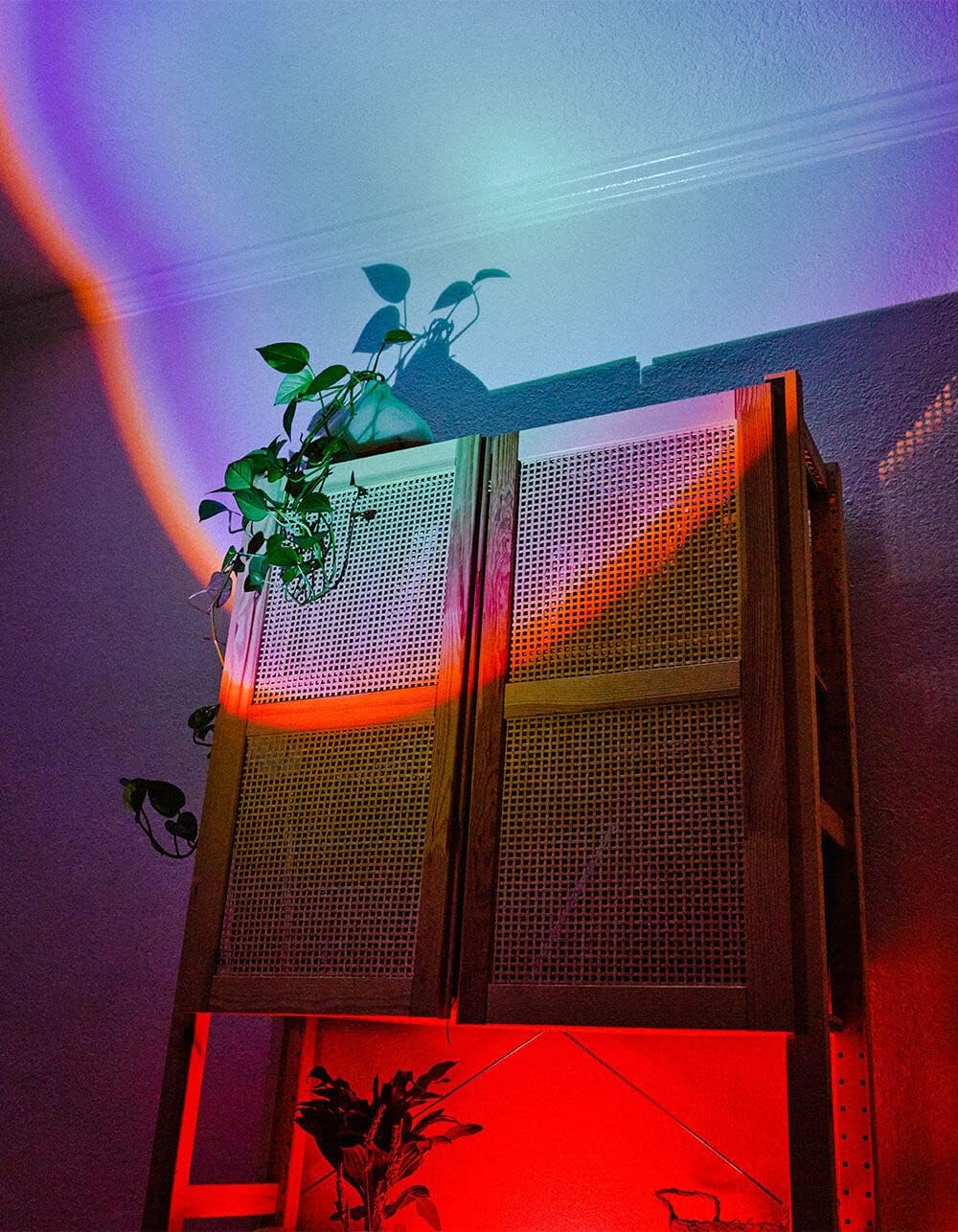
Image 5.1: The BYTECH Projector Decor Light-Rainbow in operation, casting vibrant rainbow light patterns onto a room's wall and furniture, demonstrating its ambient effect.
6. الصيانة
- تنظيف: Disconnect the power before cleaning. Use a soft, dry cloth to wipe the surface of the projector. Do not use abrasive cleaners or solvents.
- تخزين: When not in use for extended periods, store the device in a cool, dry place, away from direct sunlight and moisture.
- التعامل: Handle the device with care to avoid damage to the lens or internal components.
7. استكشاف الأخطاء وإصلاحها
| مشكلة | السبب المحتمل | حل |
|---|---|---|
| الجهاز لا يعمل. | لا يوجد اتصال بالكهرباء أو كابل معطل. | Ensure the USB cable is securely connected to both the projector and a powered USB port/adapter. Try a different USB port or adapter. |
| الضوء خافت أو وامض. | Insufficient power supply or dirty lens. | Ensure the power source provides adequate power. Clean the projector lens gently with a soft, dry cloth. |
| الإسقاط غير واضح. | العدسة متسخة. | نظف عدسة جهاز العرض برفق باستخدام قطعة قماش ناعمة وجافة. |
8. المواصفات
- نموذج: BYMCLB116BK
- ماركة: بايتك
- مدخلات الطاقة: USB Powered (5V DC, current not specified, typical for USB)
- مصدر الضوء: قاد
- نوع الإسقاط: Rainbow Glow
- التعديل: 360° Rotation & Tilt
- أبعاد الحزمة: 5 × 5 × 5 بوصة
- وزن السلعة: 1 رطل
- الشركة المصنعة: بايتك
9. الضمان والدعم
This product is covered by a limited warranty provided by BYTECH. For specific warranty terms and conditions, please refer to the warranty card included with your purchase or visit the official BYTECH website. For technical support, troubleshooting assistance, or to inquire about replacement parts, please contact BYTECH customer service through their official channels.
يرجى الاحتفاظ بإثبات الشراء الخاص بك لمطالبات الضمان.