
مقدمة
Thank you for choosing the Bytech BYMSWR104BK 3 Button Gaming Mouse. This manual provides essential information for setting up, operating, and maintaining your new gaming mouse. Please read this manual thoroughly before use to ensure optimal performance and longevity of your device.
سمات
- فأرة دقيقة: Designed for accurate tracking and responsive control.
- DPI قابل للتعديل: Customize sensitivity for various gaming and productivity needs.
- Three Responsive Buttons: Includes left-click, right-click, and scroll wheel/middle-click for efficient operation.
- إضاءة خلفية ملونة: Features multi-color LED lighting with 7 distinct color modes for an enhanced aesthetic experience.
- تصميم مريح: Shaped to fit comfortably in your palm, reducing fatigue during extended use.
تحديد
| ماركة | بايتك |
| رقم الموديل | BYMSWR104BK |
| عدد الأزرار | 3 |
| قرار الحركة | 1,000 نقطة في البوصة |
| أوضاع الألوان | 7 Colors (Multi-color Backlight) |
| طول الكابل | 5 قدم |
| تصنيف التبديل | 1 مليون نقرة |
| وزن العنصر | 4.9 أونصات |
| أبعاد الحزمة | 7.17 × 4.06 × 2.68 بوصة |
| لون | أسود |
| مصدر الطاقة | يعمل بسلك كهربائي (USB) |
| منصة الأجهزة | PC |
محتويات الحزمة
- 1 x Bytech BYMSWR104BK Wired Gaming Mouse
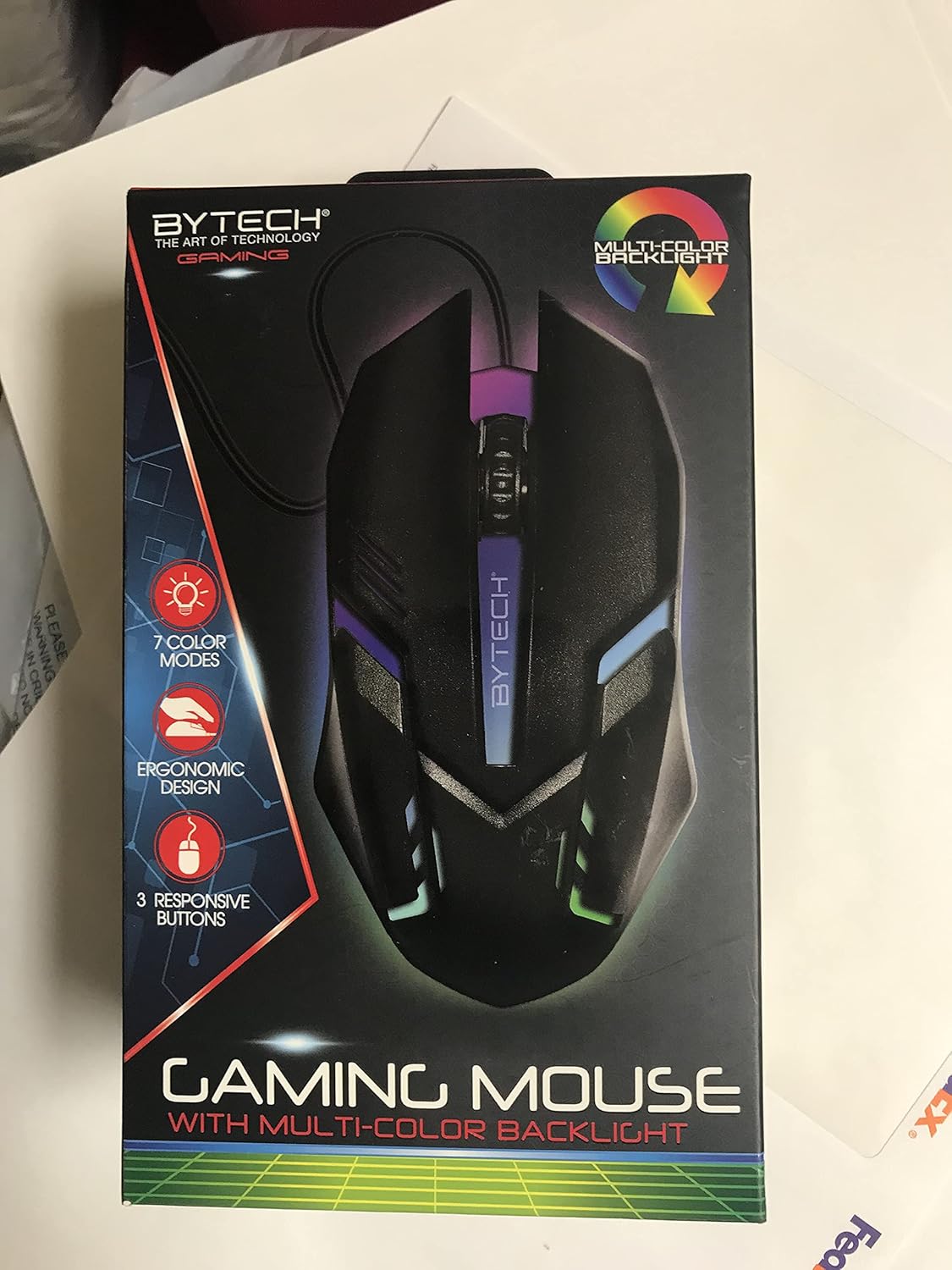
الصورة: الجبهة view of the Bytech BYMSWR104BK Gaming Mouse in its retail packaging, highlighting its multi-color backlight and ergonomic design.
يثبت
- أفرغ: Carefully remove the gaming mouse from its packaging.
- يتصل: Locate an available USB port on your computer (PC, laptop, etc.). Insert the USB connector of the Bytech BYMSWR104BK Gaming Mouse firmly into the USB port.
- تثبيت برنامج التشغيل: The mouse is plug-and-play. Your operating system should automatically detect and install the necessary drivers. This process may take a few moments.
- جاهز للاستخدام: Once the drivers are installed, the mouse will be ready for immediate use. The multi-color backlight will illuminate.

الصورة: الخلفية view of the Bytech BYMSWR104BK Gaming Mouse retail packaging, detailing features, specifications, and universal compatibility.
تعليمات التشغيل
التشغيل الأساسي
- الزر الأيسر: Primary click function, typically used for selecting items, opening files, or interacting with software.
- الزر الأيمن: Secondary click function, usually opens context menus or provides additional options.
- عجلة التمرير (الزر الأوسط): قم بالتمرير لأعلى أو لأسفل للتنقل بين المستندات و web pages. Pressing the scroll wheel acts as a middle-click button, often used for opening links in new tabs or auto-scrolling.
ضبط DPI
The Bytech BYMSWR104BK Gaming Mouse features adjustable DPI settings. While specific buttons for DPI adjustment are not explicitly listed on the packaging, many gaming mice allow DPI changes through a dedicated button (often located near the scroll wheel) or through software. Refer to your computer's mouse settings or Bytech's official website for advanced customization options if available.
الصمام الخلفي
The mouse features a dynamic multi-color LED backlight with 7 different color modes. These lights will automatically cycle through the modes once the mouse is connected and powered on. There is no manual control for changing modes on the mouse itself.
صيانة
- تنظيف: استخدم قطعة قماش ناعمة وجافة لمسح سطح الفأرة. لإزالة الأوساخ العنيدة، امسحها برفق.ampامسح بقطعة قماش مبللة بالماء أو بمحلول تنظيف خفيف. تجنب استخدام المواد الكيميائية القاسية أو المواد الكاشطة.
- العناية بالمستشعر: حافظ على نظافة المستشعر البصري الموجود في الجزء السفلي من الماوس وخلوه من الغبار أو الحطام لضمان التتبع الدقيق.
- إدارة الكابلات: تجنب الانحناءات الحادة أو السحب المفرط لكابل USB لمنع التلف.
- تخزين: عند عدم الاستخدام، قم بتخزين الماوس في بيئة نظيفة وجافة بعيدًا عن درجات الحرارة القصوى.

الصورة: الجانب view of the Bytech BYMSWR104BK Gaming Mouse retail packaging, showcasing the multi-color backlight effect.
استكشاف الأخطاء وإصلاحها
| مشكلة | الحل المحتمل |
|---|---|
| الماوس لا يستجيب |
|
| المؤشر غير منتظم أو لا يتحرك بسلاسة |
|
| الإضاءة الخلفية LED لا تعمل |
|
الضمان والدعم
ضمان: This Bytech product comes with a 12-month warranty from the date of purchase. Please retain your proof of purchase for warranty claims.
معلومات الاتصال:
- عنوان: 2585 West 13th Street, Brooklyn, NY 11223, USA
- Webموقع: www.bytechintl.com
⚠تحذير: قد يعرضك هذا المنتج لمواد كيميائية، بما في ذلك DEHP، المعروف في ولاية كاليفورنيا بأنه يسبب السرطان أو العيوب الخلقية أو أضرارًا تناسلية أخرى. لمزيد من المعلومات، انتقل إلى www.P65Warnings.ca.gov.

الصورة: أسفل view of the Bytech BYMSWR104BK Gaming Mouse retail packaging, showing contact information, warranty details, and California Proposition 65 warning.