
1. المقدمة
The Sonos Beam (Gen 2) is a compact smart soundbar designed to enhance your entertainment experience with rich audio for TV, music, and more. It features advanced sound technology, including Dolby Atmos, and integrates seamlessly with the Sonos ecosystem for multiroom listening and expandable surround sound.
This manual provides essential information for setting up, operating, and maintaining your Sonos Beam (Gen 2).
2. ماذا يوجد في الصندوق
Upon unboxing your Sonos Beam (Gen 2), you should find the following items:
- Sonos Beam (Gen 2) Soundbar
- يؤدي HDMI
- Optical Adaptor
- Mains Lead (Power Cable)

3. الإعداد
Setting up your Sonos Beam (Gen 2) is designed to be straightforward. Follow these steps for initial installation:
- الموقع: Position the soundbar in front of your TV, ensuring it has clear line of sight and is not obstructed.
- توصيل الطاقة: Connect the provided Mains Lead to the soundbar and then to a power outlet.
- TV Connection (HDMI eARC/ARC):
- Ensure your TV is powered ON.
- Locate your TV's HDMI eARC port (or ARC port). This is commonly found on the back or side of your TV.
- Use the included HDMI cable to connect your Sonos Beam to your TV's HDMI eARC/ARC port.
- If your TV does not have an eARC/ARC port, use the included optical audio adapter to connect to your TV's optical digital audio output.
- إعداد تطبيق Sonos:
- Download the Sonos app on your smartphone or tablet.
- Open the app and follow the on-screen instructions to set up your new Sonos Beam. The app will guide you through connecting to your Wi-Fi network and configuring sound settings.
- يستخدم ضبط Trueplay via the Sonos app (iOS devices recommended) to adapt the sound of your Beam to the unique acoustics of your room for optimal audio performance.


Video 1: A user demonstrating the Sonos Beam (Gen 2) and its features, including the touch controls and connectivity options. This video highlights the ease of setup and the soundbar's sleek design.
4. التشغيل
The Sonos Beam (Gen 2) offers multiple ways to control your audio experience:
- تطبيق Sonos: The primary control interface. Use the app to adjust volume, group speakers, stream music, and access advanced settings like Trueplay tuning.
- التحكم الصوتي: With built-in Alexa and Google Assistant compatibility, you can control your soundbar and other smart home devices using voice commands. The microphone can be toggled on/off for privacy.
- جهاز التحكم عن بعد للتلفزيون: The Beam can be programmed to respond to your existing TV remote for basic functions like volume control.
- ضوابط اللمس: The top surface of the Beam features touch-sensitive controls for play/pause, volume up/down, and track skipping.
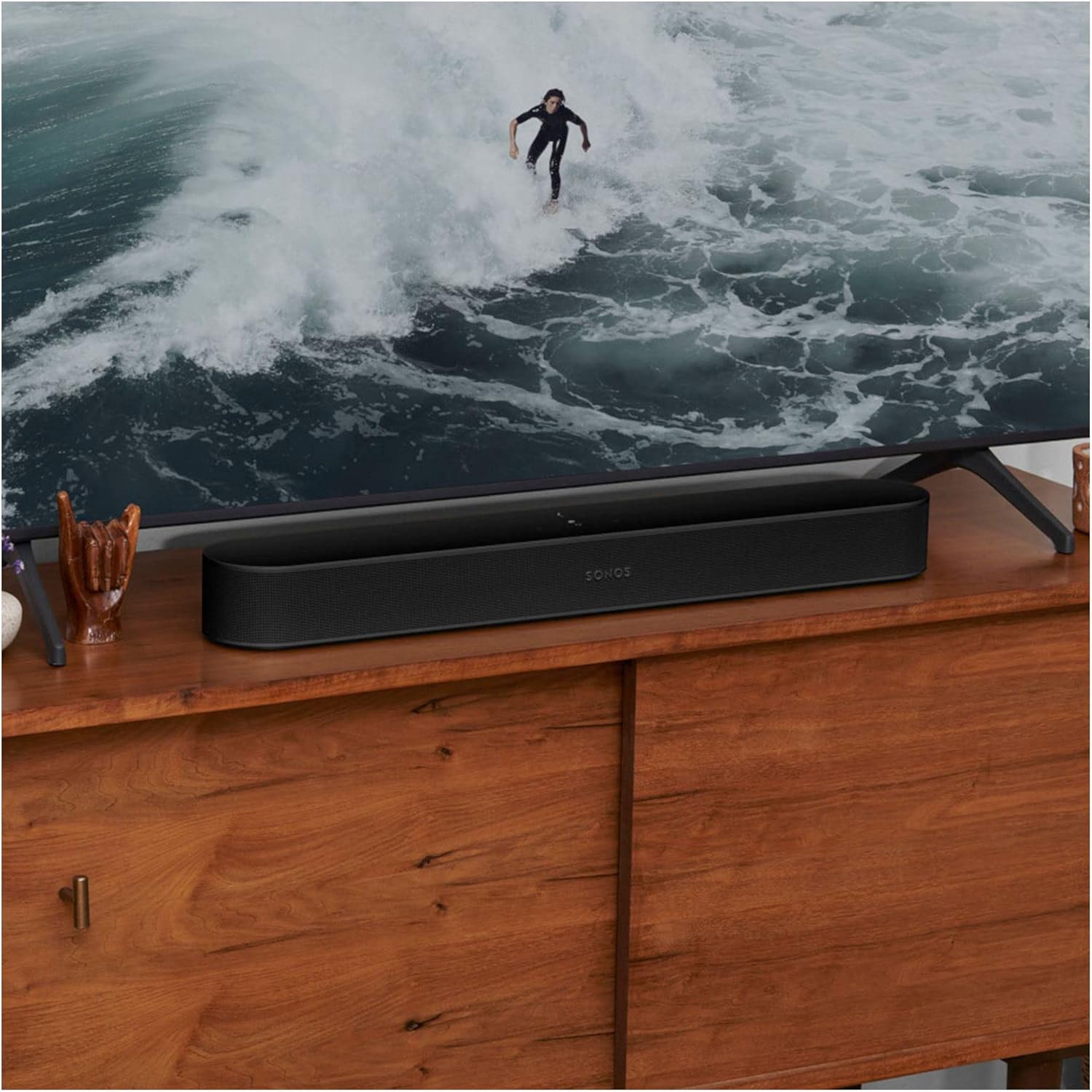
Video 2: A user demonstrating the sound quality and voice control features of the Sonos Beam (Gen 2) while playing music.
5. الميزات الرئيسية
- دولبي أتموس: Experience immersive 3D surround sound effects.
- ضبط اللعب الحقيقي: Adapts the sound to the unique acoustics of your room for optimal audio.
- التحكم الصوتي: Integrated with Amazon Alexa and Google Assistant for hands-free control.
- Apple AirPlay 2: قم ببث الصوت مباشرة من أجهزة Apple الخاصة بك.
- اتصال واي فاي: Stream music, radio, podcasts, and audiobooks over Wi-Fi.
- نظام قابل للتوسيع: Easily expand your Sonos system over time with additional Sonos speakers for true surround sound and multiroom listening.
- تبديل صوت التلفزيون: Instantly swap TV audio from Sonos Beam to Sonos Ace Headphones (sold separately) for private listening.

6. الصيانة
To ensure the longevity and optimal performance of your Sonos Beam (Gen 2), follow these general maintenance guidelines:
- تنظيف: Use a soft, dry cloth to gently wipe the surface of the soundbar. Avoid using harsh chemicals or abrasive cleaners.
- الموقع: Keep the soundbar away from direct sunlight, heat sources, and moisture. Ensure adequate ventilation around the device.
- تحديثات البرامج: Regularly check for and install software updates via the Sonos app to ensure your device has the latest features and performance enhancements.
7. استكشاف الأخطاء وإصلاحها
If you encounter issues with your Sonos Beam (Gen 2), consider the following common solutions:
- لا يوجد صوت: Check all cable connections (power, HDMI). Ensure the correct input is selected on your TV. Verify volume levels on both the soundbar and TV.
- مشكلات اتصال التطبيق: Ensure your smartphone/tablet and Sonos Beam are connected to the same Wi-Fi network. Restart your router, then the Sonos Beam, and finally the Sonos app.
- المساعد الصوتي لا يستجيب: Check if the microphone is enabled on the soundbar (indicated by a light). Ensure your voice assistant account is correctly linked in the Sonos app.
- ضعف جودة الصوت: Run Trueplay tuning again through the Sonos app. Check for any obstructions around the soundbar.
للحصول على معلومات أكثر تفصيلاً حول استكشاف الأخطاء وإصلاحها أو في حالة المشكلات المستمرة، يُرجى الرجوع إلى دعم Sonos. webالموقع أو الاتصال بخدمة العملاء.
8. المواصفات
| ميزة | التفاصيل |
|---|---|
| ماركة | سونوس |
| اسم الموديل | Sonos Beam (الجيل الثاني) |
| رقم الموديل | BEAM2UK1BLK |
| لون | أسود |
| تكنولوجيا الاتصال | اتش دي ام اي، واي فاي |
| وضع إخراج الصوت | محيط |
| نوع السماعة | ثلاثي الأبعاد، مكبر صوت، صوت محيطي |
| المميزات الخاصة | Dolby Atmos, Alexa/Google Voice Control, Trueplay Tuning, Apple AirPlay 2 |
| طريقة التحكم | App, Voice, TV Remote, Touch Controls |
| أبعاد المنتج (العمق × العرض × الارتفاع) | 2.72 بوصة عمق × 25.63 بوصة عرض × 3.94 بوصة ارتفاع |
| وزن العنصر | 2 كيلوغرام |
| مصدر الطاقة | كهرباء سلكية |
| مادة | بلاستيك |
9. الضمان والدعم
This product is an International Version and comes with لا يوجد ضمان as specified in the product details. For support, troubleshooting, and additional resources, please visit the official Sonos webالموقع أو اتصل بخدمة العملاء الخاصة بهم مباشرة.
يمكنك العثور على مزيد من المعلومات والدعم في متجر سونوس على أمازون.