
1. المقدمة
Welcome to your new HAOVM 10-inch Android 11 Tablet. This manual provides essential information to help you set up, operate, maintain, and troubleshoot your device. Please read it carefully to ensure optimal performance and longevity of your tablet.

Image: The HAOVM 10-inch Android 11 Tablet, showcasinيتميز بتصميمه الأنيق وشاشته.
2. البدء (الإعداد)
2.1 شحن الجهاز اللوحي
Before first use, ensure your tablet is fully charged.
- قم بتوصيل كابل USB من النوع C بمنفذ شحن الجهاز اللوحي.
- Connect the other end of the cable to a compatible power adapter and plug it into a wall outlet.
- The battery icon on the screen will indicate the charging status.
2.2 تشغيل/إيقاف التشغيل
- لتشغيل: Press and hold the Power Button (located on the side) until the HAOVM logo appears on the screen.
- لإيقاف التشغيل: Press and hold the Power Button until a power options menu appears. Select "Power off" and confirm.
2.3 الإعداد الأولي
عند تشغيل الجهاز لأول مرة، سيتم إرشادك خلال عملية الإعداد الأولية:
- اختر اللغة المفضلة لديك.
- اتصل بشبكة Wi-Fi للوصول إلى الإنترنت.
- قم بتسجيل الدخول باستخدام حساب Google الخاص بك أو قم بإنشاء حساب جديد.
- Follow the remaining prompts to complete the setup.

Image: Close-up of the tablet's USB Type-C port, highlighting its modern connectivity.
3. تشغيل جهازك اللوحي
3.1 العرض والتنقل
The HAOVM tablet features a vibrant 10.1-inch IPS FHD display with a resolution of 1920x1200 pixels, providing clear and crisp visuals. The capacitive touchscreen allows for smooth and responsive navigation.
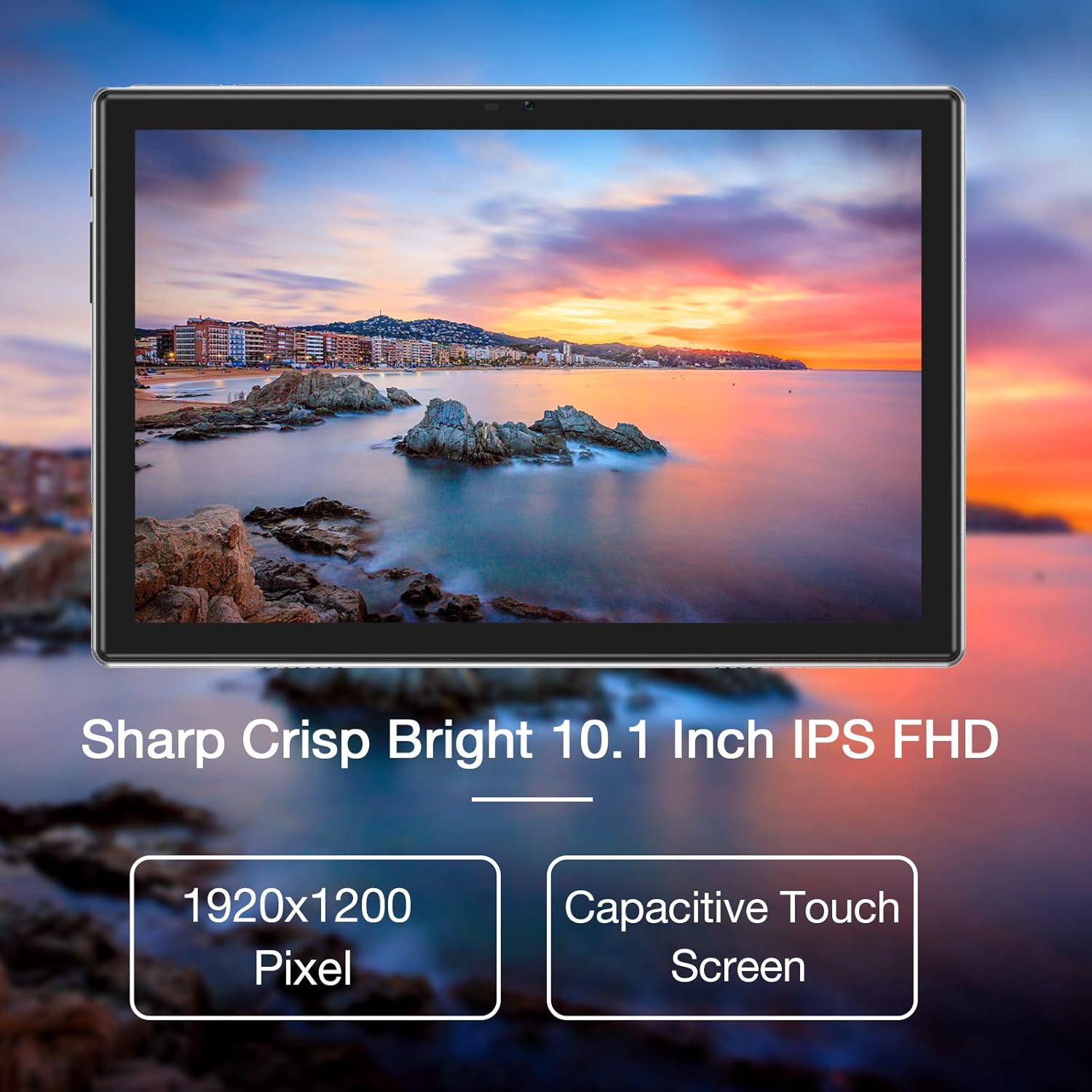
Image: The tablet's 10.1-inch IPS FHD display showcasing its sharp and bright visual quality.
3.2 الاتصال
Your tablet offers robust connectivity options:
- واي فاي: Supports 5G WiFi (802.11ac) for high-speed internet access. To connect, go to الإعدادات > الشبكة والإنترنت > Wi-Fiاختر شبكتك، ثم أدخل كلمة المرور.
- بلوتوث: Equipped with Bluetooth 5.0 for connecting to wireless headphones, speakers, and other compatible devices. Enable it via الإعدادات> الأجهزة المتصلة> تفضيلات الاتصال> Bluetooth.
3.3 كاميرات
Capture moments and make video calls with the tablet's dual cameras:
- الكاميرا الأمامية: 5 Megapixels, ideal for video conferencing and selfies.
- الكاميرا الخلفية: 13 Megapixels, suitable for taking photos and recording videos.

Image: Illustration showing the tablet's 5.0MP front camera and 13.0MP back camera capabilities.
3.4 التخزين والأداء
The tablet is designed for efficient multitasking and ampلو التخزين:
- كبش: 3GB of RAM ensures smooth operation and efficient multitasking.
- التخزين الداخلي: 64GB of internal storage for your apps, photos, and files.
- مساحة تخزين قابلة للتوسعة: Storage can be expanded up to 128GB using a microSD card (not included).
- المعالج: Powered by a 1.6 GHz Octa-Core processor, providing fast and fluid performance for various applications.

Image: Diagram illustrating the tablet's powerful internal configuration, including the Octa-Core CPU, 3GB RAM, and 64GB storage.
3.5 وظيفة نظام تحديد المواقع العالمي (GPS)
The integrated GPS system allows for accurate navigation and location-based services, making it a useful tool for travel and exploration.

Image: The tablet being used for navigation, demonstrating its GPS capabilities and long-lasting 6000mAh battery.
4. الصيانة
4.1 التنظيف
- Use a soft, lint-free cloth to gently wipe the screen and body of the tablet.
- Avoid using abrasive cleaners, alcohol, or chemical solvents, as they may damage the surface.
4.2 العناية بالبطارية
- To prolong battery life, avoid exposing the tablet to extreme temperatures (hot or cold).
- Do not frequently allow the battery to fully discharge to 0%.
- إذا كنت ستقوم بتخزين الجهاز اللوحي لفترة طويلة، قم بشحنه إلى حوالي 50% قبل إيقاف تشغيله.
4.3 تحديثات البرامج
- Regularly check for system updates to ensure your tablet has the latest features, performance improvements, and security patches.
- You can usually find update options in الإعدادات > النظام > تحديث النظام.
5. استكشاف الأخطاء وإصلاحها
5.1 المشكلات والحلول الشائعة
| مشكلة | حل |
|---|---|
| الجهاز اللوحي لا يعمل | Ensure the battery is charged. Connect to a power source for at least 30 minutes. Press and hold the power button for 10-15 seconds to force a restart. |
| مشاكل اتصال Wi-Fi | Restart the tablet and your Wi-Fi router. Go to Wi-Fi settings, forget the network, and then reconnect. Ensure you are within range of the Wi-Fi signal. |
| تعطل التطبيقات أو تجميدها | Close the app and reopen it. Clear the app's cache and data in الإعدادات > التطبيقات > [اسم التطبيق] > التخزين > مسح ذاكرة التخزين المؤقت / مسح البيانات. Ensure sufficient storage space is available. |
| الأداء البطيء | Close unused background apps. Clear system cache (if option available). Uninstall unnecessary apps. If issues persist, consider a factory reset (backup all data first). |
| الشاشة لا تستجيب | Restart the tablet by holding the power button. If unresponsive, let the battery drain completely and then recharge and power on. |
6. المواصفات
6.1 المواصفات الفنية
| ميزة | التفاصيل |
|---|---|
| ماركة | هوفم |
| رقم الموديل | Tablet (HP20) |
| نظام التشغيل | أندرويد 11 |
| المعالج | معالج ثماني النواة بسرعة 1.6 جيجاهرتز |
| كبش | 3 جيجا بايت |
| التخزين الداخلي | 64 جيجا بايت |
| تخزين قابل للتوسيع | ما يصل إلى 128 جيجابايت (مايكرو إس دي) |
| حجم الشاشة | 10.1 بوصة |
| دقة العرض | 1920 × 1200 بكسل (FHD IPS) |
| الكاميرا الأمامية | 5 ميجا بكسل |
| الكاميرا الخلفية | 13 ميجا بكسل |
| الاتصال | Wi-Fi (802.11ac), Bluetooth 5.0, GPS |
| الواجهة | يو إس بي من النوع سي |
| بطارية | 6000 مللي أمبير |
| الأبعاد (الطول × العرض × الارتفاع) | 27.2 × 18 × 6.1 سم |
| وزن | 5 جرام |
7. الضمان والدعم
7.1 معلومات الضمان
Your HAOVM tablet comes with a limited warranty. Please refer to the warranty card or documentation included in the product packaging for specific terms, conditions, and duration of the warranty. Keep your proof of purchase for warranty claims.
7.2 دعم العملاء
For technical assistance, troubleshooting beyond this manual, or service inquiries, please contact HAOVM customer support. You can typically find contact information on the official HAOVM webالموقع أو من خلال بائع التجزئة الذي اشتريت منه المنتج.