
مقدمة
This manual provides detailed instructions for the safe and efficient operation of your Prixton Picasso Portable Projector. Please read this manual thoroughly before using the device and retain it for future reference.
ماذا يوجد في الصندوق
عند تفريغ الأمتعة، يرجى التأكد من وجود جميع العناصر التالية:
- Prixton Picasso Portable Projector
- جهاز التحكم عن بعد
- كابل HDMI
- كابل يو اس بي
- (Optional: 100" Projection Screen, if included in your package)

Image: Prixton Picasso portable projector with a projection screen.
معلومات السلامة
- لا تنظر مباشرة إلى عدسة جهاز العرض عندما يكون الضوءamp هو على.
- تأكد من التهوية المناسبة لمنع ارتفاع درجة الحرارة.
- احتفظ بالجهاز بعيدًا عن الماء أو السوائل الأخرى.
- استخدم فقط محول الطاقة المقدم.
- لا تحاول تفكيك جهاز العرض أو إصلاحه بنفسك. اتصل بفنيي الصيانة المؤهلين.
المنتج انتهىview
The Prixton Picasso is a portable Full HD projector designed for versatile use. It features a high-quality LED lamp and multiple connectivity options.
المميزات الرئيسية:
- Full HD 1920 x 1080 native resolution.
- 9000 lumens brightness (260 ANSI lumens).
- 3000:1 contrast ratio.
- الصمام لamp life of over 50,000 hours.
- Projection distance: 1 to 7 meters.
- Projection size: 30" to 210".
- Wireless connectivity for Android and iOS devices.
- Multiple input ports: 2x HDMI, USB 2.0, TF card, Jack, AV IN, DC IN.

Image: Prixton Picasso projector shown with its remote control.

الصورة: أعلى view of the projector, highlighting the lens and control buttons.
يثبت
1. تحديد مستوى
Place the projector on a stable, flat surface. Ensure there is adequate space around the projector for ventilation. The optimal projection distance is between 1 and 7 meters, allowing for a screen size from 30 to 210 inches.

Image: Visual guide for projection distance and screen size.
2. توصيل الطاقة
Connect the power adapter to the DC IN port on the projector and then plug it into a power outlet.
3. التشغيل الأولي
اضغط على زر التشغيل في جهاز العرض أو جهاز التحكم عن بُعد لتشغيل الجهاز. سيضيء مؤشر الضوء.

Image: Projector displaying its brightness specification.

Image: Projector powered on and projecting light.
4. ضبط التركيز وتصحيح الانحراف
Adjust the focus ring on the projector lens until the image is clear. Use the keystone correction dial (if available) to correct any trapezoidal distortion of the image.

Image: Projector emphasizing Full HD compatibility, relevant for image clarity.
تعليمات التشغيل
1. اختيار مصدر الإدخال
Use the "Source" button on the remote control or the projector to select your desired input: HDMI 1, HDMI 2, USB, TF Card, or AV.
2. توصيل الأجهزة
- HDMI: Connect your laptop, gaming console, or other HDMI-enabled devices using an HDMI cable.
- بطاقة USB/TF: Insert a USB drive or TF card into the respective port to play media fileس مباشرة.
- من: Use the AV input for older devices with composite video output.
3. الاتصال اللاسلكي (انعكاس الشاشة)
The projector supports wireless screen mirroring for both Android and iOS devices.
- Select the "Screen Mirroring" or "Wireless Display" option from the projector's main menu.
- For iOS devices, enable "Screen Mirroring" or "AirPlay" on your device and select the projector from the list.
- For Android devices, enable "Wireless Display," "Smart View," or "Cast" on your device and select the projector.
- Ensure both the projector and your mobile device are connected to the same Wi-Fi network for optimal performance.
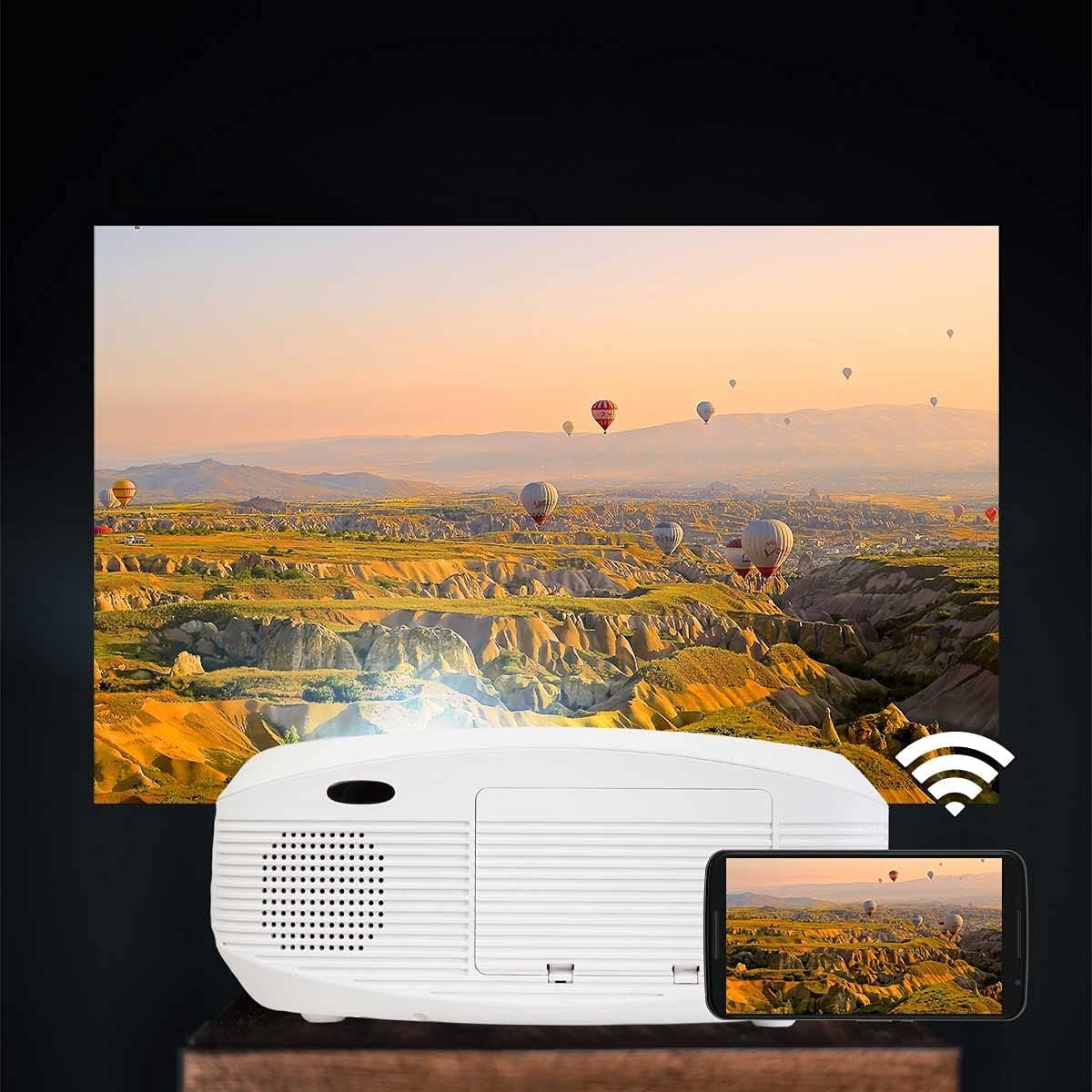
Image: Projector connected wirelessly to a smartphone.

Image: Wireless connectivity icon and smartphone mirroring.
4. مخرج الصوت
The projector has built-in speakers. You can also connect external speakers or headphones via the 3.5mm audio jack for enhanced sound.
صيانة
- تنظيف العدسة: Use a soft, lint-free cloth specifically designed for optical lenses to gently wipe the projector lens. Avoid using abrasive cleaners.
- تنظيف Casing: امسح الجزء الخارجي من جهاز العرض بقطعة قماش ناعمة وجافة. لا تستخدم المنظفات السائلة أو البخاخات.
- تهوية: Regularly check that the ventilation openings are not blocked by dust or debris to ensure proper airflow and prevent overheating.
- تخزين: عند عدم استخدام جهاز العرض لفترات طويلة، قم بتخزينه في مكان بارد وجاف، بعيدًا عن الغبار.
استكشاف الأخطاء وإصلاحها
| مشكلة | السبب المحتمل | حل |
|---|---|---|
| لا توجد صورة معروضة | Power not connected; incorrect input source; cable not connected properly. | Check power connection; select correct input source; ensure HDMI/USB/AV cables are securely connected. |
| الصورة ضبابية | لم يتم ضبط التركيز؛ جهاز العرض قريب جدًا/بعيد جدًا عن الشاشة. | Adjust the focus ring on the lens. Adjust projection distance. |
| الصورة مشوهة (شكل شبه منحرف) | جهاز العرض ليس عموديًا على الشاشة. | Adjust keystone correction dial. Reposition the projector. |
| لا يوجد صوت | Volume too low; audio cable not connected; source device muted. | Increase projector volume; check audio cable connections; unmute source device. |
| Cannot connect to Wi-Fi / Screen Mirroring issues | Incorrect Wi-Fi password; devices not on the same network; device compatibility issues. | Verify Wi-Fi password; ensure both devices are on the same 2.4GHz Wi-Fi network; restart both devices. |
| Spot on the lens / projected image | Dust or debris on the lens or inside the projector. | Gently clean the lens with a soft, lint-free cloth. If the spot is internal, contact customer support. |
تحديد
| ميزة | التفاصيل |
|---|---|
| ماركة | بريكستون |
| اسم الموديل | بيكاسو |
| الاستخدام الموصى به | الصفحة الرئيسية سينما |
| ميزة خاصة | Portable, Wireless Connection |
| تكنولوجيا الاتصال | اتش دي ام اي، يو اس بي |
| دقة العرض | 1920 × 1080 (دقة عالية كاملة) |
| الحد الأقصى لدقة العرض | 1920 × 1080 |
| نوع العرض | شاشة الكريستال السائل |
| عامل الشكل | محمول |
| نوع التركيب | جبل الطابق |
| سطوع | 9000 لومن (260 لومن ANSI) |
| واتtage | 85 واط |
| Control Device Type | جهاز التحكم عن بعد |
| الأجهزة المتوافقة | الكمبيوتر المحمول والهاتف الذكي |
| نسبة التباين | 3000:1 |
| Maximum Projection Distance | 7 مترا |
| مصدر الضوء الحياة | 50,000 ساعة |
| الحد الأقصى لحجم الصورة | 210 بوصة |
| الحد الأدنى لمسافة الإسقاط | 1 متر |
| الحد الأدنى لحجم الصورة | 30 بوصة |
| ترميز الفيديو | ح.264 |
| بلد المنشأ | الصين |
الضمان والدعم
Your Prixton Picasso Portable Projector is covered by a standard manufacturer's warranty. Please refer to the specific warranty terms provided at the time of purchase for details on coverage duration and conditions.
For technical support, troubleshooting assistance, or warranty claims, please contact Prixton customer service. Contact information can typically be found on the official Prixton webالموقع أو على وثائق الشراء الخاصة بك.
سياسة العائدات: This product is eligible for return or replacement within 30 days of purchase, subject to the retailer's return policy.