
1. المقدمة
This manual provides detailed instructions for the safe and effective operation, setup, and maintenance of your YIHUA 939D+ Digital Soldering Station and YIHUA 305D-IV Regulated DC Lab Power Supply bundle. Please read this manual thoroughly before using the equipment.
معلومات السلامة
- Always operate the units in a well-ventilated area.
- ارتدِ معدات الحماية الشخصية المناسبة، بما في ذلك نظارات السلامة.
- لا تلمس رأس مكواة اللحام أو عنصر التسخين عندما يكون ساخناً.
- Ensure the power supply is disconnected before making or changing connections.
- This equipment operates on 110-127V AC. Ensure your power source matches this requirement.
- يحفظ بعيدًا عن متناول الأطفال.
2. محتويات العبوة
تأكد من وجود جميع العناصر المدرجة أدناه في الحزمة الخاصة بك:
- YIHUA 939D+ Digital Soldering Station
- YIHUA 305D-IV Regulated DC Lab Power Supply
- Soldering Iron with Heat-Resistant Handle and Cord
- Soldering Iron Holder (integrated or separate)
- 3 x Assorted Solder Tips
- 1 x تنظيف الاسفنج
- 1 x 50g 0.8mm Solder Wire
- 1 × فتيل لحام
- 1 x Cleaning Kit (Brass Ball)
- Power Cords for both units
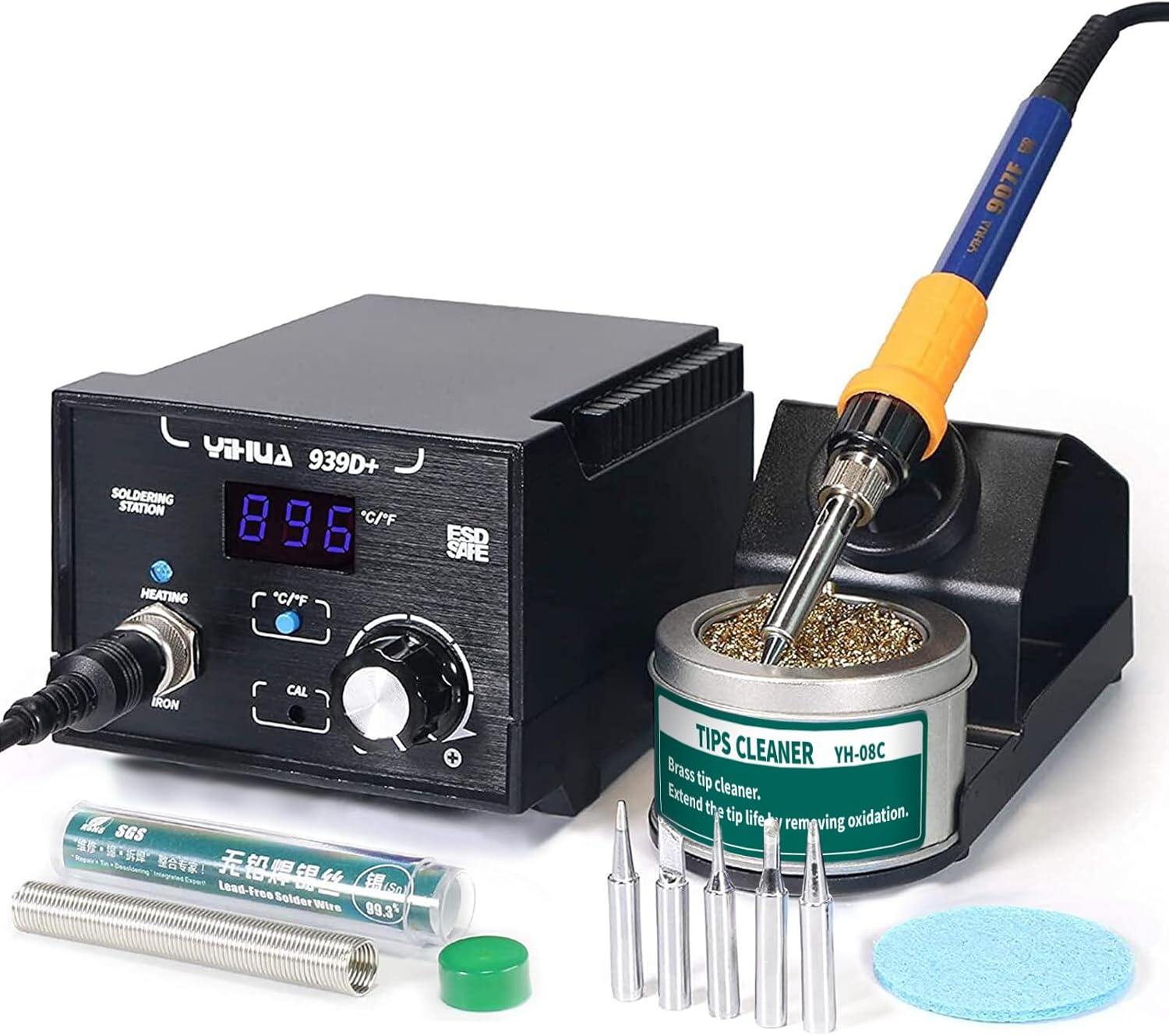
Image 2.1: YIHUA 939D+ Digital Soldering Station with included accessories.

Image 2.2: YIHUA 305D-IV Regulated DC Lab Power Supply.
3. انتهى المنتجview
3.1 YIHUA 939D+ Digital Soldering Station
The YIHUA 939D+ is a digital soldering station designed for precision soldering tasks. It features a digital display for real-time temperature readout and a temperature stabilization function to maintain a steady iron temperature during operation. The station is ESD-safe to protect sensitive electronic components.

Image 3.1: Labeled components of the YIHUA 939D+ Soldering Station.
3.2 YIHUA 305D-IV Regulated DC Lab Power Supply
The YIHUA 305D-IV is a regulated DC lab power supply offering variable output from 0-30V and 0-5A. It includes automatic Constant Voltage (CV) and Constant Current (CC) modes, along with short-circuit and overcurrent protection to safeguard connected devices and the unit itself.

Image 3.2: YIHUA 305D-IV Power Supply display and reading accuracy.
4. تعليمات الإعداد
4.1 YIHUA 939D+ Soldering Station Setup
- Place the soldering station on a stable, heat-resistant surface.
- Connect the soldering iron handle to the 'IRON' receptacle on the front panel of the 939D+ station. Ensure a secure connection.
- Place the soldering iron into its holder.
- Insert the cleaning sponge into the sponge tray and dampen it slightly with water. Alternatively, place the brass ball cleaner in its designated area.
- Connect the power cord to the back of the soldering station and then to a 110-127V AC power outlet.
4.2 YIHUA 305D-IV DC Lab Power Supply Setup
- Position the power supply on a stable surface, ensuring adequate ventilation around the unit.
- Connect the power cord to the back of the power supply and then to a 110-127V AC power outlet.
- For output, connect your test leads or device to the output terminals (red for positive, black for negative, yellow for ground) on the front panel.
5. تعليمات التشغيل
5.1 YIHUA 939D+ Digital Soldering Station Operation
- تشغيل الطاقة: Flip the ON/OFF power switch. The digital display will illuminate, showing the current temperature.
- ضبط درجة الحرارة: Rotate the temperature adjustment knob to set the desired temperature. The range is 392-896°F (200-480°C). The display will show the set temperature briefly, then return to the actual tip temperature.
- اختيار وحدة درجة الحرارة: Press the °C/°F button to switch between Celsius and Fahrenheit display modes.
- معايرة: If necessary, use the CAL adjustment point for temperature calibration. Refer to advanced user guides for detailed calibration procedures.
- اللحام: Once the desired temperature is reached and stabilized, clean the soldering iron tip using the damp sponge or brass ball. Apply solder to the joint, not directly to the iron tip.
- إيقاف التشغيل: After use, turn off the power switch and allow the iron to cool completely in its holder before storing.
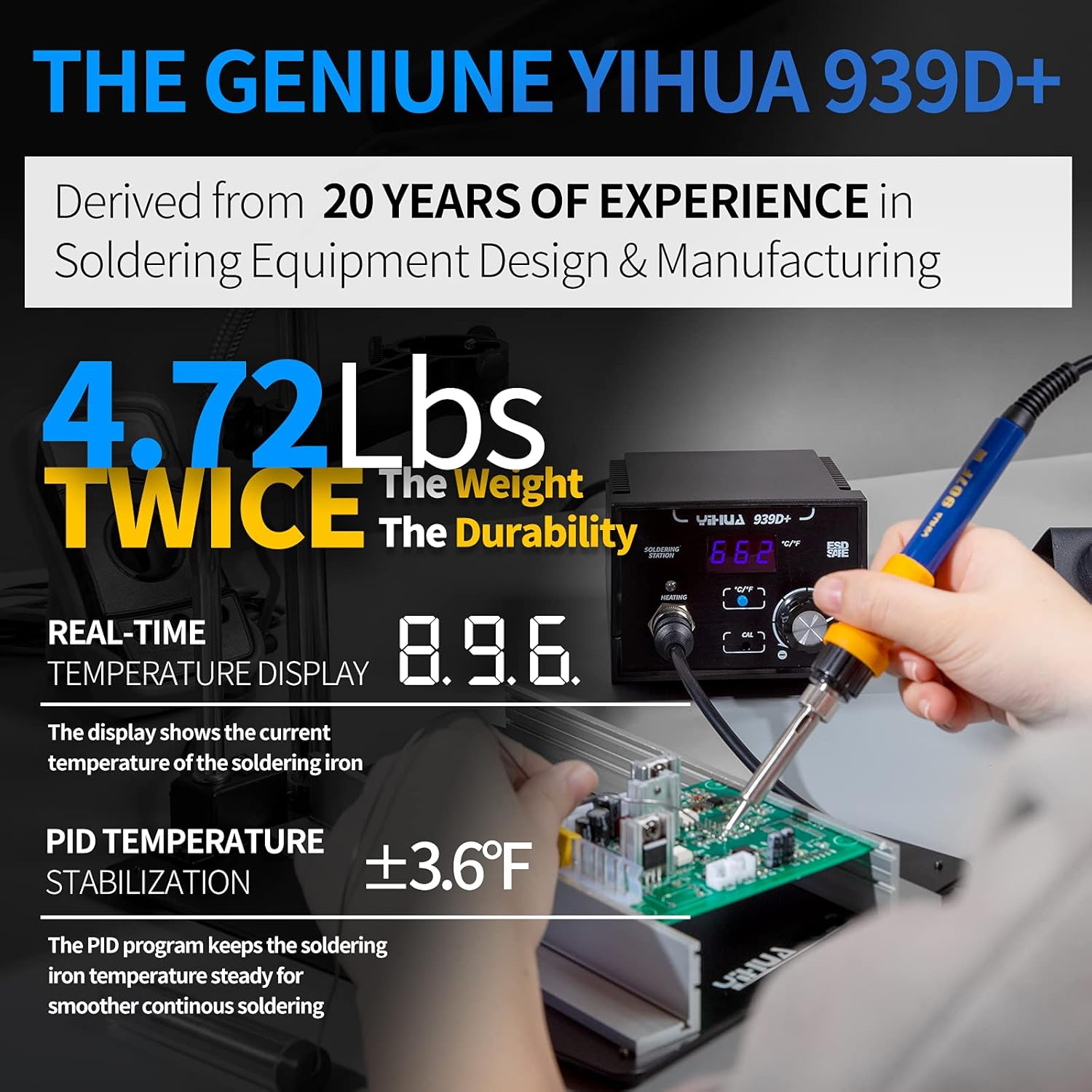
Image 5.1: YIHUA 939D+ in operation, highlighting temperature display and stabilization.

Image 5.2: The 939D+ heating quickly and maintaining temperature.
5.2 YIHUA 305D-IV Regulated DC Lab Power Supply Operation
- تشغيل الطاقة: Press the 'POWER' button on the front panel. The LCD display will light up.
- المجلدtagالتعديل ه: استخدم 'VOLTAGE' coarse and fine adjustment knobs to set the desired output voltage (0-30V). The display shows the current voltagالإعداد الإلكتروني.
- التعديل الحالي: Use the 'CURRENT' coarse and fine adjustment knobs to set the desired current limit (0-5A). This acts as a maximum current draw for the connected device.
- المجلد الثابتtage (CV) / Constant Current (CC) Modes: The unit automatically switches between CV and CC modes. When the load draws less current than the set limit, it operates in CV mode (maintaining set voltage). If the load attempts to draw more current than the set limit, it switches to CC mode (maintaining set current, voltagه قطرات).
- ميزات الحماية: The 305D-IV includes short-circuit protection and overcurrent protection. In case of a fault, the unit will limit output to protect itself and the connected device.
- إيقاف التشغيل: Press the 'POWER' button again to turn off the unit.
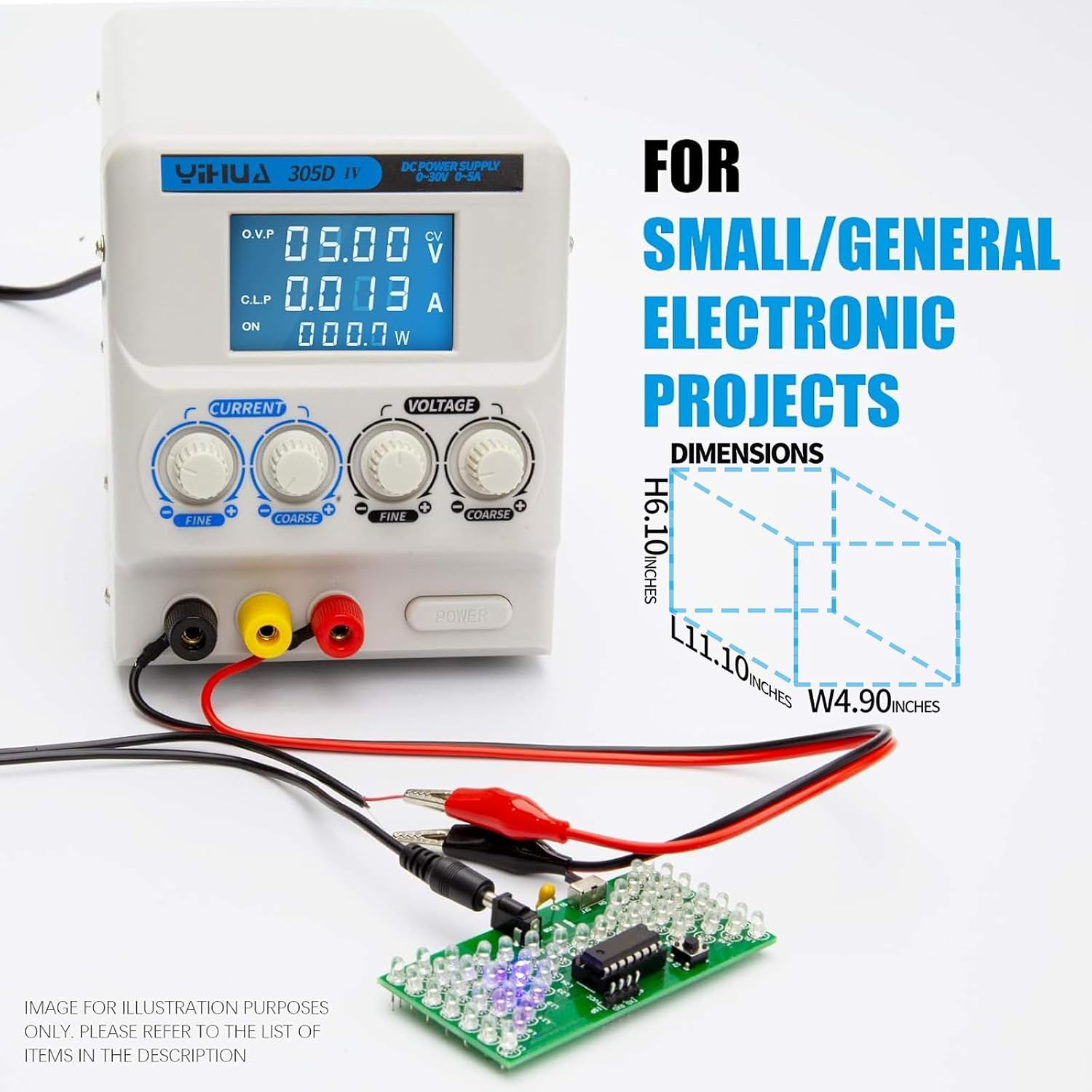
Image 5.3: YIHUA 305D-IV powering a small electronic project.

Image 5.4: YIHUA 305D-IV used for charging or powering applications.
6. الصيانة
6.1 صيانة رأس مكواة اللحام
- تنظيف: Regularly clean the soldering iron tip using the damp sponge or brass ball cleaner. This removes oxidation and old solder, extending tip life and improving heat transfer.
- التعليب: After cleaning and before storing, apply a small amount of fresh solder to the tip (tinning). This protects the tip from oxidation.
- استبدال النصيحة: If a tip becomes excessively worn or damaged, replace it with a new compatible YIHUA tip. Ensure the iron is cool before changing tips.
6.2 General Unit Cleaning
- تأكد من إيقاف تشغيل كلا الجهازين وفصلهما عن الكهرباء قبل التنظيف.
- Wipe the exterior surfaces of the soldering station and power supply with a soft, dry cloth.
- لا تستخدم المنظفات الكاشطة أو المذيبات، لأنها قد تتلف المادة.asing أو العرض.
- احرص على إبقاء فتحات التهوية خالية من الغبار والحطام.
7. استكشاف الأخطاء وإصلاحها
| مشكلة | السبب المحتمل | حل |
|---|---|---|
| مكواة اللحام لا تسخن | Power switch off, loose connection, faulty heating element/iron. | Check power switch. Ensure iron cable is securely connected. Contact support if issue persists. |
| Poor solder joints | Dirty or oxidized tip, incorrect temperature, old solder. | Clean and tin the tip. Adjust temperature. Use fresh solder. |
| Power supply no output | Power switch off, output terminals not connected, protection activated. | Check power switch. Ensure connections are secure. Reduce load or check for short circuit. |
| حجم خرج امدادات الطاقةtagالتيار غير مستقر | Loose connections, faulty load, internal issue. | Check all connections. Test with a different load. Contact support if issue persists. |
8. المواصفات
8.1 YIHUA 939D+ Digital Soldering Station
- نطاق درجة الحرارة: 392-896 درجة فهرنهايت (200-480 درجة مئوية)
- عرض: شاشة الكريستال السائل
- استقرار درجة الحرارة: PID controlled, ±3.6°F (±2°C)
- البيئة والتنمية المستدامة الآمنة: نعم
- حجم الإدخالtage: 110-127V AC
8.2 YIHUA 305D-IV Regulated DC Lab Power Supply
- حجم الإخراجtage: 0-30 فولت تيار مستمر (قابل للتعديل)
- تيار الخرج: 0-5 أمبير تيار مستمر (قابل للتعديل)
- عرض: شاشة الكريستال السائل
- الأوضاع: المجلد الثابتtage (CV)، التيار الثابت (CC)
- حماية: Short-circuit protection, Overcurrent protection
- حجم الإدخالtage: 110-127V AC
9. الضمان والدعم
YIHUA provides a تغطية فنية حصرية من الشركة المصنعة في الولايات المتحدة لمدة 12 شهرًا for this product bundle. For any technical assistance, troubleshooting, or warranty claims, please contact YIHUA customer support. Professional assistance is available 24/7 via Amazon.
For support, please visit the YIHUA store on Amazon or refer to your purchase documentation for contact details.