
مقدمة
This manual provides essential information for the safe and efficient operation of your Arafuna 10.5 Inch Dual Screen Portable DVD Player. Please read these instructions thoroughly before using the device and retain them for future reference. This system is designed for in-car entertainment, offering a main player and a secondary monitor for simultaneous viewعمل.
محتويات الحزمة
تأكد من تضمين جميع العناصر المدرجة أدناه في الحزمة الخاصة بك:
- 1x Main DVD Player (10.5 Inch)
- 1x Slave Monitor (10.5 Inch)
- 2x حوامل التركيب
- 1 × جهاز التحكم عن بعد
- 2x Headrest Straps
- شنومكس شاحن سيارة
- 1 × كابل HDMI
- محول أس شنومكس
- 1x DC Cable
- 1 × كابل RCA

الشكل 1: Included components in the Arafuna Dual Screen Portable DVD Player package.
يثبت
1. Mounting the Players
The players can be mounted using either the provided mounting brackets or headrest straps.
- Using Mounting Brackets:
- Attach the base of the mounting bracket to the headrest posts.
- Tighten the fixing screws to secure the base.
- Insert the DVD player or monitor onto the bracket until it clicks into place.
- Using Headrest Straps:
- Securely fasten the headrest straps around the headrest and the back of the player/monitor.
- Ensure the player/monitor is stable and does not obstruct the driver's view.

الشكل 2: Step-by-step installation guide for the headrest mounting bracket.
2. Connecting the Players
To enable dual-screen playback, connect the main DVD player to the slave monitor.
- قم بتوصيل ما هو متوفر كابل التيار المستمر from the DC OUT port on the main player to the DC IN port on the slave monitor.
- قم بتوصيل ما هو متوفر كابل HDMI from the HDMI OUT port on the main player to the HDMI IN port on the slave monitor. This ensures high-quality video and audio transmission to the secondary screen.
3. تشغيل النظام
The system can be powered via the car charger, AC adapter, or its internal rechargeable battery.
- شاحن السيارة: Plug the car charger into your vehicle's cigarette lighter socket and connect the other end to the DC IN port on the main player.
- محول AC: For home use, connect the AC adapter to a standard wall outlet and the DC IN port on the main player.
- البطارية الداخلية: The main player features a 5000mAh rechargeable battery, providing extended playback time when external power is unavailable. Ensure the battery is charged before use.

الشكل 3: Connection diagram for the dual screen system, showing power and signal flow.
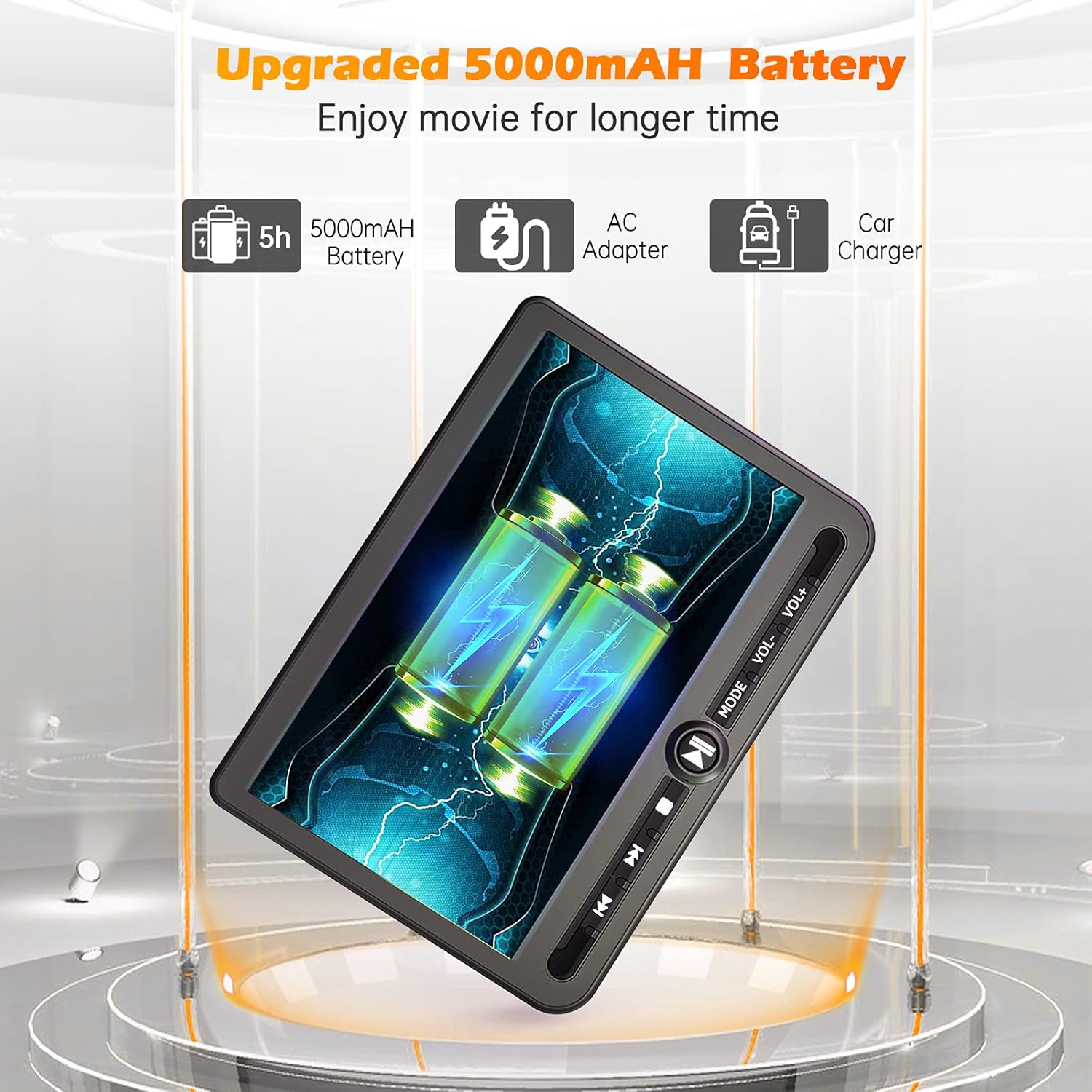
الشكل 4: Power options including the 5000mAh battery, AC adapter, and car charger.
تعليمات التشغيل
1. عناصر التحكم الأساسية
The main player features control buttons on the unit and can also be operated via the included remote control.
- زر الطاقة: اضغط لتشغيل / إيقاف تشغيل الوحدة.
- زر التشغيل/الإيقاف المؤقت: يبدأ التشغيل أو يوقفه مؤقتًا.
- زر التوقف: يوقف التشغيل.
- الأزرار السابقة/التالي: ينتقل إلى المقطع/الفصل السابق أو التالي.
- أزرار التحكم في مستوى الصوت +/-: ضبط مستوى الصوت.
- زر الوضع: Switches between input sources (DVD, USB, SD).
2. Playing DVDs
- Insert a DVD disc into the main player's disc slot.
- The player will automatically detect the disc and begin playback. If not, press the 'Play' button or select 'DVD' mode.
- Use the control buttons or remote to navigate menus, play, pause, or stop.
3. تشغيل USB/بطاقة SD
يدعم المشغل تشغيل الوسائط من محركات أقراص USB وبطاقات SD.
- قم بإدخال محرك أقراص USB في منفذ USB أو بطاقة SD في فتحة بطاقة SD.
- Press the 'Mode' button to select 'USB' or 'SD' input.
- التنقل عبر files using the control buttons or remote and select the desired media to play.
4. وظيفة الذاكرة الأخيرة
The player features a last memory function, which allows it to resume playback from where it was last stopped, even after being powered off.
5. Region Free & Multi-Format Support
This DVD player is region-free, allowing playback of DVDs from any region. It also supports multiple media formats from USB and SD cards.

الشكل 5: Features including USB/TF card support, region-free playback, and last memory function.
6. Sync Screen to TV
You can connect the main DVD player to a larger TV screen using the provided RCA cable for a home viewتجربة رائعة.
- Connect one end of the RCA cable to the AV OUT port on the main DVD player.
- قم بتوصيل الطرف الآخر من كابل RCA بمنافذ AV IN المقابلة على جهاز التلفزيون الخاص بك.
- حدد مصدر إدخال الصوت والفيديو الصحيح على جهاز التلفزيون الخاص بك.

الشكل 6: Connecting the portable DVD player to a TV using the RCA cable.
صيانة
1. التنظيف
- Use a soft, dry cloth to clean the exterior of the players.
- بالنسبة للعلامات العنيدة، د قليلاًampاغسل قطعة القماش بالماء. تجنب استخدام المواد الكيميائية القاسية أو المنظفات الكاشطة.
- Do not spray cleaning solutions directly onto the screen or into any openings.
- لتنظيف عدسة القرص، استخدم قرص تنظيف عدسة DVD متخصص.
2. العناية بالبطارية
- لإطالة عمر البطارية، تجنب تفريغ البطارية بالكامل بشكل متكرر.
- قم بشحن البطارية بانتظام، حتى لو لم يكن الجهاز قيد الاستخدام لفترات طويلة.
- قم بتخزين الجهاز في مكان بارد وجاف بعيدًا عن أشعة الشمس المباشرة ودرجات الحرارة القصوى.
استكشاف الأخطاء وإصلاحها
If you encounter issues with your Arafuna DVD player, refer to the following common problems and solutions:
| مشكلة | السبب المحتمل | حل |
|---|---|---|
| المشغل لا يعمل. | No power supply; discharged battery; faulty power adapter/cable. | Ensure power cable is securely connected. Charge the battery using the AC adapter or car charger. Test with a different power source if available. |
| No picture or sound on slave monitor. | Loose or incorrect HDMI/DC cable connection. | Check that the HDMI and DC cables are securely connected between the main player and the slave monitor. Ensure they are connected to the correct IN/OUT ports. |
| DVD disc does not play or skips. | Disc is dirty, scratched, or inserted incorrectly; lens is dirty; incompatible disc format. | Clean the disc with a soft cloth. Ensure the disc is inserted correctly with the label side up. Use a lens cleaning disc. Try a different, known-good disc. |
| No sound from player. | Volume is too low or muted; headphones not properly connected; faulty audio settings. | Increase the volume. Check headphone connection. Ensure no mute function is active. |
| بطاقة USB/SD غير مُتعرف عليها. | غير صحيح file format; card/drive not properly inserted; corrupted media. | ضمان وسائل الإعلام files are in a supported format. Reinsert the USB drive or SD card. Try a different USB drive or SD card. |
تحديد
| ميزة | التفاصيل |
|---|---|
| ماركة | عرفة |
| رقم الموديل | دي ام-12 |
| حجم الشاشة | 10.5 بوصة |
| نوع العرض | شاشة الكريستال السائل |
| تكنولوجيا الاتصال | اتش دي ام اي، يو اس بي |
| أنواع الوسائط المدعومة | DVD, USB, SD Card |
| بطارية قابلة لإعادة الشحن | Yes (5000mAh Lithium-polymer) |
| رمز المنتج الموحد | 730096858222 |
ضمان
This Arafuna product is covered by a ضمان الشركة المصنعة لمدة عامين من تاريخ الشراء. يغطي هذا الضمان عيوب المواد والتصنيع في ظل الاستخدام العادي. ولا يغطي الأضرار الناجمة عن سوء الاستخدام، أو الحوادث، أو التعديلات غير المصرح بها، أو الأسباب الخارجية.
يدعم
For technical assistance, warranty claims, or further inquiries regarding your Arafuna 10.5 Inch Dual Screen Portable DVD Player, please refer to the contact information provided with your purchase or visit the official Arafuna support webموقع.