
Simply45 DO-D003
SimplyAV The Dongler ProAV 4K USB Type-C Pigtail Dongle Adapter with Harness
Model: DO-D003
المنتج انتهىview
The SimplyAV The Dongler ProAV 4K USB Type-C Pigtail Dongle Adapter with Harness (Model DO-D003) is designed to provide high-performance video and audio connectivity. This adapter facilitates the connection of USB Type-C enabled devices to HDMI displays, supporting ultra-high-definition 4K video with HDR and an 18 Gbps bandwidth for seamless data transfer.

Figure 1: The SimplyAV The Dongler ProAV 4K USB Type-C Pigtail Dongle Adapter, showcasing its compact design and integrated harness.
المميزات الرئيسية:
- الأداء العالي: Delivers ultra-high-definition 4K video with HDR for vibrant colors, deep contrast, and smooth playback in professional AV setups.
- Fast 18 Gbps Bandwidth: Ensures high-speed data transfer for seamless video and audio output, eliminating lag and enhancing performance for gaming, streaming, and presentations.
- Pigtail Dongle with Secure Harness: Designed for a secure and reliable connection, reducing strain on ports and preventing accidental disconnection during use.
- التوافق مع منفذ USB من النوع C: Works with USB-C-enabled laptops, tablets, and smartphones, connecting seamlessly to HDMI displays, projectors, and monitors.
- Durable & Reliable Build: Engineered for longevity with high-quality materials, making it a trusted choice for Pro AV professionals, content creators, and IT setups.

الشكل 2: انتهىview of the SimplyAV The Dongler's key features, including 4K HDR support, 18Gbps bandwidth, and USB-C to HDMI conversion.
الإعداد والاتصال
This section provides instructions for setting up and connecting your SimplyAV The Dongler adapter.
توصيل المحول:
- Identify the USB Type-C (Male) input on the dongle. This is the connector that plugs into your source device (laptop, tablet, smartphone).
- Locate the HDMI (Female) output on the dongle. This is where you will connect your HDMI cable leading to your display device (HDTV, monitor, projector).
- Ensure your source device supports وضع DisplayPort Alt over its USB Type-C port for video output. This is essential for the adapter to function correctly.
- Connect the USB Type-C (Male) end of the dongle to the USB Type-C port on your source device.
- Connect a standard HDMI cable (not included) from the HDMI (Female) port on the dongle to the HDMI input on your display device.
- If using the secure harness, attach it to your existing HDMI cable or other secure point to prevent accidental disconnection or theft. The harness features a wide spacer for adding new dongles and an extra secure mechanism that can be adjusted with a hex tool.

Figure 3: Diagram illustrating the USB Type-C input, HDMI output, wide spacer, and secure harness features of The Dongler adapter.
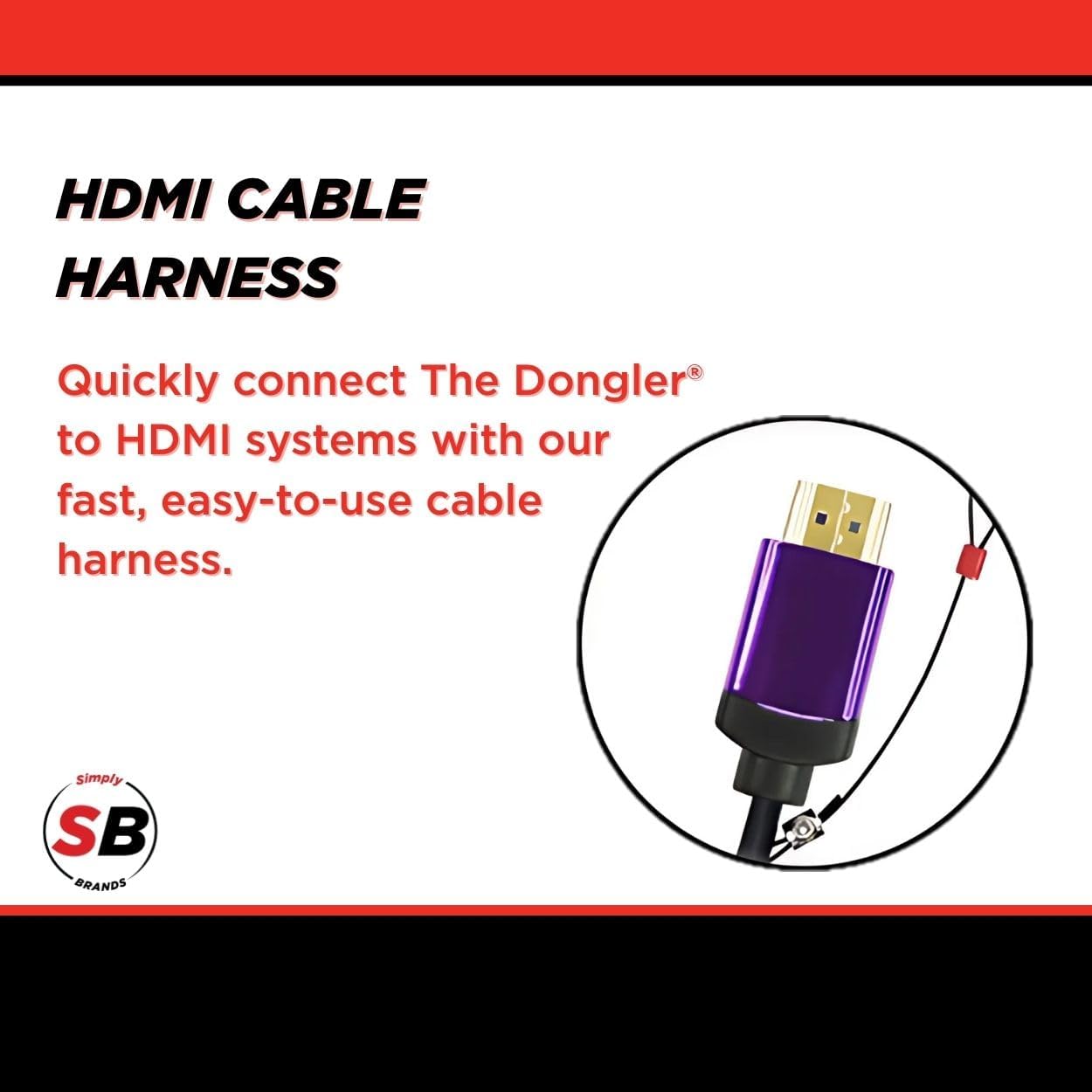
الشكل 4: الصورة عن قرب view of the HDMI cable harness, designed for quick and easy connection to HDMI systems.
تعليمات التشغيل
Once connected, the SimplyAV The Dongler adapter operates automatically. No additional drivers or software are typically required for most operating systems.
Displaying Content:
- After connecting the adapter and display, your source device should automatically detect the external display.
- Adjust your display settings on your source device (e.g., laptop, smartphone) to extend, duplicate, or project your screen as desired.
- The adapter supports 4K resolution at 60Hz with HDR, ensuring high-quality video output for compatible content and displays.
- For optimal performance, ensure your HDMI cable and display device also support 4K resolution and HDR.
الصيانة والعناية
To ensure the longevity and optimal performance of your SimplyAV The Dongler adapter, follow these maintenance guidelines:
- تنظيف: استخدم قطعة قماش ناعمة وجافة لتنظيف المحول. تجنب استخدام المنظفات السائلة أو المواد الكاشطة.
- تخزين: احفظ المحول في مكان بارد وجاف عند عدم استخدامه. تجنب درجات الحرارة القصوى وأشعة الشمس المباشرة.
- التعامل: Handle the adapter by its body, not by the cables, to prevent strain on the connectors.
- حزام أمان: Regularly inspect the secure harness and its connection points for any signs of wear or damage.

Figure 5: The theft-resistant design of The Dongler, featuring a cut-resistant steel ring and combo lock for secure anchoring.
استكشاف الأخطاء وإصلاحها
If you encounter issues with your SimplyAV The Dongler adapter, refer to the following common troubleshooting steps:
| مشكلة | السبب المحتمل | حل |
|---|---|---|
| لا يوجد إخراج فيديو أو صوت. |
|
|
| Low resolution or flickering display. |
|
|
| اتصال متقطع. |
|
|
تحديد
| يصف | التفاصيل |
|---|---|
| العلامة التجارية | سيمبلي 45 |
| رقم الموديل | DO-D003 |
| وزن العنصر | 1.44 أونصات |
| أبعاد المنتج (الطول × العرض × الارتفاع) | 8.6 × 5.7 × 0.2 بوصة |
| لون | أسود |
| الأجهزة المتوافقة | Projector, Television (any HDMI display) |
| استخدامات محددة للمنتج | Streaming, Gaming, Presentations |
| نوع الموصل | USB Type C (Input), HDMI (Output) |
| النطاق الترددي | 18 جيجابت في الثانية |
| دعم الفيديو | 4K HDMI, HDR |
| HDCP الدعم | بروتوكول حماية المحتوى عالي الوضوح 2.2 |
الضمان والدعم
Information regarding the specific warranty period and direct customer support contacts for the SimplyAV The Dongler ProAV 4K USB Type-C Pigtail Dongle Adapter (Model DO-D003) is not available in the provided product data. Please refer to the manufacturer's official website or your point of purchase for detailed warranty terms and support options.
للاستفسارات العامة أو للحصول على المساعدة التقنية، يمكنك زيارة الموقع الإلكتروني التالي: Simply45 Store on Amazon or search for "Simply45" online to find their official support channels.
Ask a question about this manual
Ask about setup, troubleshooting, compatibility, parts, safety, or missing instructions. Manuals+ will review the question and use this page’s manual context to help answer it.