
مقدمة
This manual provides detailed instructions for the SSK Aluminum Dual Bay USB 3.0 to SATA Hard Drive Docking Station. This device allows for easy connection of 2.5-inch and 3.5-inch SATA HDDs and SSDs to your computer via USB 3.0, and features an offline cloning function for disk duplication without a computer connection.
محتويات الحزمة
- SSK Dual Bay Hard Drive Docking Station
- USB 3.0 Type-B to Type-A Cable
- محول طاقة 12 فولت/3 أمبير
- دليل المستخدم
مميزات المنتج
- تصميم مزدوج الفتحات: يدعم محركي أقراص صلبة/أقراص صلبة من نوع SATA I/II/III بحجم 2.5 بوصة أو 3.5 بوصة في وقت واحد.
- دعم السعة العالية: Each bay supports up to 20TB drives, for a total of 40TB.
- USB 3.0 with UASP: Provides fast data transfer speeds up to 5Gbps, enhanced by UASP for improved performance.
- وظيفة الاستنساخ دون اتصال بالإنترنت: Duplicate hard drives without connecting to a computer.
- التثبيت بدون أدوات: Easy plug-and-play setup for hard drives.
- التوافق الواسع: متوافق مع أنظمة التشغيل Windows، وmacOS، وLinux.
- بناء متين: Features an aluminum alloy shell for heat dissipation and durability.
- Operating Status Indicators: LED lights indicate power, activity, and cloning progress.

الصورة: أكثر منview of the SSK Dual Bay Docking Station, highlighting its compatibility with various drive sizes and operating systems. A laptop screen shows a file transfer in progress, demonstrating its use as an external drive reader.

الصورة: مفصلة views of the SSK docking station's physical features, including its aluminum alloy casing, LED indicator, rear interface with USB 3.0 and power input, and the anti-skid footpad for stability.
يثبت
- توصيل الطاقة: Connect the provided 12V/3A power adapter to the DC-12V port on the back of the docking station and then plug it into a power outlet. The power LED will illuminate.
- أدخل محركات الأقراص الصلبة: Gently insert your 2.5-inch or 3.5-inch SATA HDD/SSD into the drive slots (Slot A and Slot B) until they are securely seated. Ensure the SATA connectors align correctly.
- Connect to Computer (for Data Transfer): If you intend to use the docking station for data transfer, connect the USB 3.0 cable from the Micro USB 3.0 port on the docking station to an available USB 3.0 port on your computer.
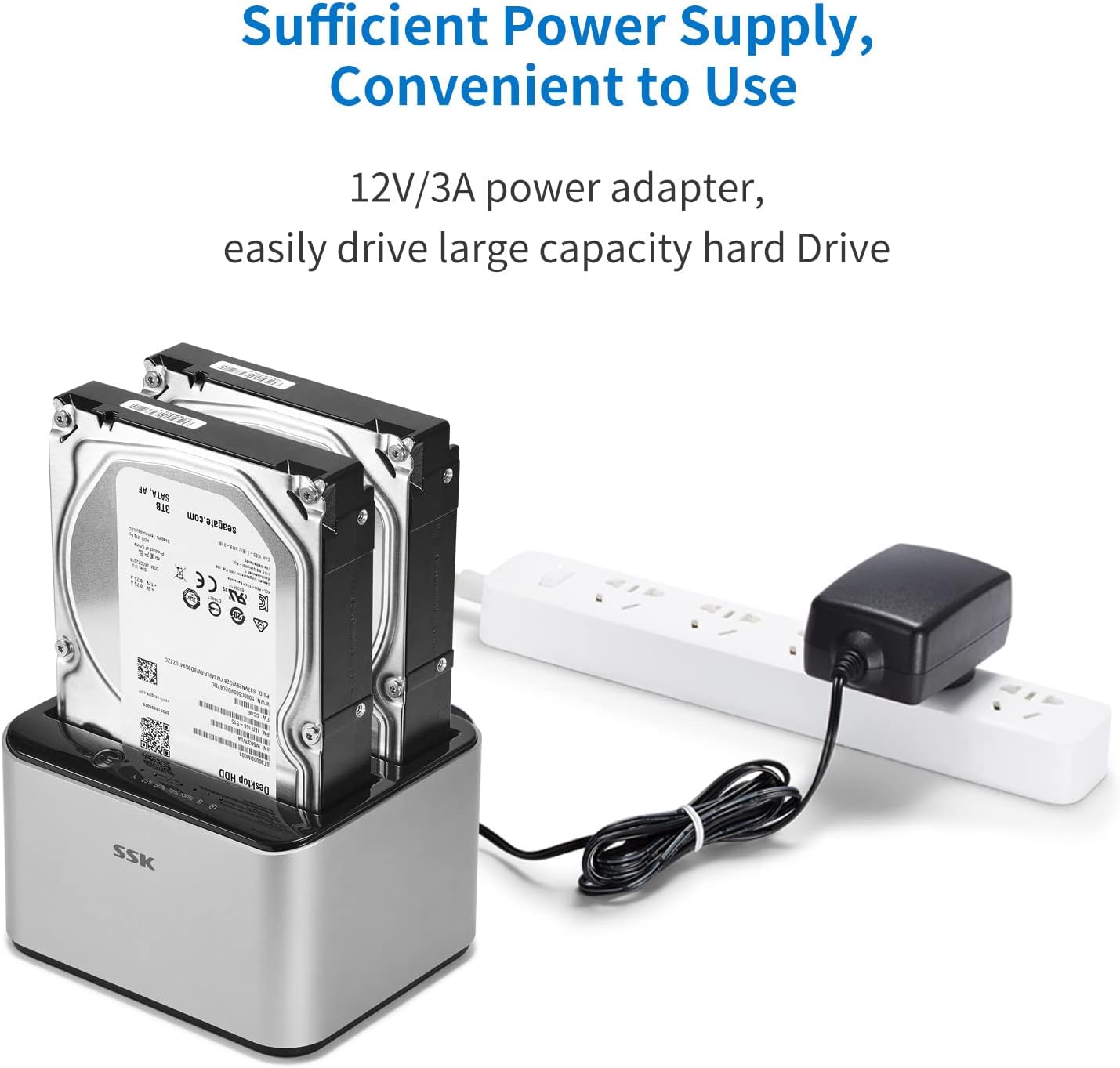
Image: The SSK docking station with two hard drives installed, demonstrating the connection of the 12V/3A power adapter to a power strip, ensuring sufficient power for large capacity drives.
تعليمات التشغيل
A. Data Transfer Mode
- تأكد من تشغيل محطة الإرساء وتوصيلها بجهاز الكمبيوتر الخاص بك عبر كابل USB 3.0.
- Insert the SATA HDD/SSD into the desired slot(s).
- Your computer's operating system should automatically detect the drives. You may need to initialize and format new drives via Disk Management (Windows) or Disk Utility (macOS) before use.
- Access the drives as external storage devices to transfer files.

Image: A visual representation of the speed advantage of USB 3.0 with UASP compared to traditional USB 3.0, illustrating faster data transfer rates for both reading and writing, with a hard drive docked in the station.
B. Offline Cloning Mode
The offline cloning function allows you to duplicate a source hard drive to a target hard drive without a computer connection. Warning: All data on the target disk will be erased during the cloning process. Ensure you have backed up any important data from the target disk before proceeding.
- Disconnect from Computer: Ensure the USB cable is disconnected from the docking station and your computer. The docking station should only be connected to its power adapter.
- Insert Source Disk: Insert the Source Disk (the disk you want to copy FROM) into Slot A (Source).
- Insert Target Disk: Insert the Target Disk (the disk you want to copy TO) into Slot B (Target). The Target Disk must have a capacity equal to or greater than the Source Disk.
- بدء عملية الاستنساخ: Press and hold the 'Clone' button (usually located on the back or top panel) for approximately 3-5 seconds until the cloning progress LEDs begin to flash.
- مراقبة التقدم: The LED indicators (e.g., 25%, 50%, 75%, 100%) will illuminate sequentially to show the cloning progress. When all LEDs are solid, the cloning process is complete.
- انتهاء: Once cloning is complete, power off the docking station and safely remove the drives.

Image: The SSK docking station in offline cloning mode, illustrating the placement of the Source Disk in Slot A and the Target Disk in Slot B. The progress LEDs on the right indicate the cloning status, from 25% to 100% completion.
صيانة
- تنظيف: استخدم قطعة قماش ناعمة وجافة لتنظيف الجزء الخارجي من قاعدة الشحن. لا تستخدم المنظفات السائلة أو المذيبات.
- تخزين: قم بتخزين محطة الإرساء في مكان بارد وجاف بعيدًا عن أشعة الشمس المباشرة ودرجات الحرارة القصوى.
- التحكم في القيادة: Always handle hard drives with care. Avoid dropping or subjecting them to physical shock.
- إزالة آمنة: When connected to a computer, always use the 'Safely Remove Hardware' option (Windows) or 'Eject' function (macOS) before disconnecting the USB cable or powering off the docking station to prevent data corruption.
استكشاف الأخطاء وإصلاحها
- لم يتم التعرف على محرك الأقراص:
- تأكد من توصيل محول الطاقة بشكل آمن وتشغيل محطة الإرساء.
- تأكد من توصيل كابل USB 3.0 بإحكام بكل من محطة الإرساء وجهاز الكمبيوتر الخاص بك.
- Check if the hard drive is properly seated in the slot.
- بالنسبة لمحركات الأقراص الجديدة، تأكد من تهيئتها وتنسيقها في أداة إدارة الأقراص الخاصة بنظام التشغيل الخاص بك.
- Try connecting the docking station to a different USB port on your computer or a different computer.
- Cloning Fails or Does Not Start:
- Ensure the USB cable is disconnected from the computer during offline cloning.
- Verify the Source Disk is in Slot A and the Target Disk is in Slot B.
- Confirm the Target Disk's capacity is equal to or greater than the Source Disk's capacity.
- Ensure both drives are securely inserted.
- Try powering off and on the docking station before initiating cloning.
- سرعة نقل البيانات بطيئة:
- Ensure you are connected to a USB 3.0 port on your computer. USB 2.0 ports will operate at slower speeds.
- تحقق من أن نظام التشغيل وبرامج التشغيل لديك تدعم بروتوكول UASP.
- قد تكون سرعة القرص الصلب نفسه عاملاً محدداً.
تحديد
| ماركة | إس إس كيه |
| نموذج | B098CWGYSR |
| واجهة الأجهزة | يو إس بي، يو إس بي 3.0 |
| أنواع محركات الأقراص المتوافقة | محركات أقراص صلبة/محركات أقراص صلبة من نوع SATA I/II/III بحجم 2.5 بوصة و3.5 بوصة |
| Supported Drive Quantity | 2 |
| Max Capacity Per Bay | 20 تيرابايت |
| معدل نقل البيانات | حتى 5 جيجابت في الثانية (USB 3.0) |
| منصة الأجهزة | ويندوز، ماك، لينكس |
| مادة | الألومنيوم |
| وزن العنصر | 0.47 كيلوغرام |
| مزود الطاقة | محول طاقة 12 فولت/3 أمبير |
معلومات السلامة
- لا تعرض الجهاز للماء أو الرطوبة أو درجات الحرارة العالية.
- تجنب إسقاط الجهاز أو تعريضه لصدمات شديدة.
- لا تحاول تفكيك الجهاز أو تعديله. سيؤدي ذلك إلى إلغاء الضمان.
- Use only the provided power adapter. Using an incorrect adapter may damage the device.
- Ensure proper ventilation around the docking station during operation.
الضمان والدعم
SSK products are designed for reliability and performance. For warranty information or technical support, please refer to the warranty card included with your product or visit the official SSK website. If you encounter any issues not covered in this manual, please contact SSK customer service for assistance.