
1. المقدمة
Thank you for choosing the Minoston Outdoor Smart Plug (MP22W). This device allows you to control your outdoor electrical appliances remotely via Wi-Fi, voice commands, or scheduled timers. Designed with IP65 weatherproof housing, it is suitable for various outdoor and indoor applications, providing convenience and energy efficiency for your smart home setup.
2. انتهى المنتجview
المميزات الرئيسية:
- التحكم عن بعد والتحكم الصوتي: Control the smart plug from anywhere using the Smart Life App (iOS/Android) or voice commands with Amazon Alexa and Google Assistant. Requires a 2.4Ghz Wi-Fi network.
- الاستخدام الخارجي والداخلي: IP65 weatherproof housing makes it ideal for gardens, patios, kitchens, bathrooms, porches, balconies, garages, basements, and for controlling outdoor lighting, sprinklers, and other electric appliances.
- وظائف الجدولة والمؤقت: Program the plug to turn on/off automatically. Supports dusk and sunset timers for energy saving.
- Fast & Easy Setup: No special bridges, gateways, or hubs required. Connects directly to your Wi-Fi network.
- Child Lock and Device Sharing: Activate a child lock to prevent accidental operation. Share control of the smart plug with family and friends.
- Association Controls and Scene Settings: Integrate with other smart devices for one-click control and create custom scenes.
ماذا يوجد في الصندوق:
- Minoston Outdoor Smart Plug (MP22W)
- دليل المستخدم
- براغي التثبيت والمراسي

Image: Minoston Outdoor Smart Plug (MP22W) and its packaging.
3. معلومات السلامة
يرجى قراءة جميع تعليمات السلامة واتباعها بعناية لتجنب الإصابة أو الضرر.
- لا تغمر الجهاز في الماء أو تعرضه لدرجات حرارة شديدة.
- Ensure the plug is securely connected to a grounded outdoor outlet.
- لا تتجاوز الحد الأقصى للحمل وهو 15 Ampق / 1800 واط.
- Keep children away from the device during operation.
- افصل التيار الكهربائي قبل التنظيف أو إجراء الصيانة.
- استخدم الجهاز للغرض المخصص له فقط.
4. الإعداد
Follow these steps to set up your Minoston Outdoor Smart Plug:
- تحميل تطبيق الحياة الذكية: بحث عن "Smart Life" in the App Store (iOS) or Google Play Store (Android) and download the app.
- التسجيل/تسجيل الدخول: Open the Smart Life App and register for a new account or log in if you already have one.
- قم بتوصيل القابس الذكي: Connect the Minoston Outdoor Smart Plug to an outdoor electrical outlet. Ensure the outlet is protected from direct heavy rain or snow, even with the IP65 rating.

Image: The Minoston Smart Plug being connected to an outdoor power source.
- إضافة جهاز في التطبيق: In the Smart Life App, tap the "+" icon in the top right corner to add a device. Select "Electrical Outlet" or "Socket (Wi-Fi)" from the device list.
- الاتصال بشبكة Wi-Fi: Follow the in-app instructions to connect the smart plug to your 2.4Ghz Wi-Fi network. Ensure your phone is also connected to the same 2.4Ghz network during setup.
- إعادة تسمية الجهاز: Once connected, you can rename the smart plug (e.g., "Garden Lights," "Patio Fan") for easier identification and voice control.

Image: Visual guide for connecting the smart plug via the Smart Life App.
5. تعليمات التشغيل
التحكم اليدوي:
Press the physical button on the smart plug once to manually turn the connected appliance ON or OFF.
التحكم في التطبيق:
Open the Smart Life App, select your smart plug, and tap the ON/OFF button to control the power remotely.
الجدولة والموقتات:
Within the Smart Life App, navigate to the device settings to set up schedules or countdown timers. You can program the plug to turn on or off at specific times, including dusk and sunset, to automate your devices and save energy.

الصورة: السابقample of setting schedules and timers for the smart plug.
التحكم الصوتي:
Integrate your Minoston Smart Plug with Amazon Alexa or Google Assistant through the Smart Life App. Once linked, use voice commands such as:
- "Alexa, turn on Garden Lights."
- "Hey Google, turn off Patio Fan."
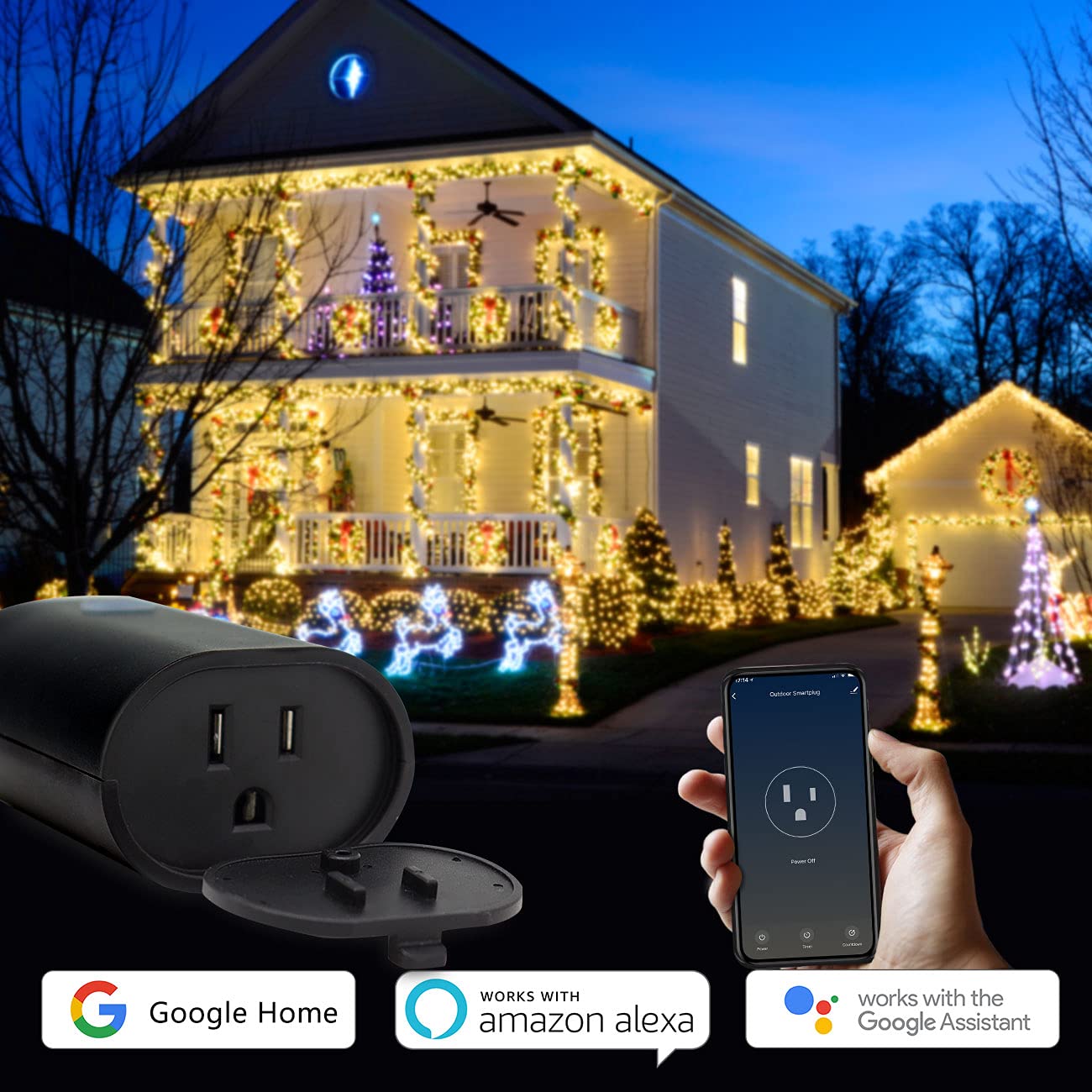
Image: Minoston Smart Plug showing compatibility with Google Home and Amazon Alexa.
6. الميزات المتقدمة
قفل الطفل:
To prevent accidental activation or deactivation, enable the Child Lock feature in the Smart Life App settings for your device. When activated, the physical button will require multiple presses (e.g., four times) to toggle the power, making it harder for children to operate.
مشاركة الجهاز:
Share control of your smart plug with family members. In the Smart Life App, go to the device settings and select "Share Device" to invite others to control it.
Association Controls and Scene Settings:
Create custom scenes and automations within the Smart Life App. For example, you can set a scene where multiple smart devices turn on or off simultaneously, or trigger the smart plug based on other smart home events.
7. المواصفات
| مواصفة | قيمة |
|---|---|
| رقم الموديل | MP22 واط |
| ماركة | مينوستون |
| Ampإيراج | 15 Amps |
| المجلدtage | 120 فولت |
| تنسيق التوصيل | النوع ب |
| عدد الأسلاك | 3 |
| عدد البولنديين | 3 |
| مادة | البولي كربونات (PC) |
| لون | أسود |
| تصنيف مانعة لتسرب الماء | IP65 |
| التوافق مع المنزل الذكي | Smart Home Compatible (Alexa, Google Assistant, Smart Life App) |
| الشهادات | UL ، FCC |
| وزن العنصر | 12.6 أونصات |
| أبعاد الحزمة | 5.91 × 4.06 × 3.43 بوصة |
8. استكشاف الأخطاء وإصلاحها
If you encounter issues with your Minoston Outdoor Smart Plug, try the following:
- لا يوجد طاقة: Ensure the smart plug is securely plugged into a working outlet. Check the circuit breaker.
- لا يمكن الاتصال بشبكة Wi-Fi:
- Verify your Wi-Fi network is 2.4Ghz. The plug does not support 5Ghz networks.
- تأكد من صحة كلمة مرور شبكة الواي فاي الخاصة بك.
- قم بتقريب القابس الذكي من جهاز توجيه الواي فاي الخاص بك.
- Reset the smart plug by holding the power button for 5-10 seconds until the indicator light flashes rapidly, then try pairing again.
- التحكم الصوتي لا يعمل: Ensure the Smart Life App is correctly linked to your Alexa or Google Assistant account. Check the device name for clarity and avoid special characters.
- الجداول الزمنية لا يتم تفعيلها: Verify the time zone settings in the Smart Life App are correct. Ensure the smart plug has a stable Wi-Fi connection.
9. الضمان والدعم
For warranty information, technical support, or further assistance, please visit the official Minoston webالموقع أو تواصل مع خدمة العملاء. احتفظ بإيصال الشراء لطلبات الضمان.
مينوستون Webموقع: Visit Minoston Store on Amazon