
جروview JQ818C
غروVIEW دليل مستخدم جهاز العرض JQ818C
Brand: Groview
Model: JQ818C
1. المقدمة
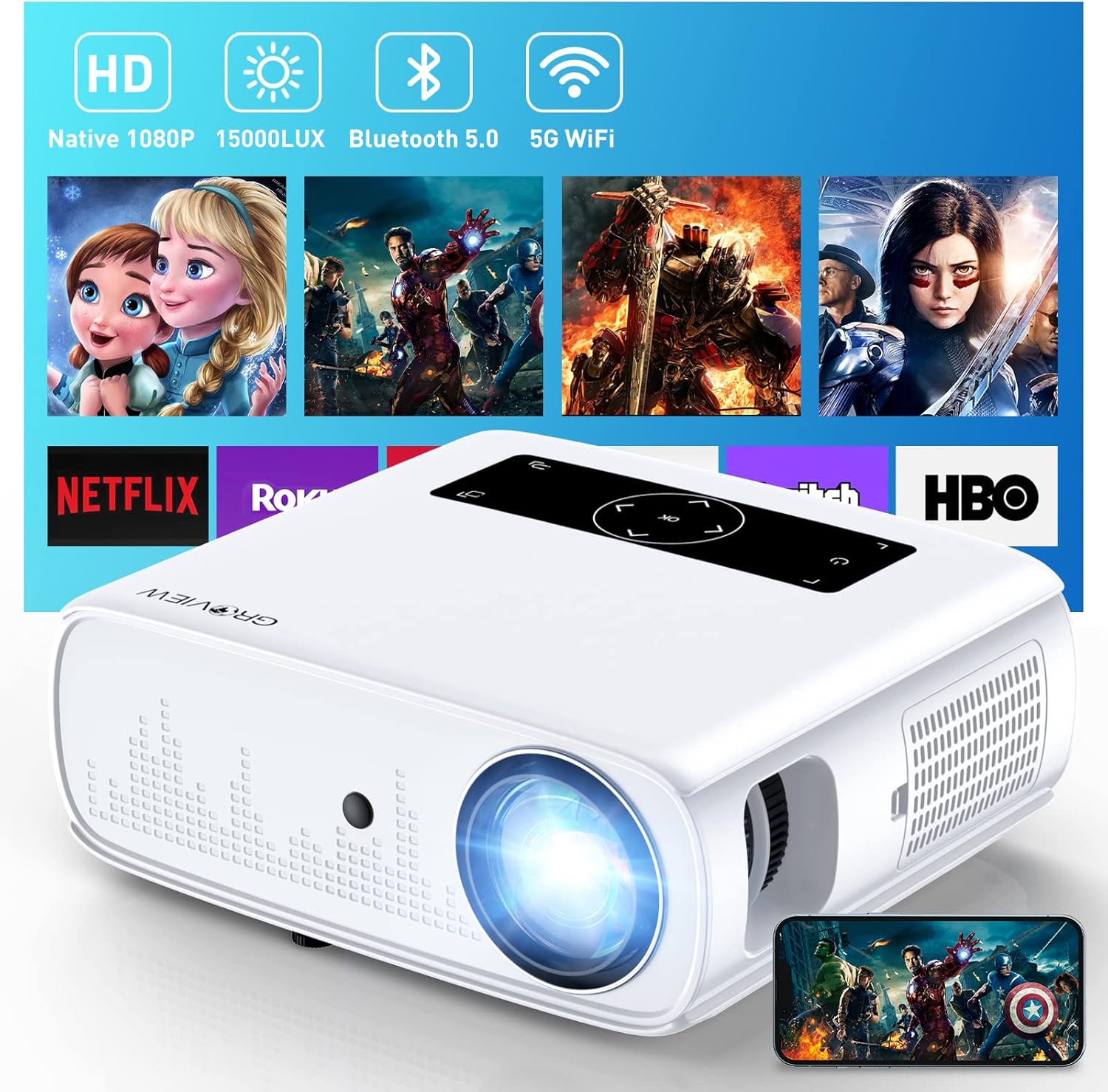
مكتب تسجيل المنظمات غير الحكوميةVIEW JQ818C Projector is designed to deliver a high-quality home theater experience with its native 1080P resolution, high brightness (15000lux 490ANSI lm), and impressive contrast ratio (12000:1). Utilizing LED light and LCD technology, it supports 4K Ultra HD video for clear and detailed images. This versatile projector offers seamless connectivity options including 2.4+5G dual-band WiFi and Bluetooth, enabling easy screen mirroring and audio integration. Its compact design and user-friendly features make it suitable for various applications, from home entertainment to business presentations.
2. ماذا يوجد في الصندوق
Upon unboxing your GROVIEW JQ818C Projector, please ensure all the following components are present:
- JQ818C Projector
- جهاز التحكم عن بعد
- كبل AV
- كابل HDMI
- سلك الطاقة
صورة: ذا غروVIEW JQ818C Projector shown with its remote control, AV cable, HDMI cable, and power cord.
3. انتهى المنتجview
3.1 الميزات المادية
مكتب تسجيل المنظمات غير الحكوميةVIEW JQ818C Projector features a sleek, white design with intuitive controls and multiple connectivity options. Its compact dimensions of 10.63 x 9.06 x 3.94 inches and a weight of 5.9 pounds make it portable for various setups.
الصورة: الجبهة view من مكتب تسجيل الشركاتVIEW JQ818C Projector, highlighting its lens and clean design.
3.2 المنافذ وأدوات التحكم
The projector is equipped with a variety of ports for seamless integration with your devices:
- منافذ HDMI (x2): For connecting laptops, gaming consoles (PS5), TV sticks, and other HDMI-enabled devices.
- منافذ USB (x2): For connecting USB drives, smartphones, tablets, and other USB devices.
- منفذ AV: لتوصيل الأجهزة القديمة باستخدام كابل AV.
- مخرج الصوت (مقبس 3.5 ملم): لتوصيل مكبرات الصوت الخارجية أو سماعات الرأس.
- مدخلات الطاقة: لتوصيل سلك الطاقة.
Control buttons are conveniently located on the top panel, allowing for easy navigation and adjustments. A remote control is also included for convenient operation from a distance.

الصورة: الخلفية view of the projector, detailing the HDMI, USB, AV, and audio out ports.

Image: Top panel of the projector with illuminated control buttons.
4. الإعداد
4.1 التنسيب
ضع جهاز العرض على سطح ثابت ومستوٍ. للحصول على أفضل أداء viewing, position it directly in front of your projection surface (wall or screen). The projector features an adjustable foot at the front to slightly tilt the projection upward if needed.

Image: Diagram illustrating recommended projection distances for various screen sizes (50-300 inches).
4.2 توصيل الطاقة
قم بتوصيل سلك الطاقة المرفق بمدخل الطاقة الخاص بجهاز العرض، ثم قم بتوصيله بمأخذ كهربائي قياسي.
4.3 التشغيل الأولي وضبط التركيز
Press the power button on the projector or the remote control to turn on the device. Adjust the focus ring around the lens until the projected image is clear and sharp. The projector also includes a lens cap to protect the lens when not in use.
5. تعليمات التشغيل
5.1 توصيل الأجهزة
مكتب تسجيل المنظمات غير الحكوميةVIEW JQ818C Projector offers multiple ways to connect your devices:
- HDMI: Use the provided HDMI cable to connect your laptop, game console (PS5), DVD player, or TV stick to either of the two HDMI ports.
- USB: Insert a USB flash drive into one of the USB ports to play media fileس مباشرة.
- من: قم بتوصيل الأجهزة القديمة مثل مشغلات أقراص DVD باستخدام كابل AV.
5.2 Screen Mirroring (Wireless Connectivity)
Experience seamless content sharing with the projector's advanced screen mirroring capabilities:
- WiFi (2.4G+5G Dual-Band): Connect the projector to your home WiFi network for ultra-fast and stable screen mirroring from your smartphone, tablet, or laptop.
- شبكه خلوية: The projector supports one-step screen mirroring via cellular network technology, allowing you to mirror your device even outdoors without a WiFi network.
- بلوتوث: Connect the projector to external Bluetooth speakers for enhanced audio experience. The built-in 5W dual stereo speakers with SRS sound system also provide clear and dynamic audio.
5.3 تعديل الصورة
- وظيفة التكبير: Adjust the display size from 50 to 300 inches using the 25% zoom function, allowing you to fine-tune the image without moving the projector.
- تصحيح الانحراف: Manually adjust the keystone to correct distorted images if the projector is not perfectly perpendicular to the screen.
6. الصيانة
To ensure the longevity and optimal performance of your GROVIEW JQ818C Projector, follow these maintenance guidelines:
- تنظيف العدسة: Use a soft, lint-free cloth specifically designed for optical lenses to gently wipe the projector lens. Avoid using abrasive cleaners or cloths that could scratch the surface.
- تنظيف الجزء الخارجي: Wipe the exterior of the projector with a soft, dry cloth. Do not use liquid or aerosol cleaners.
- تهوية: Ensure the projector's ventilation openings are clear and unobstructed to prevent overheating. Regularly check for dust buildup.
- تخزين: When not in use for extended periods, store the projector in a cool, dry place, ideally in its original packaging or a protective case, with the lens cap on.
7. استكشاف الأخطاء وإصلاحها
If you encounter any issues with your GROVIEW JQ818C Projector, please refer to the common troubleshooting steps below. For more detailed information, consult the full دليل المستخدم (PDF).
- لا توجد صورة:
- تأكد من توصيل سلك الطاقة بإحكام وتشغيل جهاز العرض.
- Verify the input source is correctly selected (e.g., HDMI 1, USB, Miracast).
- Check the connected device for proper output settings.
- صورة غير واضحة:
- اضبط حلقة التركيز البؤري على عدسة جهاز العرض.
- Ensure the projection surface is flat and the projector is positioned correctly.
- Use keystone correction to adjust image shape if needed.
- لا يوجد صوت:
- تحقق من إعدادات مستوى الصوت على كل من جهاز العرض والجهاز المتصل.
- إذا كنت تستخدم مكبرات صوت خارجية، فتأكد من توصيلها وتشغيلها بشكل صحيح.
- تحقق من اتصال البلوتوث إذا كنت تستخدم الصوت اللاسلكي.
- مشكلات الاتصال (WiFi/Bluetooth):
- Ensure the projector is within range of the WiFi router or Bluetooth device.
- Restart both the projector and the connecting device.
- التحقق من عدم وجود أي تداخل من الأجهزة اللاسلكية الأخرى.
8. المواصفات الفنية
| ميزة | مواصفة |
|---|---|
| أبعاد المنتج | 10.63 × 9.06 × 3.94 بوصة |
| وزن العنصر | 5.9 رطل |
| رقم الموديل | JQ818C |
| الدقة الأصلية | 1920 × 1080 (دقة عالية كاملة) |
| سطوع | 15000LUX (490ANSI lm) |
| نسبة التباين | 12000:1 |
| دقة الفيديو المدعومة | Up to 4K Ultra HD (downscaled to 1080P) |
| حجم العرض | 50-300 بوصة |
| تكنولوجيا الاتصال | Wireless (WiFi 2.4G+5G, Bluetooth), HDMI, USB, AV |
| مكبرات صوت مدمجة | مكبرات صوت ستيريو مزدوجة بقوة 5 واط مع نظام صوت SRS |
| المميزات الخاصة | Zoom function, Eye-friendly diffused reflection |
9. الضمان والدعم
غروVIEW يقدم سياسة خدمة العملاء والاستبدال لمدة عامين for the JQ818C Projector, providing peace of mind for your purchase.
للحصول على مزيد من المساعدة أو التعليمات التفصيلية أو استكشاف الأخطاء وإصلاحها غير المذكورة في هذا الدليل، يرجى الرجوع إلى الدليل الشامل دليل المستخدم (PDF) متاح على الانترنت.
يمكنك أيضًا زيارة الموقع الرسمي جروview متجر على أمازون لمزيد من المعلومات حول المنتج والدعم.
Ask a question about this manual
Ask about setup, troubleshooting, compatibility, parts, safety, or missing instructions. Manuals+ will review the question and use this page’s manual context to help answer it.