
مقدمة
This manual provides comprehensive instructions for the installation, setup, and operation of your IBRIGHT Smart Light Switch. Please read this manual carefully before installation and use to ensure proper functionality and safety. This smart switch offers convenient control of your lighting through voice commands, remote access via a mobile application, and scheduled automation.
ما هو المشمول
تحتوي العبوة على المكونات التالية:
- لوحة حائط واحدة
- 1 × إطار تصاعد
- مفتاح ذكي واحد
- 2 × براغي الإطار الداخلي
- 2 × براغي تثبيت (مثبتة مسبقاً)
سمات
The IBRIGHT Smart Light Switch is designed with several features to enhance your home lighting experience:
- التحكم الصوتي: متوافق مع Amazon Alexa وGoogle Assistant للتشغيل بدون استخدام اليدين.
- جهاز التحكم عن بعد: يمكنك التحكم في إضاءتك من أي مكان باستخدام تطبيق IBRIGHT للهواتف المحمولة.
- الجدولة والمؤقت: قم بضبط جداول زمنية ومؤقتات مخصصة للتحكم التلقائي في الإضاءة.
- وظيفة ثنائية الاتجاه: Supports both single-pole and 3-way wiring configurations.
- شهادة السلامة: حاصل على شهادة ETL و FCC، ويتميز بمادة PC V0 المقاومة للهب وحماية من الحرارة الزائدة.
- لا يوجد مركز مطلوب: يتصل مباشرة بشبكة الواي فاي الخاصة بك بتردد 2.4 جيجاهرتز.

الصورة: أكثر منview of the IBRIGHT Smart Light Switch highlighting its multifunction capabilities including voice control, remote control, time setting, group control, device sharing, safety guarantee, 2.4G WiFi connection, and no hub requirement.
الإعداد والتثبيت
Proper installation is crucial for the safe and effective operation of your smart switch. If you are unsure about any steps, consult a qualified electrician.
1. فحوصات ما قبل التثبيت
- إيقاف التشغيل: Always turn off power at the circuit breaker before beginning any electrical work.
- سلك محايد مطلوب: This smart switch requires a neutral wire for operation. Verify that your switch box has a neutral wire (typically white) before proceeding. If not, this switch will not work, and professional installation may be required.
- شبكة Wi-Fi: Ensure you have a 2.4GHz Wi-Fi network available. The switch is not compatible with 5GHz Wi-Fi.
Image: Diagram illustrating how to identify a neutral wire in a switch box. It shows the steps: turn off power, remove wall plate, remove screws, pull out existing switch, and look for a white wire. A tip advises loosening screws before inserting wires.
2. تعليمات الأسلاك
After confirming the presence of a neutral wire and turning off power:
- Carefully remove your existing switch from the wall box.
- حدد أسلاك الخط (الخط الحي)، والحمل، والحيادي، والأرضي.
- Connect the corresponding wires from your wall box to the IBRIGHT Smart Light Switch terminals. Ensure all screws on the side of the switch are loosened before inserting wires to prevent slippage.
- ربط جميع اتصالات الأسلاك بشكل آمن.
- Mount the smart switch into the wall box and attach the wall plate.
- استعادة الطاقة عند قاطع الدائرة.
3. تنزيل التطبيق والاتصال
To control your smart switch via your mobile device, download the IBRIGHT app and follow these steps:
- تنزيل IBRIGHT app من متجر تطبيقات أبل أو متجر جوجل بلاي.
- افتح تطبيق IBRIGHT وانقر على "إضافة جهاز" أو رمز "+" لإضافة جهاز ذكي جديد.
- Select "Electrician" > "Switch (Wi-Fi)".
- اضغط مع الاستمرار على زر التشغيل في المفتاح الذكي لمدة 5-10 ثوانٍ حتى يومض ضوء المؤشر بسرعة. سيؤدي ذلك إلى وضع المفتاح في وضع الاقتران.
- في التطبيق، حدد شبكة Wi-Fi بتردد 2.4 جيجاهرتز وأدخل كلمة مرور Wi-Fi.
- انتظر حتى تكتمل عملية الاتصال (100%).
- Once connected, you can edit the name of your lights for easy identification.
تعليمات التشغيل
1. التحكم الصوتي
Integrate your IBRIGHT Smart Light Switch with Amazon Alexa or Google Assistant for convenient voice control. Once connected to your smart home ecosystem, you can use simple voice commands such as:
- "أليكسا، شغّلي أضواء غرفة المعيشة."
- "مرحبًا جوجل، أطفئ ضوء غرفة النوم."
- "Alexa, set the kitchen light to 50%." (If dimmer functionality is supported by your bulb and setup)
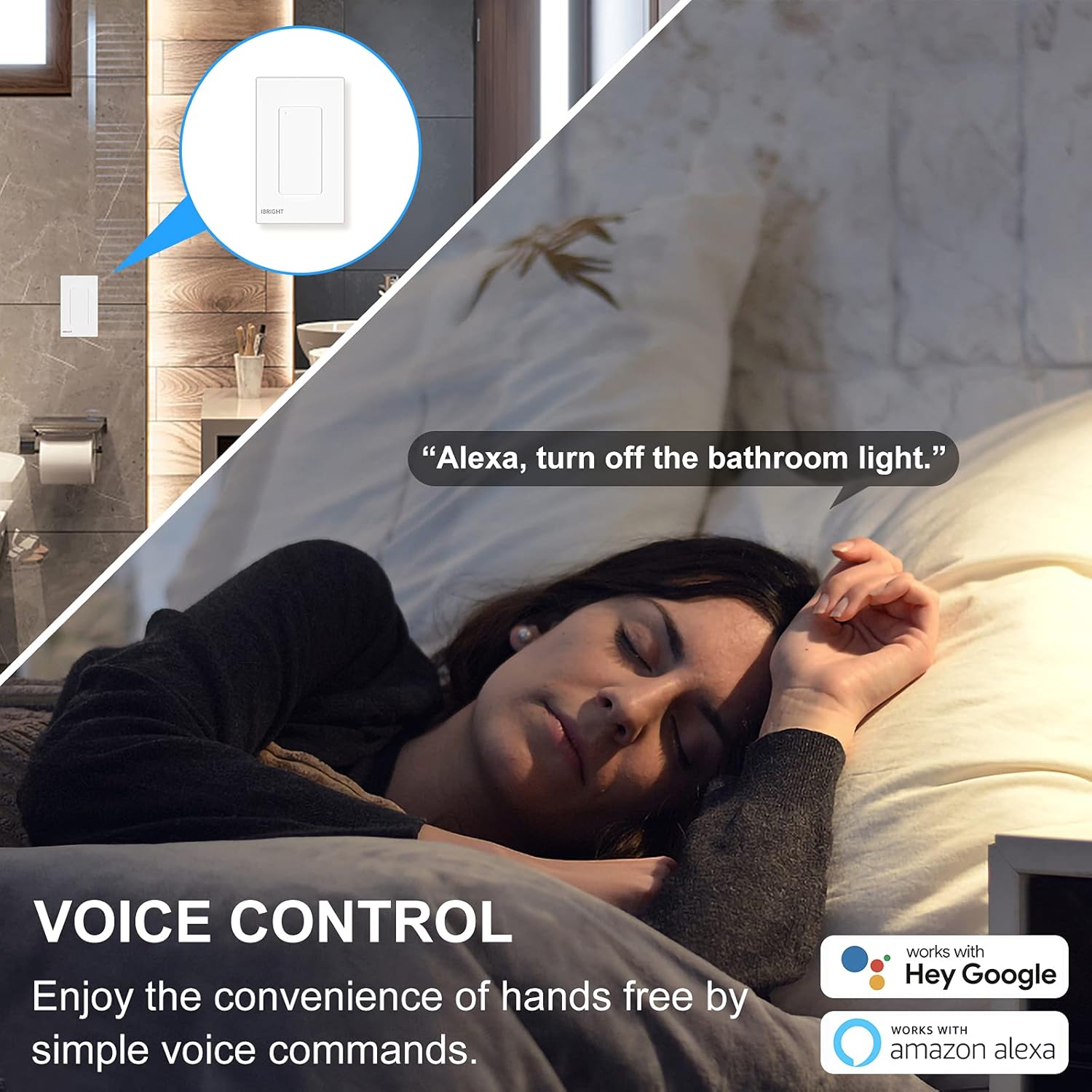
Image: A person sleeping in bed with a speech bubble saying "Alexa, turn off the bathroom light." The image highlights the convenience of voice control with Alexa and Google Home.
2. جهاز التحكم عن بعد
The IBRIGHT app allows you to control your lights from anywhere with an internet connection. This feature is useful for turning lights on before arriving home or ensuring they are off when you leave.
- Open the IBRIGHT app on your smartphone.
- Select the desired light switch from your device list.
- انقر لتشغيل الضوء أو إيقاف تشغيله.

Image: A hand holding a smartphone displaying the IBRIGHT Home app interface, showing various smart devices and their on/off status. The background shows a house at dusk, emphasizing remote control capabilities.
3. وظائف الجدولة والمؤقت
Automate your lighting to fit your daily routine using the scheduling and timer features in the IBRIGHT app.
- جدول: Set specific times for your lights to turn on or off automatically. For example, schedule lights to turn on at 7:00 AM.
- المؤقت: Set a countdown timer for lights to turn off after a specified duration, such as 10 minutes.

Image: Two scenes depicting the timer and schedule functions. The top scene shows a mother and child with text "Timer Auto-off 10 mins". The bottom scene shows a child sleeping with text "Schedule Auto-on 7:00 AM", illustrating automated lighting based on personal routines.
4. 3-Way Switch Operation
The IBRIGHT Smart Light Switch can be used in 3-way applications, allowing control of a single light fixture from two different locations. Only one IBRIGHT 3-way Smart Switch is needed in a 3-way circuit, working in conjunction with a regular 3-way switch.
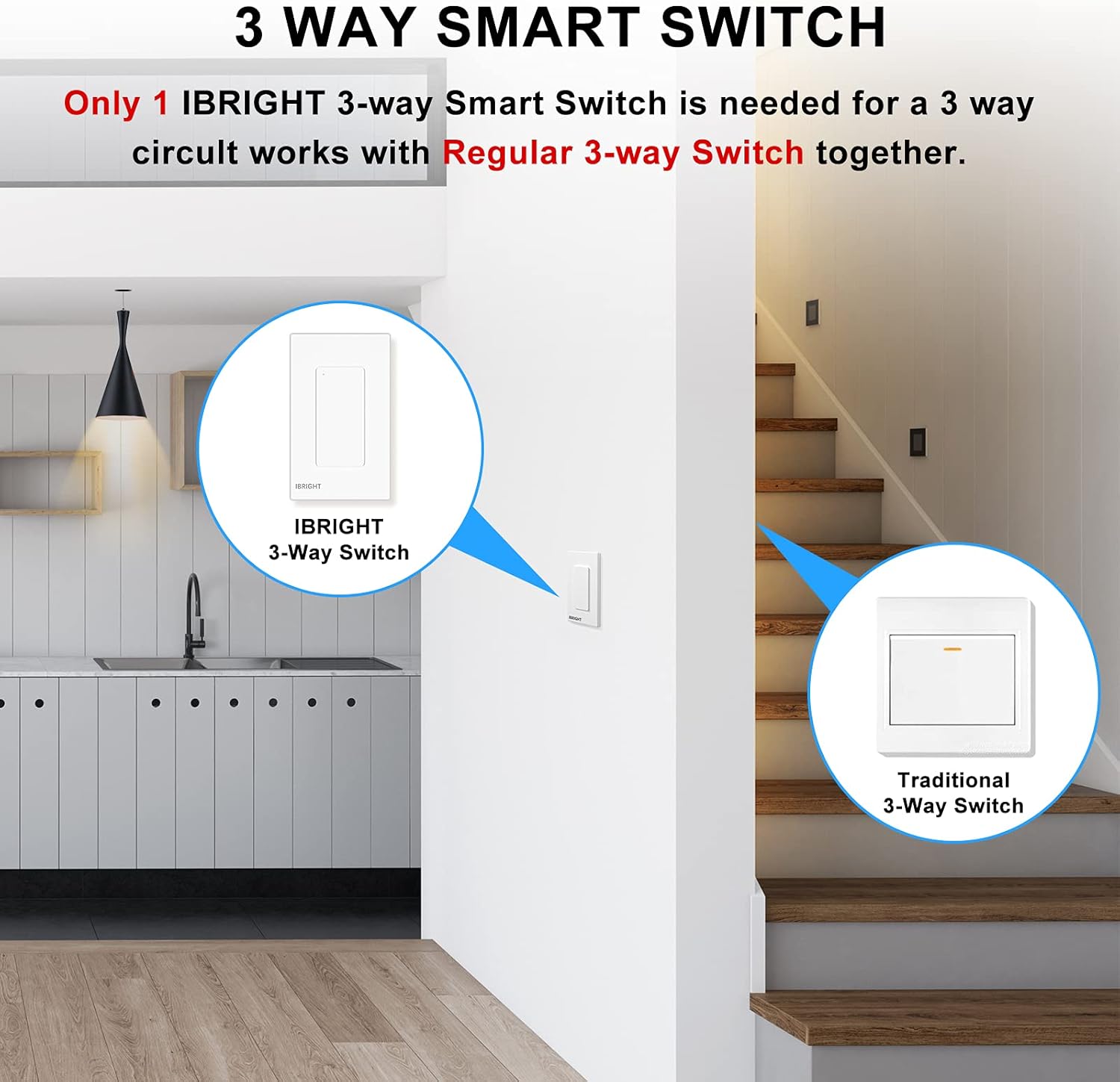
Image: A diagram showing an IBRIGHT 3-way Smart Switch installed at one location (e.g., kitchen) and a Traditional 3-Way Switch at another location (e.g., staircase), both controlling the same light fixture.

Image: Diagrams illustrating single-pole, 3-way, and 3-way (one traditional switch) wiring configurations for the IBRIGHT smart switch. Key requirements are listed: install on the live side, compatible with single-pole and 3-way, neutral wire needed, and 2.4G WiFi required with no hub.
التوافق
The IBRIGHT Smart Light Switch is designed for optimal performance with specific bulb types and devices:
- لمبات LED: Provides best performance with LED bulbs, up to 150 Watts.
- Incandescent/Halogen Bulbs: Compatible with incandescent or halogen bulbs, up to 720 Watts.
- المشجعين: Can be used to control ceiling fans.
- ملاحظة هامة: Smart bulbs are غير متوافق مع هذا المنتج.
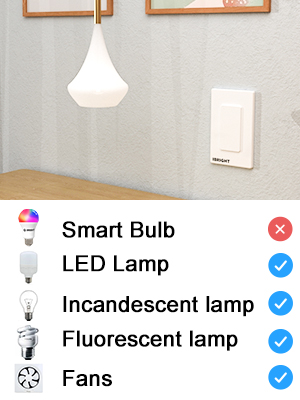
Image: A visual chart indicating compatibility. It shows checkmarks for LED Lamp, Incandescent lampالفلورسنت لamp, and Fans, but an 'X' for Smart Bulb, clarifying what devices are compatible with the switch.
تحديد
| رقم الموديل | SS-02-Y |
| الأبعاد (الطول × العرض × الارتفاع) | 4.52 × 1.71 × 2.75 بوصة |
| حجم التشغيلtage | 120 فولت (تيار متردد) |
| التقييم الحالي | 6 Amps |
| ماكس واتtagه (ليد) | 150 واط |
| ماكس واتtage (Incandescent/Halogen) | 720 واط |
| درجة حرارة التشغيل | 32 درجة فهرنهايت إلى 104 درجة فهرنهايت (0 درجة مئوية إلى 40 درجة مئوية) |
| الاتصال | شبكة واي فاي بتردد 2.4 جيجاهرتز فقط |
| نوع الدائرة | 3-الطريق |
| مادة | Acrylonitrile Butadiene Styrene (PC V0 flame retardant) |
| الشهادات | إيتل، لجنة الاتصالات الفدرالية |
Image: Technical drawing showing the dimensions of the IBRIGHT Smart Light Switch in millimeters, along with the ETL and FCC certification logos.
السلامة والشهادات
Your IBRIGHT Smart Light Switch is designed with safety in mind and meets industry standards:
- حاصل على شهادة ETL و FCC: Ensures compliance with safety and electromagnetic compatibility standards.
- Flame Retardant Material: The wall panel is constructed from PC V0 flame retardant material.
- حماية من الحرارة الزائدة: Built-in overheat protection provides overload protection, automatically cutting off power if the current load becomes excessive.
- سلامة التثبيت: Always ensure power is turned off at the circuit breaker before any installation or maintenance.
استكشاف الأخطاء وإصلاحها
If you encounter issues with your IBRIGHT Smart Light Switch, refer to the following common problems and solutions:
- Switch not connecting to Wi-Fi or app:
- Ensure your Wi-Fi network is 2.4GHz. The switch does not support 5GHz networks.
- Verify that the Wi-Fi password entered in the app is correct.
- Make sure the switch is in pairing mode (indicator light flashing quickly).
- Check your router's signal strength near the switch.
- Restart your Wi-Fi router and try connecting again.
- Lights not responding to switch or app:
- Confirm that power is restored at the circuit breaker.
- Check all wiring connections to ensure they are secure and correct (Line, Load, Neutral, Ground).
- Verify that the bulb is compatible (not a smart bulb) and functioning correctly.
- If using voice control, ensure the switch is properly linked to Alexa or Google Home.
- Switch appears unresponsive in the app:
- تحقق من اتصالك بالإنترنت.
- Ensure the switch has power and its indicator light is on (not flashing).
- Try restarting the IBRIGHT app.
- If the issue persists, try re-pairing the switch with the app.
الضمان والدعم
The IBRIGHT Smart Light Switch comes with a limited 2-year warranty. You may register your product for an additional 1-year warranty. For technical assistance or warranty claims, IBRIGHT offers 7*24 hour online support. Please refer to the contact information provided with your product or visit the official IBRIGHT webموقع للحصول على تفاصيل الدعم.