
مقدمة
Thank you for choosing the Soul S-GEAR Wireless Bluetooth Earbuds. These earbuds are designed to provide a high-quality audio experience with the convenience of wireless connectivity, active noise cancellation, and a comfortable in-ear fit. Featuring Bluetooth 5.0, IPX4 water resistance, and a long-lasting battery with fast charging, the S-GEAR earbuds are perfect for daily use.
Please read this manual carefully before using your earbuds to ensure proper operation and to maximize their lifespan.
محتويات الحزمة
- Soul S-GEAR Wireless Earbuds (Left and Right)
- حافظة الشحن
- كابل شحن USB-C
- أحجام متعددة من أطراف الأذن
- دليل المستخدم
المنتج انتهىview
Familiarize yourself with the components of your Soul S-GEAR earbuds and charging case.
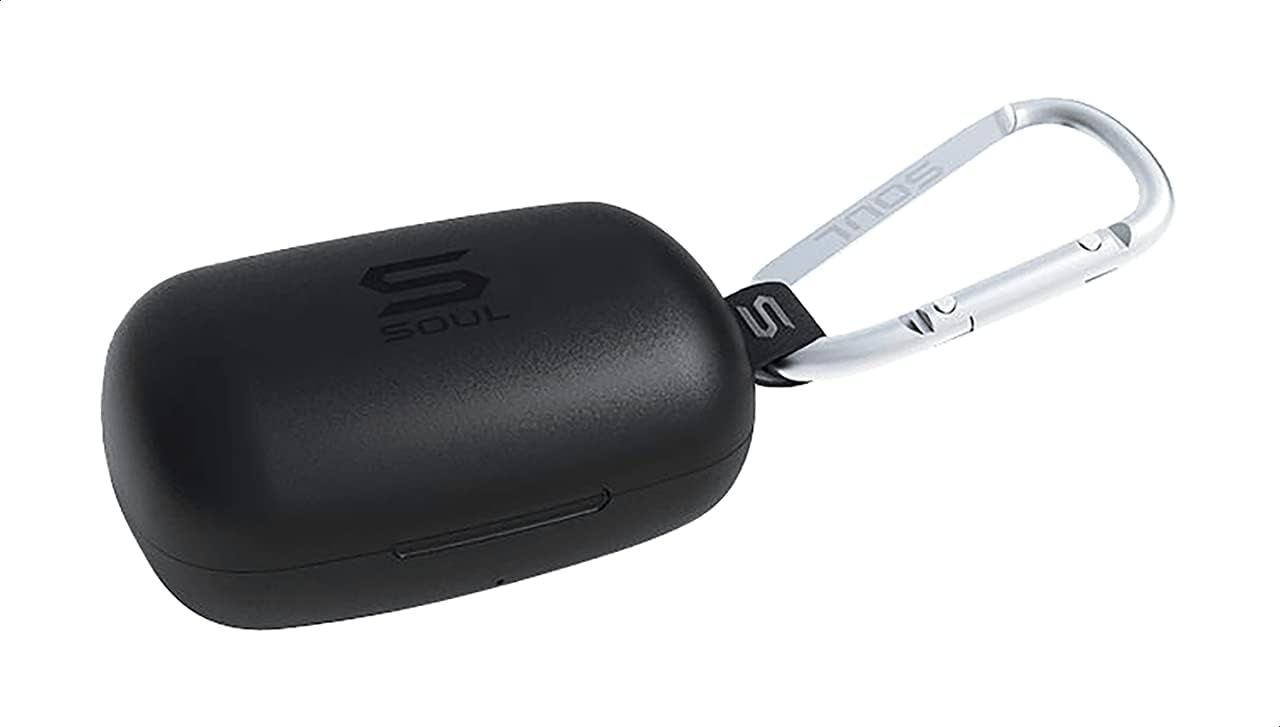
الشكل 1: The Soul S-GEAR charging case in black, with the Soul logo visible. A carabiner clip is attached for portability.
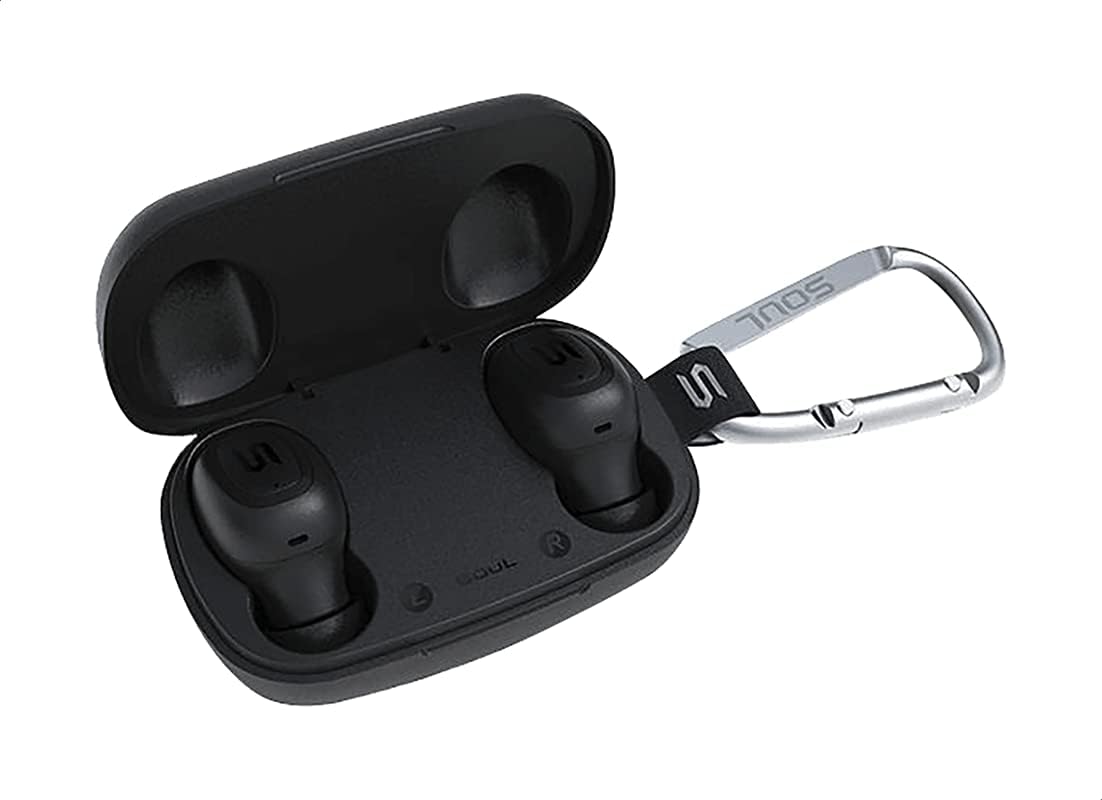
الشكل 2: The Soul S-GEAR charging case opened, revealing the two black earbuds securely placed inside their charging slots. The carabiner clip is also visible.
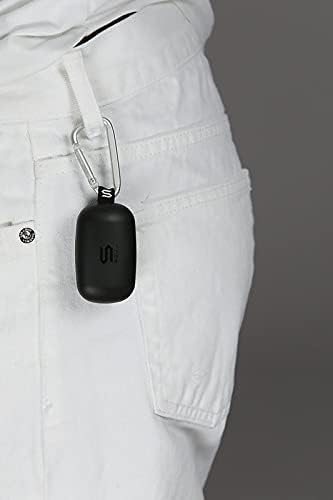
الشكل 3: The Soul S-GEAR charging case, with its carabiner clip, attached to the belt loop of white pants, demonstrating its portability.
يثبت
1. شحن سماعات الأذن والعلبة
- ضع سماعات الأذن في علبة الشحن. تأكد من تثبيتها بشكل صحيح في فتحاتها المخصصة للأذن اليمنى/اليسرى.
- قم بتوصيل كابل الشحن USB-C بمنفذ الشحن الموجود على العلبة وقم بتوصيل الطرف الآخر بمصدر طاقة USB (مثل محول الحائط أو منفذ USB للكمبيوتر).
- The indicator lights on the case will show the charging status. Allow approximately 1-2 hours for a full charge.
- بمجرد الشحن بالكامل ، افصل كابل الشحن.
2. الاقتران الأولي مع جهاز
- افتح علبة الشحن. ستعمل سماعات الأذن تلقائيًا وتدخل في وضع الاقتران. ستومض أضواء المؤشر الموجودة على سماعات الأذن، مما يشير إلى أنها جاهزة للاقتران.
- على جهازك (الهاتف الذكي، الجهاز اللوحي، وما إلى ذلك)، قم بتمكين البلوتوث وابحث عن الأجهزة المتاحة.
- Select "Soul S-GEAR" from the list of found devices.
- Once connected, you will hear an audible confirmation, and the earbud indicator lights will stop flashing.
- The earbuds feature automatic pairing. After the initial setup, they will automatically connect to the last paired device when removed from the case.
تعليمات التشغيل
The Soul S-GEAR earbuds feature touch controls for easy management of audio and calls.
تشغيل/إيقاف الطاقة
- تشغيل الطاقة: Open the charging case, or press and hold the touch sensor on both earbuds for 3 seconds.
- إيقاف التشغيل: Place the earbuds back into the charging case and close the lid, or press and hold the touch sensor on both earbuds for 5 seconds.
تشغيل الموسيقى
- تشغيل/إيقاف مؤقت: اضغط على مستشعر اللمس الموجود على أي سماعة أذن مرة واحدة.
- المسار التالي: اضغط مرتين على مستشعر اللمس الموجود على سماعة الأذن اليمنى.
- المسار السابق: اضغط مرتين على مستشعر اللمس الموجود على سماعة الأذن اليسرى.
استدعاء إدارة
- الرد/إنهاء المكالمة: اضغط على مستشعر اللمس الموجود على أي سماعة أذن مرة واحدة.
- رفض المكالمة: اضغط مع الاستمرار على مستشعر اللمس الموجود على أي سماعة أذن لمدة ثانيتين.
إلغاء نشطة للضوضاء (ANC)
- تفعيل/إلغاء تفعيل خاصية إلغاء الضوضاء النشط: Triple-tap the touch sensor on the left earbud to cycle through ANC On, Ambient Mode, and ANC Off.
مساعد صوتي
- تنشيط مساعد الصوت: Triple-tap the touch sensor on the right earbud.
الشحن
The Soul S-GEAR earbuds and charging case provide up to 24 hours of total playtime. The case supports USB-C fast charging.
- شحن سماعة الأذن: Place earbuds into the charging case. They will charge automatically.
- حالة الشحن: Connect the USB-C cable to the case and a power source. The LED indicator on the case will show charging status.
- A full charge for the case typically takes 1.5-2 hours.
صيانة
- تنظيف: نظّف سماعات الأذن وعلبة الشحن بانتظام بقطعة قماش ناعمة وجافة وخالية من الوبر. تجنّب استخدام مواد كيميائية قاسية أو مواد كاشطة.
- نصائح الأذن: انزعي أطراف الأذن ونظفيها بالماء والصابون اللطيف إذا لزم الأمر. تأكدي من جفافها تماماً قبل إعادة تركيبها.
- مقاومة الماء: The earbuds are IPX4 rated, meaning they are resistant to splashing water from any direction. They are not designed for submersion in water. Do not expose them to heavy rain or immerse them. Ensure earbuds are dry before placing them back in the charging case.
- تخزين: احفظ سماعات الأذن في علبة الشحن عند عدم استخدامها لحمايتها والحفاظ على شحنها. تجنب درجات الحرارة العالية.
استكشاف الأخطاء وإصلاحها
| مشكلة | حل |
|---|---|
| سماعات الأذن لا تقترن |
|
| لا يوجد صوت من سماعة أذن واحدة |
|
| علبة الشحن لا تشحن |
|
| خاصية إلغاء الضوضاء النشطة لا تعمل |
|
تحديد
| ميزة | التفاصيل |
|---|---|
| ماركة | روح |
| اسم الموديل | S-GEAR (Soul S Gemar) |
| رقم الموديل | SS56BK |
| تكنولوجيا الاتصال | لاسلكي (بلوتوث 5.0) |
| عامل شكل سماعة الرأس | في الأذن |
| التحكم في الضوضاء | إلغاء الضوضاء النشط |
| ميكروفون | مدمج |
| طريقة التحكم | يلمس |
| مقاومة الماء والغبار | IPX4 |
| وقت اللعب | ما يصل إلى 24 ساعة (مع علبة الشحن) |
| منفذ الشحن | USB-C (الشحن السريع) |
| الأجهزة المتوافقة | Multiple Bluetooth-enabled devices |
| مادة | بلاستيك |
| لون | أسود |
| أبعاد الحزمة | 11.8 × 9.8 × 4.2 سم |
| وزن العنصر | 152 جرام |
معلومات السلامة
- لا تقم بتفكيك المنتج أو إصلاحه أو تعديله.
- لا تعرض المنتج للنار أو درجات الحرارة المرتفعة.
- تجنب استخدام سماعات الأذن بمستويات صوت عالية للغاية لفترات طويلة لمنع تلف السمع.
- احفظ المنتج بعيدًا عن متناول الأطفال والحيوانات الأليفة.
- استخدم فقط كابلات ومحولات الشحن المتوفرة أو المعتمدة.
- تخلص من المنتج بشكل مسؤول وفقًا للوائح المحلية.
الضمان والدعم
The Soul S-GEAR Wireless Bluetooth Earbuds come with a standard manufacturer's warranty. For detailed warranty terms and conditions, please refer to the warranty card included in your package or visit the official Soul webموقع.
For technical support, troubleshooting assistance, or any inquiries regarding your product, please contact Soul customer service through their official webالموقع أو معلومات الاتصال المقدمة في عبوة المنتج الخاص بك.