
Redzeo BH510A
Redzeo MDots Wireless Earbuds Instruction Manual
الموديل: BH510A
مقدمة
Thank you for choosing Redzeo MDots Wireless Earbuds. This manual provides detailed instructions on how to set up, operate, maintain, and troubleshoot your new earbuds. Please read this manual carefully before use to ensure optimal performance and longevity of your device.
محتويات الحزمة
- Redzeo MDots Wireless Earbuds (Left and Right)
- حافظة الشحن اللاسلكي
- كابل شحن USB
- أطراف أذن بأحجام متعددة (صغير/متوسط/كبير)
- Multiple Sizes of Earwings (S/M/L)
- دليل المستخدم
يثبت
1. الشحن الأولي
قبل الاستخدام الأول، قم بشحن علبة الشحن وسماعات الأذن بالكامل.
- ضع سماعات الأذن في علبة الشحن. تأكد من تثبيتها بشكل صحيح في فتحاتها المخصصة.
- قم بتوصيل كابل الشحن USB بمنفذ الشحن الموجود على العلبة والطرف الآخر بمصدر طاقة USB (على سبيل المثال، الكمبيوتر، محول الحائط).
- The indicator light on the charging case will show charging status. A full charge for the case takes approximately 2.0 hours. The earbuds provide 4.0 hours of playback per charge, and the case provides up to 4 full charges, totaling 20 hours of enjoyment.

Image: The Redzeo MDots earbuds and charging case, illustrating the 20 hours total playtime with the case, 4.0 hours playback per earbud charge, and 2.0 hours to fully charge the case.
2. الاقتران بجهازك
The earbuds automatically enter pairing mode when taken out of the charging case.
- افتح علبة الشحن وأخرج سماعتي الأذن. سيتم تشغيلهما تلقائيًا وسيحاولان الاتصال ببعضهما البعض.
- على جهازك المزود بتقنية البلوتوث (الهاتف الذكي، والكمبيوتر اللوحي، وما إلى ذلك)، انتقل إلى إعدادات البلوتوث.
- بحث عن new devices and select "Redzeo MDots" from the list.
- بمجرد الاتصال، سوف تسمع نغمة تأكيد، وستكون سماعات الأذن جاهزة للاستخدام.

Image: The Redzeo MDots wireless earbuds resting inside their open charging case, ready for pairing or charging.
3. تركيب سماعات الأذن
For optimal sound quality and comfort, choose the correct size of eartips and earwings.
- Experiment with the different sizes of eartips (S/M/L) to find the best seal for your ear canal. A good seal is crucial for bass response and noise isolation.
- Select the appropriate earwings (S/M/L) that fit snugly into your ear's concha, providing stability during movement.
- Gently insert the earbuds into your ears and twist slightly until they feel secure and comfortable.
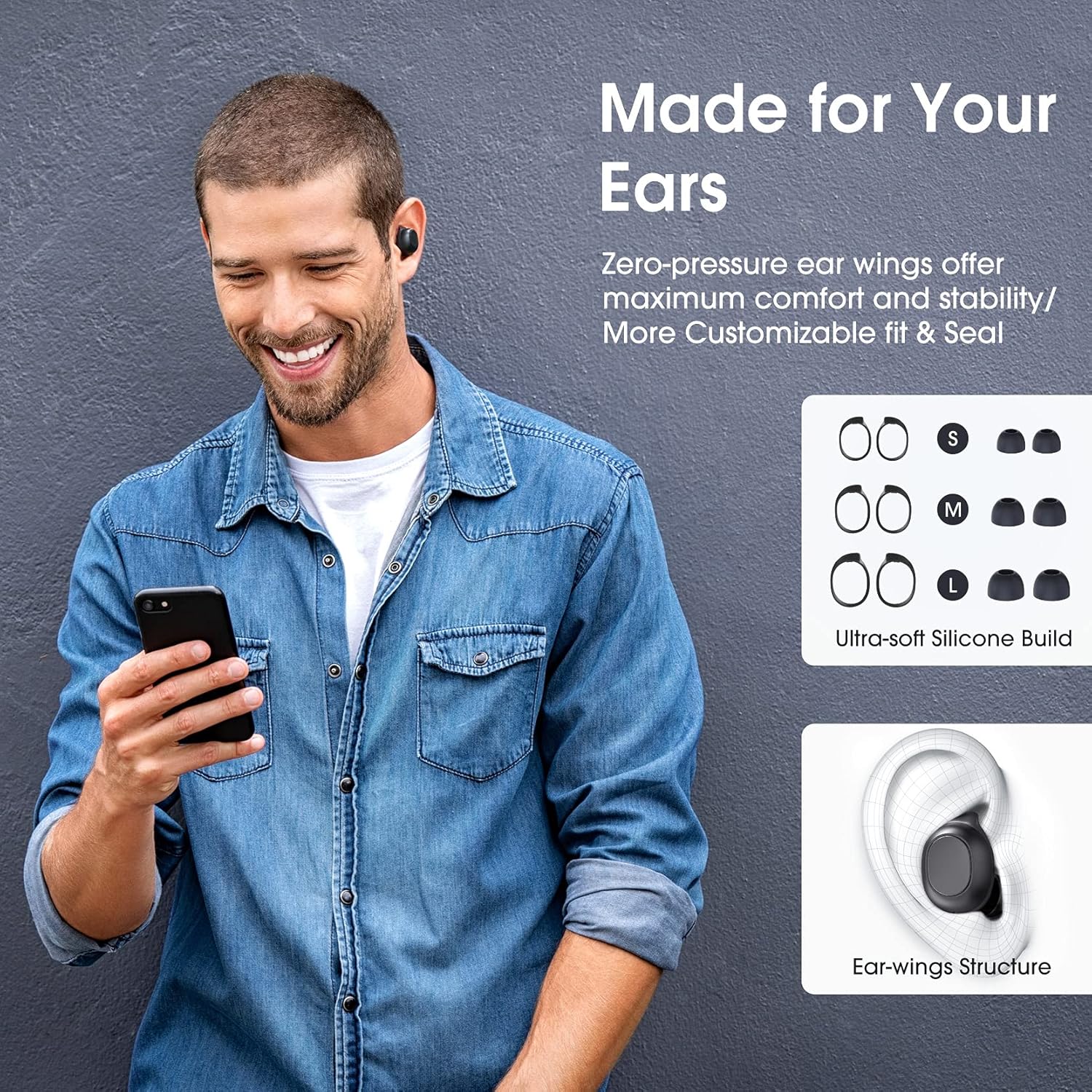
Image: A man wearing the Redzeo MDots earbuds, demonstrating their comfortable fit. The image also shows diagrams of various earwing sizes (S, M, L) and an illustration of how the earwing structure fits into the ear for maximum comfort and stability.
تعليمات التشغيل
عناصر التحكم بالأزرار
The Redzeo MDots earbuds feature two easy-to-press buttons on each earbud for comprehensive control.
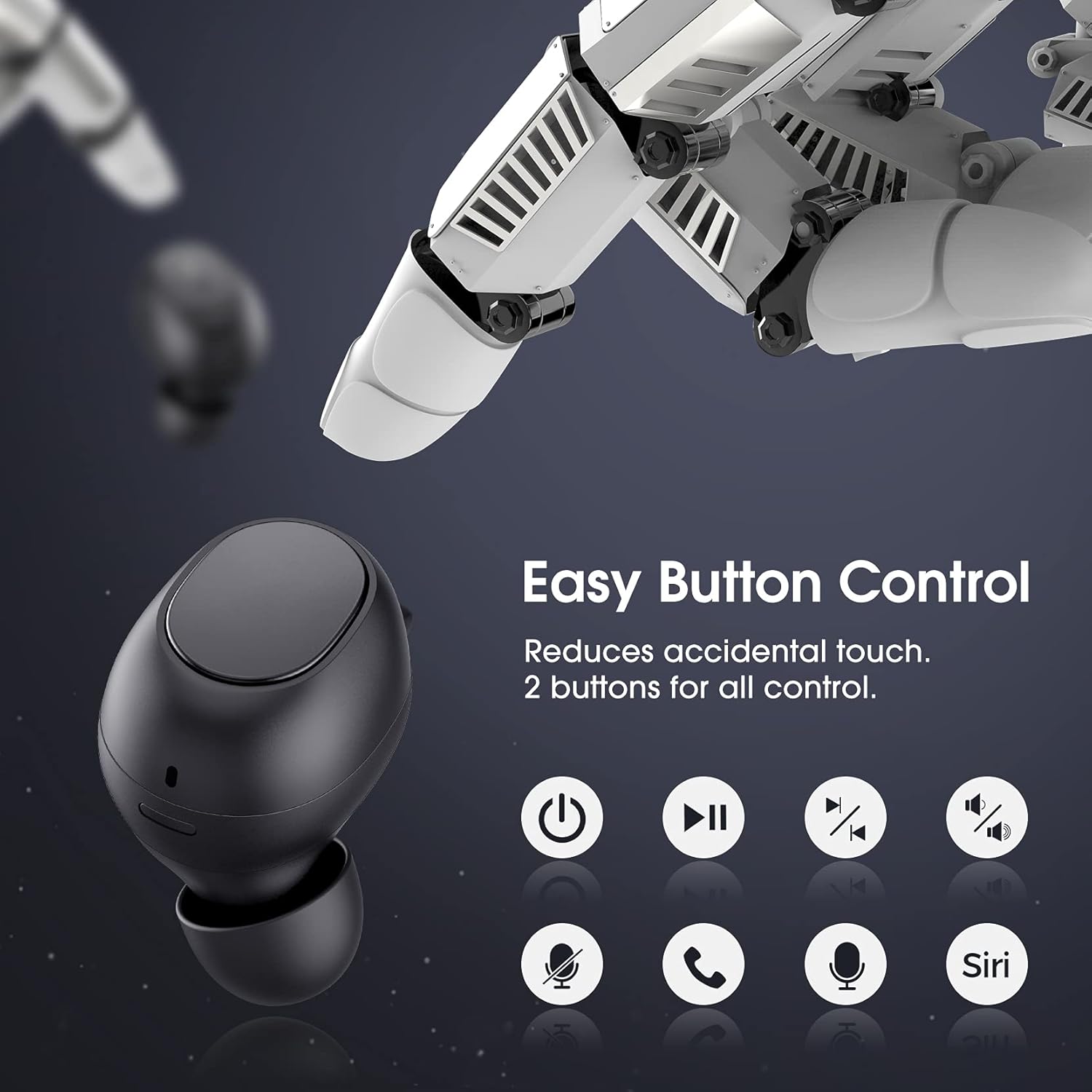
Image: A visual representation of the easy button controls on the Redzeo MDots earbuds, with icons indicating functions such as power on/off, play/pause, skip track, volume control, microphone mute, call answer/end, and voice assistant activation (Siri/Google Assistant).
| وظيفة | فعل |
|---|---|
| تشغيل الطاقة | أخرجه من علبة الشحن |
| إيقاف التشغيل | Place back into charging case |
| تشغيل/إيقاف مؤقت | Single press on either earbud |
| المسار التالي | Double press on the Right earbud |
| المسار السابق | Double press on the Left earbud |
| رفع الصوت | اضغط مع الاستمرار على سماعة الأذن اليمنى |
| خفض الصوت | اضغط مع الاستمرار على سماعة الأذن اليسرى |
| الرد على المكالمة/إنهائها | Single press on either earbud |
| رفض المكالمة | اضغط مع الاستمرار على أي من سماعات الأذن |
| تفعيل المساعد الصوتي (Siri/Google Assistant) | Triple press on either earbud |
Mono Mode and Twin Stereo Mode
The Redzeo MDots earbuds offer flexible listening options:
- الوضع الأحادي: Each earbud can be used independently. This allows you to leave one ear free to hear your surroundings while still enjoying audio. Simply take one earbud out of the case to use it in mono mode.
- Twin Stereo Mode: Use both earbuds simultaneously for an immersive true wireless stereo sound experience. This mode is ideal for enjoying music or blocking out surrounding noise.

Image: A visual guide demonstrating the different listening modes: Right Mono Mode (using only the right earbud), Left Mono Mode (using only the left earbud to hear ambient sound), and Twin Stereo Mode (using both earbuds for immersive sound).
جودة الصوت
The MDots wireless earbuds deliver well-balanced sound with stereo bass. For the best audio experience, ensure you have selected the optimal eartips for a proper seal, which enhances bass and overall sound clarity.

Image: An exploded diagram illustrating the internal components of the Redzeo MDots earbud, highlighting the driver and acoustic structure responsible for delivering magical immersive sound with rich, high-quality audio.
صيانة
تنظيف
يساعد التنظيف المنتظم على الحفاظ على جودة الصوت والنظافة.
- استخدم قطعة قماش ناعمة وجافة وخالية من الوبر لمسح سماعات الأذن وعلبة الشحن.
- For eartips, remove them from the earbuds and clean with a mild soap solution if necessary, then rinse thoroughly and dry completely before reattaching.
- قم بإزالة أي شمع أو شوائب من شبكة سماعة الأذن برفق باستخدام فرشاة صغيرة ناعمة أو قطعة قطن.
تخزين
قم دائمًا بتخزين سماعات الأذن في علبة الشحن الخاصة بها عندما لا تكون قيد الاستخدام لحمايتها والحفاظ على شحنها.
مقاومة الماء (IPX6)
The Redzeo MDots earbuds feature an IPX6 waterproof nano-coating design, making them resistant to sweat, water splashes, and rain. They are suitable for strenuous exercise and all-weather conditions.

Image: The Redzeo MDots earbuds resting on a wet surface, visually representing their IPX6 waterproof capability, which provides water protection for daily use and resistance to sweat, water, and rain, making them ideal for running, yoga, and gym activities.
ملاحظة هامة: Do not use the earbuds for swimming or immerse them in heavy rain. The IPX6 rating protects against strong jets of water, but not continuous submersion.
استكشاف الأخطاء وإصلاحها
المشاكل الشائعة والحلول
- سماعات الأذن غير مقترنة بالجهاز:
- تأكد من تمكين البلوتوث على جهازك.
- تأكد من شحن سماعات الأذن.
- Place earbuds back in the case, close it, wait a few seconds, then open and remove them to re-enter pairing mode.
- Forget/delete "Redzeo MDots" from your device's Bluetooth list and try pairing again.
- سماعة أذن واحدة فقط تعمل:
- تأكد من شحن كلا سماعات الأذن.
- Place both earbuds back into the charging case, close the lid, and then open it again. This should force them to re-sync.
- إذا استمرت المشكلة، فحاول إعادة ضبط سماعات الأذن (راجع دليل الشركة المصنعة). website or contact support for specific reset instructions if not detailed here).
- لا يوجد صوت أو مستوى الصوت منخفض:
- تحقق من مستوى الصوت على جهازك وسماعات الأذن.
- تأكد من توصيل سماعات الأذن بجهازك بشكل صحيح.
- Clean any debris from the earbud mesh that might be obstructing sound.
- Try different eartip sizes to ensure a proper seal in your ear.
- حالة الشحن لا تشحن:
- تأكد من توصيل كابل الشحن بشكل آمن بكل من العلبة ومصدر الطاقة.
- جرب كابل USB أو محول طاقة مختلفًا.
- تحقق من منفذ الشحن بحثًا عن أي شوائب.
تحديد
| ميزة | التفاصيل |
|---|---|
| رقم الموديل | BH510A |
| ماركة | ريدزيو |
| تكنولوجيا الاتصال | لاسلكي (بلوتوث 5.0) |
| وضع الأذن | في الأذن |
| عامل الشكل | في الأذن |
| مقبس سماعة الرأس | USB |
| لون | أسود فاتح |
| مادة | بلاستيك |
| أبعاد المنتج | 6.35 × 2.49 × 1.98 سم |
| وزن العنصر | 91 جرام |
| تصنيف مقاومة الماء | IPX6 |
| وقت التشغيل (سماعات الأذن) | تصل إلى 4 ساعة |
| إجمالي وقت التشغيل (مع علبة الشحن) | تصل إلى 20 ساعة |
| مدة الشحن (العلبة) | حوالي 2 ساعات |
| المكونات المضمنة | حافظة الشحن اللاسلكي |
| تاريخ أول توفر | 31 مايو 2021 |
الضمان والدعم
Redzeo products are designed and manufactured to the highest quality standards. For information regarding warranty coverage, technical support, or customer service, please refer to the warranty card included in your product packaging or visit the official Redzeo webيرجى الاحتفاظ بإثبات الشراء الخاص بك لأي مطالبات بالضمان.
For further assistance, you may contact Redzeo customer support through the contact information provided on their official webموقع.
Ask a question about this manual
Ask about setup, troubleshooting, compatibility, parts, safety, or missing instructions. Manuals+ will review the question and use this page’s manual context to help answer it.