
1. المقدمة
The Razer Thunderbolt 4 Dock is a versatile connectivity solution designed to expand the capabilities of your laptop or desktop. It offers high-speed data transfer, support for multiple displays, and pass-through charging, all through a single Thunderbolt 4 cable connection. This dock is compatible with both Windows and Mac systems, and features customizable Razer Chroma RGB lighting.
تتضمن الميزات الرئيسية ما يلي:
- Full Thunderbolt 4 Functionality: Experience high-speed data transfer, connect multiple displays, and charge your laptop with a single cable.
- توافق واسع: USB 4 compatible, works with legacy Thunderbolt devices, and supports Windows and Mac systems.
- الشحن المار: Keep your USB-C powered laptop charged while simultaneously powering other connected devices.
- 10-Port Hub: Maximize your setup with a variety of ports for peripherals.
- Dual 4K or Single 8K Display Output: Expand your visual workspace with high-resolution display options.
- إضاءة Razer Chroma RGB: Personalize your dock with customizable lighting effects.
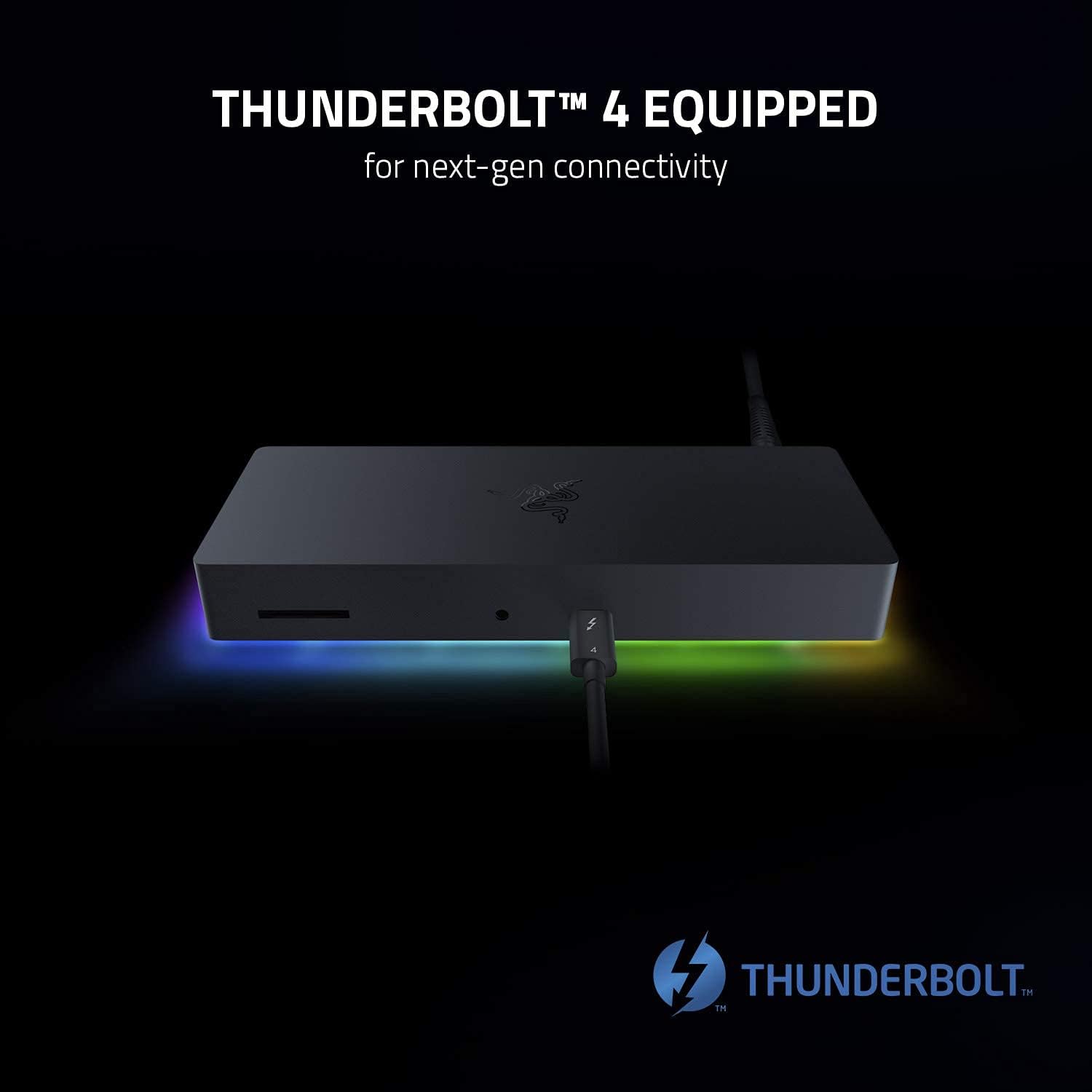
Image 1.1: The Razer Thunderbolt 4 Dock, highlighting its Thunderbolt 4 capabilities for next-generation connectivity.
2. الإعداد
Follow these steps to set up your Razer Thunderbolt 4 Dock:
- توصيل الطاقة: Plug the included power adapter into the dock's power input port and then into a wall outlet. The dock's Chroma lighting should illuminate.
- الاتصال بجهاز المضيف: Use the provided Thunderbolt 4 cable to connect the dock's upstream Thunderbolt 4 port to a Thunderbolt 4 or USB-C port on your laptop or desktop computer.
- توصيل الأجهزة الطرفية:
- يعرض: Connect your monitors to the available Thunderbolt 4 (USB-C) ports or the HDMI port on the dock. Ensure your cables support the desired resolution (e.g., 4K or 8K).
- جهاز USB:٪ s: Plug in your USB peripherals (keyboard, mouse, external drives) into the USB-A ports.
- إيثرنت: For a wired network connection, connect an Ethernet cable from your router or modem to the Gigabit Ethernet port on the dock.
- صوتي: قم بتوصيل سماعات الرأس أو مكبرات الصوت بمقبس الصوت مقاس 3.5 ملم.
- بطاقة SD: Insert an SD card into the SD card slot for data transfer.
- تثبيت برنامج التشغيل (إذا لزم الأمر): For optimal performance, ensure your computer's operating system and Thunderbolt drivers are up to date. In most cases, the dock will be plug-and-play.

Image 2.1: Diagram illustrating the 10-port hub of the Razer Thunderbolt 4 Dock and various connected peripherals.

الصورة 2.2: الأمامي والخلفي views of the Razer Thunderbolt 4 Dock, showcasing its various ports for maximum versatility and ease of use.
3. تشغيل الرصيف
Once set up, the Razer Thunderbolt 4 Dock operates seamlessly with your connected devices.
- تكوين العرض: Your operating system should automatically detect connected displays. You can configure display settings (resolution, arrangement, mirroring/extending) through your computer's display settings. The dock supports dual 4K displays or a single 8K display.
- الشحن المار: If your laptop supports USB-C power delivery, the dock will charge your laptop while it is connected, eliminating the need for a separate power adapter for your laptop.
- Razer Chroma RGB: To customize the dock's RGB lighting, download and install the Razer Synapse software from the official Razer website. Synapse allows you to synchronize lighting effects with other Razer Chroma-enabled devices and personalize your setup.

Image 3.1: The Razer Thunderbolt 4 Dock connected to a monitor and laptop, demonstrating its capability for dual 4K or single 8K display output.

Image 3.2: The Razer Thunderbolt 4 Dock connected to a laptop, illustrating its pass-through charging feature for convenience.

Image 3.3: The Razer Thunderbolt 4 Dock displaying its customizable Chroma RGB lighting, with the Razer Synapse software interface visible on a monitor.
4. الصيانة
Proper maintenance ensures the longevity and optimal performance of your Razer Thunderbolt 4 Dock.
- تنظيف: Use a soft, dry cloth to wipe down the exterior of the dock. Avoid using harsh chemicals or abrasive materials. Ensure the dock is powered off and disconnected from all devices before cleaning.
- تهوية: تأكد من وضع قاعدة الشحن في منطقة جيدة التهوية لمنع ارتفاع درجة حرارتها. لا تسد أي فتحات تهوية.
- تحديثات البرامج الثابتة: Periodically check the official Razer support website for any available firmware updates for your dock. Firmware updates can improve performance, add features, or resolve issues.
5. استكشاف الأخطاء وإصلاحها
If you encounter issues with your Razer Thunderbolt 4 Dock, try the following troubleshooting steps:
- لا يوجد طاقة: Ensure the power adapter is securely connected to both the dock and a working power outlet. Check if the Chroma lighting is active.
- الأجهزة غير المُتعرَّف عليها:
- تأكد من أن كابل Thunderbolt 4 متصل بإحكام بين قاعدة التوصيل وجهاز الكمبيوتر الخاص بك.
- Try disconnecting and reconnecting the peripheral device to the dock.
- أعد تشغيل الكمبيوتر الخاص بك.
- Ensure your computer's Thunderbolt drivers are up to date.
- لا يوجد إخراج للعرض:
- Check all display cable connections (HDMI, USB-C to display).
- تأكد من ضبط شاشتك على مصدر الإدخال الصحيح.
- Test the display directly with your computer if possible to rule out monitor issues.
- قم بتحديث برامج تشغيل الرسومات الخاصة بك.
- الاتصال المتقطع: Ensure all cables are of high quality and securely connected. Avoid placing the dock near sources of electromagnetic interference.
- Chroma Lighting Issues: If Chroma lighting is not working as expected, ensure Razer Synapse is installed and running, and check its settings.
If these steps do not resolve your issue, please refer to the official Razer support resources.
6. المواصفات
| رقم الموديل | RC21-01690100-R3U1 |
| أبعاد المنتج | 19 × 7.49 × 2.69 سم |
| وزن | 1.05 كجم |
| واجهة الأجهزة | ثندربولت 4 |
| الأجهزة المتوافقة | Windows Laptops, MacBooks, Thunderbolt Devices, USB-C Devices |
| إجمالي منافذ USB | 10 |
| إجمالي منافذ HDMI | 1 |
| لون | أسود |
| رمز المنتج الموحد | 656942067061 |
7. معلومات الضمان
This product is sold as an Amazon Renewed item. Amazon Renewed products are professionally inspected and tested to work and look like new. If you are not satisfied with your purchase, renewed products are eligible for replacement or refund under the Amazon Renewed Guarantee. Please refer to the Amazon Renewed Guarantee terms and conditions for full details regarding your warranty and return options.
8. الدعم
For further assistance, technical support, or to download the latest drivers and software (such as Razer Synapse), please visit the official Razer support webموقع:
You may also contact Amazon customer service for inquiries related to your Amazon Renewed purchase.