
مقدمة
This manual provides comprehensive instructions for the PROSCAN PBTW278 Bluetooth Smart Watch/Fitness Bracelet. It covers essential information regarding setup, operation, maintenance, and troubleshooting to ensure optimal use of your device. The PBTW278 is designed to help you monitor your health and fitness activities with its multi-function and multi-sport modes.
1. الإعداد
1.1 شحن الجهاز
Before initial use, fully charge your PROSCAN PBTW278. Connect the charging cable to the designated charging port on the back of the watch and plug the USB end into a standard USB power adapter (not included) or a computer's USB port. The charging indicator on the screen will show the charging status. A full charge typically takes approximately 2 hours.
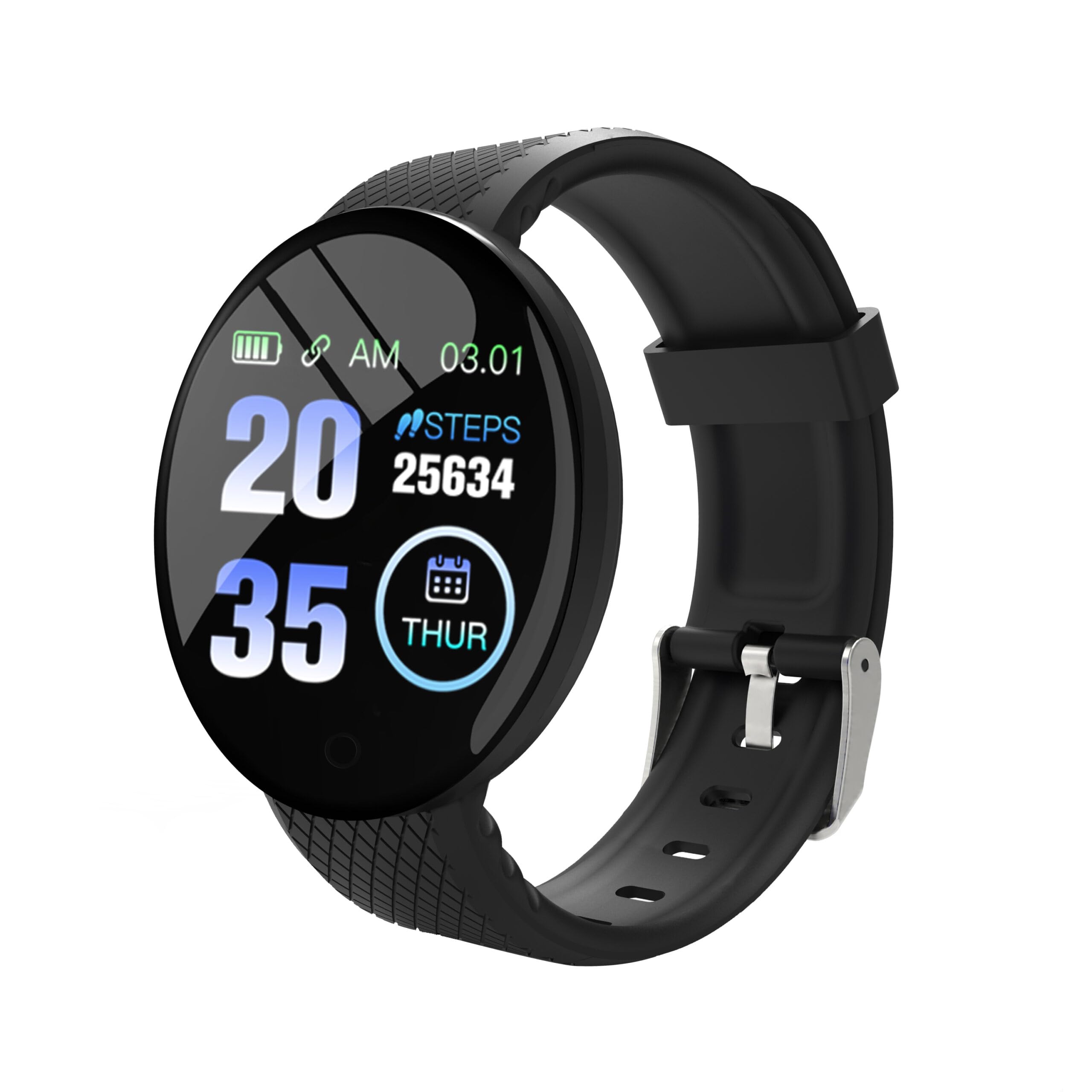
Figure 1: PROSCAN PBTW278 Smart Watch. Ensure the charging pins align correctly with the charger.
1.2 تثبيت التطبيق وإقرانه
To unlock the full functionality of your smart watch, download the companion application on your smartphone. بحث عن the official PROSCAN fitness app in your device's app store (Google Play Store for Android or Apple App Store for iOS). Once installed:
- قم بتمكين البلوتوث على هاتفك الذكي.
- Open the PROSCAN fitness app and follow the on-screen instructions to create an account or log in.
- Select "Add Device" or "Pair Device" within the app.
- The app will search for available devices. Select "PBTW278" from the list.
- قم بتأكيد طلب الاقتران على كل من هاتفك الذكي وساعتك الذكية إذا طُلب منك ذلك.
Ensure your smart watch is sufficiently charged during the pairing process.
1.3 ارتداء الجهاز
Wear the smart watch snugly on your wrist, about one finger's width above your wrist bone. Ensure the sensor on the back of the watch is in contact with your skin for accurate heart rate and other health measurements. Avoid wearing it too tightly, which can restrict blood flow, or too loosely, which can affect sensor accuracy.
2. تعليمات التشغيل
2.1 الملاحة الأساسية
The PBTW278 features a 1.3-inch TFT touchscreen display for interaction. Swipe left, right, up, or down to navigate through different menus and functions. Tap the screen to select an option or confirm an action. A short press of the side button typically returns to the previous screen or the main watch face, while a long press may power the device on/off.
2.2 الميزات والأوضاع الرئيسية
- عرض الوقت: The main screen displays the current time, date, and battery level.
- تتبع النشاط: Monitors steps taken, distance traveled, and calories burned. Access this mode by swiping to the activity screen.
- مراقب معدل ضربات القلب: Swipe to the heart rate screen to initiate a measurement. Ensure the watch is snug on your wrist for accurate readings.
- جهاز قياس ضغط الدم: Similar to heart rate, access this feature via the dedicated screen.
- جهاز مراقبة الأوكسجين في الدم: Measure your SpO2 levels through its specific menu.
- مراقب النوم: Automatically tracks your sleep patterns when worn during sleep. Data can be viewed في التطبيق المصاحب.
- أوضاع الرياضة المتعددة: Select from various sport modes (e.g., running, walking) to track specific workout data.
- تذكير المكالمات الواردة: The watch will vibrate to notify you of incoming calls when connected to your smartphone via Bluetooth.
- إخطارات الرسائل: Receive notifications from selected apps on your smartphone directly on your watch. Configure this in the companion app settings.
2.3 تخصيص الإعدادات
Access settings on the watch by swiping to the settings menu. Here you can adjust brightness, set alarms, and find device information. Further customization, such as watch faces, notification preferences, and personal goals, can be managed through the PROSCAN fitness app on your smartphone.
3. الصيانة
3.1 تنظيف ساعتك الذكية
Regularly clean your smart watch and wristband to prevent skin irritation and maintain device functionality. Use a soft, lint-free cloth slightly dampened with water. Avoid using harsh chemicals, abrasive cleaners, or aerosol sprays, as these can damage the device's finish and seals. Ensure the watch is completely dry before charging or wearing.
3.2 مقاومة الماء
The PROSCAN PBTW278 is waterproof, with a water resistance depth of 0.98 meters. This means it is suitable for daily use and can withstand splashes, rain, and brief immersion in shallow water. However, it is not recommended for swimming, showering with hot water, or diving, as steam and high-pressure water jets can compromise the seals. Always dry the watch thoroughly after exposure to water.
3.3 العناية بالبطارية
To prolong battery life, avoid fully discharging the battery frequently. Charge the device when the battery level is low. Store the device in a cool, dry place when not in use for extended periods. Do not expose the device to extreme temperatures.
4. استكشاف الأخطاء وإصلاحها
- Device will not power on or charge:
Ensure the charging cable is securely connected to both the watch and the power source. Verify that the charging pins on the cable align correctly with the contacts on the watch. Try a different USB port or power adapter. If the device has been completely discharged, it may take a few minutes for the charging indicator to appear.
- لا يمكن الاقتران بالهاتف الذكي:
Make sure Bluetooth is enabled on your smartphone and the watch is within range. Restart both your smartphone and the smart watch. Ensure the PROSCAN fitness app is updated to the latest version. If previous pairing attempts failed, try unpairing the device from your phone's Bluetooth settings and then re-attempt the pairing process through the app.
- Inaccurate health data (heart rate, steps):
Ensure the watch is worn snugly on your wrist, with the sensor in direct contact with your skin. Avoid excessive movement during measurements. Environmental factors and individual physiology can affect accuracy. For medical concerns, consult a healthcare professional.
- Notifications are not received:
Check that the watch is connected to your smartphone via Bluetooth. Verify that notification permissions are enabled for the PROSCAN fitness app in your phone's settings. Also, ensure that specific app notifications are enabled within the PROSCAN fitness app itself.
- الشاشة لا تستجيب:
Try restarting the device. If the issue persists, ensure the screen is clean and dry. If the problem continues, contact customer support.
5. المواصفات
| ميزة | التفاصيل |
|---|---|
| اسم الموديل | بي بي تي دبليو278 |
| ماركة | بروسكان |
| نسخة البلوتوث | 4.0 |
| ذاكرة | 16KB RAM + 512KB ROM |
| شاشة | 1.3 inch TFT, 240 x 240 pixels |
| مستوى مقاومة الماء | Waterproof (0.98 meters depth) |
| تكوين خلية البطارية | أيون الليثيوم |
| المقاييس المقاسة | Heart Rate Monitor, Blood Pressure Monitor, Blood Oxygen Monitor |
| المميزات الخاصة | Sleep Monitor, Incoming Call Reminder, Multi-Sport Modes |
| مدخلات واجهة الإنسان | شاشة تعمل باللمس |
| نوع مادة السوار | سيليكون |
| أبعاد العنصر | 0.2 × 1.5 × 10 بوصة |
| رمز المنتج الموحد | 058465819774 |
6. الضمان والدعم
6.1 الضمان المحدود
The PROSCAN PBTW278 Bluetooth Smart Watch/Fitness Bracelet comes with a ضمان محدود لمدة 90 يومًا from the date of purchase. This warranty covers manufacturing defects and workmanship under normal use. It does not cover damage caused by misuse, accidents, unauthorized modifications, or failure to follow the instructions in this manual. Please retain your proof of purchase for warranty claims.
6.2 دعم العملاء
For technical assistance, warranty inquiries, or further information, please contact PROSCAN customer support. Refer to the PROSCAN official website or your product packaging for the most current contact details. When contacting support, please have your model number (PBTW278) and proof of purchase readily available.
Manufacturer: proscan