
1. انتهى المنتجview
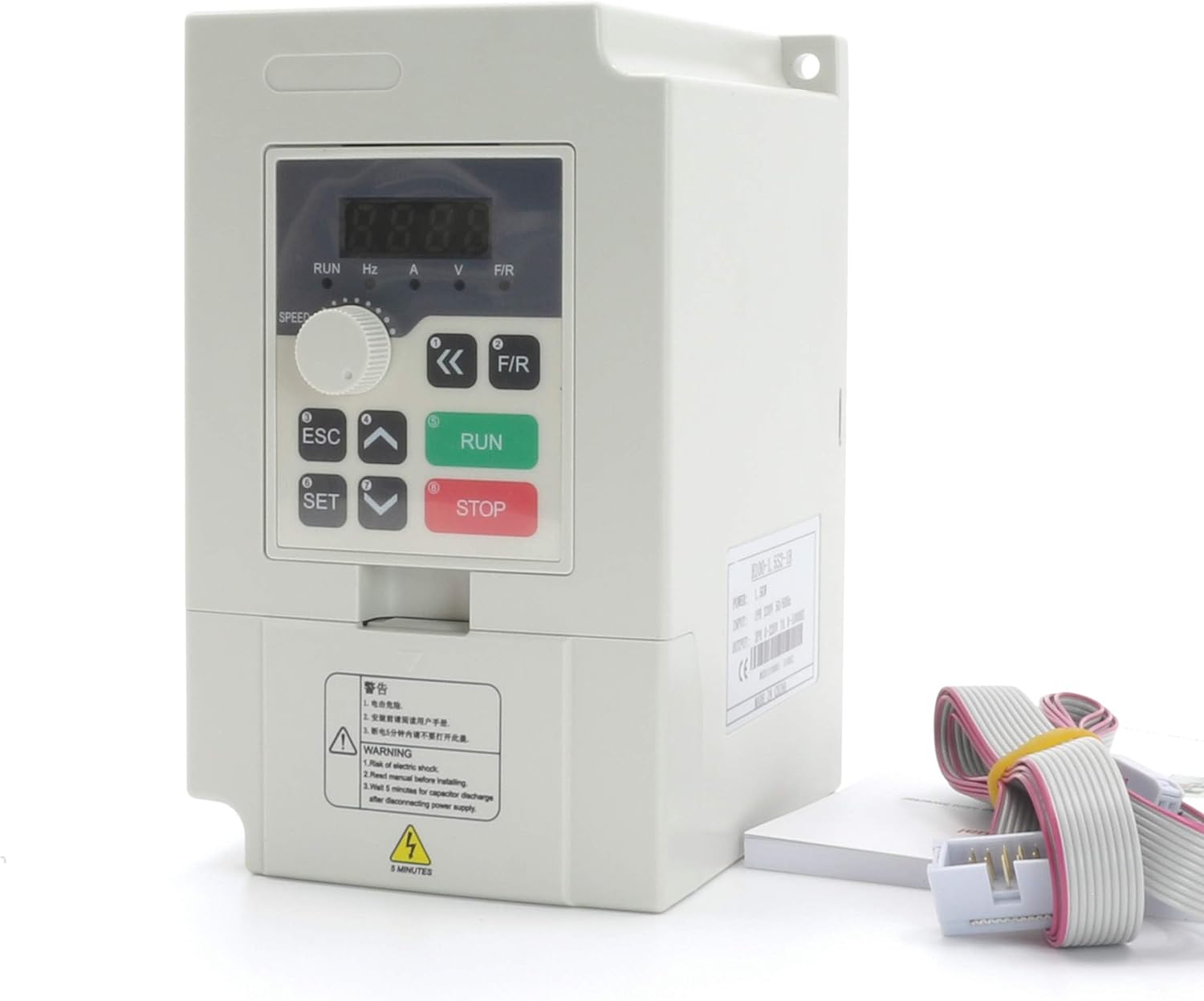
The CNCTOPBAOS H100 2.2KW Variable Frequency Drive (VFD) Inverter is designed for precise speed control of 3-phase motors, commonly used in CNC routers, milling machines, and engraving machines. This VFD operates on a single-phase 220V input and provides a three-phase 220V output, with a power rating of 2.2KW (3HP) and an output frequency range of 0-1000 Hz.
Key features include no PG vector control and V/F speed control modes, 8-stage simple PLC function, multi-speed control, and PID control. It supports various frequency settings such as digital, analog, PID, and RS485 communication. The VFD also offers programmable I/O terminals for flexible operation and comprehensive fault protection functions.

2. تعليمات السلامة
Read all instructions carefully before installation, operation, or maintenance. Failure to follow these instructions may result in serious injury or equipment damage.
- يجب أن يقوم بتثبيت وتشغيل وصيانة هذه المعدات موظفون مؤهلون فقط.
- تأكد من فصل مصدر الطاقة قبل القيام بأي أعمال توصيل أو صيانة.
- Properly ground the VFD inverter to prevent electrical shock.
- Do not touch electrical components immediately after power-off, as residual voltagقد يكون موجودا.
- Install the VFD in a clean, dry, and well-ventilated environment, away from direct sunlight, corrosive gases, and flammable materials.
- تأكد من أن مستوى الصوت المدخلtage matches the VFD's specifications (220V +/-15%).
- لا تقم بتشغيل محول التردد المتغير (VFD) مع وجود كابلات أو مكونات تالفة.
3. مكونات المنتج وأبعاده
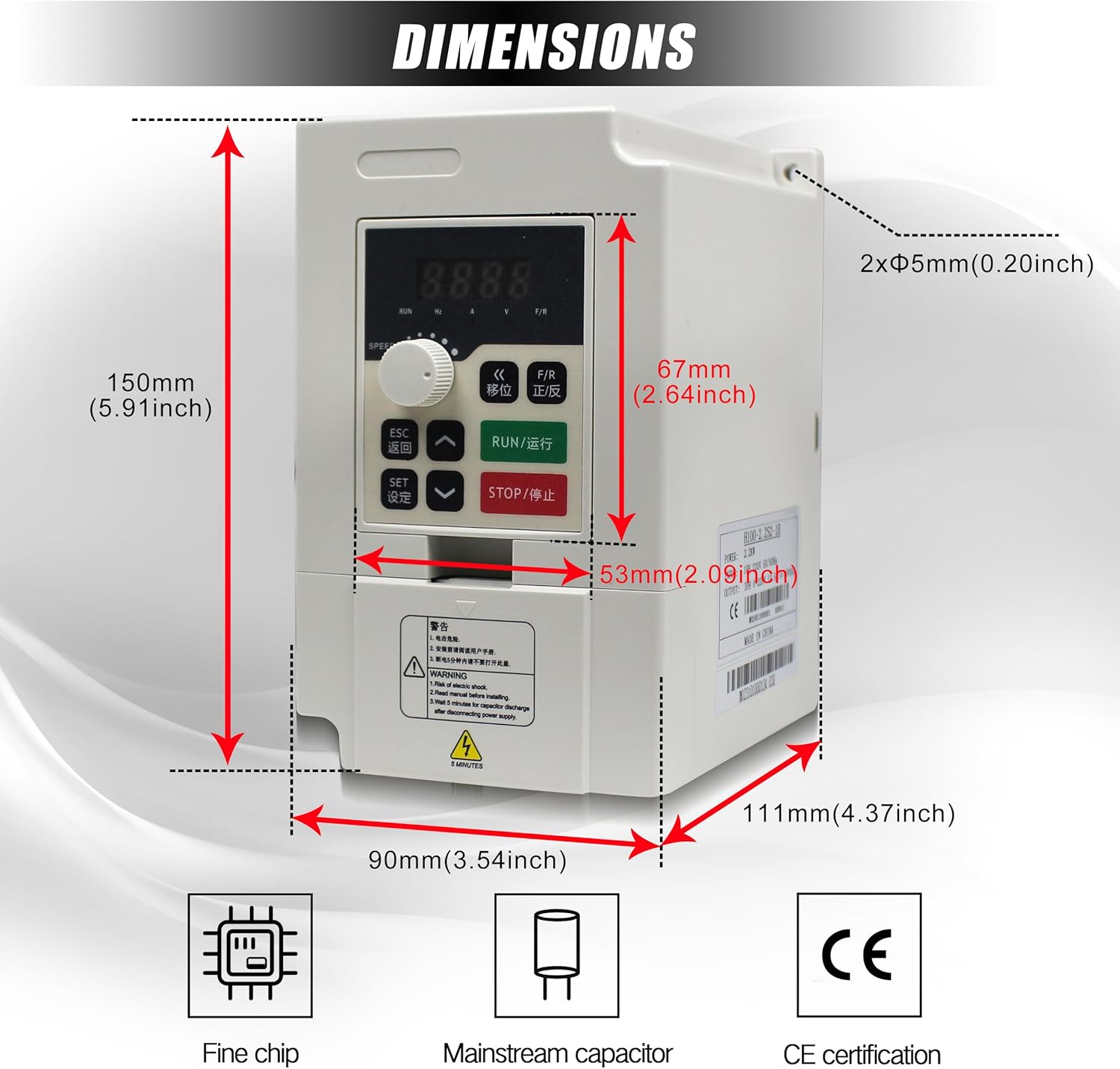
The H100 VFD Inverter features a compact design with an integrated control panel. Understanding its physical layout and dimensions is crucial for proper installation.

4. التثبيت
4.1 فك العبوة والتفتيش
Upon receiving the VFD, carefully unpack it and inspect for any signs of damage during transit. Ensure all components listed in the packing list are present. If any damage or missing parts are found, contact your supplier immediately.
4.2 التركيب
Mount the VFD vertically on a stable, non-flammable surface. Ensure adequate clearance around the unit for proper ventilation and heat dissipation. Avoid mounting in areas with excessive vibration, dust, or moisture.
4.3 الأسلاك
Proper wiring is critical for safe and reliable operation. Refer to the diagrams and terminal descriptions below for correct connections.
محطات الدائرة الرئيسية
The main circuit terminals are used for power input, motor output, and braking unit connections.
- L/N: Input power terminal. Connect to single-phase 220V power.
- U / V / W: Output terminals. Connect to the three-phase motor.
- DC+ / DC-: DC bus output terminals. Used for connecting an external brake unit or common DC bus system. (DC- is not provided for all models).
- قاعدة البيانات: Brake output terminal. Connect a brake resistor between DB and DC+.
- التربية البدنية: Earthing terminal. The inverter housing earthing terminal must be properly earthed.


Control Circuit Terminals and Jumper Functions
The VFD includes various control terminals and jumpers for configuring input/output signals and communication.
- D1: Selection of X1-X6 wiring mode (NPN/PNP). Factory setting: PNP.
- D2: Selection of AO output (VO/Voltage AO/Current). Factory setting: VO.
- D3: Selection of AI2 input (V/Voltage A/Current). Factory setting: A.
- D4: RS485 communication interface terminator enabled (ON/OFF). Factory setting: OFF.
- D5: Selection of X6 terminal function reuse (X6/Y1-PEO). Factory setting: X6.
مخططات التوصيلات الكهربائية
Consult the following diagrams for detailed wiring instructions.


5. التشغيل
5.1 وظائف لوحة التحكم
يتميز جهاز VFD بلوحة تحكم سهلة الاستخدام لتسهيل التشغيل وضبط المعلمات.


- Run key: Initiates the run command.
- FOR/REV: Changes the running direction of the motor.
- (DISP) Shift key: Status monitor mode switch, parameter of third stage menu switch.
- Speed controller: Knob to switch between positive and negative during operation.
- خروج: Returns to the status of "ENTER".
- Set key (Enter): Enters menu, enters parameter, or confirms parameter data writing.
- Value change key: Adjusts parameters of function code, data, etc., for increase/decrease, revision, and selection of modes.
- Stop/Reset key: Stops command or abnormal reset command.
5.2 التشغيل الأساسي
- تشغيل الطاقة: Ensure all wiring is correct and secure before applying power.
- بدء تشغيل المحرك: اضغط على يجري key to start the motor.
- ضبط السرعة: Use the speed controller knob or the value change keys to adjust the output frequency and motor speed.
- غير الاتجاه: اضغط على ل/تجديد key to change the motor's rotation direction.
- إيقاف المحرك: اضغط على توقف / إعادة تعيين key to stop the motor.
5.3 إعدادات المعلمة
The VFD supports various methods for setting operational parameters:
- Digital Setting: Adjust parameters directly through the control panel.
- الإعداد التناظري: Use an external analog signal (e.g., potentiometer) connected to AI terminals.
- PID Setting: Utilize the built-in PID control function for process control.
- RS485 Communication Setting: Control and monitor the VFD via RS485 communication.
6. الصيانة
Regular maintenance ensures the longevity and optimal performance of your VFD Inverter.
- تنظيف: Periodically clean the VFD's exterior and cooling fan to prevent dust accumulation, which can hinder heat dissipation. Use a soft, dry cloth. Do not use liquid cleaners.
- تقتيش: Regularly inspect all wiring connections for tightness and signs of wear or damage. Check for any unusual noises or odors during operation.
- بيئة: تأكد من أن بيئة التشغيل تظل ضمن نطاقات درجة الحرارة والرطوبة المحددة.
- فحص المروحة: Verify that the cooling fan operates freely and without obstruction.
7. استكشاف الأخطاء وإصلاحها
The VFD is equipped with various fault protection functions. If an error occurs, the display will show a fault code. Refer to the VFD's detailed manual for specific fault code interpretations. Common issues and general solutions are listed below:
| مشكلة | السبب المحتمل | حل |
|---|---|---|
| المحرك لا يبدأ | Incorrect wiring, no power, emergency stop active, parameter error. | Check wiring, verify power supply, release emergency stop, check parameter settings. |
| خطأ التيار الزائد | Motor overload, short circuit, acceleration time too short. | Reduce load, check motor and cables, increase acceleration time parameter. |
| أوفرفولtagخطأ | حجم الإدخالtage too high, deceleration time too short, regenerative load. | تحقق من مجلد الإدخالtage, increase deceleration time, consider adding a brake resistor. |
| أندرفولtagخطأ | حجم الإدخالtage too low, power supply instability. | تحقق من مجلد الإدخالtage, ensure stable power supply. |
| خطأ ارتفاع درجة الحرارة | Poor ventilation, ambient temperature too high, cooling fan failure. | Improve ventilation, reduce ambient temperature, check cooling fan. |
For detailed fault codes and advanced troubleshooting, refer to the complete technical manual or contact customer support.
8. المواصفات
The following table outlines the key technical specifications for the CNCTOPBAOS H100 2.2KW VFD Inverter:
| المعلمة | قيمة |
|---|---|
| ماركة | CNCTOPBAOS |
| اسم الموديل | ح100 |
| مصدر الطاقة | AC |
| واتtage | 2200 واط |
| حجم الإدخالtage | 220 Volts (+/-15%) |
| حجم الإخراجtage | 220 فولت |
| تردد الإدخال | 50-60 هرتز |
| تردد الإخراج | 0-1000 هرتز |
| مرحلة الإدخال | مرحلة واحدة |
| مرحلة الإخراج | ثلاث مراحل |
| حاضِر | 12.5 أمبير |
| قوة الحصان | 3 حصان |
| الشركة المصنعة | Changzhou Rattm Motor Co.,Ltd |
9. الضمان والدعم
For warranty information, technical support, or service inquiries, please refer to the product packaging or contact your authorized CNCTOPBAOS dealer or customer service representative. Keep your purchase receipt as proof of purchase for warranty claims.