
1. انتهى المنتجview
The EPOS Adapt 130T USB II is a wired, single-sided headset designed for professional communication. It offers superior sound quality and enhanced comfort for extended use. This headset is certified for Microsoft Teams and optimized for Unified Communications (UC), ensuring seamless integration with your business tools.
المميزات الرئيسية:
- Microsoft Teams certified and UC optimized for professional communication.
- Single-sided design allows awareness of surroundings.
- Plug and play USB connectivity for quick setup.
- Integrated call control and microphone for clear communication.
- Lightweight design (4 ounces) with enhanced comfort for long workdays.
2. ماذا يوجد في الصندوق
Upon opening your EPOS Adapt 130T USB II Headset package, you should find the following items:
- EPOS Adapt 130T USB II Headset
- دليل المستخدم (هذا المستند)
- دليل السلامة
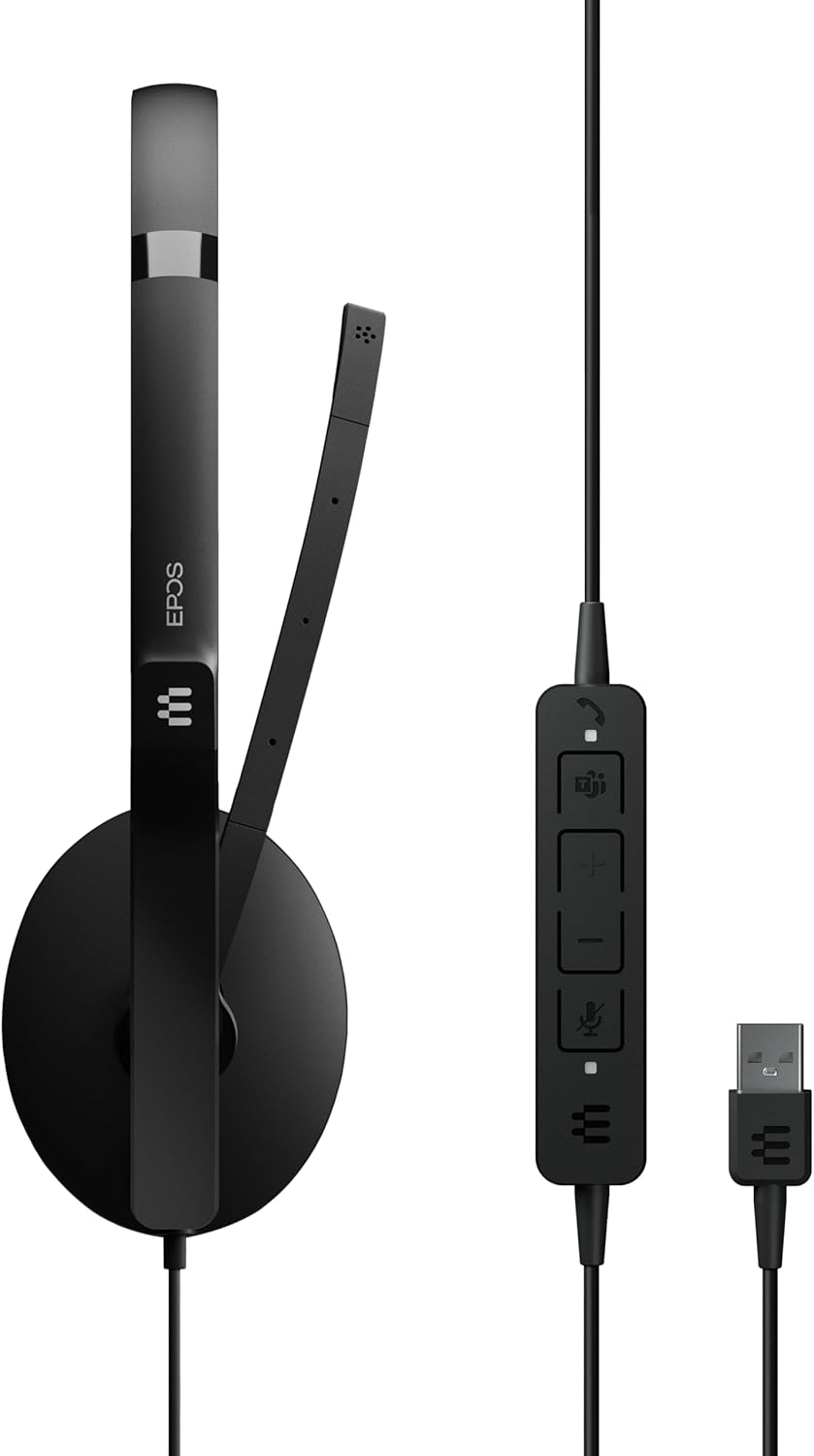
Image: The EPOS Adapt 130T USB II Headset, showcasing the single earcup, adjustable headband, microphone boom, inline call controls, and USB-A connector.
3. تعليمات الإعداد
The EPOS Adapt 130T USB II Headset features plug-and-play functionality, making setup quick and straightforward.
- توصيل سماعة الرأس: Locate an available USB-A port on your computer (PC or Mac). Insert the USB-A connector of the headset into the USB port.
- التعرف على النظام: يجب أن يقوم نظام التشغيل الخاص بك تلقائيًا باكتشاف وتثبيت برامج التشغيل اللازمة لسماعة الرأس. قد يستغرق هذا بضع لحظات.
- تحقق من إعدادات الصوت: Once connected, open your computer's sound settings or the settings within your communication application (e.g., Microsoft Teams, Zoom, Skype). Ensure that the EPOS Adapt 130T USB II is selected as both the input (microphone) and output (speaker) device.
- ضبط الملاءمة: Place the headset on your head with the earcup over one ear. Adjust the headband for a comfortable fit. Position the microphone boom approximately two fingers' width from your mouth for optimal voice pickup.

الصورة: الجبهة view of the EPOS Adapt 130T USB II Headset, showing the earcup and microphone boom in position.
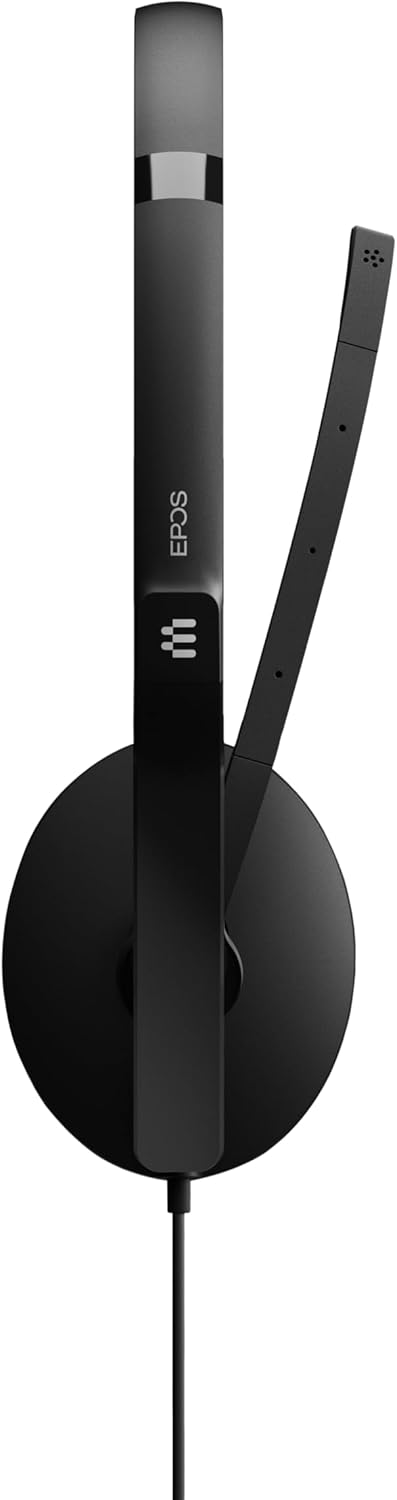
الصورة: الجانب view of the EPOS Adapt 130T USB II Headset, highlighting the single earcup and the flexible microphone arm.
4. تعليمات التشغيل
The headset features an inline control unit for easy management of calls and audio settings.
Inline Control Unit Functions:

الصورة: تفصيلية view of the inline control unit, showing the various buttons for call management and volume adjustment.
- زر الرد/إنهاء المكالمة: Press to answer an incoming call or end an active call. (Typically represented by a phone icon).
- رفع الصوت (+): اضغط لرفع مستوى صوت الاستماع.
- اخفض الصوت (-): اضغط لخفض مستوى صوت الاستماع.
- زر كتم صوت الميكروفون: Press to mute or unmute your microphone. An indicator light on the control unit may show the mute status. (Typically represented by a microphone icon).
- زر مايكروسوفت تيمز: For MS Teams certified models, this button can be used to launch Teams, bring the Teams window to the foreground, or answer/end Teams calls.
تحديد موضع الميكروفون:
For optimal voice clarity, position the microphone boom so that the microphone is approximately 2 cm (0.8 inches) from the corner of your mouth. The boom is flexible and can be adjusted.
5. الصيانة
Proper care and maintenance will extend the life of your headset and ensure optimal performance.
- تنظيف: Use a soft, dry cloth to wipe the headset. For ear cushions, a slightly damp يمكن استخدام قطعة قماش مبللة بصابون لطيف، ولكن تأكد من جفافها تمامًا قبل الاستخدام. تجنب استخدام المواد الكيميائية القاسية أو المنظفات الكاشطة.
- تخزين: عند عدم استخدام سماعة الرأس، احفظها في مكان نظيف وجاف، بعيدًا عن درجات الحرارة المرتفعة وأشعة الشمس المباشرة. تجنب تشابك الكابل.
- العناية بالكابلات: Do not pull on the cable to disconnect the headset. Always grasp the USB connector. Avoid sharp bends or kinks in the cable.
- تجنب الرطوبة: The headset is not water-resistant. Keep it away from liquids and high humidity.
6. استكشاف الأخطاء وإصلاحها
If you encounter issues with your headset, try the following troubleshooting steps:
- لا يوجد صوت/الميكروفون لا يعمل:
- تأكد من توصيل سماعة الرأس بشكل آمن بمنفذ USB.
- Check your computer's sound settings to confirm the EPOS Adapt 130T USB II is selected as the default playback and recording device.
- Verify that the microphone is not muted via the inline control unit or within your communication software.
- Try plugging the headset into a different USB port or another computer to rule out port or system issues.
- ضعف جودة الصوت:
- Adjust the volume using the inline controls and your computer's settings.
- Ensure the microphone is correctly positioned near your mouth.
- Check for any software updates for your operating system or communication applications.
- Inline Controls Not Responding:
- افصل سماعة الرأس ثم أعد توصيلها.
- أعد تشغيل الكمبيوتر الخاص بك.
- Ensure your communication software is up-to-date.
7. المواصفات
| ميزة | مواصفة |
|---|---|
| ماركة | EPOS |
| اسم الموديل | التكيف مع 130T USB II |
| رقم الموديل | 1000899 |
| لون | أسود |
| تكنولوجيا الاتصال | سلكي (USB) |
| وضع الأذن | On Ear (Single-sided) |
| عامل الشكل | على الأذن |
| مقاومة | 32 أوم |
| استجابة التردد | 8000 هرتز |
| نطاق التردد | 20 هرتز - 20,000 هرتز |
| نوع التحكم | التحكم في المكالمات |
| التحكم في الضوضاء | إلغاء الضجيج السلبي |
| وزن العنصر | 4 أونصة |
| الأجهزة المتوافقة | Tablets, Mobile Phones, PCs with Softphone Capabilities |
| مستوى مقاومة الماء | غير مقاوم للماء |
8. الضمان والدعم
معلومات الضمان:
This EPOS Adapt 130T USB II Headset comes with a ضمان الشركة المصنعة لمدة عامينيرجى الاحتفاظ بإثبات الشراء الخاص بك لاستخدامه في المطالبات بالضمان.
دعم العملاء:
For further assistance, technical support, or to explore other EPOS products, please visit the official EPOS store or contact their customer service.
Official EPOS Store: EPOS Store on Amazon
9. فيديو المنتج
فيديو: عرض فيديو رسمي للمنتجasing the EPOS Adapt 130T USB II Headset, highlighting its features and design. Duration: 1 minute 15 seconds.