
1. المقدمة
The Thomson WEAR7701 Bluetooth HiFi Earbuds provide a wireless audio experience with high-fidelity sound. Designed for comfort and convenience, these lightweight in-ear headphones feature touch controls, voice assistant compatibility, and IPX4 splash protection, making them suitable for various activities, including sports.
This manual provides detailed instructions for setting up, operating, and maintaining your WEAR7701 earbuds to ensure optimal performance and longevity.

2. محتويات العبوة
يرجى التأكد من وجود جميع العناصر في العبوة:
- 1x Thomson WEAR7701 Bluetooth Earbuds
- 1 × حافظة شحن
- 3x Pairs of Silicone Ear Tips (Sizes S, M, L)
- 1x مايكرو USB شحن كابل
- 1 × دليل المستخدم
3. الإعداد
3.1 الشحن الأولي
قبل الاستخدام الأول، قم بشحن سماعات الأذن وعلبة الشحن بالكامل.
- Connect the supplied Micro USB cable to the charging port on the charging case and to a suitable USB power source.
- Place the earbuds into the charging case. Ensure they are correctly seated; indicator lights on the earbuds or case will confirm charging status.
- A full charge for the case takes approximately 3 hours. The earbuds charge within the case.
The charging case provides up to 3 additional full charges for the earbuds, extending their usage time.
3.2 الاقتران بجهاز بلوتوث
For the first connection, it is crucial to remove both earbuds from the charging case simultaneously to ensure proper stereo pairing with your smartphone.
- Ensure your smartphone's Bluetooth function is enabled.
- أخرج كلا السماعتين من علبة الشحن. سيتم تشغيلهما تلقائيًا والدخول في وضع الاقتران.
- On your smartphone, search for available Bluetooth devices.
- Select "Thomson WEAR7701" (or similar name) from the list of found devices.
- بمجرد الاتصال، سيشير جهازك إلى نجاح عملية الاقتران.
ملاحظة هامة: If only one earbud connects, place both earbuds back into the charging case, close the lid, wait a few seconds, then remove both simultaneously and repeat the pairing process.

4. تعليمات التشغيل
4.1 تشغيل/إيقاف التشغيل
- تشغيل الطاقة: يتم تشغيل سماعات الأذن تلقائيًا عند إزالتها من علبة الشحن.
- إيقاف التشغيل: تنطفئ سماعات الأذن تلقائيًا عند إعادتها إلى علبة الشحن وإغلاق الغطاء.
4.2 الضوابط التي تعمل باللمس
The earbuds feature intuitive touch controls for managing music playback and calls.
- تشغيل/إيقاف الموسيقى: ضغطة واحدة على أي سماعة أذن.
- المسار التالي: اضغط مرتين على سماعة الأذن اليمنى.
- المسار السابق: اضغط مرتين على سماعة الأذن اليسرى.
- الرد/إنهاء المكالمة: ضغطة واحدة على أي سماعة أذن.
- رفض المكالمة: اضغط مع الاستمرار على أي من سماعتي الأذن لمدة ثانيتين.
- تفعيل المساعد الصوتي (Siri/Google Assistant): اضغط ثلاث مرات على أي سماعة أذن.

4.3 ارتداء سماعات الأذن
Select the ear tips that provide the most comfortable and secure fit. The package includes three sizes (S, M, L) of Mushroom-shaped silicone ear tips to ensure a proper seal for optimal sound quality and stability, even during physical activity.
- أدخل سماعة الأذن برفق في قناة أذنك.
- قم بتدوير سماعة الأذن قليلاً حتى تشعر بأنها آمنة ومريحة.
- If the fit is not ideal, try a different size of ear tip.
5. الصيانة
5.1 التنظيف
- قم بتنظيف سماعات الأذن وعلبة الشحن بانتظام باستخدام قطعة قماش ناعمة وجافة وخالية من الوبر.
- قم بإزالة أطراف الأذن ونظفها بالصابون المعتدل والماء، ثم جففها جيدًا قبل إعادة تركيبها.
- لا تستخدم المنظفات الكاشطة أو الكحول أو المذيبات الكيميائية.
5.2 مقاومة الماء (IPX4)
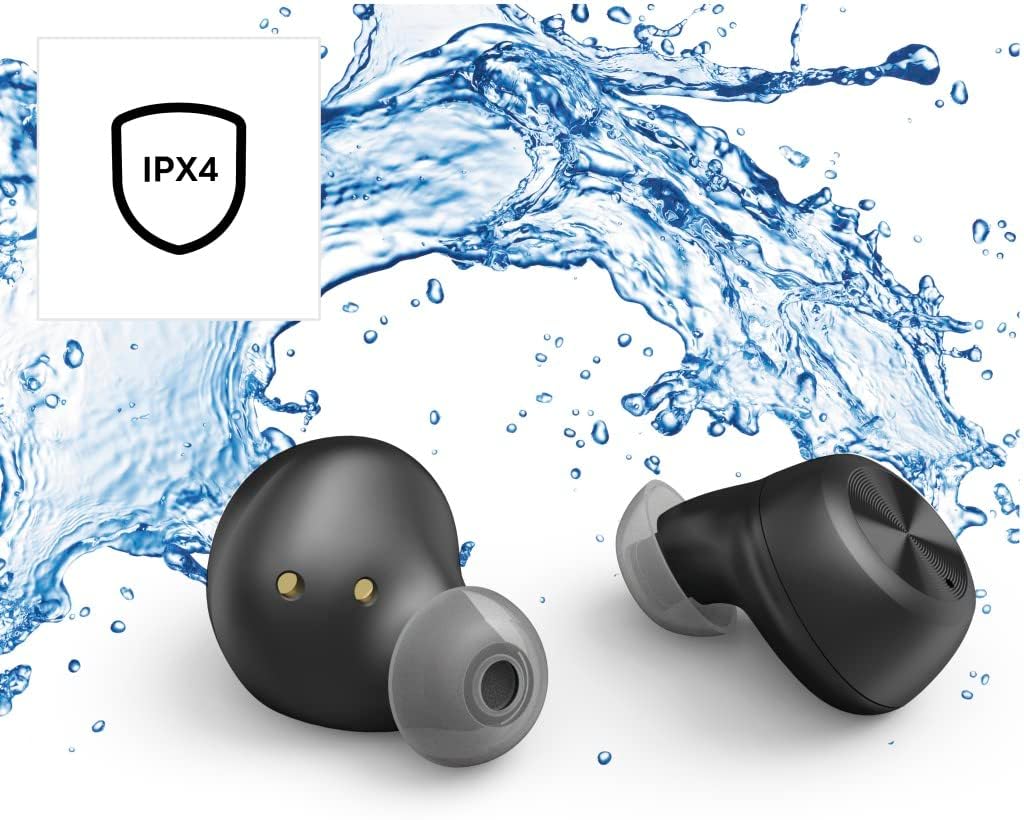
The Thomson WEAR7701 earbuds are rated IPX4, meaning they are protected against splashing water from any direction. This makes them suitable for use during workouts or in light rain.
- لا تغمر سماعات الأذن في الماء.
- لا تعرضهم لمياه مضغوطة أو مياه عالية السرعة، مثل أثناء الاستحمام أو السباحة.
- تأكد من جفاف سماعات الأذن قبل إعادتها إلى علبة الشحن لمنع تلف نقاط التلامس الخاصة بالشحن.
5.3 التخزين
عندما لا تكون قيد الاستخدام، قم بتخزين سماعات الأذن في علبة الشحن الخاصة بها لحمايتها والحفاظ عليها مشحونة.
6. استكشاف الأخطاء وإصلاحها
6.1 Earbuds Not Pairing or Only One Earbud Connects
- تأكد من شحن سماعتي الأذن بالكامل.
- Place both earbuds back into the charging case, close the lid, wait a few seconds, then remove both simultaneously.
- Delete the earbuds from your device's Bluetooth list ("Forget Device") and attempt to pair again from scratch.
- Ensure the earbuds are within Bluetooth range of your device (up to 10 meters).
6.2 لا يوجد صوت أو مستوى الصوت منخفض
- تحقق من مستوى الصوت على كل من الجهاز المتصل وسماعات الأذن.
- Ensure the earbuds are properly seated in your ears and that the ear tips provide a good seal.
- أعد توصيل سماعات الأذن بجهازك.
- قم بتنظيف أي حطام من مكبرات صوت سماعات الأذن.
6.3 قضايا الشحن
- تأكد من توصيل كابل الشحن بشكل آمن بكل من العلبة ومصدر الطاقة.
- تأكد من أن مصدر الطاقة يعمل بشكل صحيح.
- قم بتنظيف نقاط التلامس الخاصة بالشحن على كل من سماعات الأذن وداخل علبة الشحن.
- Try a different Micro USB charging cable.
7. المواصفات
| اسم الموديل | ارتداء7701 |
| رقم الموديل | 132568 |
| لون | أسود |
| الاتصال | بلوتوث 5.0 |
| فئة بلوتوث | الصف الثاني |
| نطاق التردد | 2402-2480 ميجا هرتز |
| Earbud Frequency Range | 20 هرتز - 20 كيلو هرتز |
| نطاق تردد الميكروفون | 100 هرتز - 5 كيلو هرتز |
| Earbud Impedance | 32 أوم |
| معاوقة الميكروفون | 2.2 كيلو أوم |
| مسافة الإرسال | 10 متر |
| Earbud Sensitivity | 92 ديسيبل +/- 3 ديسيبل |
| حساسية الميكروفون | -42 ديسيبل ± 3 ديسيبل |
| أقصى وقت للتحدث | 4 ساعات |
| Max. Music Playback Time | 4 ساعات |
| الأعلى. وقت الاستعداد | 150 ساعات |
| علبة الشحن قابلة لإعادة الشحن | حتى 3 مرات |
| Average Charging Time (Case) | 3 ساعات |
| نوع الشحن | ميكرو يو اس بي |
| موقف الميكروفون | مدمج |
| نوع الميكروفون | متعدد الاتجاهات |
| التحكم الصوتي | أبل سيري / مساعد جوجل |
| يدعم تقنية Bluetooth Profiles | A2DP V1.3/AVRCP V1.6/HFP V1.7/SPP V1.2 |
| المميزات الخاصة | Finger-Touch Sensor, QuickPair, Call Answer Button, True Wireless |
| تصنيف مقاومة الماء | IPX4 (مقاوم للرذاذ) |
| الوزن (لكل سماعة أذن) | 4 جرام |
| الوزن الإجمالي | 41 g (earbuds + case) |
| الاستخدام الموصى به | الرياضة |
8. الضمان والدعم
Thomson products are manufactured with attention to quality and performance. For information regarding warranty coverage, please refer to the warranty card included with your product or visit the official Thomson webموقع.
For technical support, troubleshooting assistance, or to inquire about replacement parts, please contact Thomson customer service through their official channels. Contact details can typically be found on the product packaging or the manufacturer's webموقع.
يرجى الاحتفاظ بإثبات الشراء الخاص بك لمطالبات الضمان.