
1. انتهى المنتجview
The BACKWIN Wired In-Ear Headphones are designed to provide high-fidelity audio with convenient controls for music and calls. They feature a built-in microphone, volume control, and a 3.5mm jack for wide compatibility.

Image: The BACKWIN Wired In-Ear Headphones, showcasing their sleek design and 3.5mm audio jack.
2. محتويات العبوة
يرجى التحقق من الحزمة للعناصر التالية:
- BACKWIN Wired In-Ear Headphones (with integrated microphone and control)
- Ear tips (S/M/L sizes)
- دليل التعليمات (هذا المستند)
3. الإعداد
3.1 اختيار أطراف الأذن
For optimal sound quality and comfort, choose the ear tips that best fit your ears. The headphones come with three sizes (Small, Medium, Large). Experiment with each size to find the most secure and comfortable fit that also provides good sound isolation.

Image: Illustration of earbuds with various ear tip sizes for a customized fit.
3.2 الاتصال بجهازك
These headphones utilize a standard 3.5mm audio jack for connectivity. To connect:
- Locate the 3.5mm audio port on your smartphone, tablet, laptop, or other compatible device.
- أدخل مقبس سماعات الرأس مقاس 3.5 ملم بإحكام في منفذ الصوت الخاص بالجهاز.
The headphones are compatible with most devices running iOS and Android operating systems, as well as laptops and tablets with a 3.5mm audio jack.
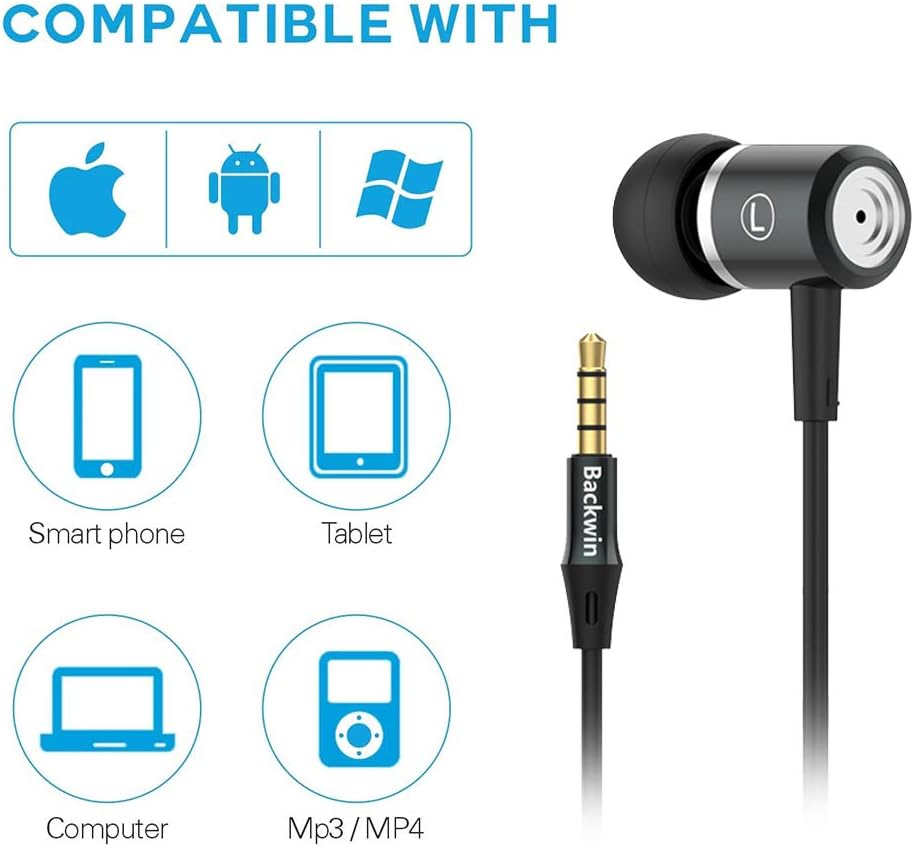
Image: Icons indicating compatibility with smartphones, tablets, computers, and MP3/MP4 players.
4. تعليمات التشغيل
The in-line remote control allows for easy management of music playback and calls.

Image: Close-up of the in-line remote control, showing the volume up (+), volume down (-), and multi-function (center) buttons, along with the microphone.
4.1 التحكم في الموسيقى
- تشغيل/إيقاف مؤقت: اضغط على زر الوسط مرة واحدة.
- المسار التالي: اضغط على الزر الأوسط مرتين بسرعة.
- المسار السابق: اضغط على الزر الأوسط ثلاث مرات بسرعة.
4.2 التحكم في المكالمات
- الرد/إنهاء المكالمة: اضغط على زر الوسط مرة واحدة.
- رفض المكالمة: اضغط مع الاستمرار على الزر الأوسط.
4.3 التحكم في مستوى الصوت
- رفع الصوت: اضغط على زر "+".
- اخفض الصوت: اضغط على زر '-'.
The built-in microphone ensures clear voice transmission during calls.
5. الصيانة والعناية
5.1 التنظيف
- امسح سماعات الأذن والكابل برفق بقطعة قماش ناعمة وجافة.
- انزعي أطراف الأذن ونظفيها بالماء والصابون الخفيف إذا لزم الأمر. تأكدي من جفافها تماماً قبل إعادة تركيبها.
- لا تستخدم مواد كيميائية قاسية أو مواد كاشطة للتنظيف.
5.2 التخزين
To prolong the life of your headphones:
- قم بتخزين سماعات الرأس في مكان نظيف وجاف عند عدم استخدامها.
- Avoid wrapping the cable too tightly to prevent damage. The cable is designed to be tangle-free for convenience.
- يحفظ بعيدًا عن درجات الحرارة العالية وأشعة الشمس المباشرة.

الصورة: تفصيلية view of the headphone cable's internal structure, highlighting its durable construction.
6. استكشاف الأخطاء وإصلاحها
| مشكلة | الحل المحتمل |
|---|---|
| لا يوجد صوت أو مستوى صوت منخفض |
|
| الميكروفون لا يعمل |
|
| Sound quality is poor or "tinny" |
|
| Earbuds are uncomfortable or fall out |
|
7. المواصفات
| ميزة | التفاصيل |
|---|---|
| ماركة | العودة |
| رقم الموديل | 0 |
| تكنولوجيا الاتصال | سلكي (مقبس 3.5 ملم) |
| تكنولوجيا الاتصالات اللاسلكية | None (Not Bluetooth compatible) |
| التحكم في الضوضاء | عزل الصوت، إلغاء الضوضاء |
| ميكروفون | متضمن |
| نوع التحكم | In-line Remote (Volume Control, Call Control) |
| ميزة الكابل | غير متشابك |
| مادة | بلاستيك |
| وضع الأذن | في الأذن |
| عامل الشكل | في الأذن |
| مقاومة | 32 أوم |
| وزن العنصر | 1.41 أونصة (0.04 كجم) |
| أبعاد المنتج | 47.24 × 0.14 × 0.14 بوصة |
| الأجهزة المتوافقة | Phones, Tablets, Laptops, Smartphones with Android and iOS operating systems |
| رمز المنتج الموحد | 712215782502 |
8. الضمان والدعم
BACKWIN products undergo extensive quality verification to ensure reliability. If you encounter any issues or have questions regarding your headphones, please contact the seller directly via email for satisfactory after-sales service.
Please refer to your purchase documentation for specific warranty terms and conditions, as these may vary.