
مقدمة
Thank you for choosing the Konix FFF Wired Controller. This controller is designed to enhance your gaming experience on Nintendo Switch, Switch 2, and PC, offering an ergonomic design, vibration feedback, and a convenient screenshot button. Please read this manual carefully before use to ensure proper setup and operation.

Figure 1: Konix FFF Wired Controller (White)
الميزات الرئيسية
- قبضة مريحة: Crafted with quality materials and anti-slip grips for comfortable extended gaming sessions, reducing hand fatigue.
- الاتصال السلكي: Features a 3-meter cable, providing ample length for flexible gameplay without battery concerns.
- وظيفة الاهتزاز: Enhances immersion during gameplay with responsive vibration feedback.
- زر التقاط الشاشة: Capture and share your in-game moments with a dedicated screenshot button, similar to official Nintendo Switch controllers.
- التوافق مع منصات متعددة: Fully compatible with Nintendo Switch, Switch 2, and PC.

Figure 2: Controller features overview
تعليمات الإعداد
Connecting to Nintendo Switch / Switch 2
- Enable Pro Controller Wired Communication:
Before connecting the controller for the first time, you must enable the "Pro Controller Wired Communication" option on your Nintendo Switch console.
- من قائمة HOME ، حدد "إعدادات النظام".
- Scroll down the left-hand menu and select "أجهزة التحكم وأجهزة الاستشعار".
- يختار "وحدة تحكم احترافية للاتصال السلكي" to enable this feature. (Select it again to disable if needed).
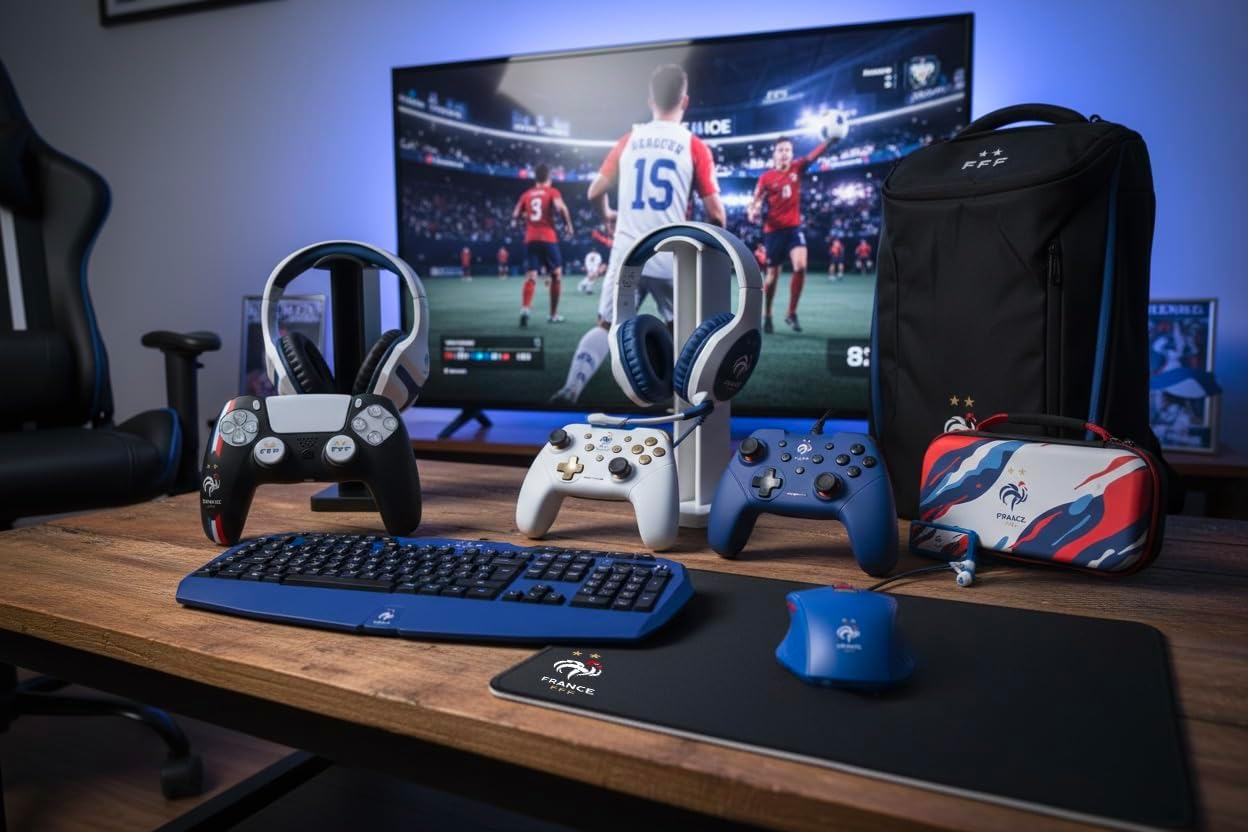
Figure 3: Enabling Pro Controller Wired Communication on Nintendo Switch
- قم بتوصيل وحدة التحكم:
Plug the USB-A end of the controller's cable into an available USB port on your Nintendo Switch dock. The controller will automatically connect and be ready for use.

Figure 4: USB cable connection point
الاتصال بالكمبيوتر الشخصي
- التوصيل والتشغيل:
Connect the USB-A end of the controller's cable to an available USB port on your PC. The operating system should automatically detect and install the necessary drivers. The controller will then be ready for use with compatible PC games.
تعليمات التشغيل
The Konix FFF Wired Controller functions similarly to standard gamepads. Refer to your game's specific control scheme for button assignments.
تصميم زر
The controller features standard buttons including A/B/X/Y, directional pad, left and right analog sticks, L/R shoulder buttons, ZL/ZR triggers, Home button, Plus (+), Minus (-), and a dedicated Screenshot button.
Figure 5: Controller button layout (front view)
Using the Screenshot Button
- اضغط على زر لقطة الشاشة (located below the directional pad) during gameplay to capture an image of your screen.
- On Nintendo Switch, captured images can be accessed and managed from the Album on the HOME Menu.
وظيفة الاهتزاز
- The controller's vibration function provides tactile feedback during compatible games.
- Vibration intensity may be adjustable within individual game settings or console system settings.
صيانة
- تنظيف: استخدم قطعة قماش ناعمة وجافة لتنظيف وحدة التحكم. لا تستخدم المنظفات الكاشطة أو المذيبات.
- تخزين: قم بتخزين وحدة التحكم في مكان بارد وجاف بعيدًا عن أشعة الشمس المباشرة ودرجات الحرارة القصوى.
- العناية بالكابلات: تجنب الانحناءات الحادة أو السحب المفرط للكابل لمنع التلف.
استكشاف الأخطاء وإصلاحها
| مشكلة | السبب المحتمل / الحل |
|---|---|
| Controller not recognized by Nintendo Switch. |
|
| لم يتعرف الكمبيوتر على وحدة التحكم. |
|
| Vibration function not working. |
|
| الأزرار لا تستجيب أو عالقة. |
|
تحديد
- رقم الموديل: 3328170282925
- التوافق: Nintendo Switch, Nintendo Switch 2, PC
- نوع الاتصال: USB سلكي
- طول الكابل: 3 متر
- سمات: Vibration function, Screenshot button, Ergonomic design
- الأبعاد (الطول × العرض × الارتفاع): 7 × 21.5 × 17.5 سم
- وزن: 390 جرام
- العمر الموصى به: 3 سنة وما فوق
معلومات الضمان
Konix products are covered by a limited warranty against defects in materials and workmanship. For specific warranty terms and conditions, please refer to the documentation included with your purchase or visit the official Konix webالموقع. احتفظ بإثبات الشراء الخاص بك لتقديم مطالبات الضمان.
دعم العملاء
If you encounter any issues or have questions regarding your Konix FFF Wired Controller, please contact Konix customer support through their official webالموقع أو معلومات الاتصال المقدمة مع عبوة المنتج الخاص بك.
لمزيد من المعلومات، قم بزيارة Konix Store on Amazon.