
مقدمة
This manual provides essential instructions for setting up, operating, maintaining, and troubleshooting your Surfans K7 Kids Tablet. Please read this guide thoroughly to ensure proper use and to maximize the tablet's features for a safe and engaging experience for children.
المنتج انتهىview
الميزات الرئيسية
- نظام التشغيل Android 10.0: Provides a secure and fast user experience.
- 7-inch IPS FHD Display: Features a 1920 x 1200 resolution eye-care touchscreen with a 178-degree wide viewزاوية جي.
- معالج رباعي النواة: Ensures smooth performance for apps and games.
- 2GB RAM, 32GB ROM: Sufficient memory for multitasking and storage, expandable via MicroSD card.
- كاميرات مزدوجة: Equipped with 2MP front and 5MP rear cameras for photos and video calls.
- الاتصال: Includes Wi-Fi and Bluetooth for wireless connections.
- Pre-installed iWAWA App: Offers updated educational content including games, videos, e-books, drawing, puzzles, and creative arts.
- Google Play Store Access: Allows downloading additional applications like YouTube Kids, Netflix, and Hulu.
- Parental Control Mode: Enables parents to manage content, set time limits, and customize child profiles.
- Durable Kid-Proof Case: Comes with a colorful, soft, and high-quality silicone case with an integrated 360-degree adjustable stand, suitable for children aged 2 to 10 years.

Image: The Surfans K7 Kids Tablet showcasing its GMS Certified Android 10.0 operating system and access to various applications via Google Play Store.

Image: The Surfans K7 Kids Tablet in use, illustrating its key features including quad-core processor, Android 10.0, 2GB RAM, 32GB ROM, WiFi, and Parent Mode.
مكونات التابلت
Familiarize yourself with the physical components of your tablet:
- زر الطاقة: Typically located on the side, used to turn the tablet on/off or put it to sleep/wake it up.
- أزرار التحكم في الصوت: ضبط مستوى إخراج الصوت.
- منفذ USB-C: لشحن الجهاز اللوحي وتوصيله بجهاز كمبيوتر لنقل البيانات.
- مقبس صوت 3.5 ملم: لتوصيل سماعات الرأس أو مكبرات الصوت الخارجية.
- منفذ كارت الذاكرة الصغيرة: Allows for memory expansion using a compatible MicroSD card.
- الكاميرا الأمامية: Used for video calls and taking selfies.
- الكاميرا الخلفية: لالتقاط الصور والفيديوهات.
- المتحدث: Provides audio output for media and notifications.
يثبت
1. شحن الجهاز اللوحي
Before first use, fully charge the tablet. Connect the provided USB cable to the tablet's USB-C port and the other end to the power adapter. Plug the adapter into a wall outlet. The battery indicator on the screen will show the charging status.
2. تشغيل / إيقاف التشغيل
- لتشغيل: Press and hold the Power Button until the screen lights up and the Surfans logo appears.
- لإيقاف التشغيل: Press and hold the Power Button until a menu appears on the screen. Select "Power off" and confirm.
- للنوم/الاستيقاظ: اضغط لفترة وجيزة على زر الطاقة لوضع الجهاز اللوحي في وضع السكون أو لتنشيطه.
3. الإعداد الأولي
Upon first power-on, follow the on-screen prompts to configure basic settings:
- اختر اللغة المفضلة لديك.
- Connect to a Wi-Fi network (see next step).
- Set up your Google account or create a new one. This is necessary for downloading apps from the Google Play Store.
- Review وقبول الشروط والأحكام.
4. الاتصال بشبكة Wi-Fi
To connect your tablet to the internet:
- اذهب الى إعدادات.
- اضغط على الشبكات والانترنت.
- يختار واي فاي وتشغيله.
- The tablet will scan for available networks. Select your desired network from the list.
- Enter the Wi-Fi password if prompted, then tap يتصل.
تعليمات التشغيل
1. التنقل الأساسي
The Surfans K7 tablet uses a touchscreen for interaction:
- مقبض: Touch the screen once to select an item, open an app, or press a button.
- انتقاد: اسحب إصبعك عبر الشاشة للتنقل بين الصفحات أو القوائم أو التبديل بين الشاشات الرئيسية.
- التكبير والتصغير: ضع إصبعين على الشاشة وحركهما بعيدًا عن بعضهما أو معًا للتكبير أو التصغير.
- الإشعارات والإعدادات السريعة: مرر لأسفل من أعلى الشاشة للوصول إلى الإشعارات وتبديلات الإعدادات السريعة (Wi-Fi، وBluetooth، وما إلى ذلك).
2. Downloading Apps from Google Play Store
With a Google account set up, you can download a wide variety of applications:
- اضغط على متجر بلاي أيقونة على شاشتك الرئيسية أو في قائمة التطبيقات.
- Browse or search for apps, games, movies, and books.
- Select an item and tap ثَبَّتَ لتنزيله وتثبيته.
3. Using Pre-installed iWAWA App
The iWAWA app provides a safe and engaging environment for children:
- حدد موقع وانقر عليه iWAWA رمز.
- Explore the various categories such as games, videos, e-books, and creative activities.
- Content within iWAWA is curated to be age-appropriate and educational.
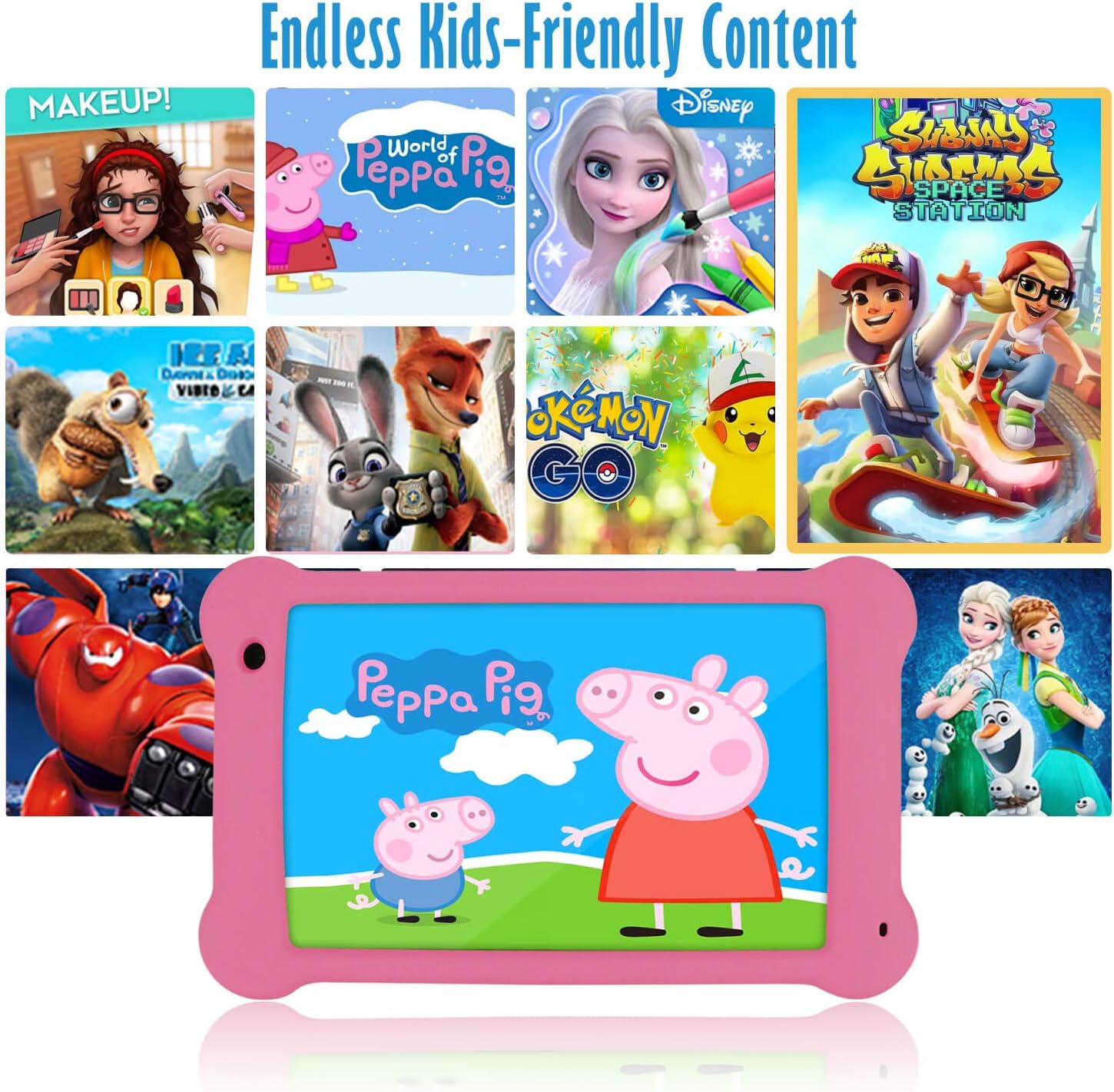
Image: The Surfans K7 Kids Tablet showcasing a variety of popular kid-friendly content, accessible through pre-installed apps and Google Play Store.
وضع الرقابة الأبوية
The Surfans K7 tablet includes a dedicated Parental Control Mode to manage your child's usage and ensure a safe digital environment.
1. Accessing Parental Mode
To access and configure parental controls:
- حدد موقع وافتحه وضع الوالدين or iWAWA Parent تطبيق على الجهاز اللوحي.
- You will be prompted to set up a password or PIN for secure access. Remember this password.
2. Setting Time Limits
Manage how long your child can use the tablet:
- Configure daily usage limits for the tablet.
- Set specific time blocks during which the tablet can or cannot be used (e.g., bedtime restrictions).
3. Content Filtering
Ensure your child accesses only appropriate content:
- Select and approve specific applications, websites, and media content that your child is allowed to access.
- Block inappropriate content categories or specific webالمواقع.
4. Managing Child Profiles
Create personalized experiences for each child:
- إنشاء الموالية الفرديةfiles for multiple children.
- Customize settings, content access, and time limits for each profile based on age and preferences.

Image: A parent and child using the Surfans K7 Kids Tablet, demonstrating the ease of setting up and managing parental controls for time limits, child lock, and content filtering.
صيانة
1. تنظيف الجهاز اللوحي
للحفاظ على جهازك اللوحي نظيفًا وعمليًا:
- Use a soft, lint-free cloth (e.g., microfiber cloth) to gently wipe the screen and tablet body.
- بالنسبة للبقع العنيدة، استخدمي القليل منampen the cloth with water. Avoid using harsh chemicals, abrasive cleaners, or excessive moisture, as these can damage the screen or internal components.
- تأكد من إيقاف تشغيل الجهاز اللوحي وفصله عن الكهرباء قبل التنظيف.
2. العناية بالبطارية
Proper battery care extends the tablet's lifespan:
- Avoid fully discharging the tablet frequently. Charge the tablet when the battery level is low (e.g., below 20%).
- Do not expose the tablet to extreme temperatures (hot or cold), as this can degrade battery performance.
- استخدم الشاحن المرفق فقط أو شاحنًا متوافقًا معتمدًا.
3. تحديثات البرامج
Keep your tablet's software up-to-date for optimal performance and security:
- Periodically check for system updates by going to الإعدادات > النظام > تحديث النظام.
- Ensure your tablet is connected to Wi-Fi and has sufficient battery charge before starting an update.
4. Protective Case Care
The included kid-proof silicone case offers protection:
- تنظيف العلبة بالاعلانamp القماش إذا اتسخ.
- Ensure the case is properly fitted around the tablet to provide maximum protection against drops and bumps.

الصورة: تفصيلية view of the Surfans K7 Kids Tablet's durable kid-proof case, highlighting its soft silicone material and anti-drop corner design for enhanced protection.
استكشاف الأخطاء وإصلاحها
This section addresses common issues you might encounter with your Surfans K7 Kids Tablet.
الجهاز اللوحي لا يعمل
- التحقق من البطارية: تأكد من شحن الجهاز اللوحي. قم بتوصيله بالشاحن لمدة 30 دقيقة على الأقل، ثم حاول تشغيله مرة أخرى.
- إعادة التشغيل القسري: Press and hold the Power Button for about 10-15 seconds until the tablet restarts.
Screen is Black but Audio is Playing
This can sometimes occur:
- Briefly press the Power Button to put the screen to sleep, then press it again to wake it up.
- If the issue persists, perform a force restart by pressing and holding the Power Button for 10-15 seconds.
مشكلات الاتصال بالواي فاي
- تمكين الواي فاي: اذهب الى الإعدادات > الشبكة والإنترنت > Wi-Fi and ensure Wi-Fi is turned on.
- إعادة تشغيل جهاز التوجيه: أعد تشغيل جهاز توجيه Wi-Fi والمودم.
- انسى الشبكة: Go to Wi-Fi settings, tap on your network, and select "Forget network." Then, reconnect to the network and re-enter the password.
- قوة الإشارة: If the signal is weak, move closer to your Wi-Fi router.
Apps Are Slow or Crashing
- إغلاق التطبيقات غير المستخدمة: Swipe up from the bottom of the screen (or tap the square navigation button) to view قم بفتح التطبيقات الحديثة، ثم اسحبها للإغلاق.
- أعد تشغيل الجهاز اللوحي: A simple restart can often resolve performance issues.
- مسح ذاكرة التخزين المؤقت للتطبيق: اذهب الى الإعدادات > التطبيقات > [اسم التطبيق] > التخزين والذاكرة المؤقتة > مسح الذاكرة المؤقتة.
Tablet is Unresponsive
If the tablet freezes and does not respond to touch:
- Perform a force restart by pressing and holding the Power Button for approximately 10-15 seconds until the device powers off and restarts.
إعادة ضبط المصنع (كحل أخير)
If all other troubleshooting steps fail, a factory reset may be necessary. Warning: This will erase all data on the tablet, including apps, photos, and user settings. Back up any important data before proceeding.
- اذهب الى الإعدادات > النظام > خيارات إعادة التعيين.
- مقبض مسح جميع البيانات (إعادة ضبط المصنع).
- قم بتأكيد قرارك واتبع الإرشادات التي تظهر على الشاشة.
تحديد

Image: Visual comparison highlighting the superior clarity of the 1920x1200 FHD IPS display with a 178-degree wide viewing angle on the Surfans K7 Kids Tablet.
| ميزة | مواصفة |
|---|---|
| ماركة | راكبي الأمواج |
| اسم الموديل | K7 |
| نظام التشغيل | أندرويد 10.0 |
| حجم الشاشة | 7 بوصة |
| أقصى دقة للشاشة | 1920 × 1200 بكسل |
| ماركة المعالج | ARM (Quad-core 1.6GHz) |
| ذاكرة الوصول العشوائي المثبتة | 2 جيجا بايت |
| سعة تخزين الذاكرة | 32 جيجا بايت |
| تخزين قابل للتوسيع | فتحة لبطاقة MicroSD |
| Front Photo Sensor Resolution | 2 ميجا بكسل |
| الأعلى Webدقة صورة الكاميرا | 5 ميجا بكسل |
| دقة تسجيل الفيديو | دقة كاملة 1080 بكسل |
| تكنولوجيا الاتصال | بلوتوث، يو اس بي، واي فاي |
| التوافق اللاسلكي | 802.11a/b/g/n |
| الربط الأجهزة | 3.5 mm Audio Jack, USB-C Port |
| نوع البطارية | بوليمر الليثيوم |
| سعة البطارية | 3000 مللي أمبير |
| متوسط عمر البطارية | 8 ساعة |
| وزن العنصر | 450 جرام |
| لون | لون القرنفل |
| وصف الفئة العمرية | Baby, Children (2-10 years) |
الضمان والدعم
The Surfans K7 Kids Tablet comes with a standard manufacturer's warranty. For specific warranty terms, conditions, and duration, please refer to the warranty card included in the product packaging or contact Surfans customer support.
For technical assistance, troubleshooting beyond this manual, or further inquiries, please visit the official Surfans website or contact their customer service department through the contact information provided with your purchase or on their webموقع.