
مقدمة
This manual provides detailed instructions for setting up, operating, maintaining, and troubleshooting your HP 230 Wireless Keyboard and Mouse Combo. Please read this manual thoroughly before using the product to ensure optimal performance and longevity.
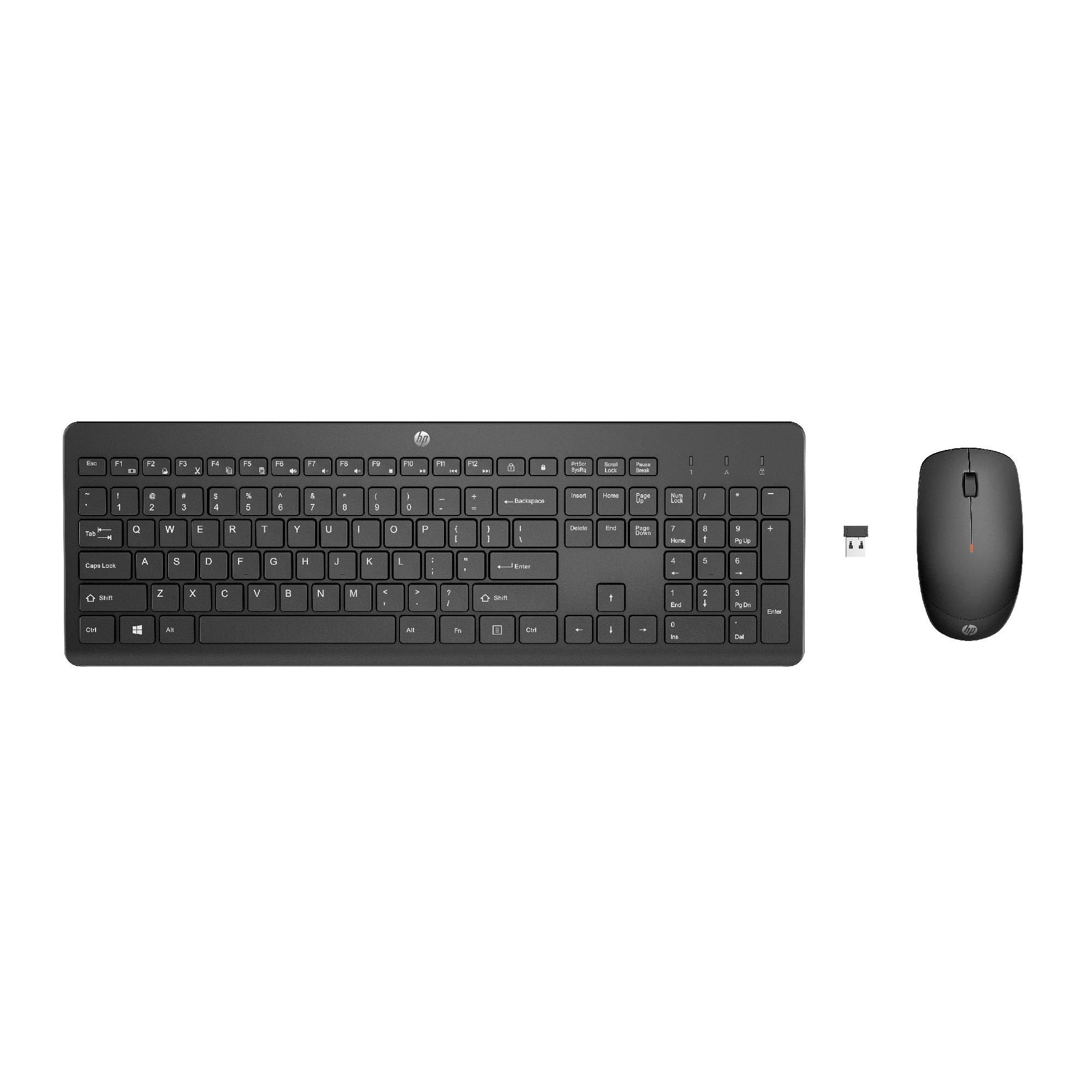
Image: The HP 230 Wireless Keyboard and Mouse Combo, showing both devices in black.
محتويات الحزمة
تأكد من وجود جميع العناصر في العبوة:
- لوحة مفاتيح لاسلكية HP 230
- ماوس اتش بي 230 لاسلكي
- USB-A Wireless Dongle (2.4 GHz)
- بطاريتان AAA (للوحة المفاتيح)
- بطارية AA واحدة (للفأرة)
- Product Information and Warranty Card
تعليمات الإعداد
1. قم بتركيب البطاريات
- بالنسبة للوحة المفاتيح: Locate the battery compartment on the underside of the keyboard. Insert two AAA batteries, ensuring correct polarity (+/-).
- بالنسبة للفأر: Locate the battery compartment on the underside of the mouse. Insert one AA battery, ensuring correct polarity (+/-).
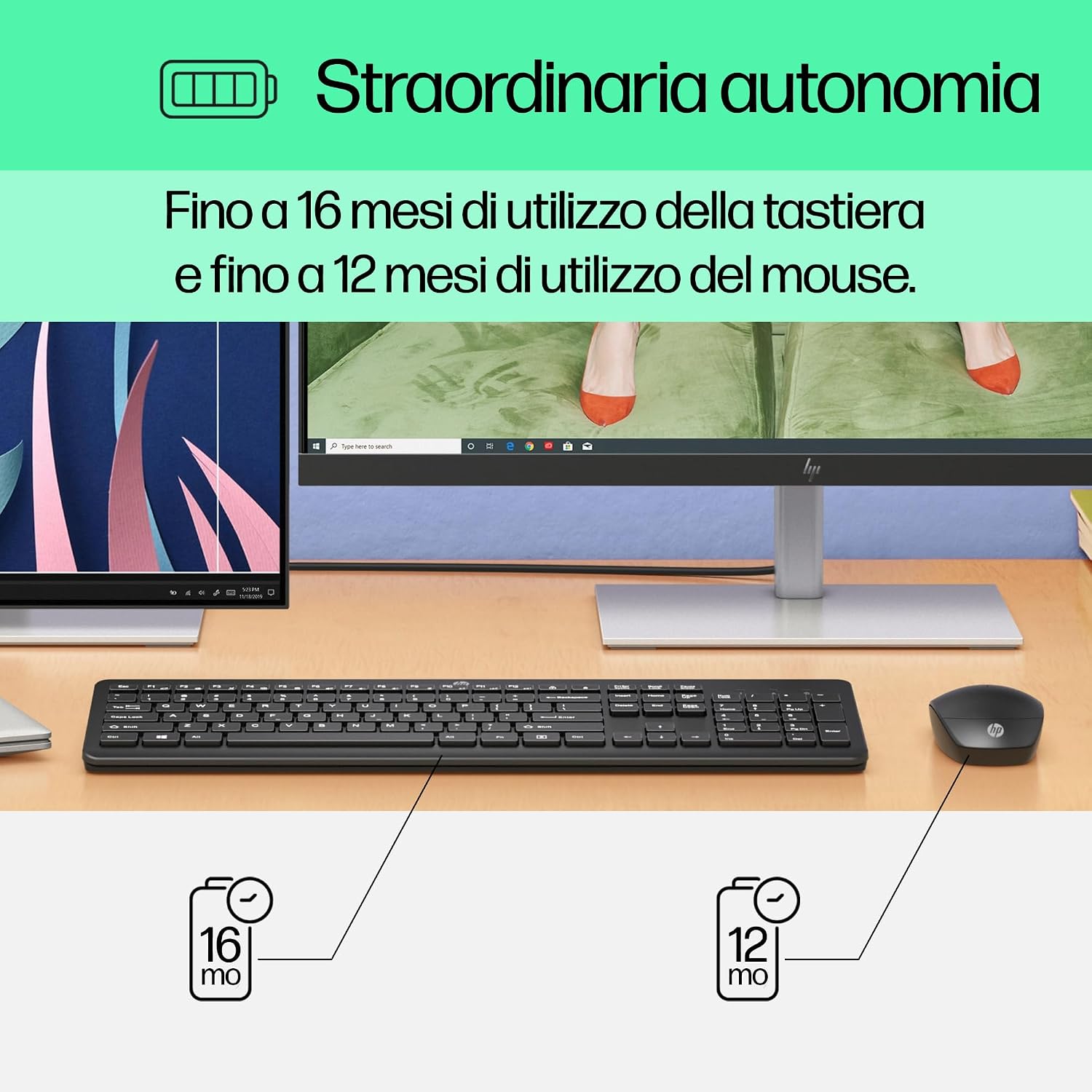
Image: Diagram illustrating battery life for the keyboard (16 months with 2 AAA) and mouse (12 months with 1 AA).
2. Connect the USB-A Wireless Dongle
- Locate the USB-A wireless dongle, typically stored in the mouse's battery compartment or included separately in the packaging.
- Insert the USB-A dongle into an available USB Type-A port on your computer (desktop, laptop, tablet, or All-in-One PC).
- Your computer should automatically detect and install the necessary drivers. This is a Plug and Play device, requiring no manual driver installation.

Image: The HP 230 wireless keyboard and mouse positioned next to a laptop, illustrating wireless connectivity.
The keyboard and mouse are pre-paired with the dongle and should be ready for use immediately after connection.
عملية
وظائف لوحة المفاتيح
The HP 230 Wireless Keyboard features a full-size layout with a numeric keypad and silent chicklet keys for comfortable and quiet typing.
- الكتابة الصامتة: The keyboard is designed for reduced noise during typing, making it suitable for quiet environments.
- Fn Key Shortcuts: استخدم Fn key in combination with the F1-F12 function keys for quick access to various functions such as volume control, home page, bookmarks, and email.
- المفاتيح العددية: تتضمن لوحة مفاتيح رقمية مخصصة لإدخال البيانات بكفاءة.

الصورة: مفصلة view of the HP 230 keyboard layout, highlighting function keys and silent chicklet keys, with dimensions.

Image: A close-up of the HP 230 keyboard showing the Fn keys and their associated shortcut icons, emphasizing productivity.
وظائف الماوس
The HP 230 Wireless Mouse is designed for precise navigation and comfortable use.
- تتبع دقيق: The mouse features a 1600 DPI optical sensor for accurate and smooth cursor movement.
- عجلة التمرير: Use the scroll wheel for easy vertical navigation through documents and web الصفحات.
- Left and Right Buttons: Standard left and right-click functionality for interaction with your computer.
- تصميم بارع: Suitable for both left-handed and right-handed users.

الصورة: من أعلى إلى أسفل view of the HP 230 mouse, showing its ergonomic design, scroll wheel, and 1600 DPI specification, with dimensions.

Image: Graphic illustrating the precise movement of the HP 230 mouse with up to 1600 DPI tracking.
صيانة
Proper maintenance ensures the longevity and performance of your HP 230 combo.
- تنظيف:
- استخدم قطعة قماش ناعمة وخالية من الوبر وامسحها برفق.ampيُنظف سطح لوحة المفاتيح والماوس بالماء أو بمحلول تنظيف خفيف.
- تجنب استخدام المواد الكيميائية القاسية، أو المواد الكاشطة، أو المذيبات.
- بالنسبة للوحة المفاتيح، استخدم الهواء المضغوط لإزالة الغبار والحطام من بين المفاتيح.
- استبدال البطارية:
- استبدل البطاريات عندما يتراجع الأداء أو عندما يضيء مؤشر انخفاض البطارية (إن وجد).
- Always use new, high-quality batteries of the specified type (AAA for keyboard, AA for mouse).
- تخلص من البطاريات القديمة وفقًا للوائح المحلية.
- تخزين: عند عدم استخدام الأجهزة لفترات طويلة، قم بإزالة البطاريات لمنع التسرب. خزّن الأجهزة في مكان بارد وجاف.
استكشاف الأخطاء وإصلاحها
If you encounter issues with your HP 230 Wireless Keyboard and Mouse Combo, try the following solutions:
| مشكلة | حل |
|---|---|
| لوحة المفاتيح أو الفأرة لا تستجيب |
|
| تأخر أو انقطاع الاتصال |
|
| مؤشر الماوس يتحرك بشكل غير منتظم أو لا يتحرك بسلاسة |
|
تحديد
| ميزة | التفاصيل |
|---|---|
| ماركة | HP |
| رقم الموديل | إتش بي 230 |
| لون | أسود |
| تكنولوجيا الاتصال | 2.4 GHz Radiofrequency (Wireless USB-A Dongle) |
| تخطيط لوحة المفاتيح | لوحة مفاتيح كويرتي |
| عدد المفاتيح (لوحة المفاتيح) | 104 |
| ميزة خاصة في لوحة المفاتيح | Silent Typing, Fn-key shortcuts |
| مؤشر الماوس DPI | 1600 نقطة في البوصة |
| تصميم الفأرة | ثنائي الاستخدام |
| أنظمة التشغيل المتوافقة | Windows 10, Windows 11 (also Windows 7, Windows 8) |
| Minimum OS Requirement | ويندوز 10 |
| لوحة مفاتيح تعمل بالبطارية | بطاريتين AAA |
| نوع بطارية الفأرة | 1 × بطارية AA |
| Estimated Keyboard Battery Life | حتى 16 أشهر |
| Estimated Mouse Battery Life | حتى 12 أشهر |
| الاستخدام الموصى به | Computer typing and navigation |
معلومات الضمان
The HP 230 Wireless Keyboard and Mouse Combo comes with a ضمان المنتج لمدة 2 عامًا from the date of purchase. Please retain your proof of purchase for warranty claims. For detailed terms and conditions, refer to the warranty card included in your package or visit the official HP support webموقع.
EU spare parts availability: 1 year.
يدعم
For further assistance, technical support, or to access updated drivers and documentation, please visit the official HP support webموقع:
You may also find helpful information and FAQs on the product's Amazon page or by contacting HP customer service directly.