
مقدمة
The Parts Express True Wireless Bluetooth 5.0 Earbuds offer complete wireless freedom for audio playback and communication. These earbuds feature multi-touch controls for various functions and come with a rechargeable USB-C charging case, making them suitable for portable use.
محتويات الحزمة
يرجى التأكد من أن جميع العناصر المدرجة أدناه موجودة في الحزمة الخاصة بك:
- سماعات أذن لاسلكية حقيقية (يسار ويمين)
- حافظة الشحن
- 3 Sets of Silicone Ear Tips (Sizes: Small, Medium, Large)
- USB-C Charging Cable (Power adapter not included)
المنتج انتهىview
Familiarize yourself with the components of your True Wireless Earbuds.
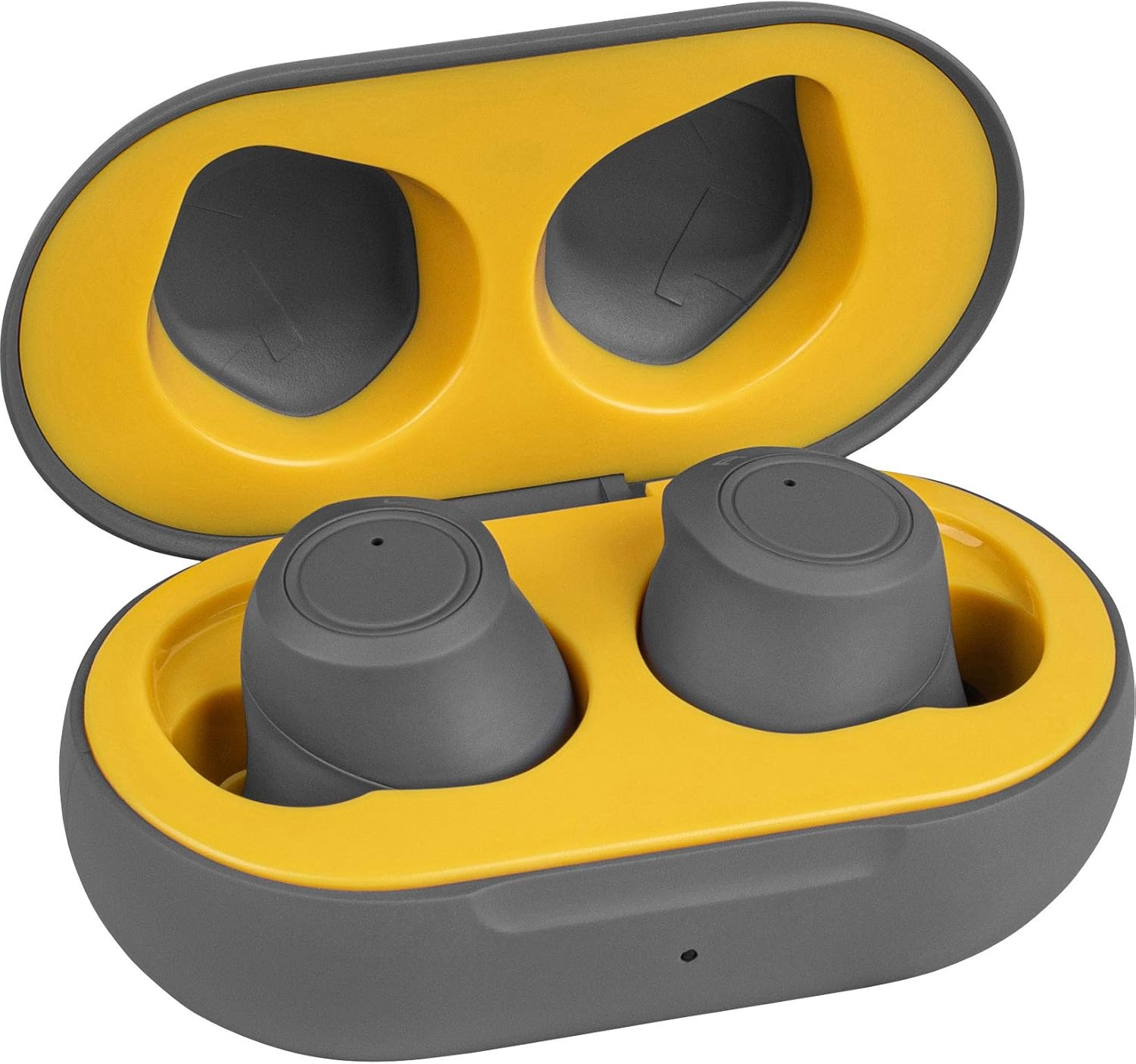
الصورة 1: Earbuds placed inside the open charging case. The earbuds are gray, and the case interior is yellow, indicating proper placement for charging or storage.

الصورة 2: The closed charging case. This compact gray case protects the earbuds and provides portable charging.

الصورة 3: جانب view of the charging case, highlighting the USB-C charging port. This port is used to recharge the case's internal battery.
يثبت
1. شحن سماعات الأذن والعلبة
Before first use, fully charge both the earbuds and the charging case. Place the earbuds into the charging case. Connect the provided USB-C charging cable to the charging port on the case and plug the other end into a USB power source (e.g., computer, wall adapter). The charging case can provide two full charge cycles for the earbuds, offering approximately four hours of playtime per charge.
2. الاقتران بجهاز بلوتوث
- تأكد من شحن علبة الشحن ووضع سماعات الأذن بالداخل.
- افتح علبة الشحن وأخرج سماعتي الأذن. سيتم تشغيلهما تلقائيًا ودخول وضع الاقتران.
- على جهازك (الهاتف الذكي، الجهاز اللوحي، الكمبيوتر المحمول)، انتقل إلى إعدادات البلوتوث.
- بحث عن new devices and select "Parts Express Earbuds" (or similar name) from the list of available devices.
- Once connected, you will hear an audible confirmation, and the earbuds will be ready for use. The earbuds will automatically connect to the last paired device when removed from the charging case.
تعليمات التشغيل
Multi-Touch Controls
The earbuds feature multi-touch controls on their outer surface. Specific tap patterns control various functions:
- تشغيل/إيقاف مؤقت: ضغطة واحدة على أي سماعة أذن.
- Track Skip (Next/Previous): Specific tap patterns (refer to quick start guide for exact patterns, typically double or triple tap on left/right earbud).
- التحكم في مستوى الصوت: Specific tap patterns (refer to quick start guide for exact patterns, typically tap and hold or multiple taps on left/right earbud).
- الرد/إنهاء المكالمة: اضغط مرة واحدة على أي سماعة أذن أثناء المكالمة الواردة.
- رفض المكالمة: اضغط مع الاستمرار على أي سماعة أذن أثناء المكالمة الواردة.
- تنشيط مساعد الصوت: Specific tap pattern (e.g., triple tap) on either earbud to activate Siri, Google Assistant, or other voice assistants.
Note: Exact multi-touch patterns may vary. Consult the included quick start guide for detailed instructions on specific tap functions.
تشغيل/إيقاف الطاقة
- تشغيل الطاقة: قم بإزالة سماعات الأذن من علبة الشحن.
- إيقاف التشغيل: Place earbuds back into the charging case. They will automatically disconnect and begin charging.
صيانة
تضمن الصيانة المناسبة طول عمر سماعات الأذن والأداء الأمثل لها.
- تنظيف: Regularly clean the earbuds and charging case with a soft, dry, lint-free cloth. Do not use abrasive cleaners or solvents. Gently remove any earwax buildup from the ear tips and speaker mesh using a small, soft brush or cotton swab.
- تخزين: عند عدم الاستخدام، قم بتخزين سماعات الأذن في علبة الشحن الخاصة بها لحمايتها من الغبار والأوساخ والتلف المادي.
- مقاومة الماء: The earbuds are water-resistant. Avoid submerging them in water or exposing them to heavy rain. Dry them thoroughly if they get wet.
- العناية بالبطارية: للحفاظ على عمر البطارية، تجنب تفريغ سماعات الأذن وعلبة الشحن بالكامل بشكل متكرر. اشحنها بانتظام، حتى لو لم تكن قيد الاستخدام المستمر.
استكشاف الأخطاء وإصلاحها
| مشكلة | حل |
|---|---|
| سماعات الأذن لا تعمل. | تأكد من شحن سماعات الأذن. ضعها في علبة الشحن وقم بتوصيل العلبة بمصدر طاقة. |
| Earbuds do not pair with my device. |
|
| تعمل سماعة أذن واحدة فقط. |
|
| جودة الصوت رديئة أو الاتصال متقطع. |
|
تحديد
| ميزة | التفاصيل |
|---|---|
| رقم الموديل | 848864065120 |
| تكنولوجيا الاتصال | لاسلكي |
| تكنولوجيا الاتصالات اللاسلكية | بلوتوث 5.0 |
| نوع التحكم | التحكم باللمس والصوت |
| وضع الأذن | في الأذن |
| عامل الشكل | في الأذن |
| عمر البطارية (سماعات الأذن) | حتى ساعتين |
| وقت الشحن (سماعات الأذن) | Not specified (typically 1-2 hours) |
| سعة علبة الشحن | Provides 2 full earbud charges |
| منفذ الشحن | يو اس بي-سي |
| مستوى مقاومة الماء | مقاوم للماء |
| مادة | بلاستيك |
| وزن العنصر | 0.3 Pounds (total product) |
| الأجهزة المتوافقة | الهواتف الذكية، أجهزة الكمبيوتر المحمولة، الأجهزة اللوحية، مكبرات الصوت الذكية |
| الاستخدامات الموصى بها | Exercising, Music, Running, Travel |
الضمان والدعم
For warranty information or technical support, please refer to the documentation included with your purchase or visit the official Parts Express webالموقع. احتفظ بإثبات الشراء الخاص بك لتقديم مطالبات الضمان.