
مقدمة
Thank you for choosing the PALOVUE iSound True Wireless Earbuds. These earbuds are designed to provide a superior audio experience with advanced features such as Qualcomm CSR Bluetooth 5.0, aptX HD sound quality, CVC 8.0 noise cancellation, and intuitive touch controls. This manual will guide you through the setup, operation, and maintenance of your new earbuds to ensure optimal performance.
ماذا يوجد في الصندوق
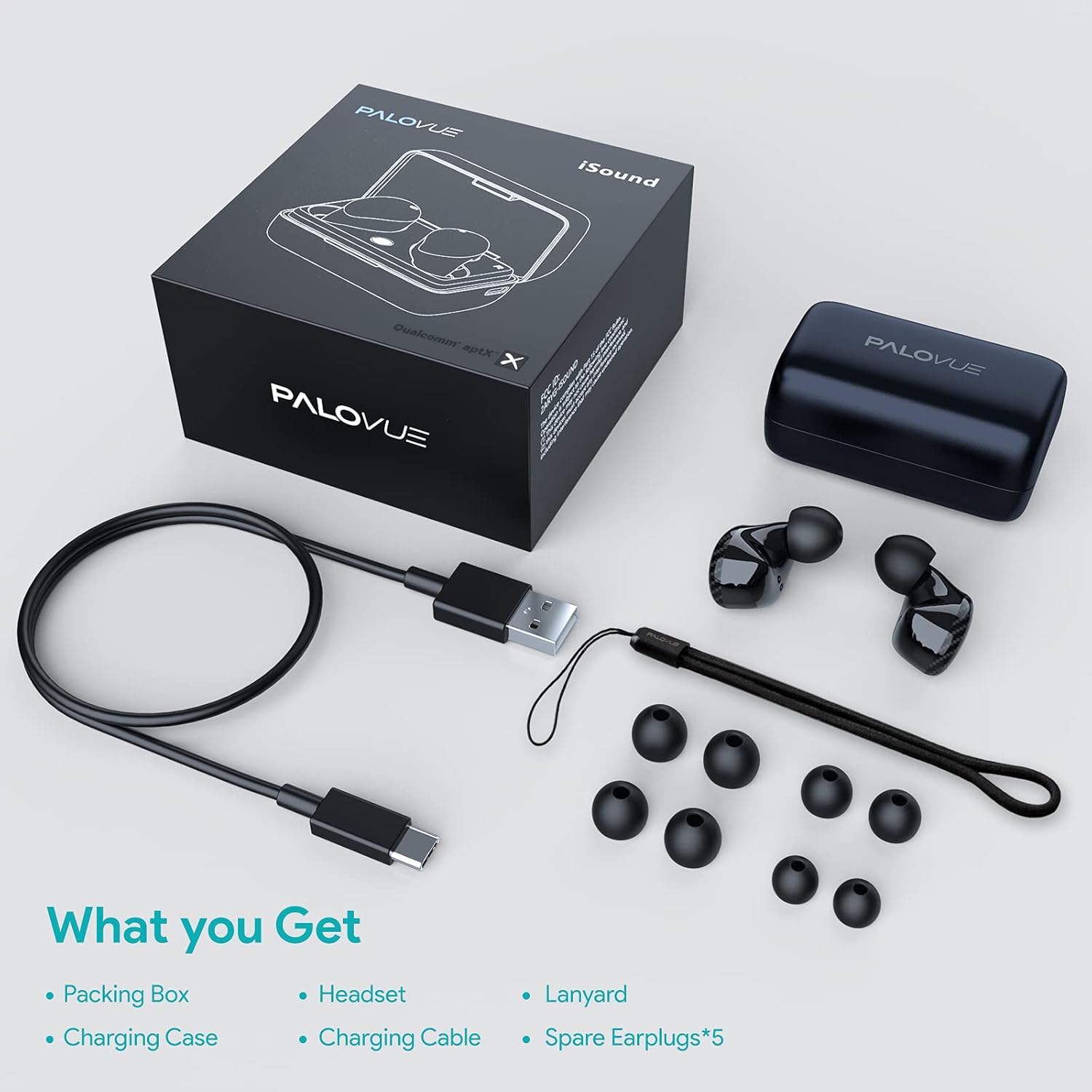
Upon unboxing your PALOVUE iSound True Wireless Earbuds, please verify that all components are present:
- PALOVUE iSound Earbuds (Left and Right)
- حافظة الشحن
- كابل شحن USB-C
- حبل العنق
- 5 Pairs of Silicone Ear Tips (XS, S, M, L, XL)
- دليل المستخدم (هذا المستند)
المنتج انتهىview
Familiarize yourself with the key components of your PALOVUE iSound Earbuds.


يثبت
1. شحن سماعات الأذن والعلبة
Before first use, fully charge the earbuds and the charging case. Place the earbuds into the charging case. Connect the USB-C charging cable to the case and a power source. The indicator lights on the case will show the charging status.
- A full charge provides up to 24 hours of playback with the charging case.
2. الاقتران بجهازك
- تأكد من تشغيل البلوتوث على جهازك.
- Open the charging case. The earbuds will automatically enter pairing mode (if it's the first time or if they are not connected to a previously paired device).
- On your device, search for Bluetooth devices and select "PALOVUE iSound" from the list.
- بمجرد الاتصال، سوف تسمع نغمة تأكيد.
إعادة الاتصال التلقائي: After the initial pairing, simply open the charging case, and the earbuds will automatically connect to your last paired device.
3. ارتداء سماعات الأذن
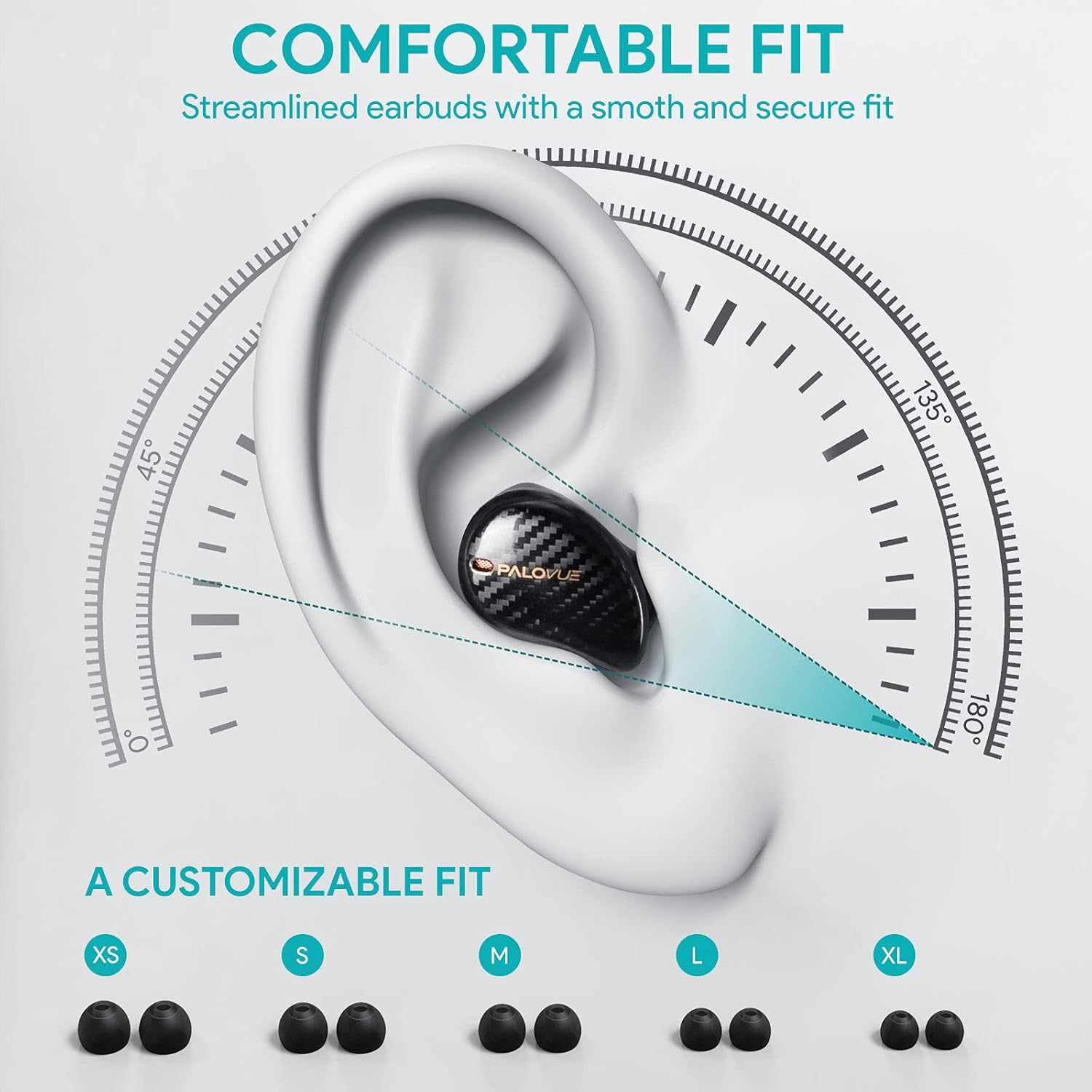
للحصول على جودة صوت مثالية وراحة تامة، اختر مقاس طرف الأذن المناسب وتأكد من تثبيته بإحكام.
- Choose from the 5 provided ear tip sizes (XS, S, M, L, XL) to find the best fit for your ears.
- Gently insert the earbuds into your ear canal and rotate them slightly until they feel secure and comfortable.
تعليمات التشغيل
عناصر التحكم باللمس
The PALOVUE iSound earbuds feature multi-function touch panels on each earbud for easy control of audio playback and calls. Specific touch functions can be customized via the PALOVUE iSound app.
- تشغيل/إيقاف مؤقت: ضغطة واحدة على أي سماعة أذن.
- المسار التالي: اضغط مرتين على سماعة الأذن اليمنى.
- المسار السابق: اضغط مرتين على سماعة الأذن اليسرى.
- الرد/إنهاء المكالمة: ضغطة واحدة على أي سماعة أذن.
- رفض المكالمة: اضغط مع الاستمرار على أي من سماعات الأذن لمدة ثانيتين.
- تنشيط مساعد الصوت: اضغط ثلاث مرات على أي سماعة أذن.
- التحكم في مستوى الصوت: Customizable via the PALOVUE iSound app (e.g., tap and hold left for volume down, right for volume up).

Call Management and Noise Cancellation
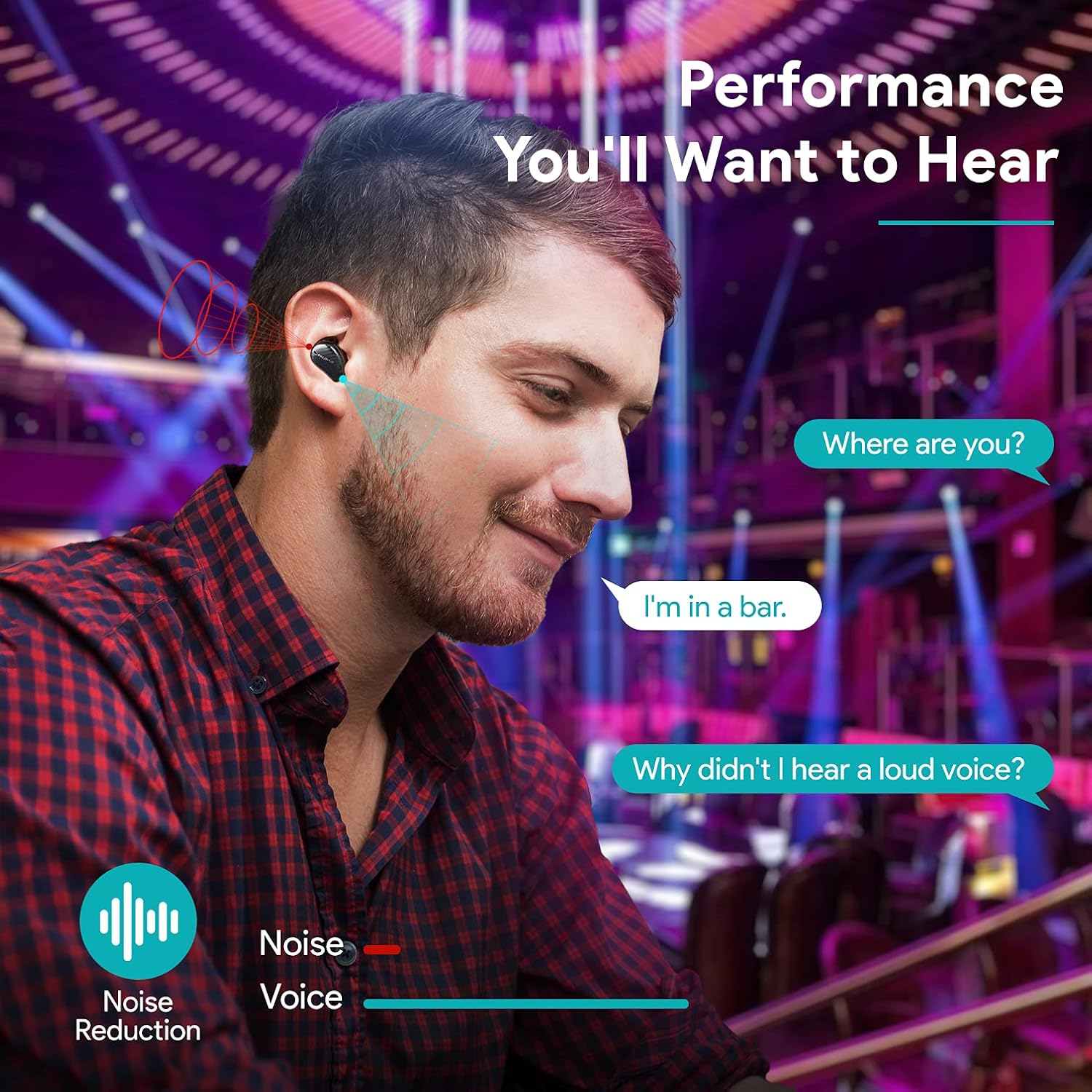
The earbuds are equipped with 4 microphones and CVC 8.0 noise cancellation technology to ensure clear calls even in noisy environments.
PALOVUE iSound App
Download the PALOVUE iSound app to customize touch controls, check battery status, and access additional features for your earbuds.
صيانة
تضمن الصيانة المناسبة طول عمر سماعات الأذن والأداء الأمثل لها.
- تنظيف: نظّف سماعات الأذن وعلبة الشحن بانتظام بقطعة قماش ناعمة وجافة وخالية من الوبر. تجنّب استخدام مواد كيميائية قاسية أو مواد كاشطة.
- نصائح الأذن: Remove and clean the silicone ear tips with mild soap and water. Ensure they are completely dry before reattaching.
- تخزين: عندما لا تكون قيد الاستخدام، قم بتخزين سماعات الأذن في علبة الشحن الخاصة بها لحمايتها من الغبار والتلف.
- تجنب الماء: While the earbuds may have some water resistance, avoid submerging them in water or exposing them to excessive moisture.
استكشاف الأخطاء وإصلاحها
If you encounter issues with your PALOVUE iSound earbuds, refer to the following common solutions:
- سماعات الأذن غير مقترنة:
- تأكد من شحن كلا سماعات الأذن.
- أعد وضع سماعات الأذن في العلبة، وأغلقها، ثم افتحها مرة أخرى لإعادة الدخول إلى وضع الاقتران.
- Forget "PALOVUE iSound" from your device's Bluetooth settings and try pairing again.
- سماعة أذن واحدة فقط تعمل:
- تأكد من شحن كلا سماعات الأذن.
- حاول إعادة ضبط سماعات الأذن (راجع التطبيق أو دليل الشركة المصنعة) webالموقع للحصول على تعليمات إعادة الضبط المحددة).
- ضع كلا السماعتين في علبة الشحن، وأغلق الغطاء، وانتظر بضع ثوانٍ، ثم افتحه مرة أخرى.
- جودة الصوت سيئة:
- Ensure the ear tips provide a secure seal in your ear canal. Try different sizes.
- قم بتنظيف أي حطام من فوهات سماعات الأذن.
- تأكد من أن جهازك ضمن نطاق البلوتوث (حتى 10 أمتار).
- سماعات الأذن لا يتم شحنها:
- تأكد من توصيل كابل الشحن بشكل آمن بكل من العلبة ومصدر الطاقة.
- تأكد من أن نقاط اتصال الشحن الموجودة على سماعات الأذن وداخل العلبة نظيفة وخالية من الحطام.
- حاول استخدام كابل USB-C ومحول طاقة مختلفين.
For further assistance, please contact PALOVUE customer support.
تحديد
| ماركة | قصر |
| رقم الموديل | 012000125 |
| نوع سماعة الرأس | داخل الأذن |
| تكنولوجيا الاتصال | لاسلكي (بلوتوث 5.0) |
| تكنولوجيا الاتصالات اللاسلكية | بلوتوث |
| المميزات الخاصة | Noise Reduction (CVC 8.0), Wireless |
| مجموعة الشرائح | Qualcomm CSR QCC3020 |
| ترميز الصوت | أبتكس إتش دي |
| تكوين البطارية | بوليمر الليثيوم |
| بطارية قابلة لإعادة الشحن | نعم |
| وقت التشغيل | حتى 24 ساعات مع علبة الشحن |
| مادة | بلاستيك |
الضمان والدعم
PALOVUE products are designed for reliability and performance. For warranty information, please refer to the warranty card included in your product packaging or visit the official PALOVUE webموقع.
If you require technical support or have questions regarding your PALOVUE iSound True Wireless Earbuds, please contact PALOVUE customer service through their official webالموقع أو معلومات الاتصال المقدمة في وثائق المنتج الخاص بك.
يرجى تجهيز رقم الموديل الخاص بك (012000125) وتفاصيل الشراء عند الاتصال بالدعم.