
PINEWORLD Q106
دليل مستخدم قفل الباب الذكي بتقنية بلوتوث PINEWORLD Q106
نموذج: Q106
1. المقدمة
This manual provides detailed instructions for the installation, operation, and maintenance of your PINEWORLD Q106 Bluetooth Smart Door Lock. The Q106 is a keyless deadbolt lock designed for enhanced security and convenience, offering multiple unlocking methods including fingerprint, password, Tuya App, and mechanical key.
يرجى قراءة هذا الدليل جيداً قبل التركيب والاستخدام لضمان الأداء السليم وطول عمر المنتج.

الصورة 1.1: الأمام والخلف view of the PINEWORLD Q106 Smart Door Lock.
2. مواصفات المنتج
- طرق فتح متعددة: Access your door using smart fingerprint recognition, the Tuya App via Bluetooth, a user-defined password, or a traditional mechanical key. The system supports up to 100 users.
- الأمان المتقدم: Constructed from high-strength aluminum alloy, featuring semiconductor fingerprint recognition to prevent unauthorized access from fake fingerprints. Includes a virtual password function for enhanced privacy during entry.
- القفل التلقائي: A built-in sensor detects when the door is closed and automatically engages the lock, providing immediate security.
- تصميم متين: IP65 waterproof certification ensures the lock can withstand temperatures from -25°C to 50°C (-77°F to 122°F) and exposure to rainfall.
- التثبيت متعدد الاستخدامات: Suitable for door thicknesses between 35mm and 55mm. Compatible with wooden doors and UPVC composite doors. Supports reversible handle orientation for left-outside, left-inside, right-outside, and right-inside door opening configurations.

Image 2.1: Illustration of the four unlocking methods: Tuya App, Smart Fingerprint, User Password, and Mechanical Key.

Image 2.2: Key features including Tuya App Control, Bluetooth 4.0, Fingerprint Unlock, and 100 user management capacity.
3. الإعداد والتثبيت
3.1 فحص التثبيت المسبق
Before beginning installation, verify your door's specifications:
- سمك الباب: The PINEWORLD Q106 is designed for doors with a thickness between 35mm and 55mm.
- مادة الباب: Suitable for wooden doors and UPVC composite doors.
- تسليم الباب: The lock supports reversible handle orientation, accommodating left-outside, left-inside, right-outside, and right-inside door opening directions.
3.2 أبعاد التثبيت
Refer to the diagram below for precise measurements required for drilling and mounting the lock components.

Image 3.1: Diagram illustrating the required door preparation dimensions for installation, including backset (60mm or 70mm) and bore hole diameters.
3.3 إعداد تطبيق Tuya
- Download the Tuya Smart App from your device's app store (available for Android and iOS).
- قم بالتسجيل أو تسجيل الدخول إلى حساب Tuya الخاص بك.
- تأكد من تمكين Bluetooth على هاتفك الذكي.
- Follow the in-app instructions to add your PINEWORLD Q106 lock. This typically involves activating the lock's pairing mode and confirming the connection within the app.
4. تعليمات التشغيل
4.1 فتح الباب
- فتح بصمة: Place your registered finger on the fingerprint sensor. The lock will recognize your fingerprint in approximately 0.3 seconds and unlock within 1 second.
- فتح كلمة المرور: أدخل كلمة المرور المسجلة على لوحة المفاتيح.
- Tuya App Unlock: Open the Tuya Smart App on your smartphone, ensure you are within Bluetooth range, and use the unlock function within the app interface.
- فتح المفتاح الميكانيكي: Insert the provided mechanical key into the keyhole and turn to unlock the door. This method serves as a backup.
4.2 Virtual Password Function
To enhance security and prevent others from observing your password, the lock supports a virtual password function. You can enter random digits before or after your actual password. For exampلو، إذا كانت كلمة المرور الخاصة بك 123456يمكنك الدخول 012345678, and the lock will still recognize the correct sequence within the longer string.

Image 4.1: Demonstration of the secure anti-peep code feature, allowing random digits to be entered around the correct password.
4.3 القفل التلقائي
The PINEWORLD Q106 features an automatic locking mechanism. Once the door is closed, the built-in sensor detects its position and automatically engages the deadbolt, securing your premises without manual intervention.

Image 4.2: Illustration of the auto-lock function, showing the lock automatically engaging when the door closes.
4.4 إدارة المستخدم
The lock system supports the registration of up to 100 users. Administrator settings and user settings can be managed through the Tuya App, allowing for easy addition, modification, or deletion of fingerprints and passwords.
5. الصيانة
5.1 التنظيف
للحفاظ على مظهر ووظيفة القفل، امسح الأسطح الخارجية بانتظام بقطعة قماش ناعمة.amp تجنب استخدام المنظفات الكاشطة أو المذيبات أو البخاخات الكيميائية، لأنها قد تُلحق الضرر بالطبقة النهائية والمكونات الإلكترونية.
5.2 استبدال البطارية
The PINEWORLD Q106 operates on batteries (not included). When the battery level is low, the lock will provide an alert. Replace batteries promptly to ensure continuous operation. Refer to the installation guide for instructions on accessing the battery compartment.
5.3 مقاومة الطقس
The lock is IP65 waterproof certified, designed to withstand various weather conditions including rain and extreme temperatures. However, prolonged exposure to direct, heavy water spray or submersion should be avoided.
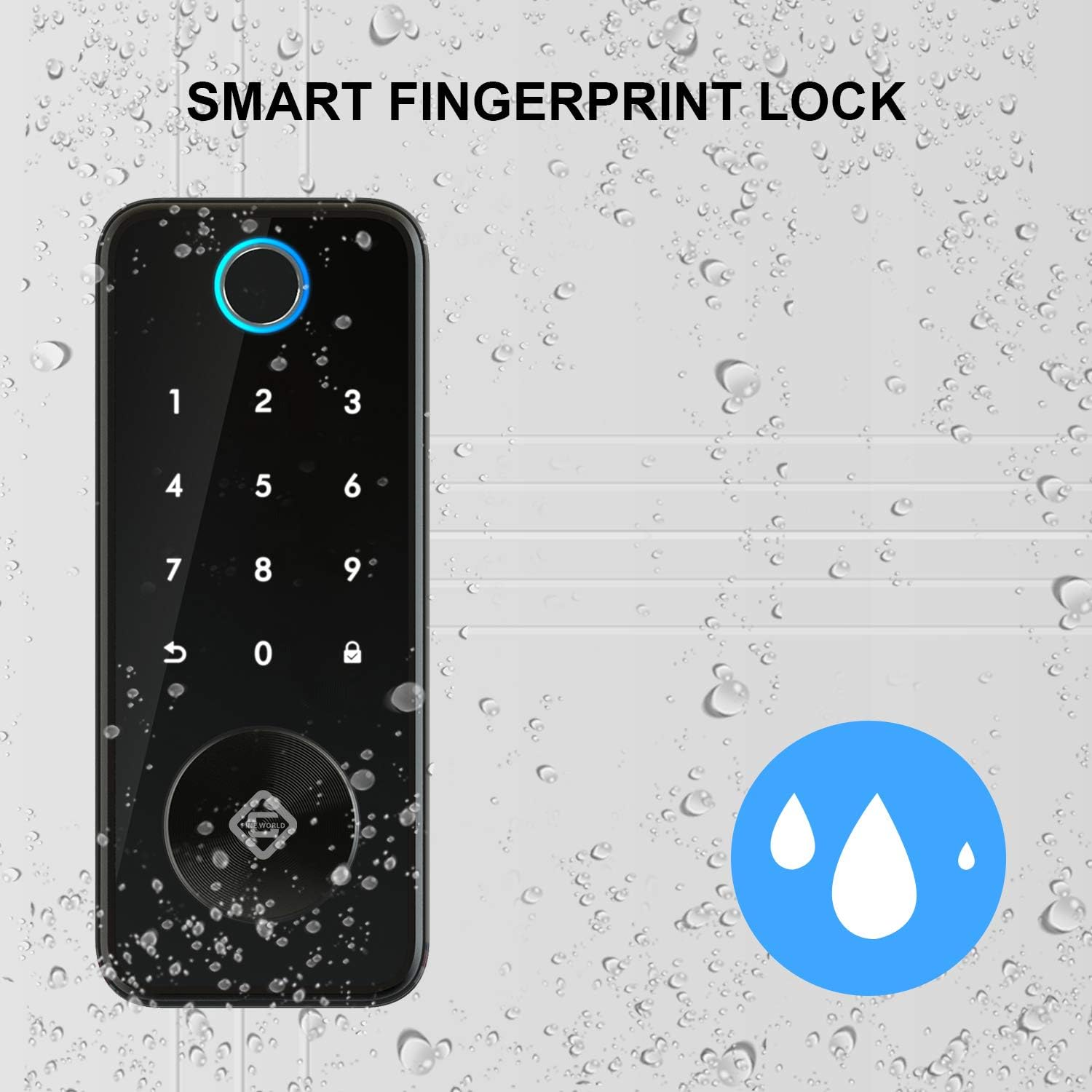
Image 5.1: The PINEWORLD Q106 lock demonstrating its IP65 waterproof capability, suitable for outdoor use.
6. استكشاف الأخطاء وإصلاحها
If you encounter issues with your PINEWORLD Q106 smart door lock, consider the following general troubleshooting steps:
- القفل لا يستجيب: Check battery levels and replace if necessary. Ensure the lock is properly installed and all connections are secure.
- لم يتم التعرف على بصمة الإصبع: تأكد من أن إصبعك نظيف وجاف. أعد تسجيل بصمة إصبعك إذا استمرت مشاكل التعرّف.
- مشاكل إدخال كلمة المرور: Verify the correct password is being entered. Try the virtual password function to rule out observation errors.
- مشاكل اتصال التطبيق: Ensure Bluetooth is enabled on your phone and you are within range of the lock. Restart the Tuya App or your phone.
- Mechanical Key Not Working: تأكد من إدخال المفتاح بالكامل وتدويره بشكل صحيح. لا تستخدم القوة لإخراج المفتاح.
For persistent issues, consult the Tuya App's help section or contact customer support.
7. المواصفات
| ميزة | مواصفة |
|---|---|
| نموذج | س106 |
| ماركة | بينورلد |
| نوع القفل | Biometric Smart Deadbolt |
| طرق فتح القفل | Fingerprint, Password, Tuya App (Bluetooth), Mechanical Key |
| سعة المستخدم | ما يصل إلى 100 مستخدمين |
| الاتصال | بلوتوث |
| نوع وحدة التحكم | Android (via Tuya App) |
| مادة | الألومنيوم |
| لون | فضي |
| توافق سمك الباب | 35 مم - 55 مم |
| درجة حرارة التشغيل | -25 درجة مئوية إلى 50 درجة مئوية (-77 درجة فهرنهايت إلى 122 درجة فهرنهايت) |
| تصنيف مقاومة الماء | IP65 |
| البطاريات | غير متضمن |
| أبعاد الحزمة | 24.79 × 21.01 × 10.9 سم |
| وزن الحزمة | 1.84 كجم |
8. الضمان والدعم
PINEWORLD provides a خدمة ضمان لمدة عام for the Q106 Smart Door Lock, covering manufacturing defects and malfunctions under normal use. Additionally, customers are eligible for a 30-day free return and exchange policy من تاريخ الشراء.
For warranty claims, technical support, or any inquiries regarding your product, please contact PINEWORLD customer service through the contact information provided with your purchase or on the official PINEWORLD webموقع.
Ask a question about this manual
Ask about setup, troubleshooting, compatibility, parts, safety, or missing instructions. Manuals+ will review the question and use this page’s manual context to help answer it.