
1. المقدمة
Thank you for choosing the Symcode 2-in-1 Wireless CCD Barcode Scanner. This device offers both 2.4GHz wireless and USB wired connectivity, providing flexibility for various applications. It is designed for efficient and accurate scanning of 1D barcodes from both printed materials and digital screens. This manual provides detailed instructions on setting up, operating, maintaining, and troubleshooting your barcode scanner.
2. انتهى المنتجview
2.1 محتويات العبوة
عند تفريغ العبوة، يرجى التأكد من أن جميع العناصر المدرجة أدناه موجودة وفي حالة جيدة:
- 1 x Symcode CCD Barcode Scanner
- 1 × كابل يو اس بي
- 1 x 2.4GHz Wireless Dongle
- 1 × دليل المستخدم باللغة الإنجليزية

Figure 2.1: Package Contents of the Symcode Barcode Scanner.
2.2 مكونات الماسح الضوئي
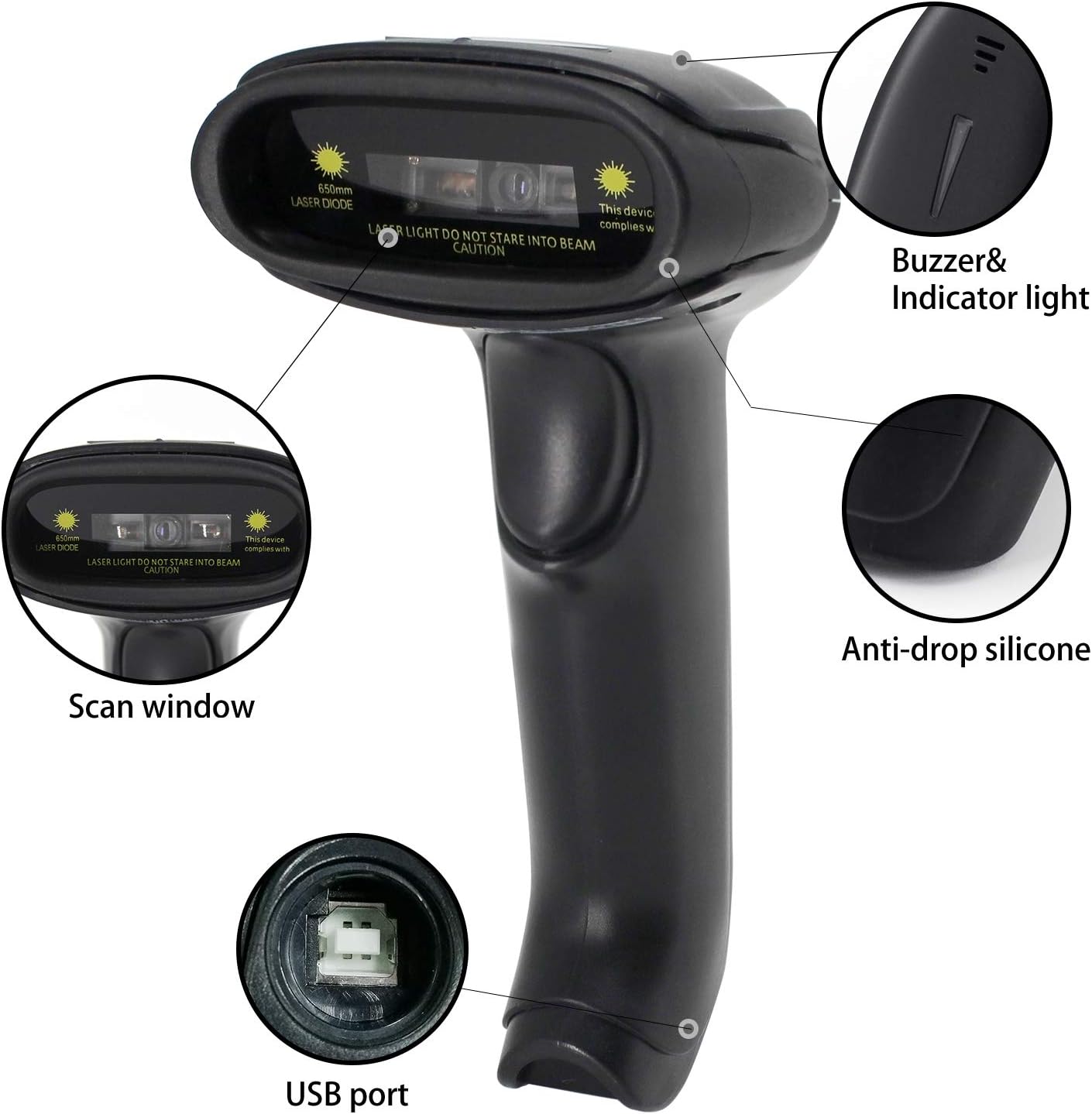
Figure 2.2: Key Components of the Symcode Barcode Scanner.
- نافذة المسح: Area through which the barcode is read.
- Buzzer & Indicator Light: Provides audio and visual feedback for successful scans and status.
- منفذ USB: للتوصيل السلكي والشحن.
- Anti-drop Silicone: Provides protection against accidental drops.
2.3 أبعاد المنتج
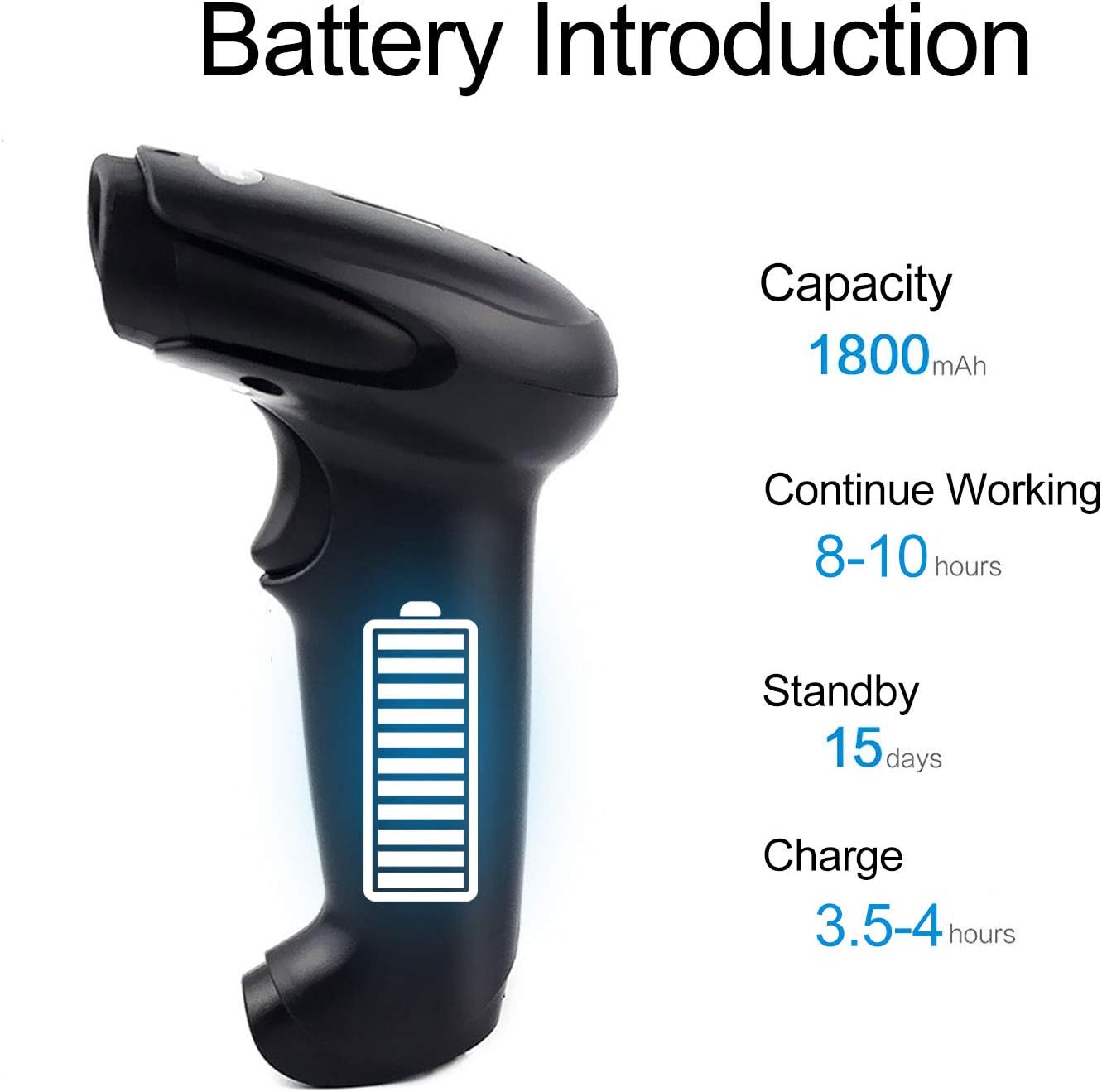
Figure 2.3: Dimensions of the Symcode Barcode Scanner.
3. الإعداد
3.1 اتصال سلكي (USB)
- Connect the USB cable to the scanner's USB port.
- Plug the other end of the USB cable into an available USB port on your computer, laptop, or POS machine.
- The scanner is plug-and-play; no additional drivers are required. It will be recognized automatically by Windows, Mac, Android, and Linux systems.
3.2 Wireless Connection (2.4GHz Dongle)
- Insert the 2.4GHz wireless dongle into an available USB port on your computer, laptop, or POS machine.
- Turn on the barcode scanner. It will automatically pair with the dongle.
- The scanner is plug-and-play; no additional drivers are required. It will be recognized automatically by Windows, Mac, Android, and Linux systems.
4. تعليمات التشغيل
4.1 إجراءات المسح الأساسية
- Ensure the scanner is powered on and connected (wired or wireless).
- قم بتوجيه نافذة المسح إلى الرمز الشريطي الذي ترغب في مسحه ضوئيًا.
- Press the trigger button (if in trigger mode) or position the scanner over the barcode (if in auto-sense or continuous mode).
- A successful scan will be indicated by a beep and a flash of the indicator light. The barcode data will be transmitted to your connected device.
4.2 أوضاع المسح
The scanner supports three scanning modes:
- فحص التفعيل: Press the trigger button to activate the scan beam.
- Auto-sense Scan: يكتشف الماسح الضوئي تلقائيًا رمزًا شريطيًا في مجاله view and activates the scan beam.
- المسح المستمر: The scan beam remains continuously active, allowing for rapid scanning without pressing the trigger.
Refer to the included user manual (physical copy) for instructions on how to switch between these scanning modes. If you encounter difficulties, please contact Symcode customer support.
4.3 أنواع الباركود المدعومة
This CCD barcode scanner is designed to read 1D الباركود, whether printed on paper or displayed on digital screens. It does not support 2D barcodes (e.g., QR codes).
Supported 1D barcode symbologies include: EAN-8, EAN-13, Codabar, CODE11, CODE 39, CODE 93, CODE128, China Post, GS1-128, GS1 Limited, GS1 Omnidirectional, UPC-A, UPC-E, ISBN/ISSN, ISBT, Interleaved 2 of 5, Matrix 2 of 5, Industrial 2 of 5, 2 of 5, MSI, Plessey, ITF14.

Figure 4.1: Scanning a barcode from a digital screen.
5. معلومات البطارية
The Symcode barcode scanner is equipped with a high-capacity rechargeable battery for extended operation.

Figure 5.1: Battery Specifications.
- سعة: 1800 مللي أمبير
- وقت العمل المستمر: 8 الى 10 ساعة
- وقت الاستعداد: 15 يوما
- وقت الشحن: 3.5 الى 4 ساعة
To charge the scanner, connect it to a USB power source using the provided USB cable. The indicator light will show charging status.
6. الاتصال اللاسلكي
The 2.4GHz wireless connection provides reliable data transmission over a significant range.
- Transmission Distance (Indoor): 15-30 meters (in crowded indoor environments)
- Transmission Distance (Outdoor): 30-100 meters (in open outdoor environments)

الشكل 6.1: نطاق الإرسال اللاسلكي.
أوضاع التشغيل 6.1
The scanner supports two primary operating modes for data handling:
- الوضع العادي: Data is transferred immediately after each scan.
- وضع التخزين: Barcode data is stored internally in the scanner's 16MB memory (capable of storing over 50,000 barcode entries). Data can then be uploaded to the connected device by scanning a specific setting code. This mode is useful for inventory taking or when out of wireless range.
7. Barcode Programming
The Symcode barcode scanner is programmable, allowing customization of its output and behavior. These settings are typically configured by scanning specific programming barcodes found in the full user manual.
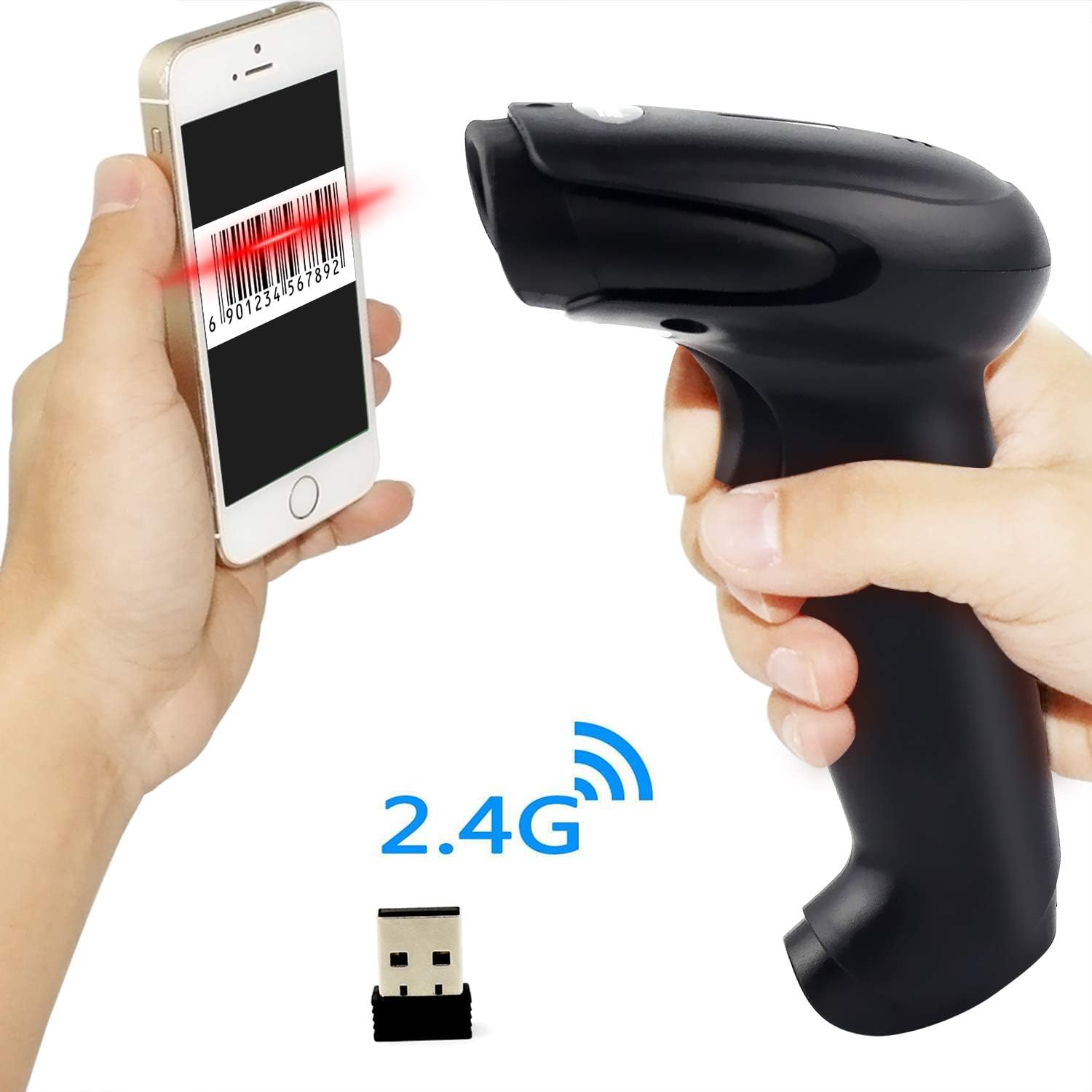
Figure 7.1: Barcode Programming Capabilities.
Programmable features include:
- تحويل الحالة: Adjusting output to uppercase or lowercase.
- ضبط مستوى الصوت: Changing the sound level of the buzzer.
- Terminator Setting: Adding a specific character (e.g., Enter, Tab) after each scanned barcode.
- Prefix or Suffix Setting: Adding custom characters before or after the scanned data.
- Character Manipulation: Adding or masking specific characters within the barcode data.
For detailed programming instructions, please refer to the comprehensive programming guide included with your scanner or contact Symcode support.
8. الصيانة
تضمن الصيانة المناسبة طول عمر الماسح الضوئي الخاص بك وأدائه الأمثل.
- تنظيف: استخدم قطعة قماش ناعمة وجافة لتنظيف الجزء الخارجي من الماسح الضوئي. بالنسبة لنافذة المسح الضوئي، استخدم قطعة قماش خالية من الوبر وامسحها برفق.ampened with a non-abrasive cleaner. Avoid harsh chemicals or abrasive materials.
- تخزين: Store the scanner in a cool, dry place, away from direct sunlight and extreme temperatures.
- العناية بالبطارية: Avoid fully discharging the battery frequently. If storing for a long period, charge the battery to about 50% and recharge every few months.
9. استكشاف الأخطاء وإصلاحها
إذا واجهت مشكلات مع الماسح الضوئي الخاص بك، فيرجى الرجوع إلى المشكلات والحلول الشائعة التالية:
| مشكلة | السبب المحتمل / الحل |
|---|---|
| الماسح الضوئي لا يعمل. | Battery is low or depleted. Charge the scanner for 3.5-4 hours. |
| لا يقوم الماسح الضوئي بمسح الباركود. |
|
| لم يتم نقل أي بيانات إلى الكمبيوتر. |
|
| Scanner beeps continuously or behaves erratically. | The scanner might be in an incorrect setting mode. Refer to the full user manual for factory reset instructions or contact support. |
If the problem persists after trying these solutions, please contact Symcode customer support for further assistance.
10. المواصفات
| المعلمة | قيمة |
|---|---|
| مصدر الضوء | 632nm Visible LED Light |
| وضع المسح الضوئي | Trigger / Auto-sense / Continuous |
| دقة | ≥ 4 mil / 0.1mm @ PCS90% |
| المعالج | ARM32-bit |
| سرعة المسح | 200 مسح/ثانية |
| عمق المجال | 40-500 ملم |
| مؤشر | الصمام والجرس |
| تباين الطباعة | ≥ 30% |
| حجم التشغيلtage | تيار مستمر 3.3 فولت-5 فولت |
| سعة البطارية | 1800 مللي أمبير |
| التشغيل المستمر | 8-10 ساعات |
| وقت الاستعداد | 15 يوما |
| وقت الشحن | 3.5-4 ساعات |
| النقل اللاسلكي (داخلي) | 15-30 متر |
| النقل اللاسلكي (خارجي) | 30-100 متر |
| سعة التخزين | 16MB (over 50,000 barcode entries) |
| درجة حرارة التشغيل | -20 ℃ to 50 ℃ (-4 ℉ to 122 ℉) |
| درجة حرارة التخزين | -40 ℃ to 70 ℃ (-40 ℉ to 158 ℉) |
| رطوبة | 5% إلى 95% (بدون تكاثف) |
| السطوع المحيط | الحد الأقصى 100,000 لوكس |
| أنظمة التشغيل المدعومة | ويندوز، ماك، أندرويد، لينكس |
11. الضمان والدعم
The Symcode barcode scanner comes with a ضمان لمدة 180 يومًا من تاريخ الشراء، يشمل ذلك عيوب التصنيع والأعطال في ظل الاستخدام العادي. يُرجى الاحتفاظ بإيصال الشراء للمطالبة بالضمان.
For technical support, warranty service, or any questions regarding your product, please contact Symcode customer service through the platform where you purchased the product or refer to the contact information provided in the physical user manual.