
1. المقدمة
Thank you for choosing the Symcode 2.4 GHz Wireless Laser Barcode Scanner. This device is designed for efficient and reliable barcode scanning, offering both wireless and wired connectivity options. This manual provides detailed instructions for setup, operation, and maintenance to ensure optimal performance.

الشكل 1: Symcode 2.4 GHz Wireless Laser Barcode Scanner. This image displays the Symcode 2.4 GHz Wireless Laser Barcode Scanner in black, along with its accompanying USB wireless dongle and USB charging cable. The scanner features a comfortable grip and a laser scanning window.
2. محتويات العبوة
يرجى التأكد من وجود جميع العناصر في الحزمة الخاصة بك:
- 1 x Symcode Laser Barcode Scanner
- 1 x 2.4 GHz Wireless USB Dongle
- كابل واحد للشحن/نقل البيانات عبر منفذ USB
3. مواصفات المنتج
- اتصال 2 في 1: Supports both 2.4 GHz wireless and USB wired connections.
- التوصيل والتشغيل: لا يتطلب تثبيت برامج التشغيل لمعظم أنظمة التشغيل.
- التوافق الواسع: Works with Windows, Mac, Android, and Linux systems, connecting to PCs, laptops, and POS machines via a USB port.
- مسافة الإرسال الطويلة: Up to 15-30 meters indoors (with obstacles) and 30-100 meters outdoors (open environment).
- وضعان للتحميل: Instant Upload and Offline Storage modes.
- الميزات القابلة للبرمجة: Customizable settings for uppercase/lowercase, volume, terminator, prefix/suffix, and character addition/masking.
- قدرة فك التشفير العالية: Reads various 1D barcodes.
- بطارية متينة: 1800mAh capacity for extended operation.
4. الإعداد
4.1 اتصال سلكي (USB)
- قم بتوصيل كابل USB بمنفذ الماسح الضوئي.
- قم بتوصيل الطرف الآخر من كبل USB بمنفذ USB متاح على جهاز الكمبيوتر الخاص بك.
- The scanner will be recognized automatically by your operating system. It is ready for use once the connection is established.
4.2 اتصال لاسلكي (2.4 جيجاهرتز)
- Insert the 2.4 GHz wireless USB dongle into an available USB port on your computer.
- The computer will automatically install the necessary drivers.
- Turn on the barcode scanner by pressing the trigger. The scanner will automatically pair with the dongle.
- Once paired, the scanner is ready for wireless operation.

الشكل 2: Mini USB Receiver. This image highlights the compact mini USB receiver, emphasizing its plug-and-play functionality for easy connection to laptops and PCs. It also indicates the ability to store up to 100,000 barcodes.
5. تعليمات التشغيل
5.1 أوضاع المسح
يدعم الماسح الضوئي وضعين أساسيين للمسح الضوئي:
- وضع الزناد: Press the trigger to activate the laser and scan a barcode. Release the trigger to deactivate.
- الوضع المستمر: The laser remains active, continuously scanning barcodes without needing to press the trigger for each scan.
To switch between scanning modes, specific setting barcodes are required. If these are not provided in your physical manual, please contact Symcode customer support for assistance.
5.2 أوضاع تحميل البيانات
يوفر الماسح الضوئي طريقتين لتحميل البيانات الممسوحة ضوئياً:
- Instant Upload Mode (Normal Mode): Data is transmitted to your computer immediately after each successful scan. This is the default mode.
- وضع التخزين غير المتصل: Scanned barcodes are stored in the scanner's internal memory. You can then upload all stored data to your computer at a later time by scanning a specific setting barcode. The scanner can store up to 100,000 barcodes.

الشكل 3: Two Upload Modes. This image illustrates the two data upload modes: Instant Upload Mode, where data is synchronously transferred to the computer after each scan, and Offline Storage Mode, where barcodes are stored internally in the scanner for later upload.
5.3 قدرات فك التشفير
The Symcode MJ-2030-B scanner is capable of reading various 1D barcode types, including but not limited to:
- UPC/EAN (including add-on code)
- Code 128, UCC/EAN128
- Code 39, Code 39 Full ASCII
- الكود 93
- Codabar
- متداخلة 2 من 5
- إم إس آي
- الكود 11
- ISBN, ISSN, China Postage
5.4 الميزات القابلة للبرمجة
The scanner offers several programmable options to customize its behavior:
- Uppercase/Lowercase Settings: Adjust how scanned data appears.
- ضبط مستوى الصوت: Control the sound level of the buzzer.
- Terminator Setting: Configure the character appended to scanned data (e.g., Enter, Tab).
- Prefix/Suffix Setting: Add custom characters before or after scanned barcode data.
- Add/Hide Characters: Modify specific characters within the scanned data.
These settings are typically configured by scanning specific programming barcodes found in the full user manual or provided by customer support.

الشكل 4: Prefix and Suffix Customization. This image shows how the scanner supports adding custom prefixes or suffixes to scanned barcode data, allowing for flexible data formatting.
5.5 دعم متعدد اللغات
The scanner supports various keyboard layouts and languages, including English (US & UK), German, French, Italian, Spanish, and Japanese, to ensure correct data input in different regions.
6. الصيانة
6.1 معلومات البطارية
The scanner is equipped with a built-in 1800mAh Lithium-ion battery. To ensure optimal battery life and performance:
- التشغيل المستمر: Approximately 8 to 10 hours.
- وقت الاستعداد: حتى 15 يومًا.
- وقت الشحن: Approximately 3.5 to 4 hours for a full charge using the provided USB cable.
- Recharge the battery when the low battery indicator is active or when performance degrades.
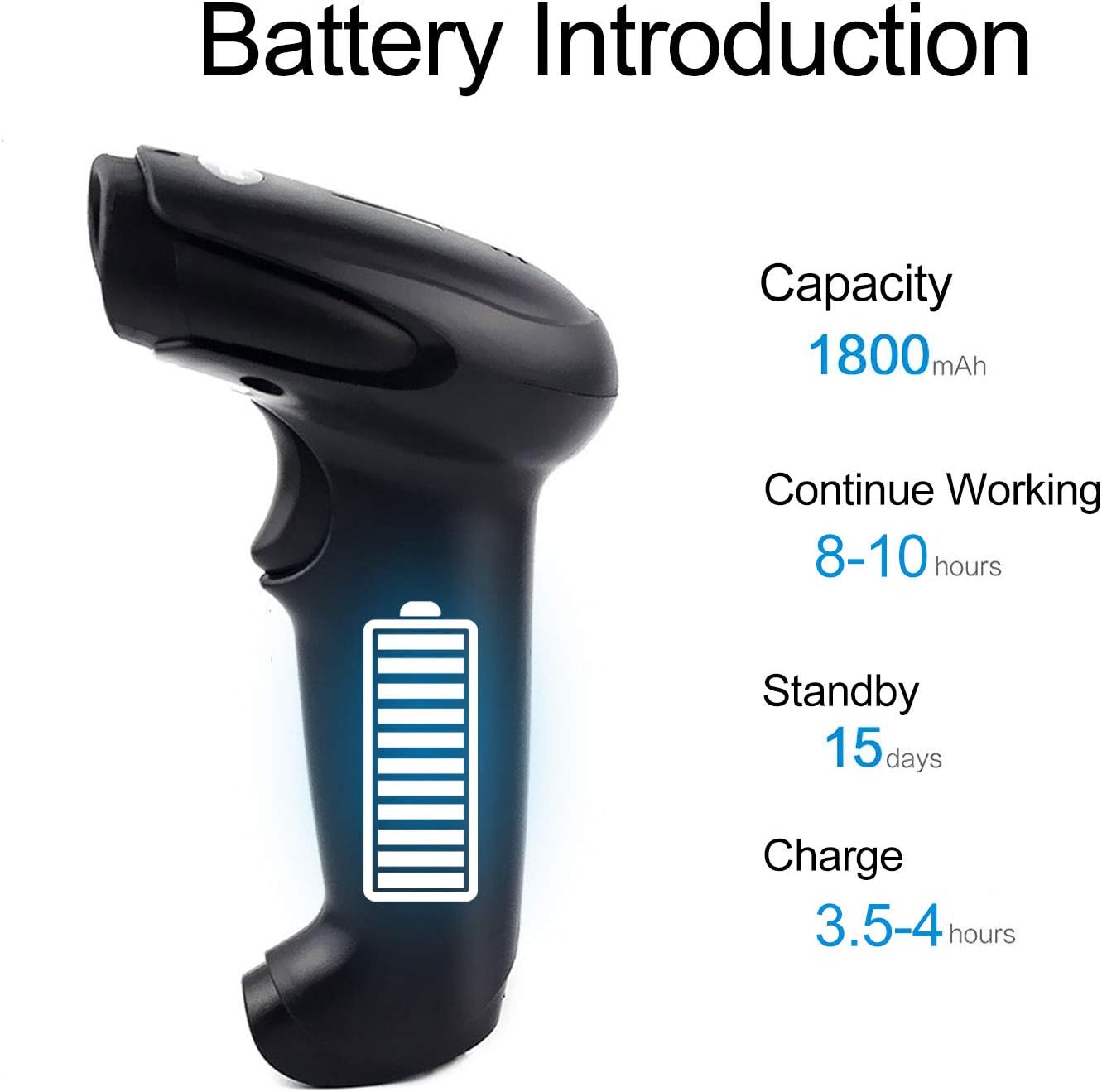
الشكل 5: Battery Specifications. This image provides details about the scanner's battery, including its 1800mAh capacity, 8-10 hours of continuous working time, 15 days of standby time, and 3.5-4 hours charging time.
6.2 التنظيف
To clean the scanner, use a soft, dry cloth. Do not use abrasive cleaners or solvents, as these can damage the device. Keep the scanning window clean for accurate performance.
7. استكشاف الأخطاء وإصلاحها
- الماسح الضوئي غير متصل: Ensure the USB cable is securely connected or the wireless dongle is properly inserted. For wireless, ensure the scanner is charged and within range.
- الماسح الضوئي لا يقرأ الباركود: Ensure the barcode is not damaged or smudged. Check that the laser is active and properly aimed. Verify the scanner is in the correct scanning mode.
- Data not appearing on computer: Confirm the scanner is connected and in Instant Upload Mode. Check if the cursor is active in a text field on your computer.
- Difficulty changing settings: Specific setting barcodes are required for configuration. If these are missing from your manual, contact customer support for the correct codes.
- عمر بطارية قصير: Ensure the scanner is fully charged. Reduce continuous scanning time if possible.
8. المواصفات
8.1 المعايير الفنية
| ميزة | مواصفة |
|---|---|
| مصدر الضوء | 650 nm (visible laser) |
| المعالج | 32 بت ARM |
| سرعة المسح الضوئي | 200 lines/sec |
| عمق المسح | 2.5 مم - 600 مم |
| عرض المسح | 18 سم |
| تباين الطباعة | 20% الحد الأدنى |
| معدل الخطأ | 1 / 5 مليون |
| دقة | 3 ملم |
| المؤشرات | Buzzer, LED light |
| Trigger Life | 3 مليون مرة |
| حياة الليزر | 100,000 ساعات |
8.2 Wireless Parameters
| ميزة | مواصفة |
|---|---|
| Transmission Distance (Indoor) | 15-30 meters (with obstacles) |
| Transmission Distance (Outdoor) | 30-100 meters (open environment) |
| وضع التشغيل | Normal Mode (Instant Upload), Storage Mode (Offline) |

الشكل 6: Long Transmission Distance. This image demonstrates the wireless transmission capabilities of the scanner, showing an indoor range of 10-50 meters with obstacles and an outdoor range of up to 100 meters in open areas.
8.3 مواصفات البطارية
| ميزة | مواصفة |
|---|---|
| سعة | 1800 مللي أمبير |
| وقت العمل المستمر | 8-10 ساعات |
| وقت الاستعداد | 15 يوما |
| وقت الشحن | 3.5-4 ساعات |
8.4 المعلمات البيئية
| المعلمة | قيمة |
|---|---|
| درجة حرارة التشغيل | 0 درجة مئوية إلى 40 درجة مئوية |
| درجة حرارة التخزين | -40 درجة مئوية إلى 60 درجة مئوية |
| رطوبة | 5% إلى 95% (بدون تكاثف) |
| الإضاءة المحيطة | الحد الأقصى 50,000 لوكس |
| التفريغ الكهروستاتيكي | Air discharge 15 kV, Contact discharge 8 kV |

الشكل 7: Product Dimensions. This image provides the physical dimensions of the Symcode barcode scanner, indicating its length, width, and height in both inches and centimeters for precise measurement.
9. الضمان والدعم
This Symcode barcode scanner comes with a ضمان لمدة 180 يومًا يسري هذا الضمان من تاريخ الشراء. ويغطي عيوب التصنيع والأعطال الناتجة عن الاستخدام العادي. يرجى الاحتفاظ بإثبات الشراء لتقديم مطالبات الضمان.
For technical support, specific setting barcodes, or warranty inquiries, please contact your seller or Symcode customer service. Refer to the contact information provided with your purchase or visit the official Symcode webموقع.