
1. المقدمة
This manual provides essential information for setting up, operating, maintaining, and troubleshooting your TECLAST F15S 15.6-inch laptop. Please read this manual thoroughly before using your device to ensure proper function and longevity.
2. انتهى المنتجview
2.1. الخصائص الفيزيائية
The TECLAST F15S is designed for portability and efficiency, featuring a thin metal body and a 15.6-inch Full HD display.
- عرض: 15.6-inch IPS Full HD (1920x1080) with a narrow bezel.
- تصميم: Metal chassis, 7mm thin, and approximately 1.8 kg in weight.


2.2. Key Components and Performance
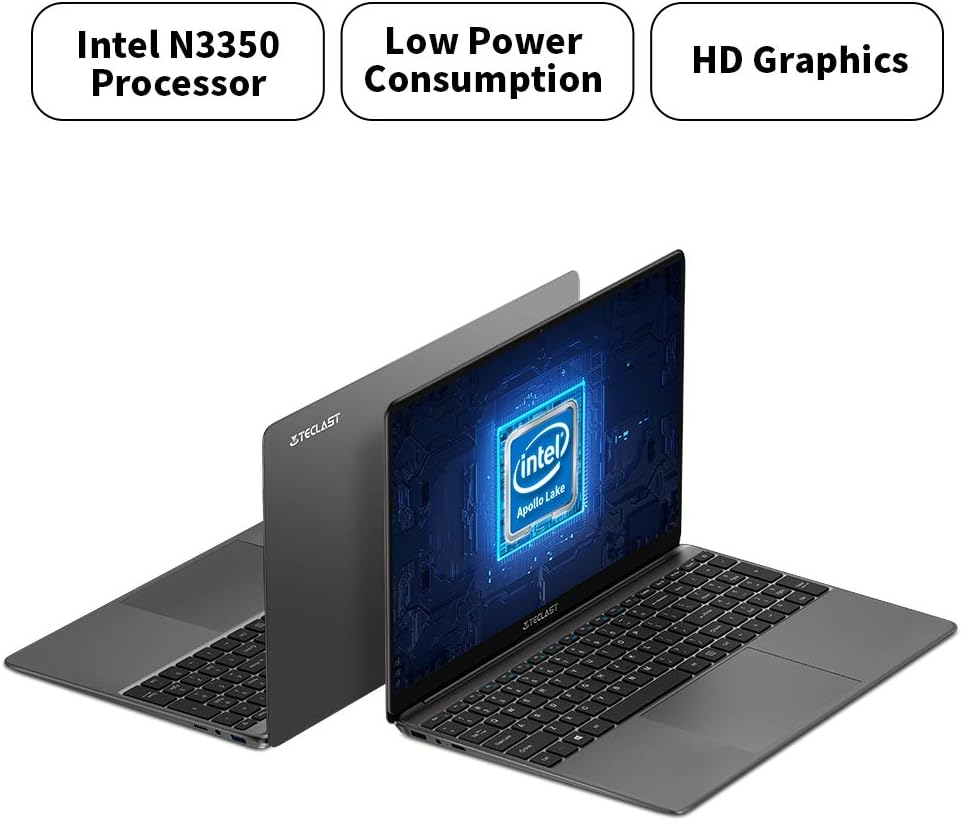
The F15S is equipped with an Intel Celeron N3350 processor, 8GB RAM, and 128GB eMMC storage, running on Windows 10.
- المعالج: Intel Celeron N3350 Dual-Core (up to 2.4 GHz).
- الرسومات: Intel HD Graphics 500.
- ذاكرة: ذاكرة وصول عشوائي DDR3 سعة 8 جيجابايت.
- تخزين: 128GB eMMC, expandable via TF card (up to 128GB) or SSD upgrade.
- نظام التشغيل: ويندوز 10.

2.3. المنافذ والاتصال
The laptop offers various ports for connectivity and expansion.
- منافذ USB: 2 x USB 3.0.
- إخراج الفيديو: 1 x Mini HDMI.
- صوتي: 1 x Earphone Jack.
- توسيع التخزين: 1 x TF-Card Slot.
- لاسلكي: Dual-band Wi-Fi (2.4G/5G), Bluetooth 4.2.

3. الإعداد
3.1. الشحن الأولي
Before first use, connect the laptop to the power adapter and charge it fully. The battery capacity is 38000mWh, providing approximately 7 hours of usage on a full charge.
3.2. First Power-On and Windows 10 Configuration
- اضغط على زر الطاقة لتشغيل الكمبيوتر المحمول.
- During the initial Windows 10 setup, it is recommended NOT to connect to Wi-Fi immediately. If you connect to Wi-Fi, you might encounter issues with account authentication, potentially leading to a frozen setup process.
- On the Wi-Fi connection screen, look for an option like "I don't have internet" or "Skip for now" (exact wording may vary) in the bottom right corner. Select this option.
- Proceed with the setup, creating a local user account.
- Once the setup is complete and you are on the desktop, you can then connect to your Wi-Fi network and sign in with your Microsoft account if desired. The temporary local account can be removed later.
3.3. توصيل الأجهزة الطرفية
Use the available USB 3.0 ports to connect external devices such as a mouse, keyboard, or external storage. The Mini HDMI port allows connection to external displays.
4. تعليمات التشغيل
4.1. لوحة المفاتيح ولوحة اللمس
The laptop features a full-size keyboard with an independent numeric keypad for efficient typing. The large 140mm x 95mm touchpad supports multi-touch gestures for convenient control.
4.2. الاتصال اللاسلكي
- واي فاي: Access network settings in Windows 10 to connect to available 2.4GHz or 5GHz Wi-Fi networks.
- بلوتوث: Enable Bluetooth in Windows settings to pair with compatible devices such as headphones, speakers, or other peripherals.
4.3. توصيل شاشة خارجية
Connect an external monitor or projector using a Mini HDMI to HDMI cable. Once connected, you can configure display settings (duplicate, extend, or second screen only) through Windows display settings.
4.4. توسيع التخزين
The TECLAST F15S supports storage expansion:
- بطاقة TF: Insert a TF (Micro SD) card into the dedicated slot for additional storage, supporting up to 128GB.
- ترقية SSD: The laptop supports upgrades with solid-state drives (SSD) for increased storage capacity and performance. Refer to the manufacturer's guidelines for compatible SSD types and installation procedures.
5. الصيانة
5.1. التنظيف
- شاشة: استخدم قطعة قماش ناعمة وخالية من الوبر وامسحها برفق.ampاغسلها بالماء أو بمنظف الشاشة. تجنب المواد الكيميائية القاسية.
- جسم: Wipe the laptop's exterior with a soft, dry cloth.
- الموانئ: Keep ports free of dust and debris. Use compressed air if necessary, ensuring the laptop is powered off.
5.2. العناية بالبطارية
- تجنب تفريغ البطارية بالكامل بشكل متكرر.
- لا تعرض الكمبيوتر المحمول لدرجات حرارة عالية.
- إذا كنت ستخزن الكمبيوتر المحمول لفترة طويلة، فتأكد من شحن البطارية إلى حوالي 50-70%.
5.3. تحديثات البرامج
Regularly check for and install Windows updates to ensure system stability, security, and optimal performance.
6. استكشاف الأخطاء وإصلاحها
6.1. المشكلات الشائعة والحلول
- الكمبيوتر المحمول لا يعمل: تأكد من توصيل محول الطاقة بإحكام وأن البطارية مشحونة بشكل كافٍ. جرب منفذ طاقة آخر.
- الأداء البطيء: Close unnecessary applications, check for background processes, and ensure sufficient free storage space. Consider performing a disk cleanup.
- مشاكل الاتصال بشبكة Wi-Fi: Ensure Wi-Fi is enabled. Restart your router and the laptop. Check network drivers in Device Manager.
- Screen remains black on startup (pointer visible): This can sometimes occur during updates or system initialization. If it persists, try a hard reset (hold power button until off, then restart). If the issue is related to the initial Windows setup, refer to section 3.2.
- استنزاف البطارية بسرعة: Adjust power settings, reduce screen brightness, close power-intensive applications, and ensure no background processes are consuming excessive power.
6.2. الاتصال بالدعم
If you encounter issues that cannot be resolved using this guide, please contact TECLAST customer support or your retailer for further assistance.
7. المواصفات
| ميزة | مواصفة |
|---|---|
| اسم الموديل | اف15اس |
| حجم العرض | 15.6 بوصة |
| دقة العرض | 1920 × 1080 بكسل (Full HD) |
| تكنولوجيا العرض | شاشة LCD IPS |
| المعالج | Intel Celeron N3350 (Dual-Core, up to 2.4 GHz) |
| الرسومات | بطاقة رسوميات Intel HD 500 |
| كبش | 8 جيجا بايت DDR3 |
| التخزين الداخلي | 128 جيجابايت من ذاكرة إي إم إم سي |
| توسيع التخزين | TF Card Slot (up to 128GB), SSD upgrade support |
| نظام التشغيل | ويندوز 10 |
| واي فاي | Dual-band (2.4G / 5G) |
| بلوتوث | بلوتوث 4.2 |
| منافذ USB | 2 × يو اس بي 3.0 |
| مخرج الفيديو | 1 × منفذ HDMI صغير |
| منفذ الصوت | 1 x Earphone Jack |
| الكاميرا الأمامية | 2.0 ميجا بكسل |
| بطارية | 38000mWh (approx. 7 hours usage) |
| وزن | 1.88 كجم |
| الأبعاد (السماكة) | 7 ملم |
8. الضمان والدعم
8.1. معلومات الضمان
For specific warranty terms and conditions, please refer to the documentation provided with your purchase or contact the retailer/manufacturer directly. Warranty coverage typically includes defects in materials and workmanship under normal use.
8.2. دعم العملاء
If you require technical assistance, have questions about your product, or need to report an issue, please contact TECLAST customer support through their official website or the contact information provided by your seller.