
1. المقدمة
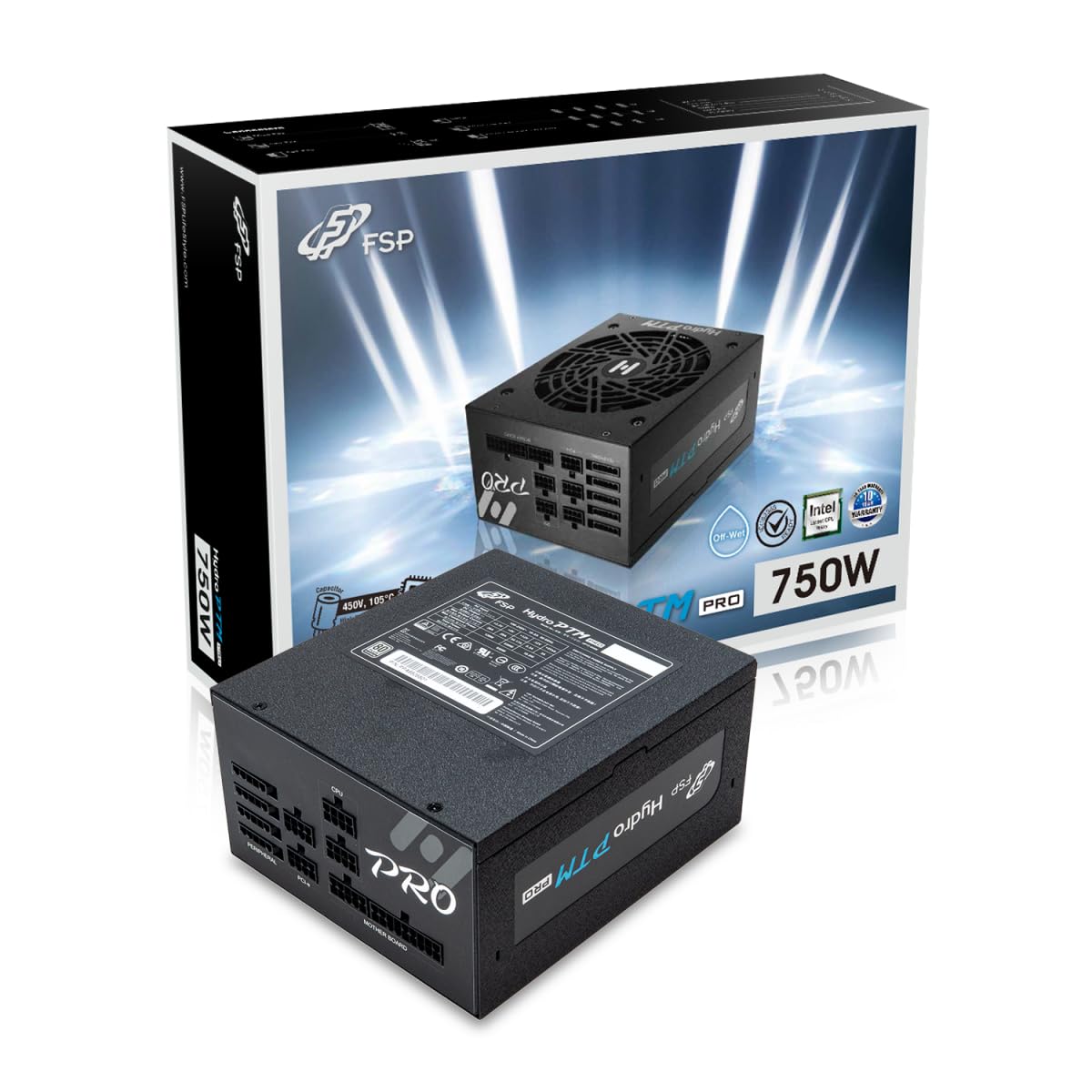
This manual provides detailed instructions for the installation, operation, and maintenance of your FSP Hydro PTM Pro 750W 80 Plus Platinum Full Modular ATX 12V Power Supply (Model: HPT2-750M). Please read this manual thoroughly before using the product to ensure proper function and safety.
The FSP Hydro PTM Pro series is designed for high efficiency and durability, featuring a conformal coating for protection against dust, humidity, and stains. It includes a semi-fanless Eco Mode for quiet operation under low loads and fully modular black ribbon cables for flexible system builds.
2. معلومات السلامة
تحذير: Improper installation or use can result in serious injury or damage to the power supply and other components. Always follow these safety guidelines:
- لا تفتح وحدة إمداد الطاقة. مستوى الصوت مرتفعtagيوجد داخل الجهاز قطع غيار، ولا توجد أي أجزاء قابلة للصيانة. فتح الجهاز يُلغي الضمان.
- تأكد من فصل مصدر الطاقة عن مأخذ التيار المتردد قبل التركيب أو الصيانة.
- قم بتركيب مصدر الطاقة في منطقة جيدة التهوية.
- Use only the modular cables provided with this power supply. Using incompatible cables may cause damage to the power supply and connected components.
- هذا المنتج مصمم للاستخدام في أجهزة الكمبيوتر الشخصية. لا تستخدمه لأي غرض آخر.
- احتفظ بمصدر الطاقة بعيدًا عن الماء والرطوبة ودرجات الحرارة القصوى.
- تأكد من أن جميع الاتصالات آمنة قبل تشغيل النظام.

3. محتويات العبوة
تأكد من وجود جميع العناصر في الحزمة الخاصة بك:
- FSP Hydro PTM Pro 750W Power Supply Unit (HPT2-750M)
- سلك الطاقة المتردد
- Modular Cable Set (refer to the "Cable Length and Connectors" section for details)
- مسامير التثبيت
- دليل المستخدم (هذا المستند)
4. الإعداد والتثبيت
4.1 التثبيت المادي
- حضّر نظامك: تأكد من إيقاف تشغيل الكمبيوتر بالكامل وفصله عن مأخذ الحائط.
- قم بإزالة مصدر الطاقة القديم (إن وجد): Disconnect all cables from your old power supply and remove it from the PC case.
- قم بتركيب وحدة التزويد بالطاقة: Insert the FSP Hydro PTM Pro 750W into the power supply bay of your PC case. Secure it with the provided mounting screws.
- Connect Motherboard Cables:
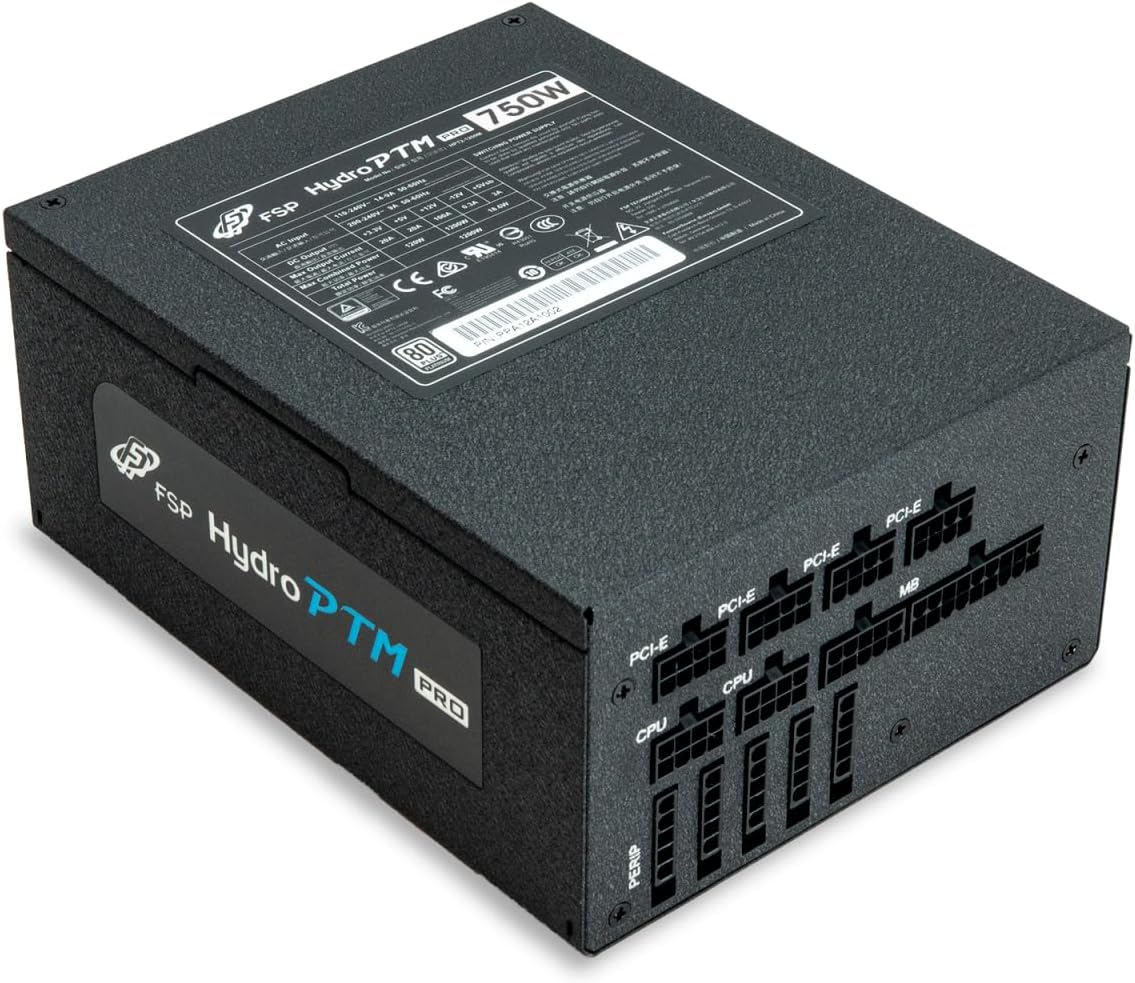
- Connect the 20+4 Pin ATX cable to your motherboard's main power connector.
- Connect the 4+4 Pin CPU (EPS) cable(s) to your motherboard's CPU power connector(s).
- توصيل الكابلات الطرفية:
- Connect the 6+2 Pin PCI-E cables to your graphics card(s).
- قم بتوصيل كابلات الطاقة SATA بمحركات الأقراص SSD ومحركات الأقراص الصلبة ومحركات الأقراص الضوئية.
- Connect Molex cables to any other peripherals requiring them.
- اتصالات آمنة: Ensure all modular cables are firmly seated into both the power supply and the respective components.
- توصيل طاقة التيار المتردد: قم بتوصيل سلك الطاقة المترددة بمدخل التيار المتردد الخاص بمصدر الطاقة، ثم قم بتوصيله بمقبس الحائط أو واقي التيار الزائد.
4.2 Cable Length and Connectors
The FSP Hydro PTM Pro 750W comes with a set of fully modular black ribbon cables. Refer to the diagram below for connector types and approximate lengths.

5. التشغيل
5.1 تشغيل/إيقاف التشغيل
After completing the installation, ensure the main power switch on the back of the power supply is in the "ON" (I) position. You can then power on your computer using its case power button.
5.2 الوضع الاقتصادي
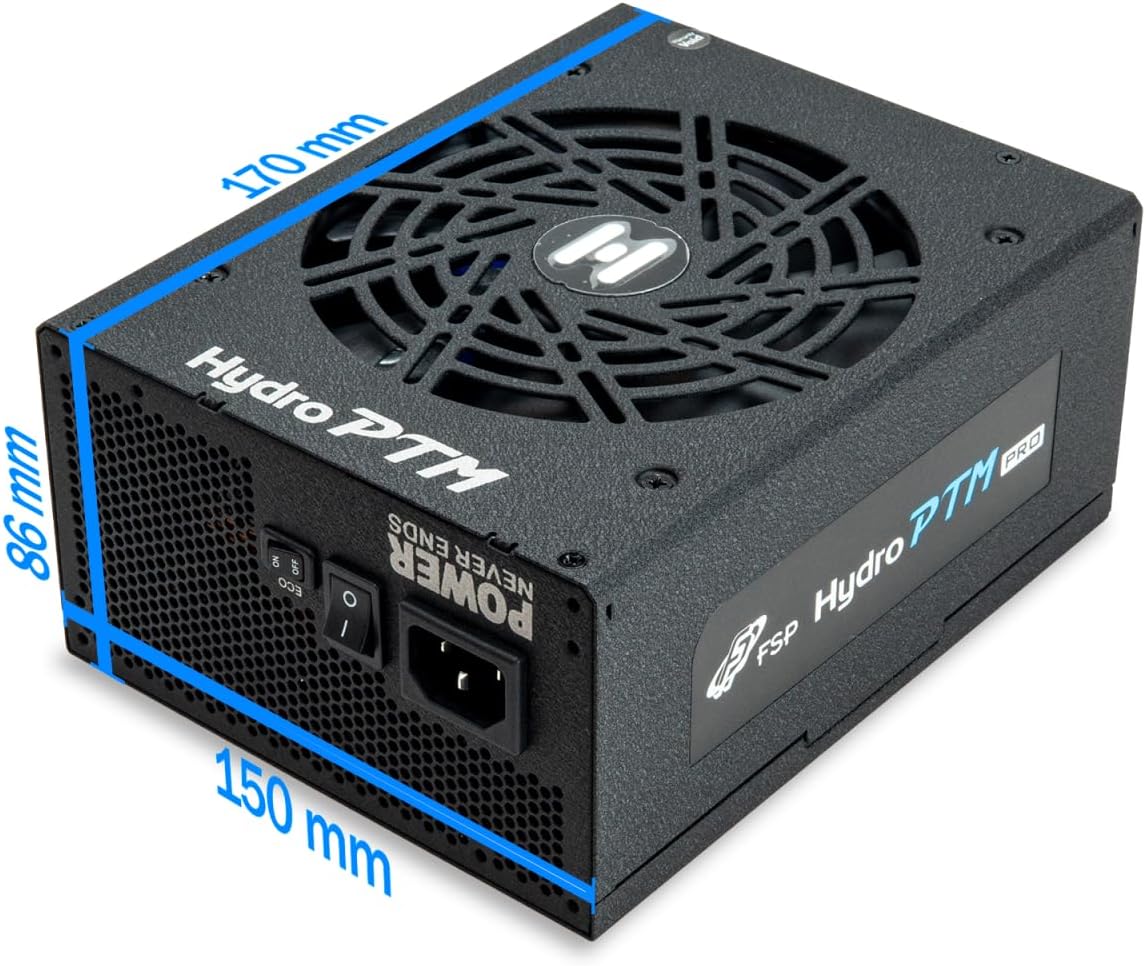
The Hydro PTM Pro features a semi-fanless Eco Mode. When enabled, the power supply fan will remain off until the system load exceeds approximately 30%. This provides silent operation during low-power tasks.
- To activate Eco Mode: Locate the "ECO" switch next to the main power switch on the rear of the power supply and set it to the "ON" position.
- To disable Eco Mode: Set the "ECO" switch to the "OFF" position. The fan will operate continuously based on temperature.
فيديو: أكثر منview of the FSP Hydro PTM Pro series, highlighting features like conformal coating, Eco Mode, and modular design. This video is provided by FSP GROUP USA.
6. الصيانة
6.1 التنظيف
To maintain optimal performance and longevity, periodically clean your power supply:
- Ensure the power supply is completely powered off and unplugged from the AC outlet before cleaning.
- Use compressed air to gently remove dust from the fan grille and ventilation openings.
- امسح السطح الخارجي بقطعة قماش ناعمة وجافة. لا تستخدم المنظفات السائلة أو المذيبات.
6.2 حماية البيئة
The FSP Hydro PTM Pro features a proprietary conformal coating that protects internal components from dust, humidity, and stains. This allows the power supply to reliably operate in environments with up to 95% relative humidity. While this coating offers enhanced protection, it is still recommended to operate the power supply in a clean, dry environment for best results.
7. استكشاف الأخطاء وإصلاحها
إذا واجهت مشكلات مع مصدر الطاقة لديك، فراجع المشكلات والحلول الشائعة التالية:
| مشكلة | السبب المحتمل | حل |
|---|---|---|
| لا يتم تشغيل النظام. |
|
|
| يتم تشغيل النظام ولكنه ينطفئ فوراً. |
|
|
| Fan is not spinning (Eco Mode off). |
|
|
If the problem persists after attempting these solutions, please contact FSP customer support.
8. المواصفات
| ميزة | التفاصيل |
|---|---|
| اسم الموديل | Hydro PTM Pro (HPT2-750M) |
| ماركة | FSP |
| انتاج واتtage | 750 واط |
| شهادة 80 بلس | البلاتين |
| عامل الشكل | ايه تي اكس |
| تصميم مزود الطاقة | وحدات كاملة |
| طريقة التبريد | هواء (مروحة 135 مم) |
| حجم الإدخالtage | 115-240 Volts |
| الأبعاد (الطول × العرض × الارتفاع) | 170 × 150 × 86 ملم (6.7 × 5.9 × 3.4 بوصة) |
| الحماية | OCP, OVP, SCP, OPP, UVP, OTP |
| المكثفات | Japanese-made Electrolytic Capacitors |
| معامل القدرة على التنافس | Active PFC ≥ 99% |
| طلاء مطابق | Yes (Dust, Humidity, Stain protection) |
9. الضمان والدعم
9.1 معلومات الضمان
The FSP Hydro PTM Pro 750W power supply is covered by a ضمان لمدة 10 سنوات من تاريخ الشراء. يغطي هذا الضمان عيوب المواد والتصنيع في ظل الاستخدام العادي. يُرجى الاحتفاظ بإيصال الشراء للمطالبة بالضمان.
لا يغطي الضمان الأضرار الناتجة عن:
- التثبيت أو التشغيل غير الصحيح.
- Accidental damage, abuse, or misuse.
- الإصلاحات أو التعديلات غير المصرح بها.
- الكوارث الطبيعية أو الأسباب الخارجية.
9.2 دعم العملاء
For technical assistance, troubleshooting, or warranty inquiries, please contact FSP customer support. Refer to the official FSP webالموقع للحصول على أحدث معلومات الاتصال.
FSP GROUP USA
Visit the FSP Store on Amazon