
1. المقدمة
شكرا لك على الشراءasing the JVC XS-N2239TC Wireless Stereo Speaker System. This manual provides essential information for the safe and efficient use of your new speaker system. Please read these instructions thoroughly before operating the device and retain them for future reference.
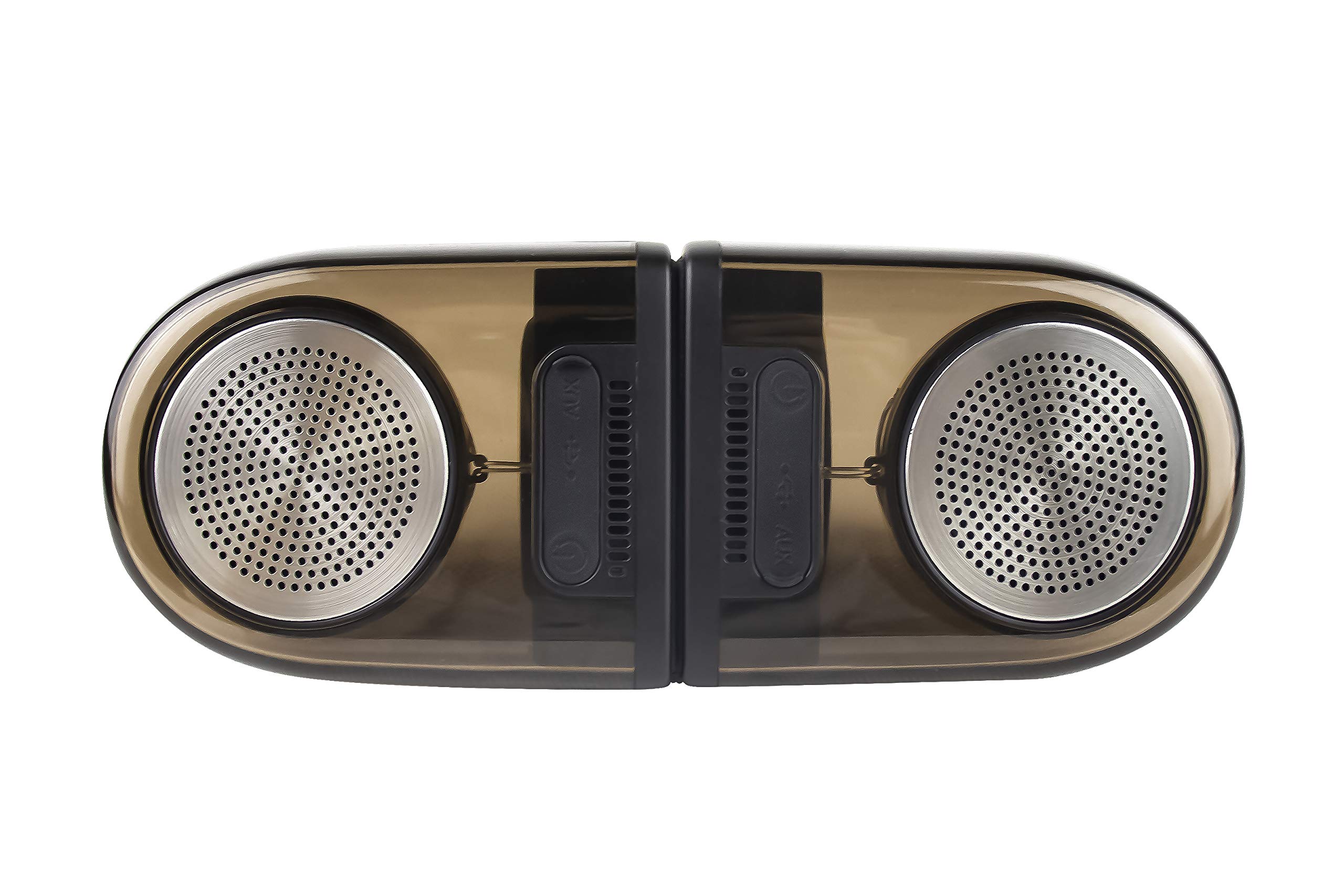
Image of the JVC XS-N2239TC speaker system, showcasinج- تصميمه ومكوناته.
2. محتويات الصندوق
يرجى التأكد من تضمين جميع العناصر التالية في الحزمة الخاصة بك:
- 1 x JVC XS-N2239TC Speaker Unit
- شنومكس x أوكس كابل
- 1 × دليل المستخدم (هذه الوثيقة)
- 1 × كابل شحن
- 1 × بطاقة الضمان
3. الإعداد
3.1 التنسيب
The JVC XS-N2239TC speakers are designed for versatile placement, suitable as Bookshelf or Floor Standing units. Ensure the speakers are placed on a stable, flat surface or floor, away from direct sunlight, heat sources, and moisture. For optimal stereo sound, position the two speakers appropriately within your listening area.
3.2 توصيل الطاقة
- Connect the charging cable to the speaker's power input port.
- قم بتوصيل الطرف الآخر من كابل الشحن بمأخذ طاقة مناسب.
- Ensure the speaker is fully charged before initial use for optimal battery life.
4. تعليمات التشغيل
4.1 تشغيل/إيقاف التشغيل
Locate the power button on the speaker unit. Press and hold the button for a few seconds to power the speaker on or off. An indicator light will typically confirm the power status.
4.2 الاتصال
4.2.1 اتصال لاسلكي
The speaker supports wireless streaming. To connect wirelessly:
- Ensure the speaker is powered on and in pairing mode (refer to the speaker's indicator lights for status).
- On your device (e.g., smartphone, tablet, television), enable wireless functionality.
- بحث عن available devices and select "JVC XS-N2239TC" from the list.
- Once connected, you can stream audio wirelessly to the speaker system.
4.2.2 اتصال USB
The speaker features a plug-and-play USB card reader. Insert a USB storage device containing audio files into the designated USB port on the speaker. The speaker will automatically detect and begin playing compatible audio files.
4.2.3 اتصال AUX
Use the provided AUX cable to connect the speaker to devices with a 3.5mm audio output jack, such as televisions or other audio sources. Plug one end of the AUX cable into the speaker's AUX input and the other end into your audio source's output.
4.3 عناصر التحكم
4.3.1 Multifunctional Panel Keys
The speaker unit is equipped with multifunctional panel keys. These keys allow you to:
- Adjust volume (increase/decrease).
- Play/Pause audio playback.
- Navigate tracks (forward/backward) when playing from USB or wireless sources.
4.3.2 التحكم عن بعد
The included remote control provides convenient access to various functions from a distance. Use the remote to:
- Power on/off the speaker.
- ضبط مستوى الصوت.
- Control playback (play, pause, skip tracks).
- Switch input modes (e.g., Wireless, USB, AUX).
5. الصيانة
5.1 التنظيف
To clean the speaker, use a soft, dry cloth. Do not use abrasive cleaners, waxes, or solvents as they may damage the finish. Ensure the speaker is powered off and unplugged before cleaning.
5.2 مقاومة الماء
The JVC XS-N2239TC speaker is designed with water resistance. While it can withstand splashes, it is not intended for submersion. Avoid exposing the speaker to excessive moisture or direct water jets to prevent damage.
6. استكشاف الأخطاء وإصلاحها
If you encounter issues with your speaker system, please refer to the following common solutions:
- لا يوجد طاقة: Ensure the charging cable is securely connected to both the speaker and a working power outlet. Check if the power button has been pressed correctly.
- لا يوجد صوت: Verify the volume level on both the speaker and your connected device. Ensure the correct input mode (Wireless, USB, AUX) is selected. Check all cable connections.
- مشاكل الاتصال اللاسلكي: Make sure the speaker is within range of your device. Try unpairing and re-pairing the speaker with your device. Ensure no other devices are interfering with the wireless signal.
- مشاكل تشغيل الملفات عبر منفذ USB: Confirm the USB device is formatted correctly and contains compatible audio fileجرب جهاز USB مختلفًا.
- جهاز التحكم عن بعد لا يعمل: Check the remote control's batteries and replace them if necessary. Ensure there are no obstructions between the remote and the speaker's sensor.
إذا استمرت المشكلة، يرجى الاتصال بدعم العملاء.
7. المواصفات
| ميزة | التفاصيل |
|---|---|
| ماركة | جيه في سي |
| اسم الموديل | JVC XS-N2239TC |
| تكنولوجيا الاتصال | يو إس بي، لاسلكي |
| نوع التقنية اللاسلكية | لاسلكي |
| بروتوكول الاتصال | USB |
| وضع إخراج الصوت | ستيريو |
| نوع السماعة | رف الكتب |
| نوع التركيب | يقف الكلمة |
| مميزات المنتج | جهاز التحكم عن بعد |
| طريقة التحكم | بعيد |
| الأجهزة المتوافقة | تلفزيون |
| عدد قنوات الصوت | 2.1 |
| حجم السماعة | 7.5 سم |
| Subwoofer Speaker Diameter | 5 بوصة |
| Tweeter Driver Diameter | 1 بوصة |
| نوع برنامج تشغيل الصوت | سائق ديناميكي |
| لون | أسود |
| مقاوم للماء | حقيقي |
| مستوى مقاومة الماء | ضد للماء |
| استخدامات محددة للمنتج | أنظمة الترفيه المنزلي |
| متوسط عمر البطارية | 6 ساعة |
| وزن العنصر | 0.56 كيلوغرام |
8. الضمان والدعم
8.1 معلومات الضمان
يأتي هذا المنتج مع ضمان لمدة 1 سنوات يُقدّم من قِبل المُصنّع من تاريخ الشراء. يُرجى الاحتفاظ بإيصال الشراء وبطاقة الضمان لأيّ مطالبات بالضمان.
8.2 دعم العملاء
For any complaints, technical assistance, or support regarding your JVC XS-N2239TC speaker system, please contact JVC customer care:
- رقم خدمة العملاء: +91-9910332380
يرجى تجهيز رقم طراز المنتج وتفاصيل الشراء عند الاتصال بالدعم.